Most people still scrape websites using Python scripts, APIs, browser extensions, or traditional web scraping tools.
But now AI agents like OpenClaw can browse websites, extract data, automate workflows, and even send reports automatically using nothing but a simple prompt from WhatsApp or Telegram.
In short, OpenClaw can scrape static pages, handle JavaScript-heavy websites through browser automation, and run scheduled scraping workflows. However, it struggles with proxy rotation, CAPTCHA bypass, retries, and large-scale scraping tasks. That’s where connecting Octoparse as an MCP (Model Context Protocol) server becomes useful. Octoparse handles the heavy scraping infrastructure, while OpenClaw manages the overall automation workflow.
In this guide, I’ll break down what OpenClaw is, what it can actually do for web scraping, where it falls short, and when to bring in Octoparse MCP.
What Is OpenClaw? How This AI Agent Works for Web Scraping
OpenClaw is an MIT-licensed, self-hosted AI agent that runs on your own machine and executes tasks based on simple instructions from chat apps you already use, including WhatsApp, Telegram, Slack, and more.
You simply describe what you want, like “fetch the latest AI news and send me a report every morning,” and OpenClaw figures out how to do it, schedules the workflow, and delivers the results automatically without requiring you to touch anything again.
Here’s what happens behind the scenes when you send a command:
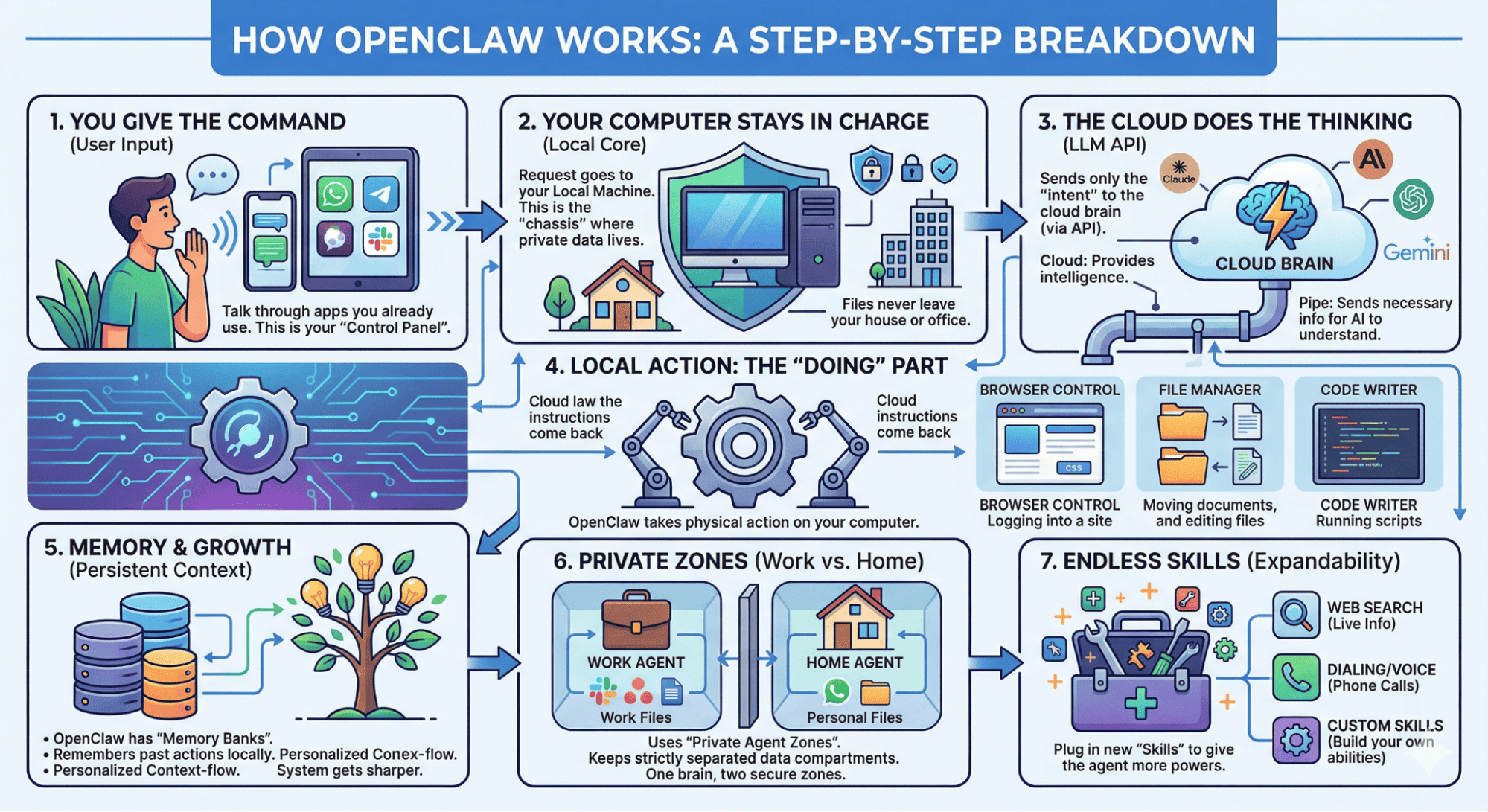
- You send a message from WhatsApp, Slack, or Telegram
- OpenClaw interprets your prompt using an AI model (GPT, Claude, or a local model via Ollama)
- It converts that prompt into actions
- It performs those actions directly on your machine
OpenClaw can browse websites, manage files, run code, and remember your preferences over time. It keeps work and personal data separate using “Private Zones,” and you can add new capabilities through community-built skills on ClawHub (OpenClaw’s skill marketplace).
Thanks to this architecture, you can:
- Turn repetitive tasks into automated workflows in minutes
- Chain multiple steps together (scrape → process → send output) across different apps
- Control everything from a simple chat interface
How to Set Up OpenClaw for Web Scraping (Step-by-Step)
Since OpenClaw is a Node.js-based self-hosted AI agent, you need to install it on your own machine before using it.
The setup process is straightforward:
- Install OpenClaw and run “openclaw onboard” in your terminal
- Connect an AI model provider like OpenAI, Anthropic, or a local model via Ollama
- Complete the onboarding from your terminal
Once configured, OpenClaw gives you a dashboard where you can interact with the agent, connect apps, automate workflows, and manage skills.
From there you can:
- Scrape data from websites using simple prompts
- Automate recurring scraping tasks on a schedule
- Summarize scraped data using AI
- Send reports directly to Slack, Telegram, Gmail, or WhatsApp
- Chain scraping with other automated workflows without requiring complex code.
And for small to medium web scraping projects, OpenClaw works surprisingly well before you need more advanced scraping infrastructure like Octoparse MCP.
Some users even deploy OpenClaw on a VPS or Mac Mini so their automations can run 24/7 in the background.
Now let’s understand how OpenClaw actually handles web scraping behind the scenes.
3 Ways OpenClaw Scrapes Websites: HTTP Fetch, Browser Automation, and Scraping API
So far, we learned what OpenClaw is, and how to set up OpenClaw locally using a couple of commands.
Now let’s get to the main question: How does OpenClaw actually scrape websites?
Well, when I asked OpenClaw (using the Ollama mode): Can you scrape data from specific websites?
Here’s what it replied:
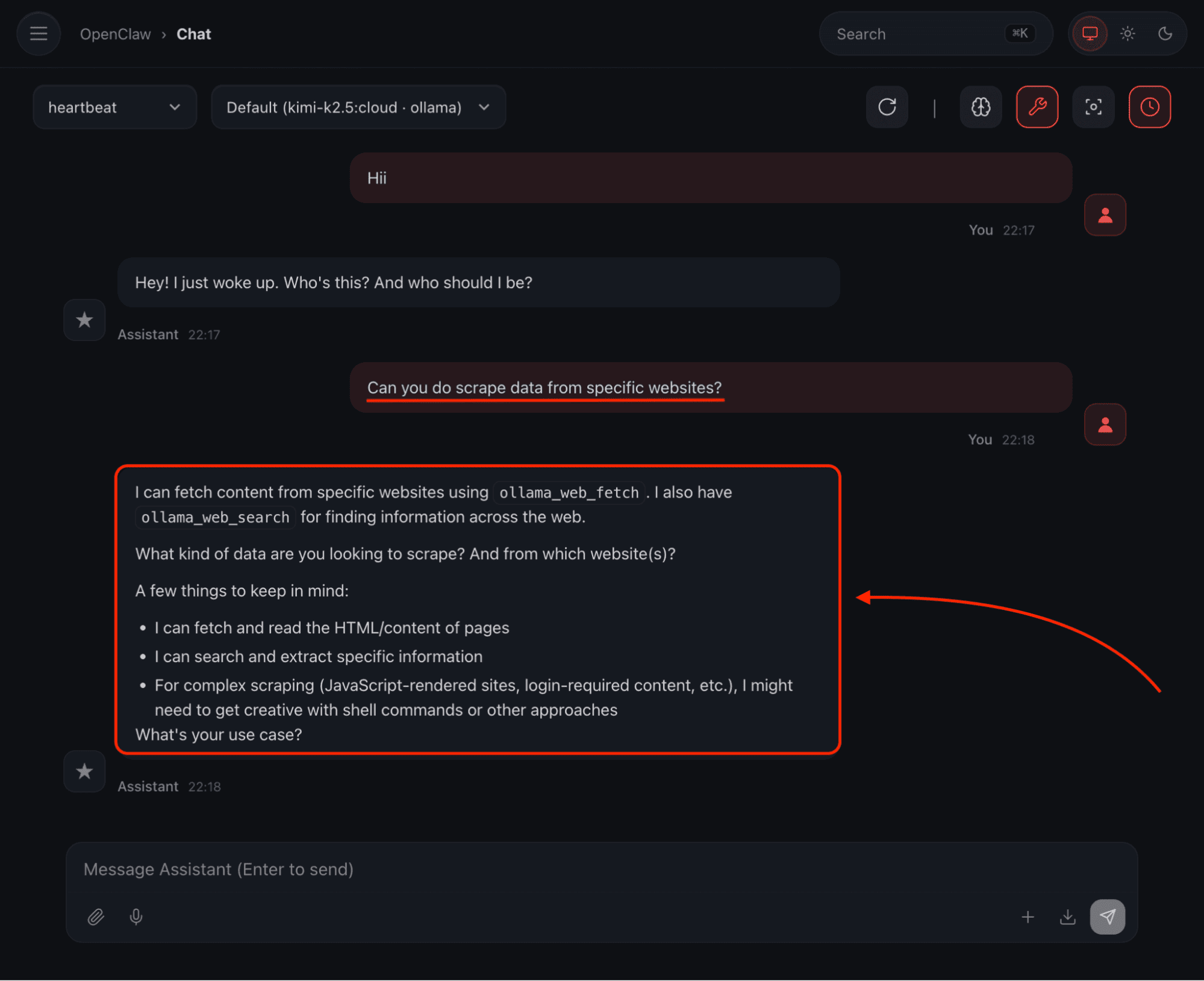
As you can see, it clearly stated that we can scrape the websites using the Ollama Web Search and Web Fetch API.
That’s not all, even OpenClaw provides three different web scraping methods depending on the complexity of the target website:
- HTTP-only Fetching (web_fetch): Here, you need to pass a URL (HTTP GET), and it fetches static, raw HTML content like a basic HTTP request. It works well when the website is static, and when there is no heavy JavaScript involved.
- Full Browser Automation: OpenClaw can control a Chromium-based browser (any web browser built using the open-source Chromium project, which is the same foundation used by Google Chrome) on your own machine, just like a real user would, to scrape modern, JavaScript-heavy websites. That means it can click buttons, fill forms, log in, scroll pages, and wait for content to load. It works well for JavaScript-heavy websites.
- Integrated Scraping APIs: This is mainly for more complex cases. Here, OpenClaw can integrate with third-party web scraping tools like Firecrawl or ScrapeGraphAI to help you scrape data by handling anti-bot protections, CAPTCHA challenges, and blocked requests.
In short, OpenClaw adjusts itself based on the website you’re trying to scrape. And that’s what makes it surprisingly good for scraping different types of websites.
📑 Note: Web scraping itself usually isn’t “universally illegal,” but it sits in a legal grey zone and depends heavily on how you do it, so follow the site’s terms of service and avoid scraping personal data.
How to Scrape Data with OpenClaw and Automate Scheduled Reports
There are actually tons of use cases in the web scraping space using OpenClaw.
But we can’t talk about everything in this post, so let me give you a couple of practical examples of how we can actually use OpenClaw.
First, you can ask OpenClaw to scrape specific data from a specific website, and it will do the job.
Here’s how:
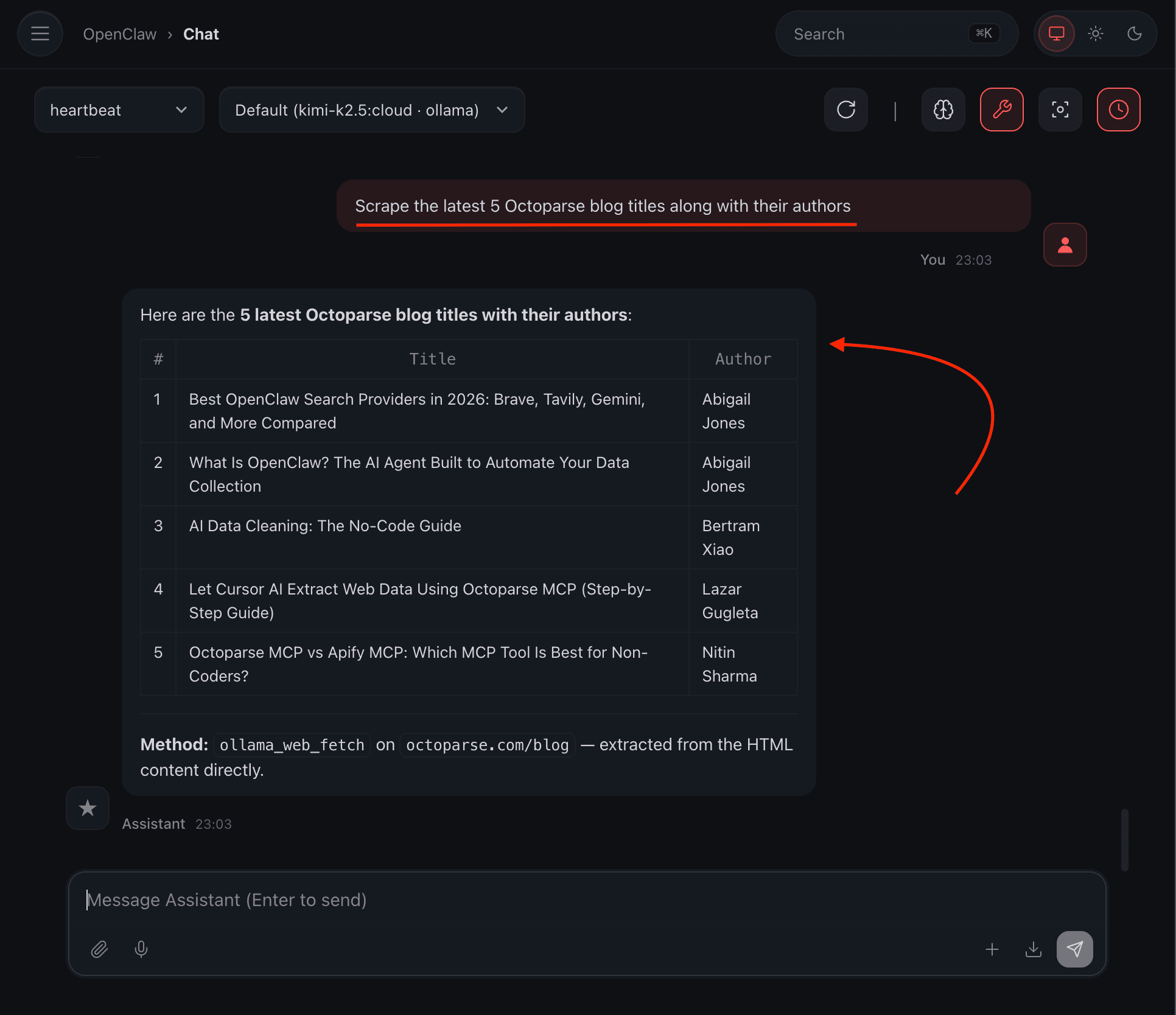
You see, it can actually scrape the latest 5 blog titles along with their authors from Octoparse.
The best part is that I can automate the process so that it automatically sends me the top posts from the best web scraping tools.
Here’s how:
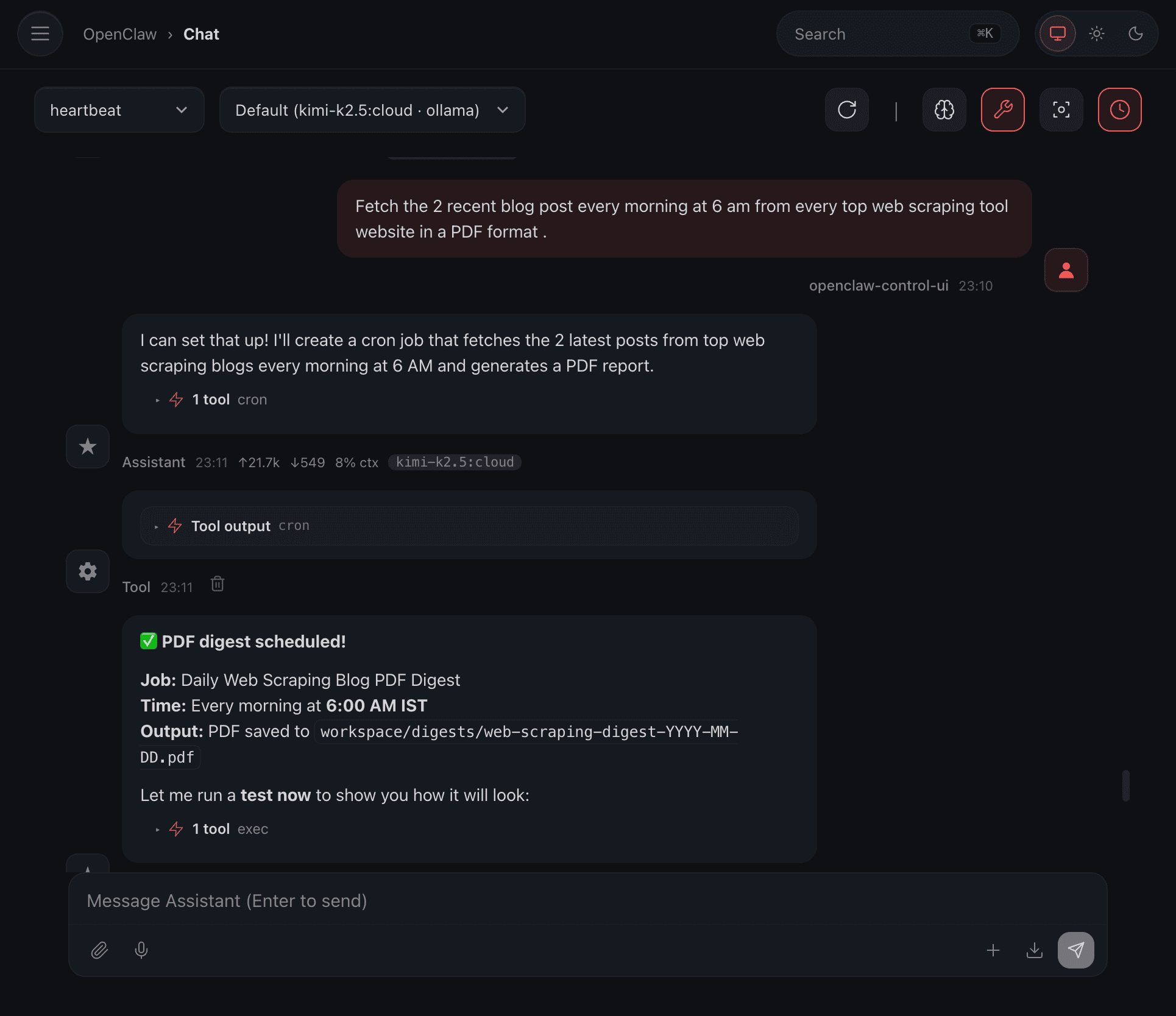
Here, the automation is scheduled, and it will send me a PDF every day with the latest posts, so I can get an idea about my competitors if I’m in the web scraping business.
And yes, I tried a test run to see how it looks, and it actually worked:
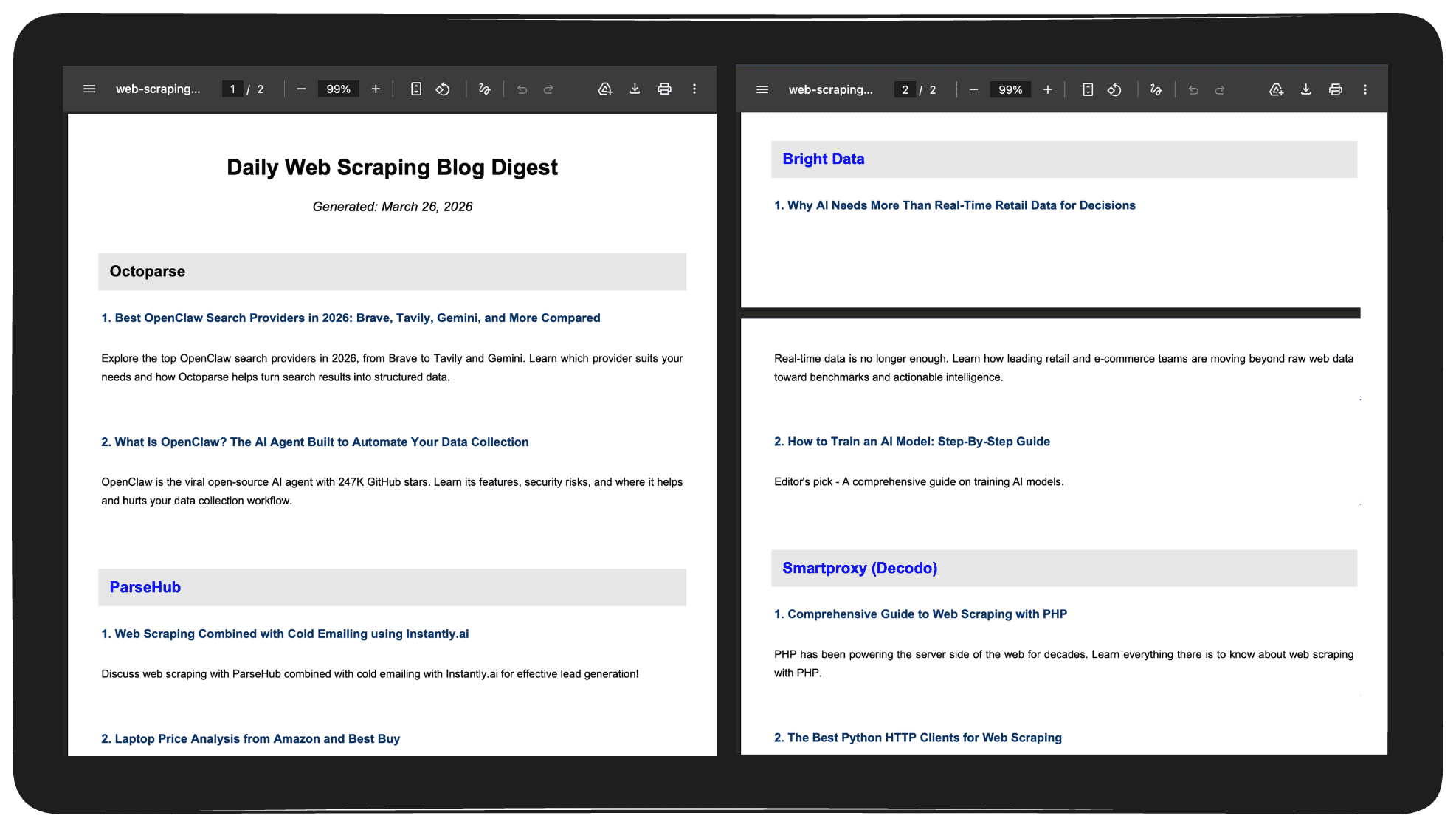
And this is just a simple example to show what you can do. Now you can come up with your own ideas for scraping and automating most of the tasks you want.
OpenClaw Web Scraping: Honest Pros, Cons, and Real Limitations
Let me be direct: OpenClaw is not a dedicated web scraping tool. It’s an AI agent that can also scrape when needed.
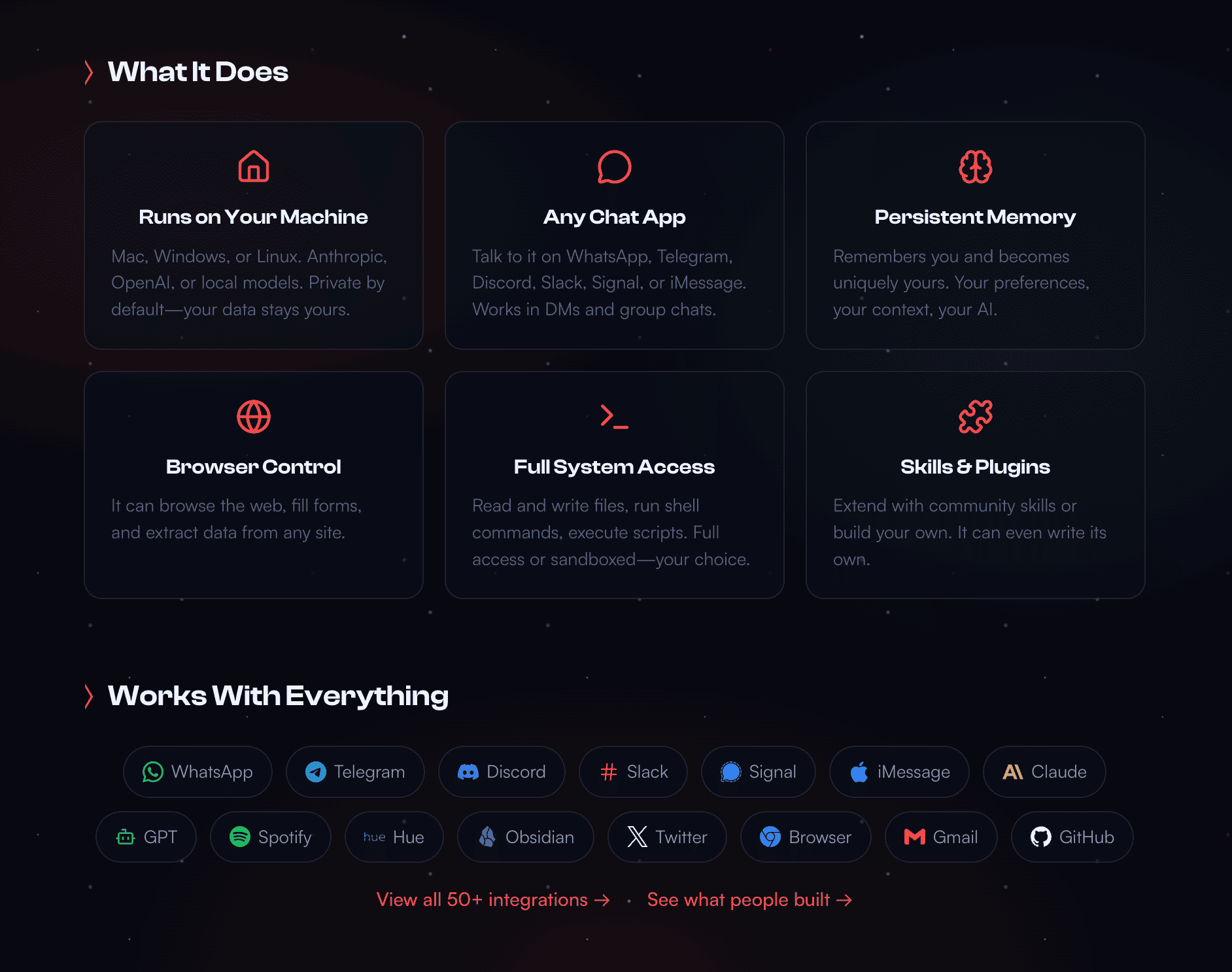
Where OpenClaw genuinely stands out:
- Runs on your own machine, so your data stays with you
- Simple natural language instructions (“fetch latest blog posts every day at 6 AM”)
- Supports scheduled workflows via cron jobs (scheduled tasks that run automatically at set intervals) and heartbeats (periodic signals used to trigger scheduled tasks)
- Retains context using markdown-based memory and improves over time as it learns from previous workflows
- Triggerable from WhatsApp, Slack, or Telegram
But OpenClaw is still in an active beta version, and more importantly, scraping is not its core use case.
So you will run into issues like:
- Some ClawHub skills (OpenClaw’s community skill marketplace) can access your local and private files
- You’re relying on third-party skills, and not all of them are safe to use
- Scraping can break randomly
- Pagination breaks. In testing on a JavaScript-heavy product listing page, OpenClaw’s browser tool loaded content correctly but failed to paginate beyond page 3 without manual session resets.
And so if you’re thinking about scraping seriously, then simply using OpenClaw is not the best choice.
That’s especially true as web scraping becomes a mainstream business practice: recent industry reports estimate the global web scraping market at around $1 billion in 2026, with strong double-digit annual growth driven by e-commerce, finance, AI, and travel companies running large-scale data collection operations every day.
Since it has limitations like:
- it can’t bypass anti-bot systems like Cloudflare or advanced fingerprinting
- it struggles with pagination, retries, and large crawling tasks
- it is not optimized for speed or cost the way dedicated scraping tools are
- even with different OpenClaw search providers, it still struggles with large-scale scraping infrastructure like proxies, rate limiting, and distributed scraping
And if your goal is Python-based scraping at scale, then dedicated scraping libraries or tools like the Octoparse API are usually a much better fit compared to relying only on OpenClaw.
How to Scale OpenClaw Web Scraping with Octoparse MCP
OpenClaw supports MCP (Model Context Protocol), which basically allows it to connect directly with external tools like Octoparse for more advanced MCP web scraping workflows.
Why Octoparse specifically? Octoparse is trusted by millions of users worldwide for structured, high-volume web scraping, helping teams automate data extraction without coding. Where OpenClaw’s web_fetch is a plain HTTP GET with no proxy rotation or retry logic, Octoparse handles:
- Proxy rotation and IP management
- CAPTCHA bypass and anti-bot evasion (including Cloudflare)
- Large-scale crawls across hundreds or thousands of pages
- Reliable cloud-based extraction that runs 24/7
- Structured CSV, JSON, or Excel output
Instead of relying on OpenClaw’s built-in scraping, you register Octoparse as a tool that your OpenClaw agent calls directly. OpenClaw manages the workflow; Octoparse handles the data layer.
Real-world result: a European B2B holding company, used Octoparse for weekly competitor price scraping to replace intuition-based pricing decisions with real market data. Data-driven pricing strategies of this kind typically improve profit margins by around 2–4%.
Setup:
- Install OpenClaw and run: openclaw onboard
- Register the Octoparse MCP server in your config
- Authorize via OAuth: the first tool call opens a browser prompt
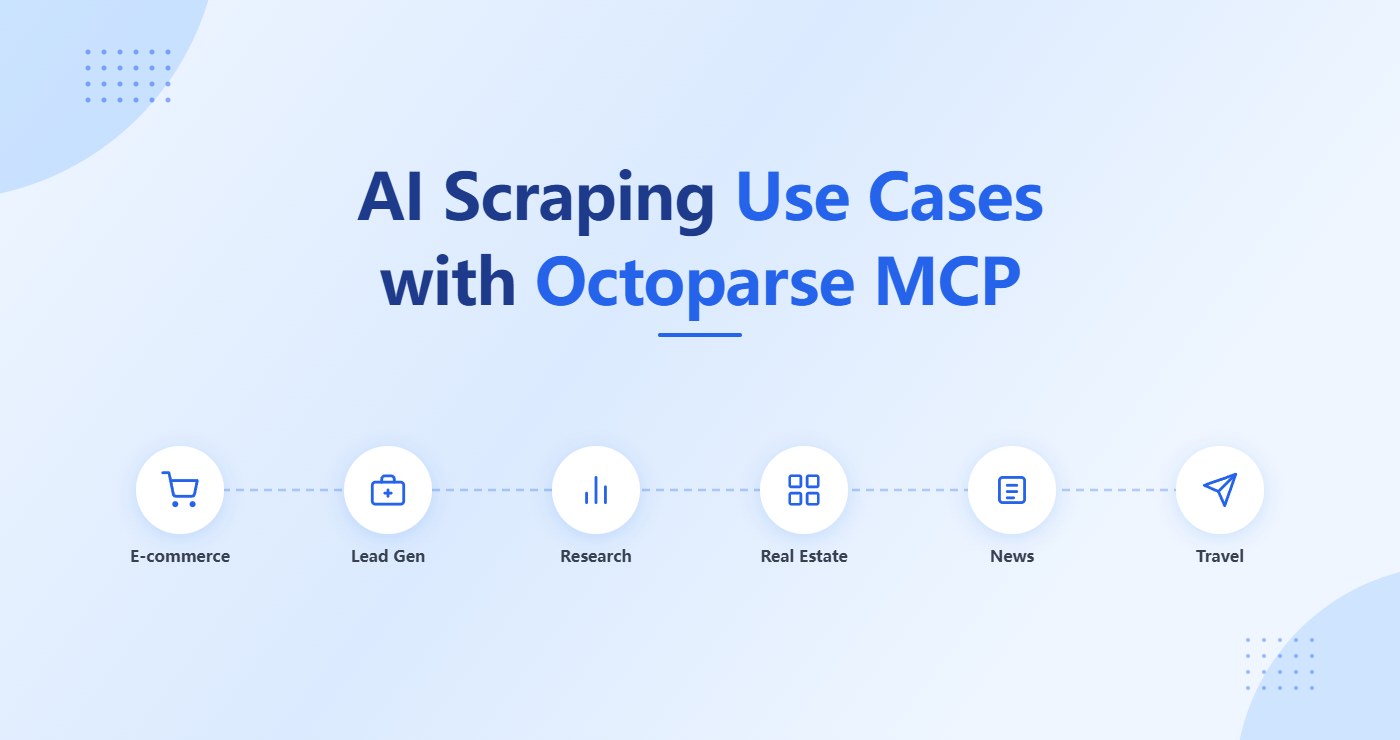
Full setup guide: Octoparse MCP Docs. For more on what you can build, see AI scraping use cases with Octoparse MCP.
Once connected, you can tell OpenClaw: “Scrape these 500 product URLs, export to CSV, and send me the file every Monday.” Octoparse handles the extraction. OpenClaw handles formatting, data analysis and delivery.
When to Use OpenClaw for Web Scraping (And When Not To)
Use OpenClaw standalone when:
- You need to scrape small to medium amounts of data (a few pages, blog posts, dashboards)
- You want to automate a workflow: scrape → clean → summarize → send report
- You want a hands-off system that runs daily or on a schedule
- You don’t want to write code and your goal is automation, not bulk data collection
Add Octoparse MCP when:
- You need to scrape hundreds or thousands of pages reliably
- You’re targeting sites with strict anti-bot systems (Cloudflare, CAPTCHA-heavy)
- You need proxy rotation, retry handling, and structured output
- Scraping reliability is a business requirement, not just a convenience
Here’s a comparison table to give you some more idea:
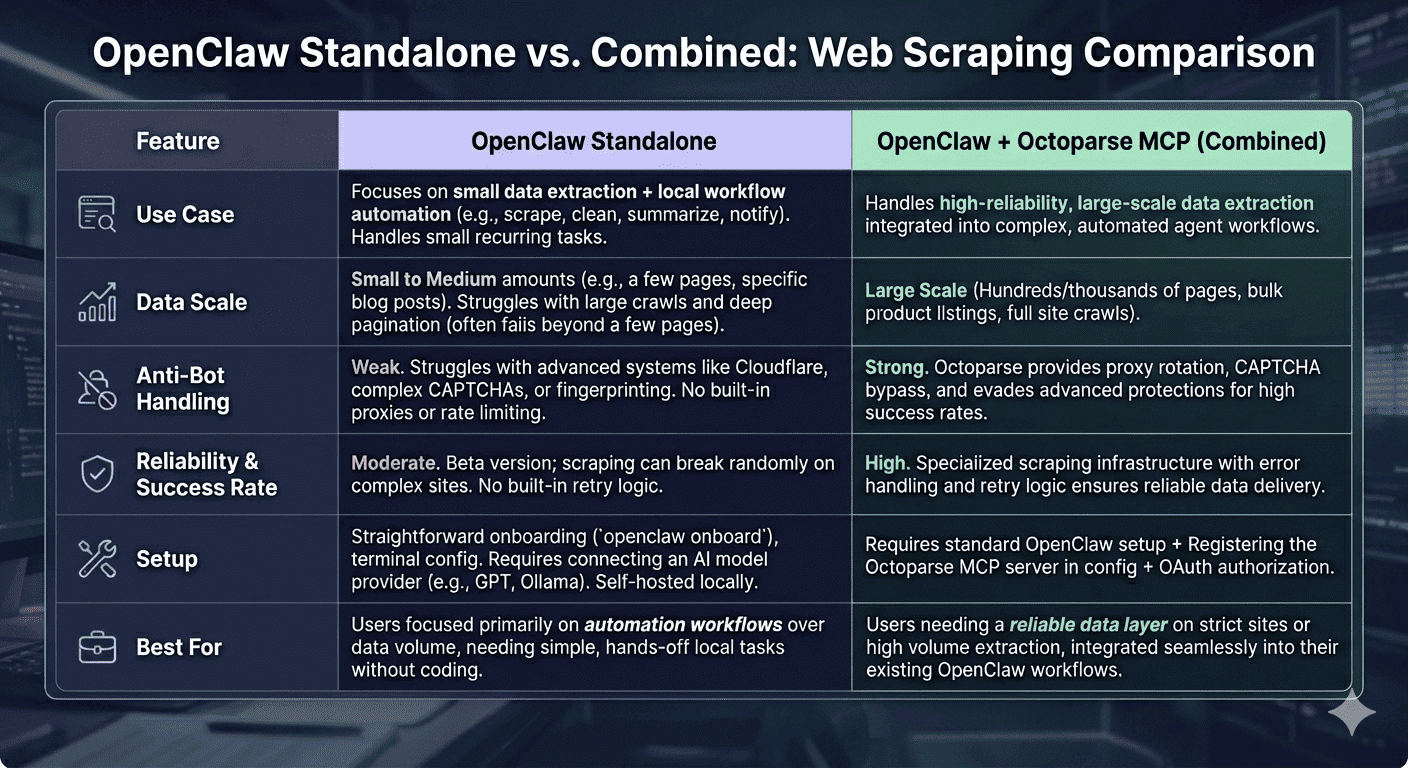
Bottom line:
- Already using OpenClaw? Connect Octoparse as an MCP server and give your agent a reliable data layer in a few steps. 👉 Set up Octoparse MCP
- Starting fresh with web scraping? Octoparse has 600+ ready-made templates for common scraping targets. 👉 Download Octoparse for free
I hope this makes it clear.
📑 Want a deeper dive? Check out these articles:
- What is MCP for Non-Coders
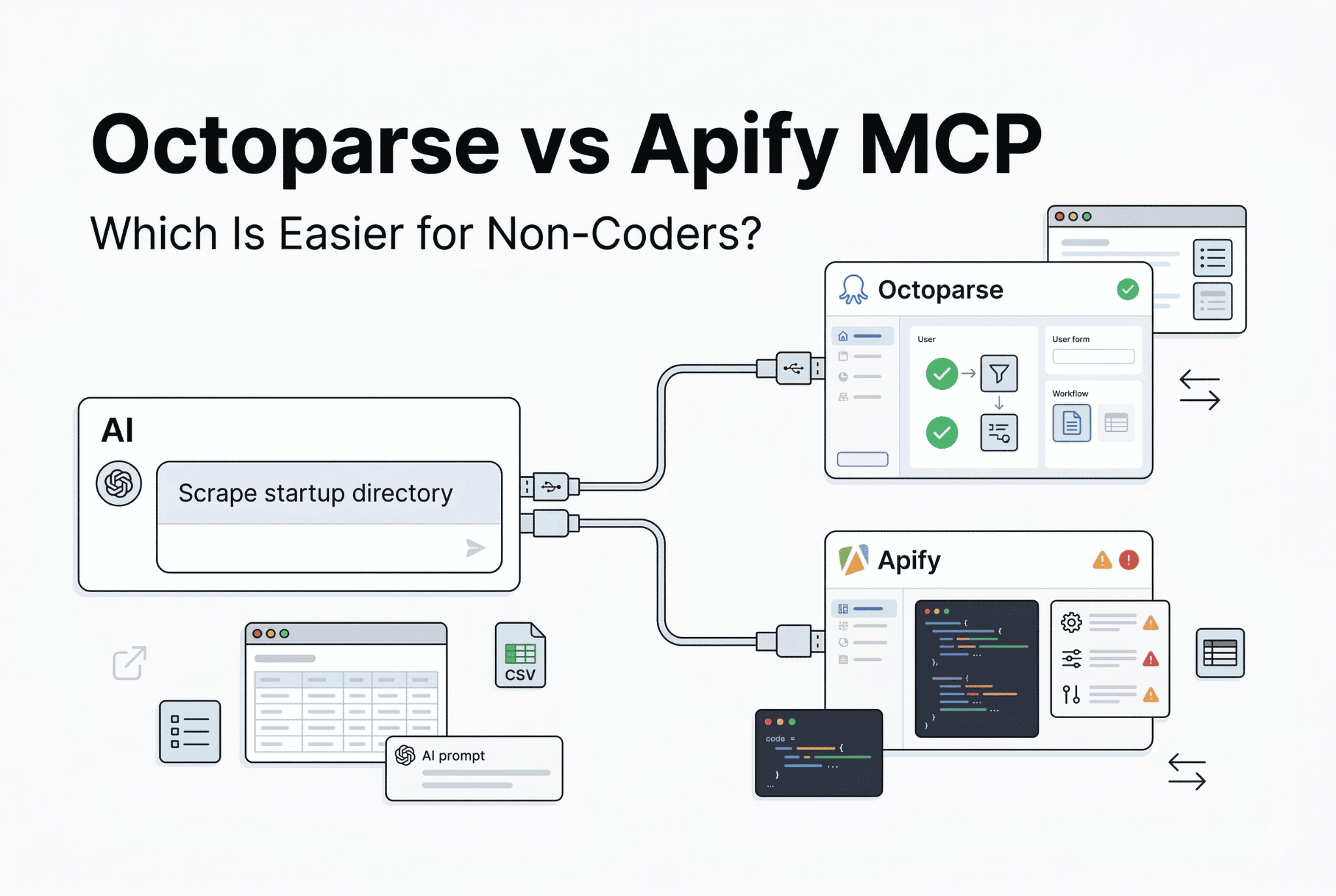
- Octoparse MCP vs Apify MCP
- OpenClaw vs. Claude Code
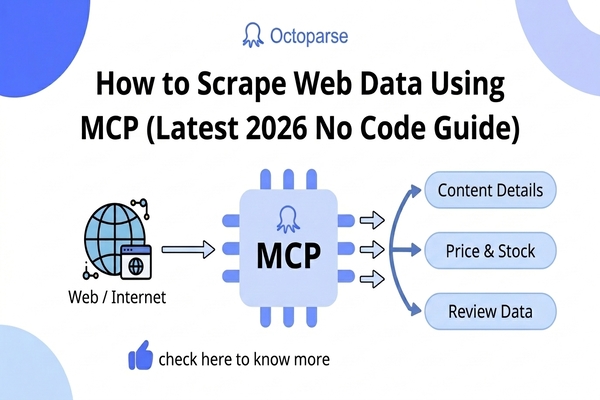
- Scrape Web Data Using MCP
FAQs About OpenClaw for Web Scraping
1. Is OpenClaw a web scraper?
Not exactly. OpenClaw is an AI agent that can also scrape as one of many capabilities. It’s better described as a task automation agent. If your only goal is web scraping, a dedicated tool like Octoparse is more reliable and more scalable.
2. Does OpenClaw work on JavaScript-heavy websites?
Yes, with limits. OpenClaw controls a real Chromium browser via Playwright/Puppeteer and can click, scroll, log in, and wait for JavaScript to render. But it can’t handle proxy rotation, fingerprinting, or advanced anti-bot protection, and that’s where Octoparse comes in.
3. Do I need coding skills to use OpenClaw for web scraping?
No, you don’t need coding skills to use OpenClaw for web scraping. OpenClaw is built to help you use an AI agent that completes your tasks by following simple instructions, just like you would give your teammates about what to do. In the same way, you can describe what you want like: “Scrape this page and send me a report every day”. And OpenClaw will understand the task, execute it, and even schedule it if you want.
4. Can I fully automate web scraping tasks with OpenClaw?
Yes, OpenClaw can fully automate web scraping workflows. You can tell it things like “scrape this website every morning and send me the report on Telegram”, and it can handle the scraping, scheduling, summarizing, and delivery automatically. It works especially well for small to medium scraping tasks where your goal is automation and workflow management instead of large-scale data extraction.
5. Is OpenClaw safe to use for web scraping?
OpenClaw is still in active beta, so you should be careful while using it for web scraping or automation tasks. Some third-party skills can access local files or system-level actions depending on the permissions you allow. That’s why it’s important to only install trusted skills, avoid unnecessary permissions, and test workflows properly before using OpenClaw for important or sensitive tasks.
6. Does OpenClaw work on Windows?
Yes, OpenClaw works on Windows since it’s built on Node.js, which is cross-platform and supports Windows, macOS, and Linux environments. Some users even deploy it on VPS servers so their scraping workflows and automations can run 24/7 in the background without depending on a personal machine.
7. How does OpenClaw compare to Claude Code for scraping?
Claude Code is a terminal-based coding agent that’s great for writing and debugging scraping scripts, but it lacks persistent memory, proactive scheduling, and messaging app integration. OpenClaw is better suited for non-developers who want recurring automation workflows directly through chat apps. For a deeper comparison, check out OpenClaw vs Claude Code.