Every AI assistant you’ve tried has the same blind spot. You can ask it to analyze data, write reports, or answer tricky questions all day. But ask it to grab live information from a website, update your project board, or export a design, and the conversation hits a wall.
MCP is what finally breaks through that wall. You don’t need to write a line of code to use it. And if you do code, it slots into your stack just as easily. At its core, it works through something called an MCP server — a connector that gives your AI access to the tools you already use.
MCP stands for Model Context Protocol. In plain terms, it’s an open standard that lets AI assistants like Claude, ChatGPT, or Gemini reach out and actually use external tools. Your web scraper, your design app, your team chat, your project wiki. MCP connects them all to your AI through a single, standardized protocol.
This guide covers what MCP and MCP server are, why it matters whether or not you write code, how to set it up, and real examples of what you can do with it today.
What Is MCP and MCP Server?
What Is the Model Context Protocol (MCP)
Here’s a useful way to think about it. Before Bluetooth, every wireless device needed its own proprietary pairing system. Keyboards, headphones, and mice all spoke different languages. Bluetooth created one universal wireless standard, and suddenly, everything could talk to everything else.
Model Context Protocol does the same thing for AI. It’s a standardized way for any AI assistant to discover and use external tools without needing custom-built integrations for each combination. (Some platforms call this an MCP connector instead. Same thing, different name.)
The Problem MCP Solves
Before MCP, connecting an AI to an outside tool meant writing custom code. Every tool needed a bespoke connector for every AI platform. If you wanted your AI to work with five different apps, someone had to build and maintain five separate integrations.
MCP replaces all of that with a single protocol. A tool developer builds one MCP server. Any AI platform that supports MCP can connect to it automatically.
How Fast Is MCP Growing?
The adoption numbers speak for themselves. MCP SDK downloads grew from roughly 100,000 in November 2024 to over 8 million monthly by April 2025. And by late 2025, the number soared to over 97 million monthly. Unofficial directories now index more than 5,800 MCP servers, and that figure continues to climb.
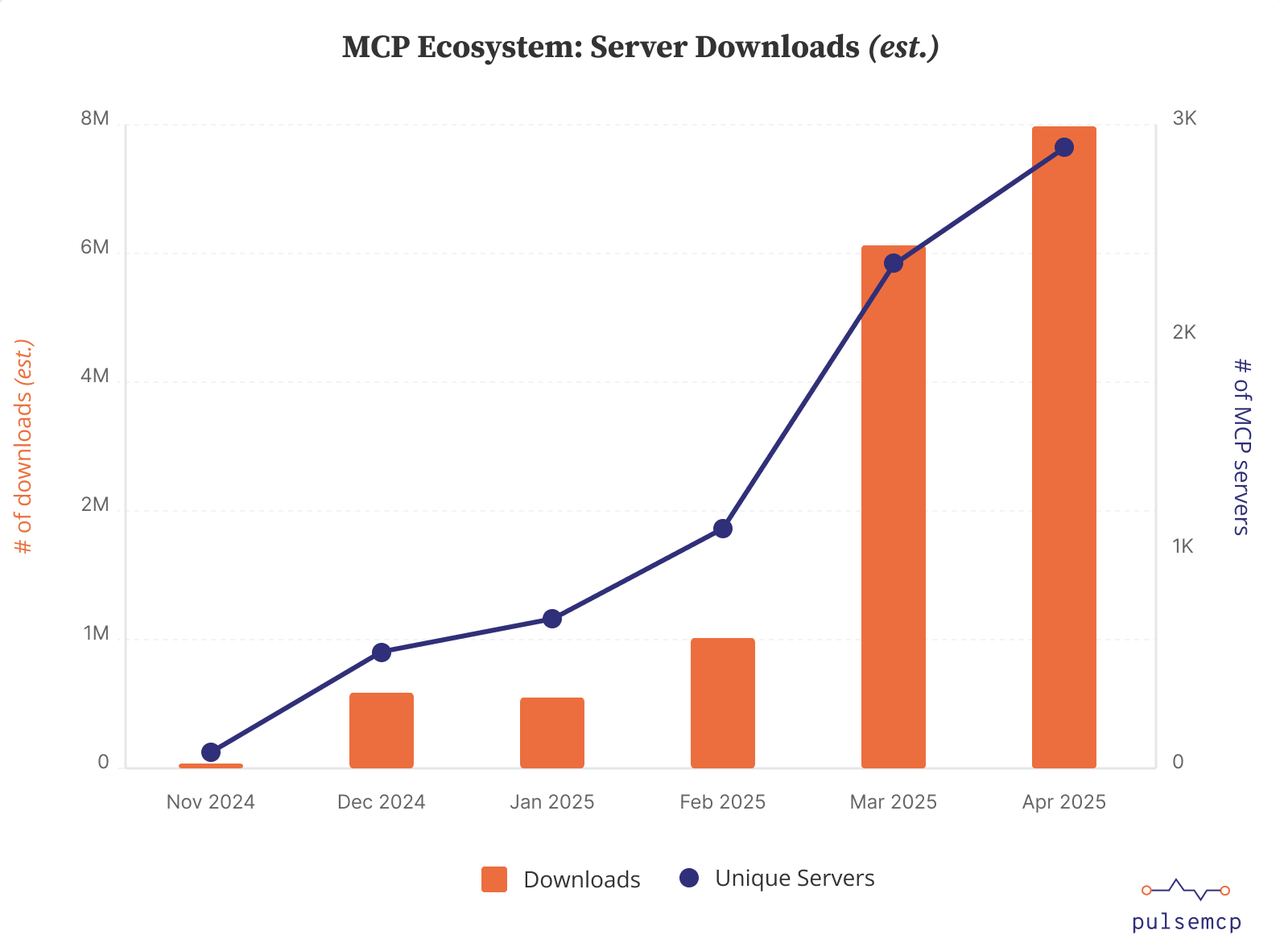
(MCP’s growth from November 2024 to April 2025. Source: pulsemcp)
Every major AI company has committed. The protocol now sits under the Linux Foundation as a vendor-neutral open standard, not controlled by any single company.
How MCP Works in Practice
| Step | What Happens |
| 1. Pick a tool | Choose an app you already use — Octoparse, Canva, Notion, etc. |
| 2. Add its MCP server | Paste the tool’s short config snippet into your AI platform’s settings, for example, claude desktop. |
| 3. AI discovers capabilities | Your AI assistant automatically sees the tool’s capabilities |
| 4. Talk normally | Describe your task in plain language — the AI handles the rest |
What’s shown above is the practical flow, step by step.
What is Model Context Protocol (MCP) Server
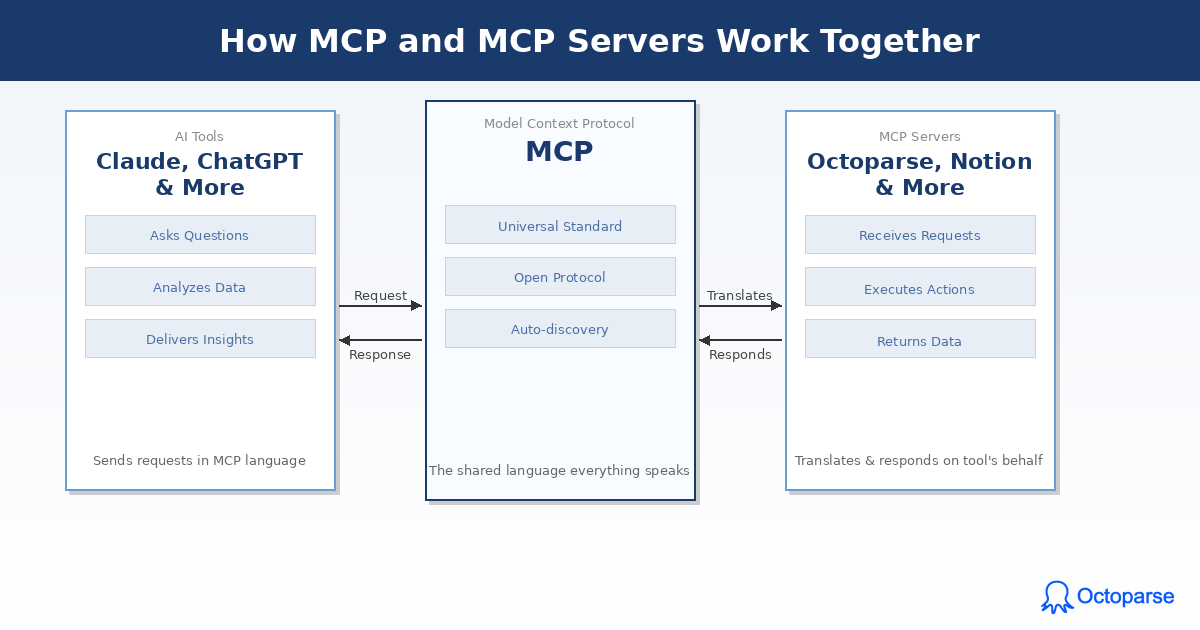
MCP is the protocol: the shared language. An MCP server is the translator that speaks it on behalf of a specific tool.
Think of it this way: when you want your AI to interact with Octoparse, Notion, or Slack, each of those tools needs something that “speaks MCP.” That something is an MCP server. It’s a lightweight service that wraps a tool’s existing functionality and exposes it in a standardized way that any MCP-compatible AI can understand and use.
An MCP server does three things:
- It advertises what the tool can do (its available actions and data)
- It receives requests from the AI in a standard format
- It executes those requests and returns results
You don’t build the server. The tool provider does. You just connect to it.
How MCP and MCP Servers Work Together
MCP is the rulebook. An MCP server is a player that follows it.
Without the protocol, every tool would need a custom integration for every AI platform — a maintenance nightmare that doesn’t scale. Without servers, the protocol is just theory with nothing to connect to.
Together, they form a two-sided system: Anthropic (and others) built the standard; tool developers built servers that comply with it. As a user, you benefit from both without touching either. You paste a server URL into your AI’s settings, authorize access, and start working.
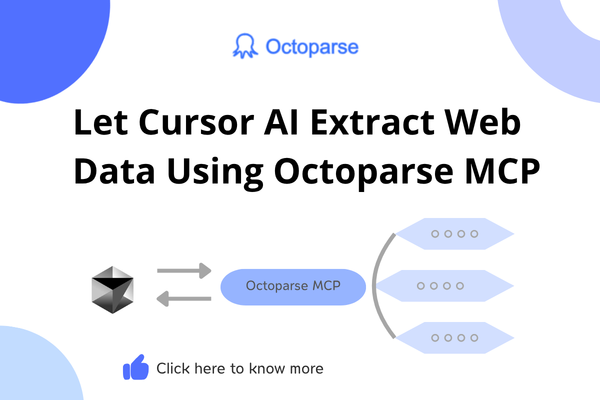
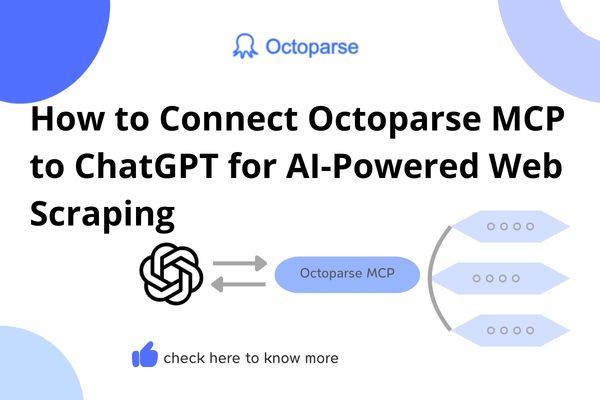
The list of available MCP servers already covers thousands of tools and grows weekly. If a tool you use has published an MCP server, your AI can work with it today. For instance, since Octoparse has its own MCP server now, you can add it to Claude and scrape websites with Claude.
Why MCP Changes Everything (Even If You Don’t Code)
If you don’t write code, you’ve been stuck with AI’s “read-only” mode. You can chat with it to draft emails or summarize documents. But the real power connecting AI to live data, triggering workflows, and controlling apps has been locked behind a technical barrier.
MCP removes that barrier entirely. And the timing is right: a 2025 Thoughtworks analysis noted that MCP has crossed the threshold from experimental to production-ready, with enterprise adoption accelerating across every major AI platform.
Your AI becomes a doer, not just a talker. Instead of explaining how to update a spreadsheet, it actually updates it.
Your existing tools just work. Notion, Slack, Canva, your web scraper — they plug into your AI through MCP without you learning a single technical concept.
Automation becomes conversational. You describe what you need. The AI figures out which tools to use and gets it done.
This isn’t a niche trend, either. Gartner predicts that 40% of enterprise applications will feature task-specific AI agents by 2026, up from less than 5% in 2025. MCP is the connective tissue that makes those agents useful, whether or not you write code.
How to Set Up an MCP Server (3 Minutes)
Setting up MCP takes less time than making coffee. Here’s the process using Claude Desktop as an example. ChatGPT, Cursor, Windsurf, and other MCP-compatible platforms follow different steps. For more details, check the tool’s MCP documentation, for example, Octoparse’s MCP Doc.
Step 1: Open Settings
In Claude Desktop, navigate to Settings and find the Connectors section in the left sidebar.
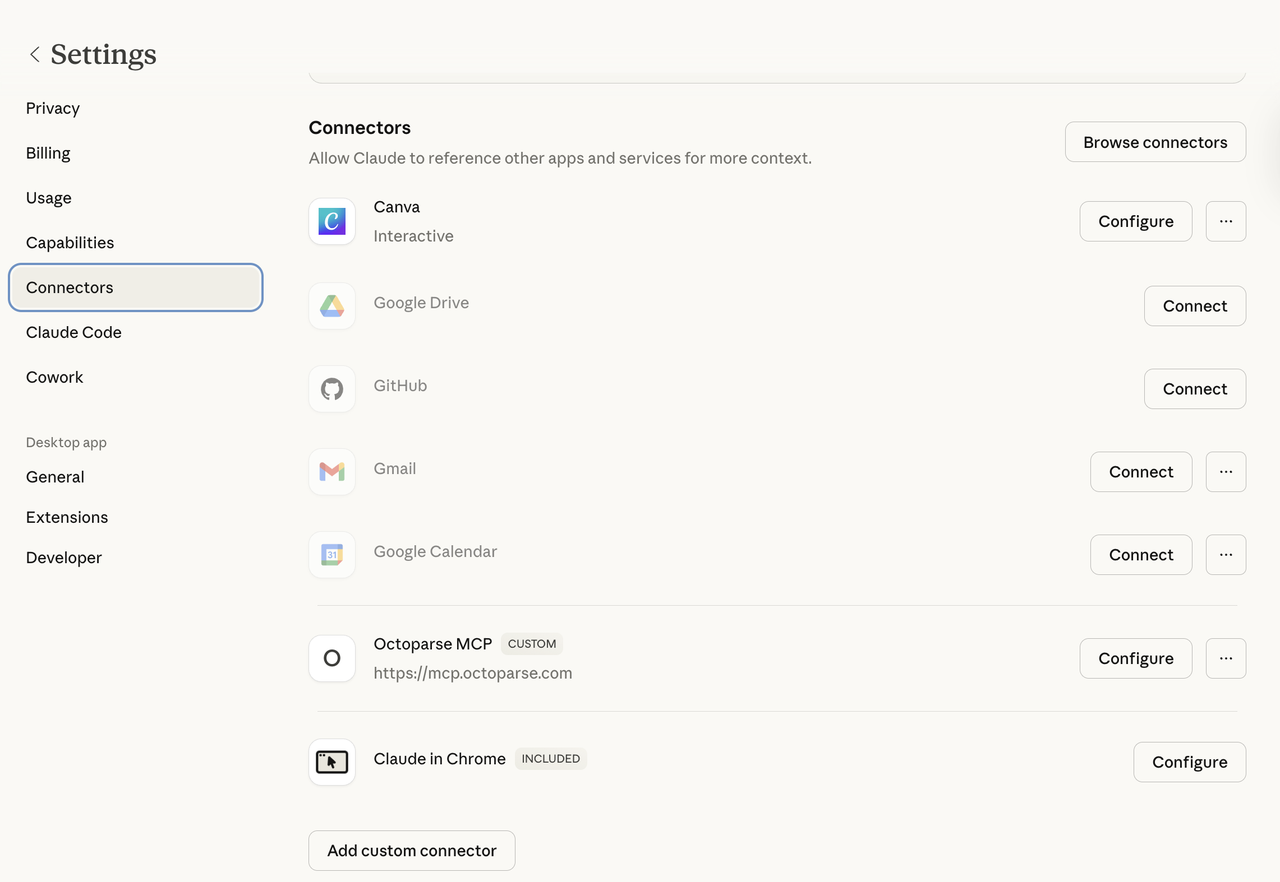
(Claude desktop settings page)
Step 2: Add a Server
You can browse popular connectors by clicking the “Browse connectors” button and then choose the one you like to connect.
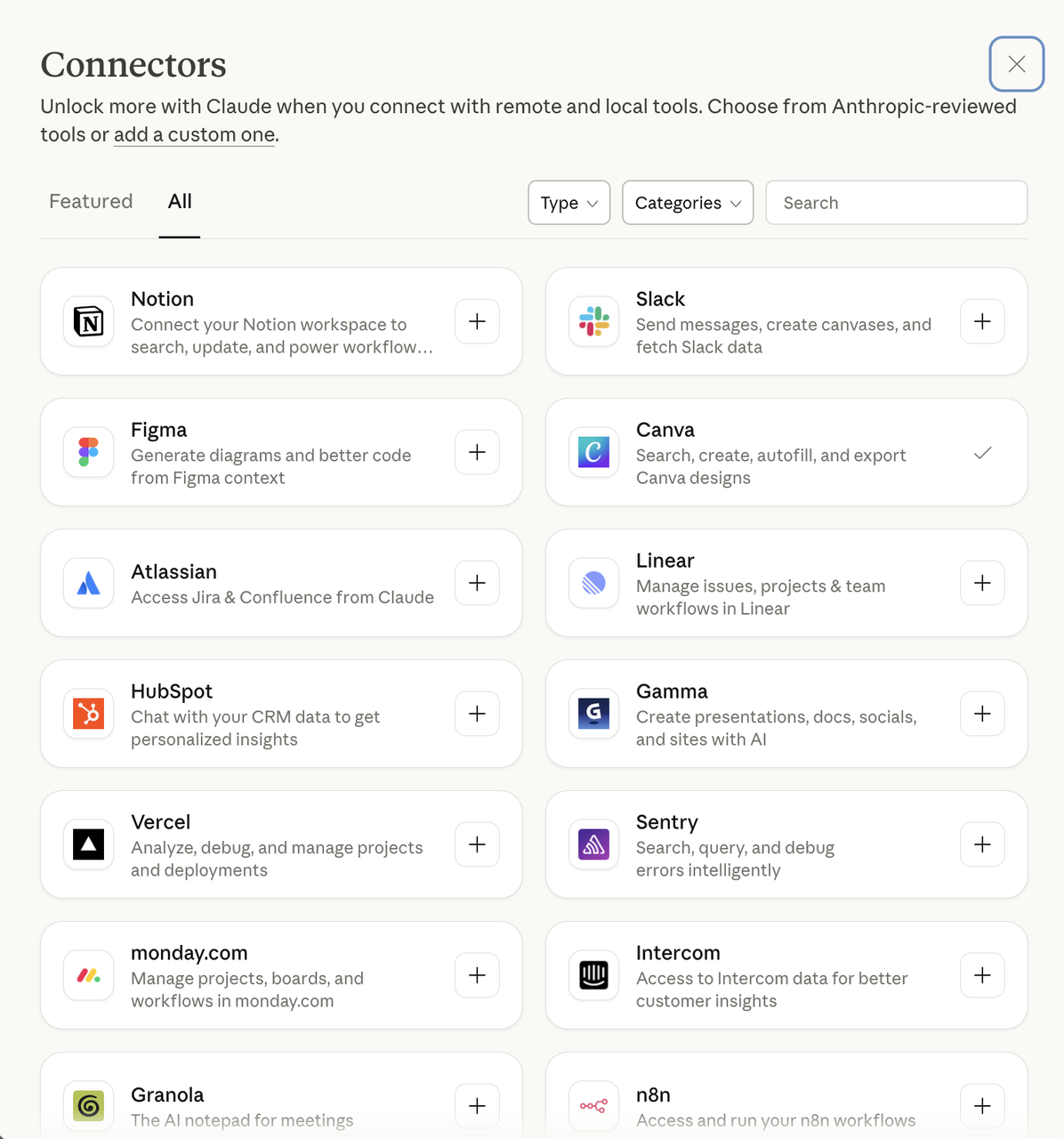
Or click “Add custom connector” if you don’t find your desired software in the above “Browse connectors” section.
Then, paste the “Remote MCP server URL” provided by the tool you want to connect to. For Octoparse, a typical MCP server URL looks like this: https://mcp.octoparse.com.
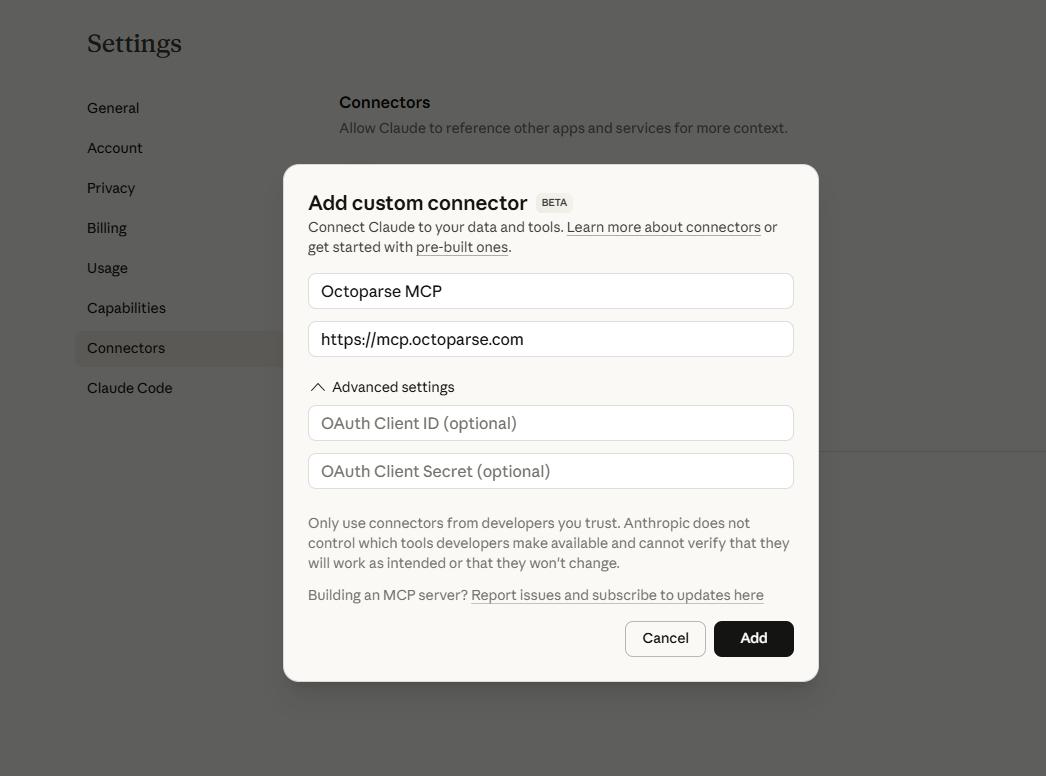
Step 3: Connect and Authorize Access
Click the Add button. The MCP server now appears in your connector dashboard. Next, click “Connect”

And follow the OAuth authorization prompt—sign in with your Octoparse account and confirm access.
And there you go. Done. Start asking questions that require that tool, and your AI handles the connection automatically.
Real-World MCP Server Examples That Matter
Here’s where MCP stops being a concept and starts being a daily tool. These are some of the most widely used MCP servers and what they let you actually accomplish. No coding required.
Web Scraping: Octoparse MCP
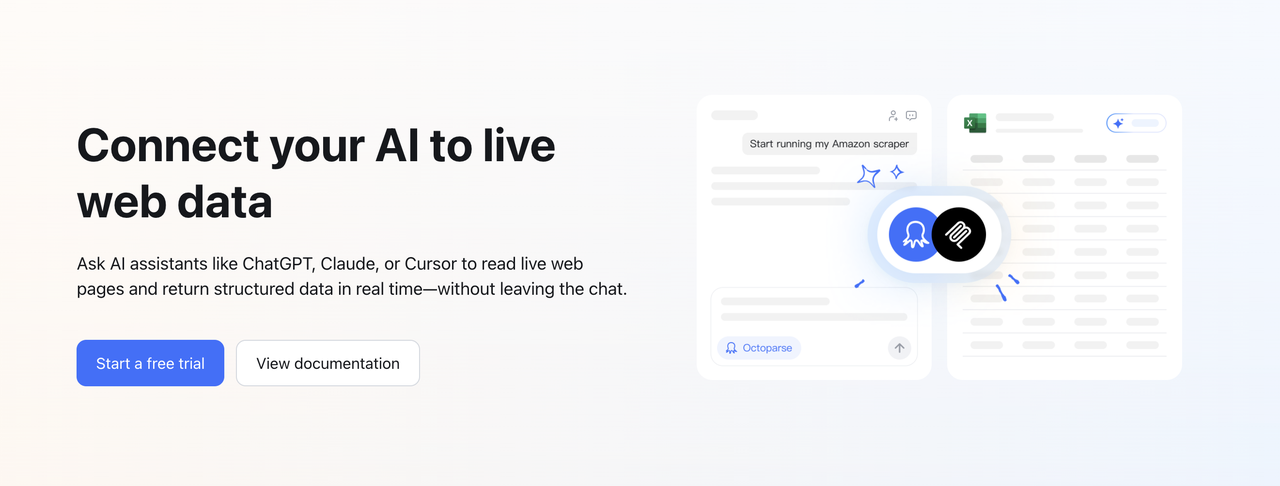
The challenge: You need product data, market prices, or contact lists from websites. But web scraping tools traditionally require you to configure workflows, select page elements, and troubleshoot extraction rules.
With MCP: Connect your AI to Octoparse and describe what you need conversationally. Octoparse runs the scraping task — choosing the template, handling IP rotation, CAPTCHA solving, and pagination — then returns clean, structured data directly to your AI for analysis.
Example prompts you can try:
“Scrape the top 100 laptop listings on [retailer site] and sort them by price.”
“Pull all dentist offices in Austin, Texas from [directory] with phone numbers and ratings.”
“Check [this product page] every morning and flag any price changes.”
This is especially useful for market researchers, e-commerce teams, and competitive analysts who need web data regularly. Octoparse’s AI-powered auto-detection already simplifies setup for non-technical users — MCP takes it a step further by letting your AI orchestrate the entire process. Want to go deeper on no-code AI scraping tools? Octoparse covers the landscape.
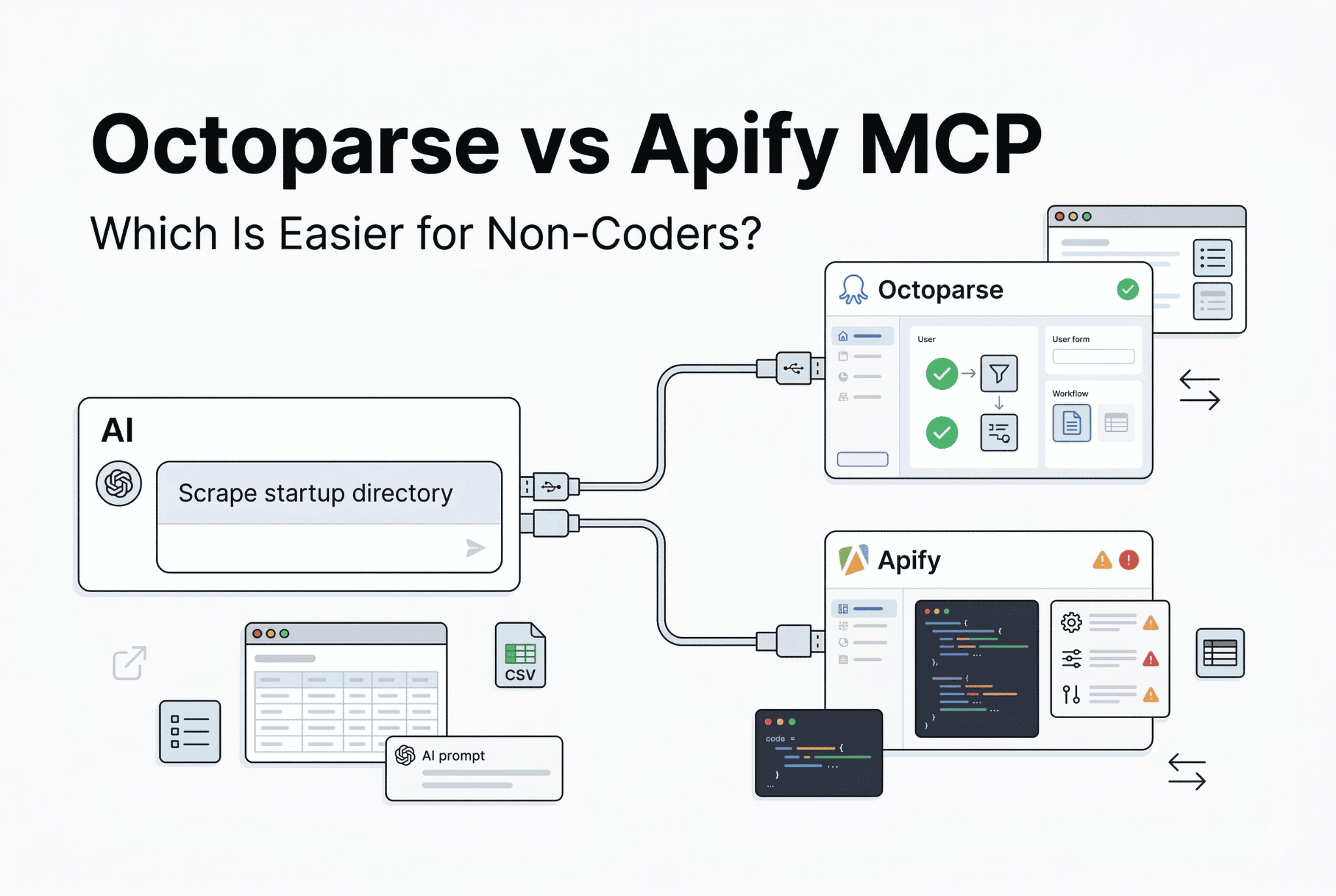
Comparing options before you commit? We break down setup time and feature coverage in the best MCP servers for business users, and go head-to-head with Apify in Octoparse MCP vs Apify MCP.
Design: Canva MCP
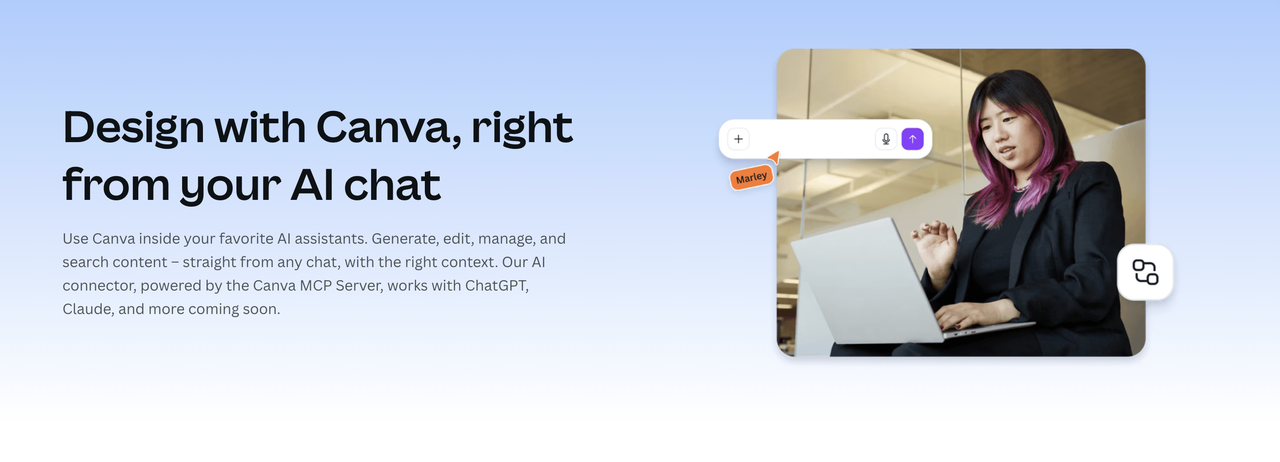
The challenge: Creating, editing, or exporting designs means switching between your AI conversation and Canva’s editor — breaking your flow every time.
With MCP: Canva’s MCP server lets your AI search your existing designs, edit text and images, export files, and generate new designs — all without leaving the chat.
Example prompts:
“Export my Q1 report deck as a PDF.”
“Create an Instagram post about our summer sale using our brand colors.”
“Replace the headline on slide 5 with ‘Updated Roadmap.'”
For marketing teams and content creators, this is a genuine workflow upgrade. Instead of bouncing between a chat window and Canva’s editor, downloading, re-uploading, and re-exporting files, MCP turns your AI into a design assistant that works directly inside your creative library. If you need a quick resize for social or a last-minute text swap on a deck before a client call, just say so. The design stays in Canva, but the work happens in your conversation.
Knowledge Management: Notion MCP
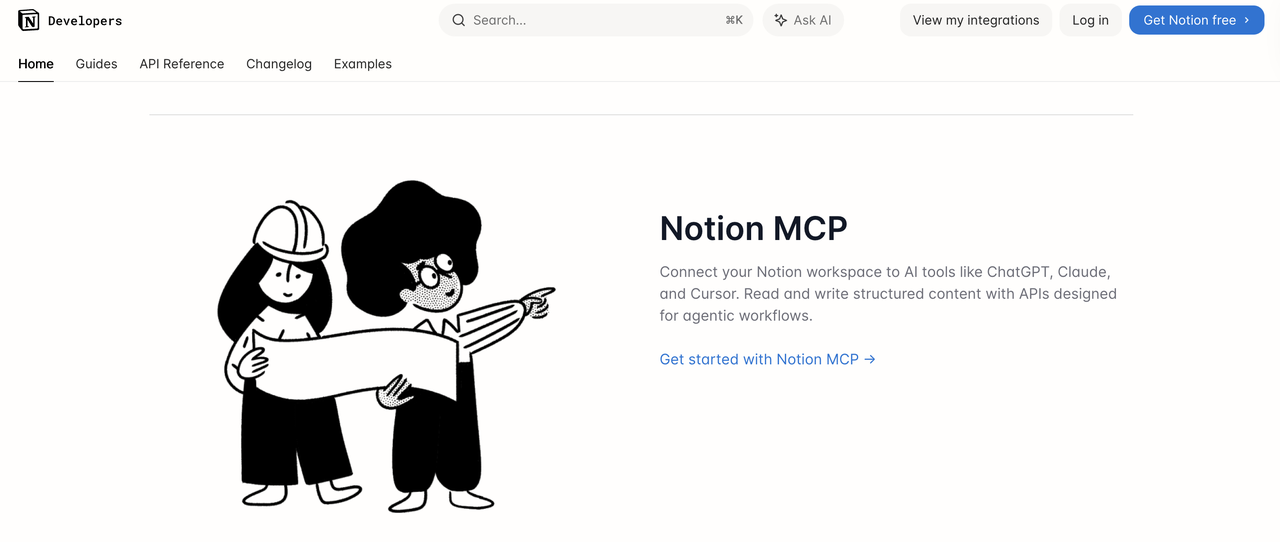
The challenge: Your team’s documentation lives in Notion, but your AI can’t access it. Every time you need context for a task, you’re manually copying information between apps.
With MCP: Notion’s official MCP server gives your AI read-and-write access to your workspace. It can search pages, create new content, add comments, and retrieve context from existing docs.
Example prompts:
“Find our onboarding checklist and list which items are still incomplete.”
“Create a new page in the Engineering folder with this week’s sprint goals.”
“Summarize the key decisions from the last three meeting notes.”
If you’ve ever wished your AI could just “read the wiki” before answering a question, this is exactly that. MCP transforms Notion from a passive document store into an active knowledge layer your AI can tap into on every request. Project context, team decisions, onboarding docs — it’s all available the moment your AI needs it, without you lifting a finger to copy-paste anything.
Team Communication: Slack MCP
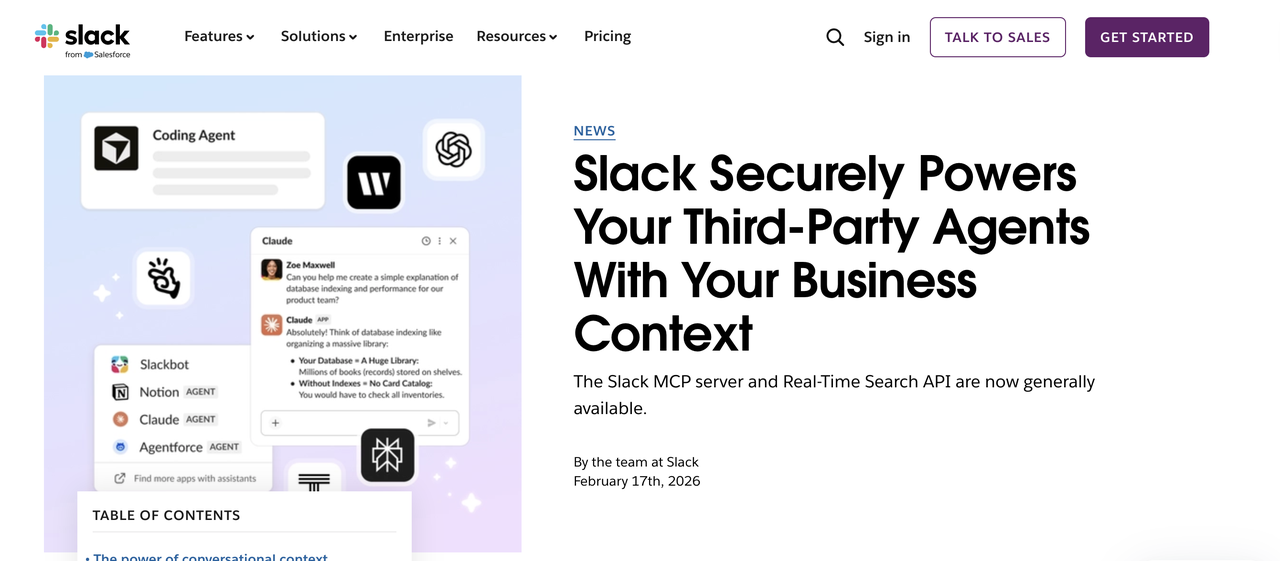
The challenge: Important context and decisions get buried across dozens of Slack channels. You spend more time searching for information than using it.
With MCP: Slack’s MCP integration lets your AI read channels, surface key discussions, and draft messages on your behalf (always showing you before sending).
Example prompts:
“What did the team discuss about the rebrand in #design this week?”
“Find any messages where someone mentioned the API migration deadline.”
“Draft a status update for #engineering about the release — show me before posting.”
By giving AI secure, permission-aware access to your Slack workspace, MCP transforms Slack from a chat archive into an intelligent knowledge layer. Instead of manually digging through threads, you can instantly retrieve decisions, extract action items, summarize multi-day conversations, and generate polished updates grounded in real team context. This not only reduces context-switching and repetitive searching, but also ensures communication stays accurate, aligned, and up to date.
The Bigger Picture: Why MCP Matters Now
MCP represents something more significant than a convenience feature. It marks the shift from AI as a thinking tool to AI as an acting tool.
Without MCP, AI is like a brilliant advisor locked in a room with no phone, no internet, and no access to your filing cabinet. It can reason through anything you put in front of it — but it can’t go get information or take action on its own.
With MCP, that advisor gets a full office. It can pull files, check live data, and execute tasks. You shift from being the middleman who copies data between tools to the decision-maker who reviews results.
The market is moving fast. The MIT 2025 AI Agent Index found that published research mentioning “AI Agent” or “Agentic AI” in 2025 alone exceeded the total output from 2020 through 2024 combined by more than twofold. And Gartner’s projection of 40% enterprise app integration with AI agents in 2026 underscores that this isn’t early-stage experimentation anymore.
Whether or not you write code, the gap in what you can accomplish with AI just closed. The protocol is set. The tools are ready.
Frequently Asked Questions about MCP
- Do I need coding skills to use MCP?
No. Most MCP servers only require pasting a short configuration snippet into your AI platform’s settings. Many platforms are also adding one-click install buttons that eliminate even that step.
- Is MCP free to use?
The protocol itself is open-source and free. Individual MCP servers may be free or paid depending on the underlying tool. Community-built servers are typically free. Servers for premium services like Octoparse may require a subscription.
- Which AI platforms support MCP?
As of early 2026, MCP is supported by Claude (Anthropic), ChatGPT (OpenAI), Gemini (Google DeepMind), and developer tools including Cursor, Windsurf, and VS Code with GitHub Copilot. The list grows regularly.
- Is MCP safe? Can AI access my data without permission?
MCP has built-in security layers. Your AI can only access servers you’ve explicitly configured, and most require authentication via an API key or OAuth login. The AI can’t connect to unapproved tools.
- What’s the difference between MCP and a regular API?
APIs are point-to-point: one custom connection between one tool and one platform. MCP is a universal standard — build one server, and it works with every MCP-compatible AI. Think of it as the difference between needing a separate remote for every device versus one universal remote that works with everything.
- How is MCP different from ChatGPT plugins?
ChatGPT plugins were proprietary to OpenAI and have since been deprecated. MCP is an open standard under the Linux Foundation. It’s platform-agnostic — the same MCP server works across Claude, ChatGPT, Gemini, and other compatible tools. MCP also supports data resources and prompt templates, not just tool calls.
- Can I build my own MCP server?
Yes. Anthropic provides SDKs in Python, TypeScript, Java, Kotlin, and C#. If you don’t code, you likely won’t need to build one yourself — the ecosystem already covers most popular tools, and new servers launch weekly.