If a competitor cuts prices at midnight, your weekly SaaS report won’t catch it until next week. By then, you’ve already lost market share. In this fast-paced world of online shopping, missing a product launch or having an ad change at the last minute can throw off your whole quarterly plan.
In 2026, the best Competitor Analysis Tools do not just track, they also extract. This guide looks at eight tools in two groups: competitive intelligence platforms (which provide extensive information) and web scraping tools (which deliver raw, real-time data). We talk about what each one collects, where it falls short, and how to choose the best one for your team.
Quick Answer
You can use tools like Octoparse, Semrush, and Brandwatch to automatically keep track of your competitors’ prices, ad campaigns, SEO rankings, and brand sentiment. This guide looks at eight options in two groups: web scrapers for raw, real-time data and intelligence platforms for aggregated insights. This way, you can choose the best stack for your team and budget.
What to look for in a Competitor Analysis Tool?
There is not one tool that does everything. The best one is the one that meets your specific needs. After looking at all eight tools, the best ones in 2026 have these traits:
- Data Freshness: Updates that occur in real time or near real time are better than weekly reports. Your tool should let you know before morning, not next week, if a competitor changes prices at 11 p.m.
- Granularity: Just putting summaries together is not enough. You need real numbers for engagement, ad copy, keyword positions, and SKU prices, not averages and estimates.
- Flexibility: There is no such thing as a “competitive landscape.” The best tools let you choose what to track, how often, and in what format, rather than forcing you to use a pre-made dashboard.
- Automation: A one-time audit is like taking a picture. It is always helpful to have tasks that you do on a schedule, and that run on their own, like checking prices every day and scanning ads every week.
- Export and integration: Data that is stuck on a different dashboard is not useful. Look for clean exports in CSV, JSON, and Excel formats, as well as direct connections to your current BI tools, workflows, and CRMs.
- Value vs. Cost: A $300/month tool that finds a price change before you lose $50,000 in sales pays for itself. Before you sign up, try it out for free to see if it is worth it.
In the end, the best setup is a stack that has at least one tool for extracting raw data (like Octoparse or Apify) and one or two specialized platforms (like Semrush for SEO, Brandwatch for social, Prisync for pricing, or Crayon for positioning).
What Data Does the Best Software for Analyzing Competitors Actually Need to Pull?
You need detailed data to do real competitive research. Big metrics look great on a board deck, but they do not help your pricing team change prices or your marketing team fight a new promotional story. What data is really important will tell you what tools you need to use.
Effective competitor website analysis goes far beyond surface-level metrics. Here is what you actually need:
- Pricing and Promotions: Prices change daily and sometimes by the hour. You need exact numbers, discount rates, and package deals.
- Ad Creatives and Campaign Copy: What kinds of hooks are your competitors trying out? What landing pages are they sending people to?
- PR Mentions & Sentiment: How is the press covering them? How do their recent press releases sound?
- Social media engagement includes how often you post, how you use hashtags, and how you engage directly with your audience.
- Changes to the product catalog include new SKUs, out-of-stock indicators, and changes in inventory levels.
- SEO Rankings and Backlink Changes: Thorough SEO analysis of competitor keyword strategies reveals which high-value terms they are targeting to steal your traffic.
“If a rival changes their prices at 11 p.m., your weekly SaaS report will not show it. The only way to close the gap is to actively scrape the web.
The software’s dashboards are not flexible. Extraction is necessary if you want to make a custom feed of product and price information. You can get this exact data without writing any code using tools like Octoparse’s e-commerce templates.
8 Best Competitor Analysis Tools Reviewed
Octoparse: No-code Web Scraping Tools for All Walks of Life
Using Octoparse, you can scrape structured data from any website without writing any code. The program has a visual, point-and-click interface. You do not have to rely on pre-packaged metrics from a SaaS dashboard. Instead, you create your own extraction tasks that pull live data like prices, ad copy, product listings, reviews, and PR mentions directly from competitor pages and turn it into a spreadsheet or database feed.
As one of the most versatile competitor monitoring tools available, there are almost no limits to the ways you can use it for competitive intelligence. It has a vast template library. It is also an AI connector, which works as a ai search competitive analysis tool and allows you to scrape data using AI clients like Claude, ChatGPT, Gemini, Cursor, etc. and directly let them analyze the exported data for you without leaving the interface or switching to other tools.
Category: Web Scraping Tool (No-Code)
Best For: Real-time extraction of live competitor data at scale: pricing, ads, PR mentions, and social posts, without writing code. No need to worry about how to monitor competitor pricing changes automatically.
Key Features:
- Visual, point-and-click interface for building scraping workflows. No coding required. Very friendly interface compared to other tools in the same category, such as Apify and Parsehub.
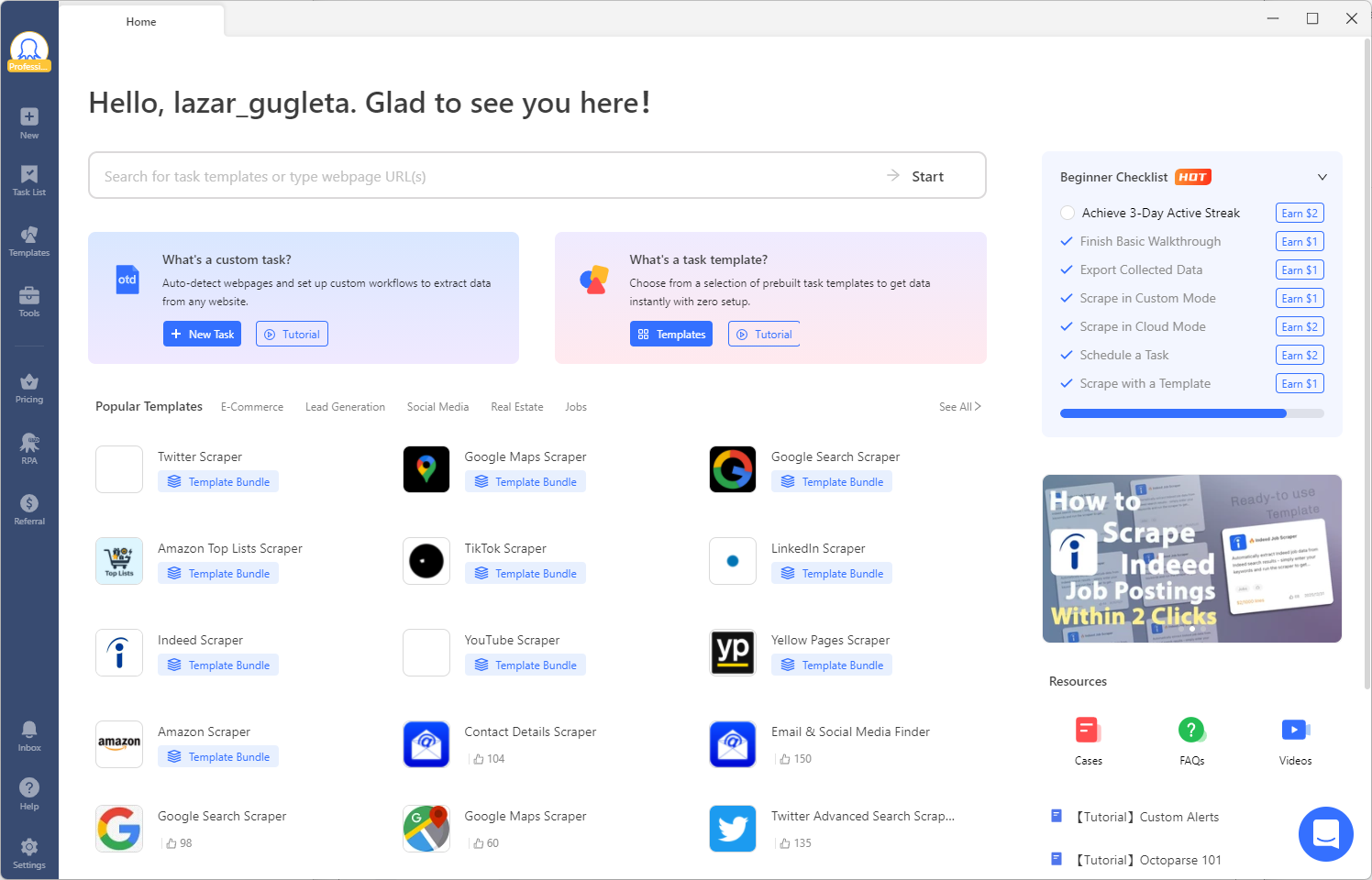
- Template marketplace: 600+ pre-built scraping templates for popular sites (Amazon, eBay, Google Maps, social platforms, etc.). If you are not making custom workflows, you can use these templates to get started in the blink of an eye.
- Cloud scheduling to run extraction tasks automatically daily or weekly.
- Built-in IP rotation and anti-blocking (CAPTCHA solving, residential proxies).
- AI auto-detection that identifies data patterns on target pages and suggests extraction steps.
- Handles JavaScript-heavy pages, infinite scroll, AJAX loading, dropdown menus, and hover actions.
Limitations: Paid plan needed if you want to try more advanced features.
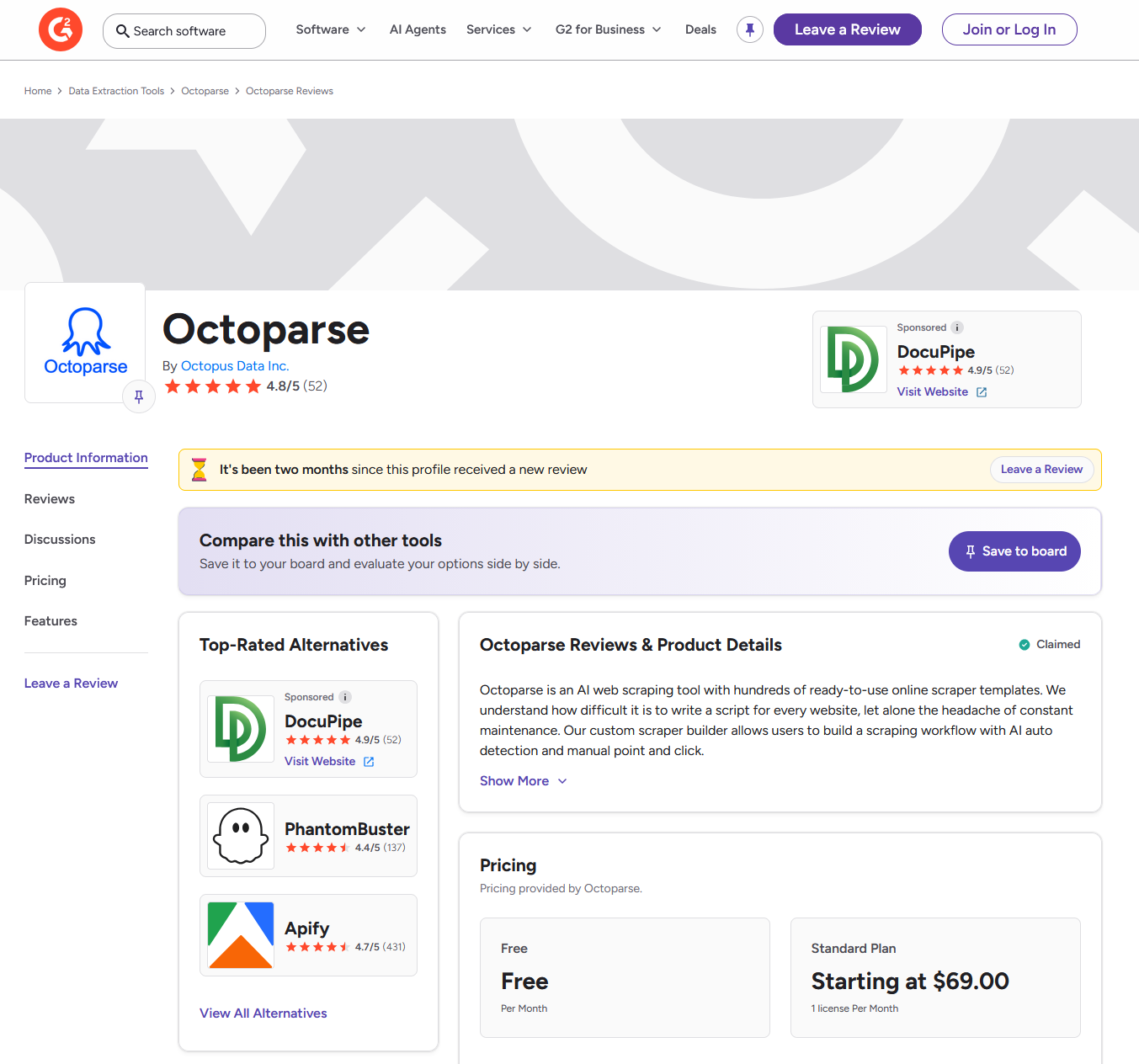
Pricing: The freemium model. The free plan lets you do 10 scraping tasks. The Professional plan costs $249 per month, while the Standard plan costs $69 per month. Billing once a year saves about 16%. You can get custom pricing for your business.
G2 Rating: 4.8 / 5
Getting Started: Sign up for the free trial to build and test extraction tasks on real competitor pages right away. Use a pre-made template, like an Amazon or e-commerce price scraper, to see results quickly before making your own workflows.
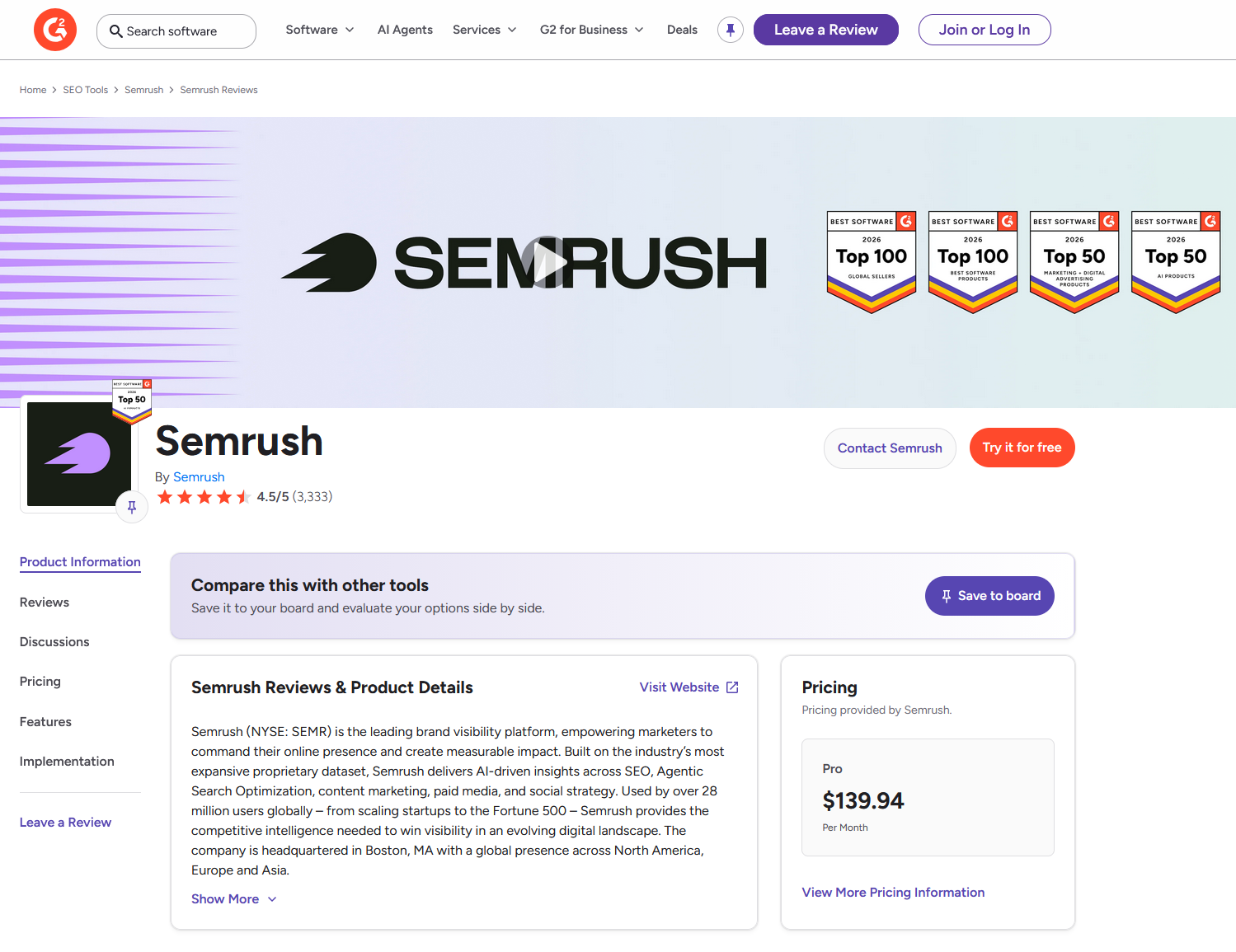
Semrush: Search Intelligence and SEO Competition Analysis
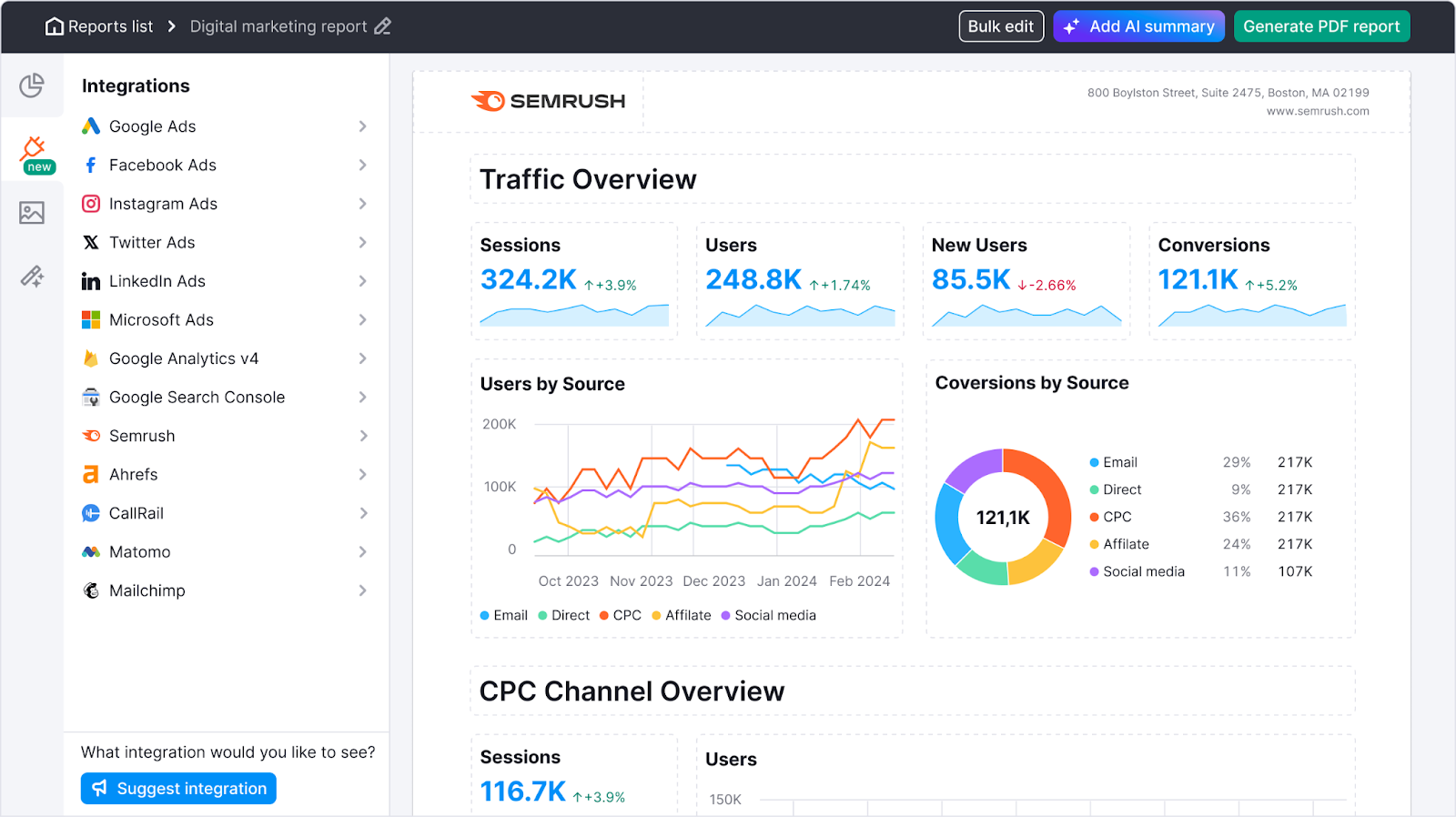
Use Semrush, a SEO competitor analysis tool, to find competitors and see how well your competitors do in both paid and organic search. It crawls and indexes billions of keywords and backlinks, then puts that information into tools for SEO research like keyword research, SERP tracking, site auditing, and PPC analysis (it’s also a PPC competitor analysis tool). In other words, it shows you how your competitors’ search strategy is set up.
Category: Competitive Intelligence Platform (SEO & Search)
Best For: SEO competitor analysis, keyword gap discovery, backlink audits, SERP tracking, and search ad intelligence.
Key Features:
- Processes billions of keywords with exact search volumes, keyword difficulty scores, and estimated CPC data.
- Full backlink audits and competitor backlink gap analysis.
- A keyword gap tool that shows precisely where competitors rank and where you don’t.
- SERP position tracking over time across multiple regions.
- Search text ad monitoring (PPC competitor copy and spend estimates).
- Site audit tool for technical SEO health checks.
- Content marketing toolkit with topic research and content templates.
Limitations: Does not provide real-time pricing data. Cannot extract ad creatives beyond search text ads. No individual social media post data. Not a general-purpose web extractor, strictly a search intelligence tool. The credit limit system on lower plans can be restrictive. Adobe’s acquisition (announced late 2025) raises questions about future pricing direction.
Pricing: Premium. Plans start at approximately $139.95/month (Pro), $249.95/month (Guru), up to $499.95/month (Business). Annual billing offers savings. Free limited account available with restricted daily queries.
G2 Rating: 4.5 / 5
Getting Started: Sign up for a free account and run a Domain Overview report on the URL of your main competitor. Then, use the Keyword Gap tool to compare your domain to two or three competitors. This will quickly show you which high-value keywords you do not have. First, look at the “missing” and “weak” keyword groups.
Similarweb: Website Traffic and Audience Intelligence
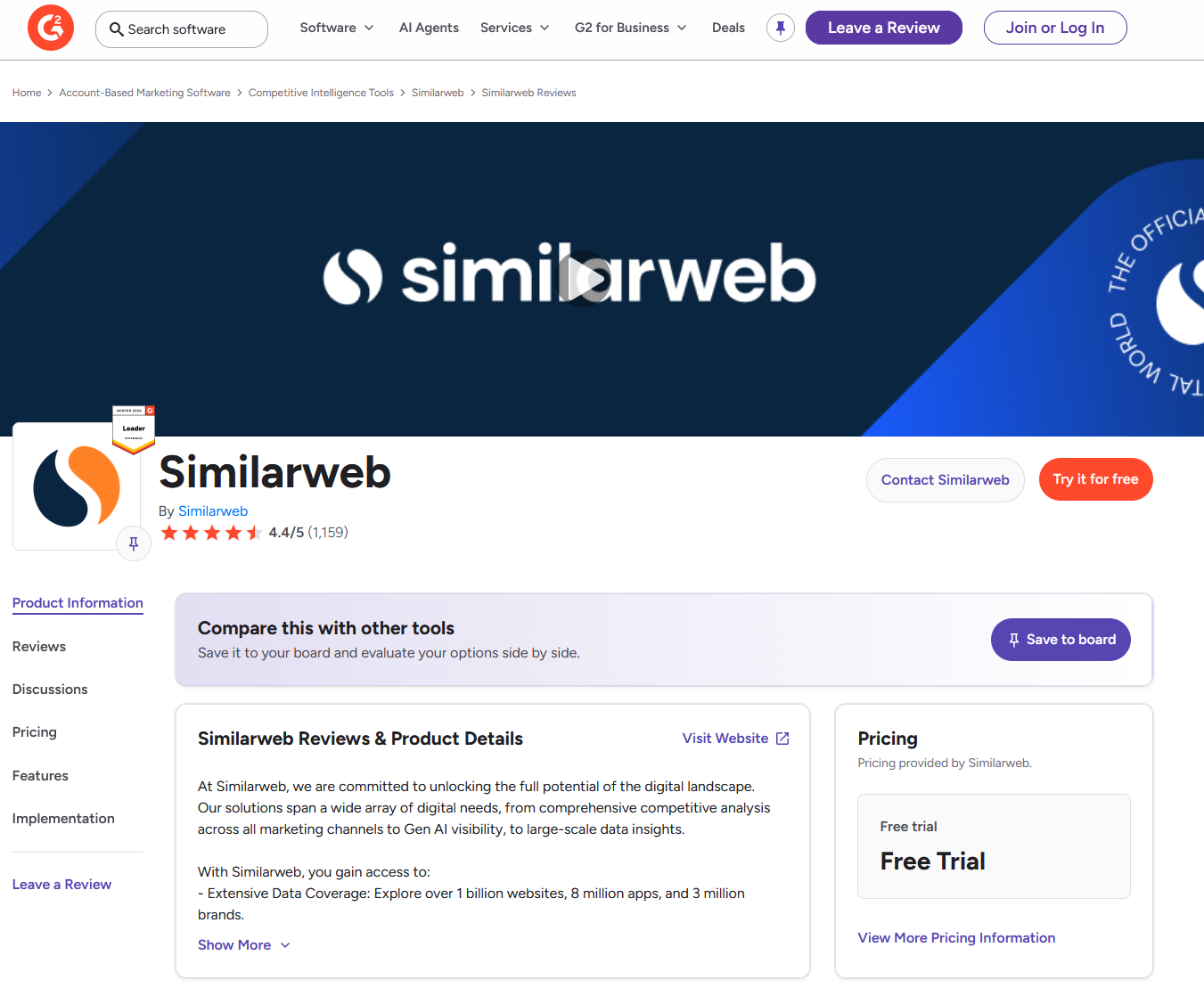
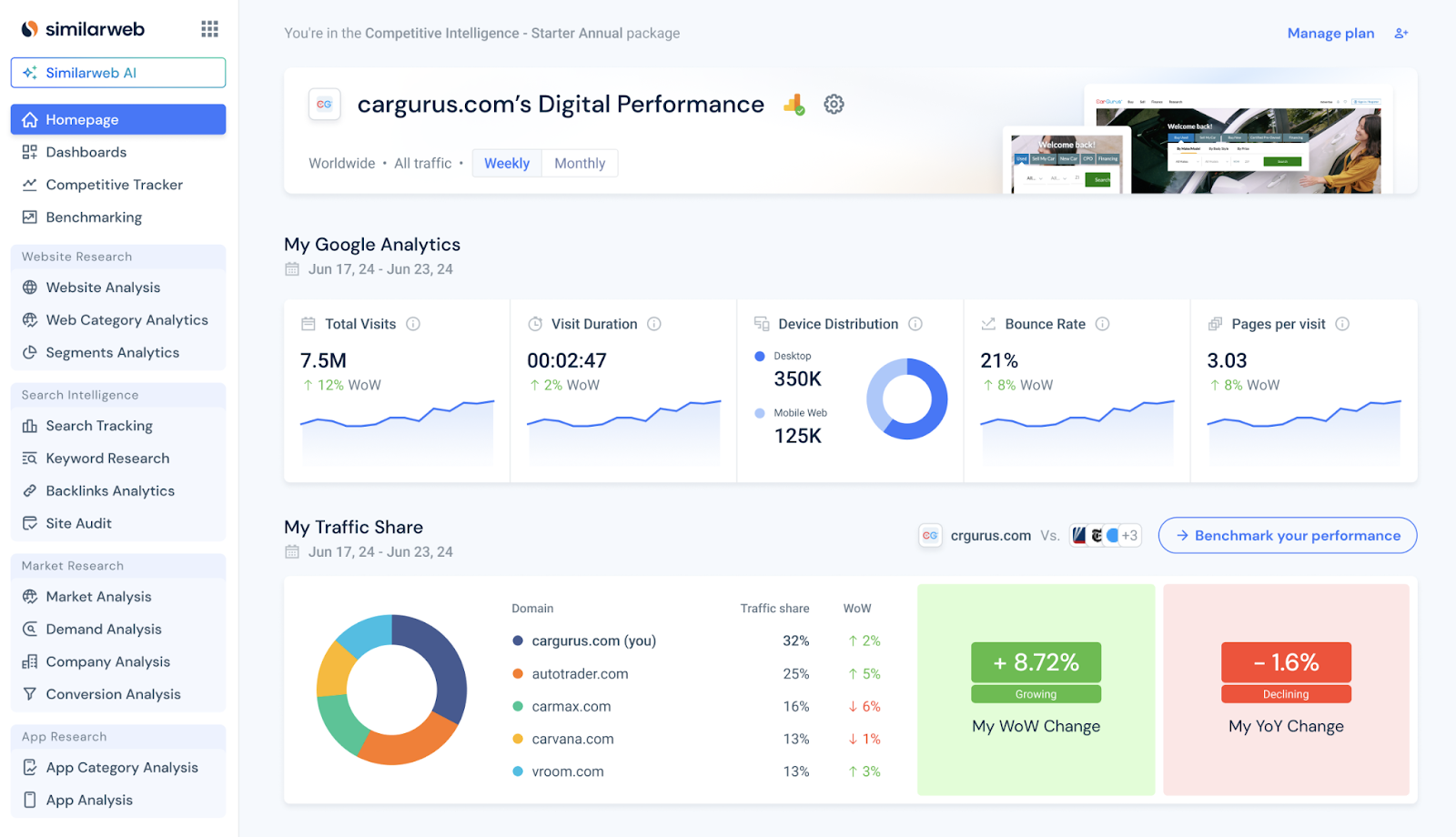
Similarweb is a digital market intelligence platform that provides high-level estimates of website traffic, audience demographics, and channel mix. It uses panel data and analytics tracking to determine how much traffic a website receives and where that traffic comes from. This lets you see how much market share and online presence your competitors have without having to log in to their analytics accounts.
Category: Competitive Intelligence Platform (Traffic & Audience), SEO competitor tracker, website competitor analysis
Best For: High-level website traffic analysis, channel mix breakdowns, audience overlap, and market share benchmarking.
Key Features:
- Estimated traffic volumes broken down by source: direct, organic search, paid search, display, referral, social, and email.
- Audience demographic and geographic insights.
- Industry benchmarking and market share analysis.
- Mobile app intelligence and e-commerce shopper behavior analytics.
- Referral source identification showing competitors’ top referring domains.
Limitations: Data is based on panel data estimates and analytics tracking, not raw extraction. Good for identifying general trends, but not precise at the granular level. Cannot pull product catalogs, individual prices, or promotional rates. Interface can feel dated compared to newer tools. Data accuracy is frequently cited as a concern in user reviews.
Pricing: Freemium/Business. There is a free version with some limits. Paid plans are tailored for businesses and come with a price. Contact sales for a quote. Expect to pay a lot to get full access to all features.
G2 Rating: 4.4 / 5
Getting Started: You can run a Website Analysis on your competitor’s domain for free. Put your traffic sources next to theirs to see where they are getting traffic that you are not. Look closely at the referral and paid search breakdowns to find channels that you might not be putting enough money into.
Crayon: Competitive Intelligence and Messaging Tracking
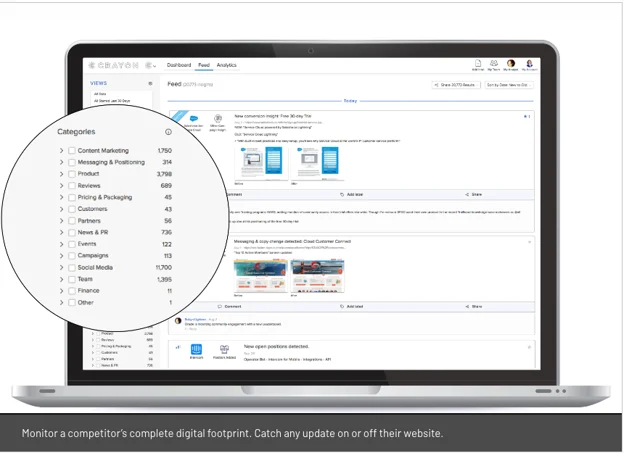
Crayon, one of the top platforms to track rival business strategies, is a competitive intelligence tool that monitors your competitors’ online activity and alerts you when anything changes. It keeps an eye on website copy, landing pages, pricing pages, job postings, press releases, and executive hires. In other words, it acts as a constant watcher, alerting product marketing and strategy teams to changes in the story and strategic moves so they can act quickly.
Category: Competitive Intelligence Platform (Positioning & Messaging)
Best For: Keeping an eye on how competitors’ stories change, such as changes to their landing pages, messaging, hiring new executives, changing the way they position their products, and making strategic changes.
Key Features:
- Automated monitoring of competitors’ full digital footprint: websites, landing pages, press releases, job postings, and more.
- AI-driven alerts when competitors change homepage copy, value propositions, or positioning statements.
- Competitive battlecard creation for sales enablement.
- Custom alerts for specific competitor strategy changes.
Limitations: Works as a curated dashboard rather than an active data extractor — not suited for high-volume, granular data collection like daily price changes across thousands of SKUs. Limited SEO features. Pricing can be steep for smaller teams. Some features require manual setup and curation to stay relevant.
Pricing: Enterprise. Contact sales for a custom quote. No public self-serve pricing.
G2 Rating: 4.6 / 5
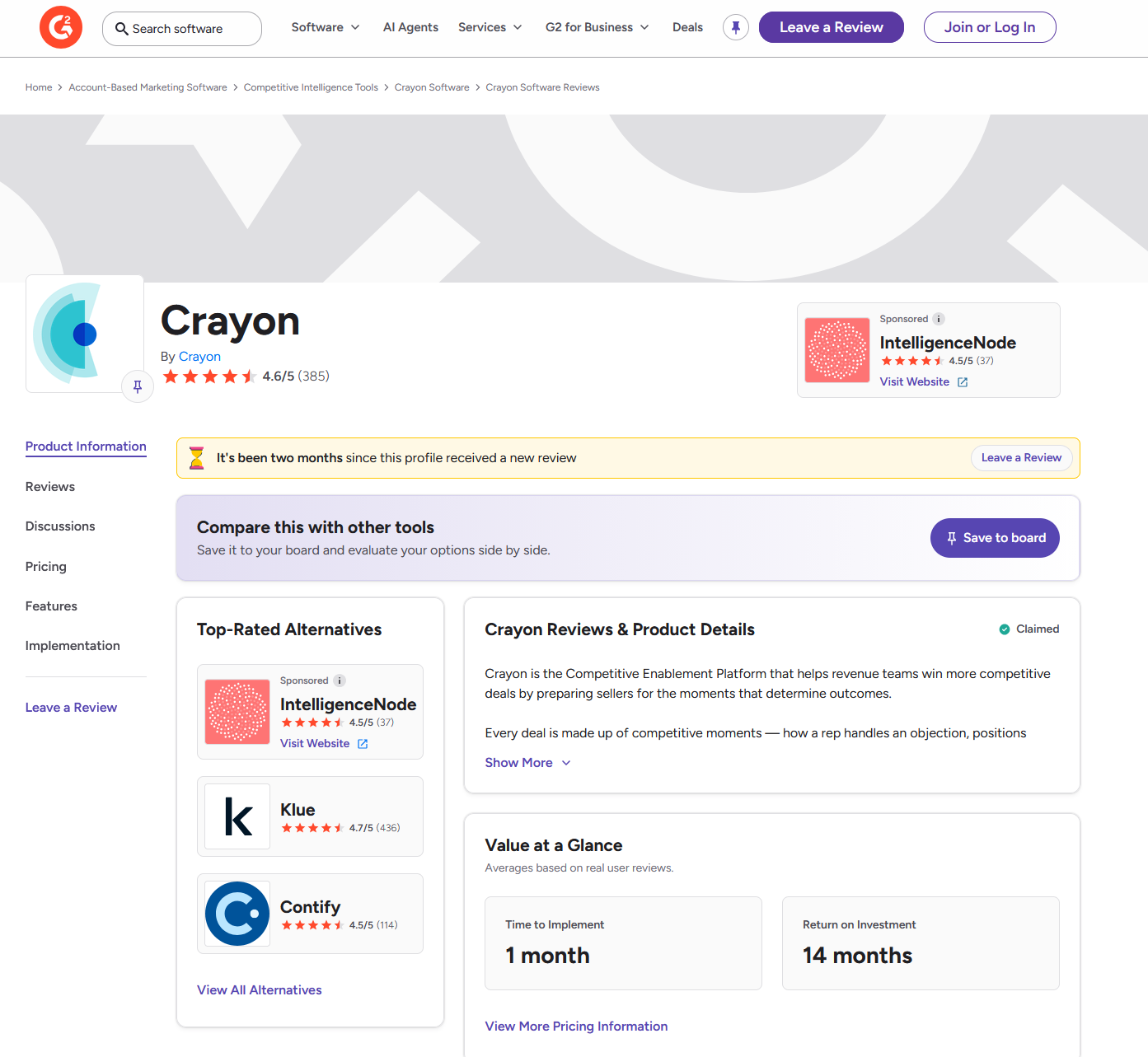
Getting Started: Ask for a demo, then add your top three to five competitors to the list of things to keep an eye on. First, set up alerts for changes to the landing page copy and the pricing page. These are usually the first signs of a strategy change. Use the battlecard feature to give your sales team talking points right away that will help them compete.
Brandwatch: Social Media Listening and Brand Sentiment Analysis
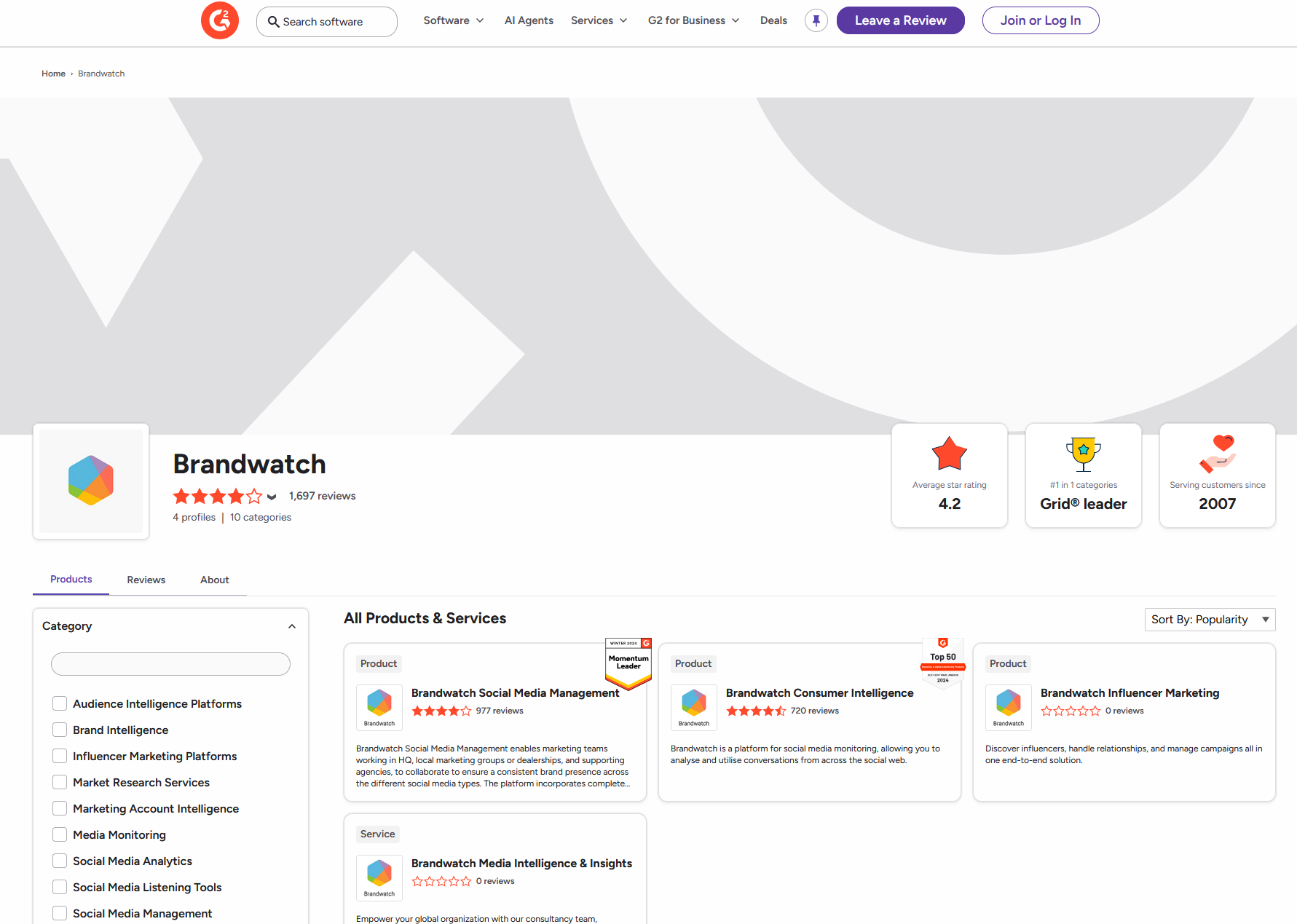
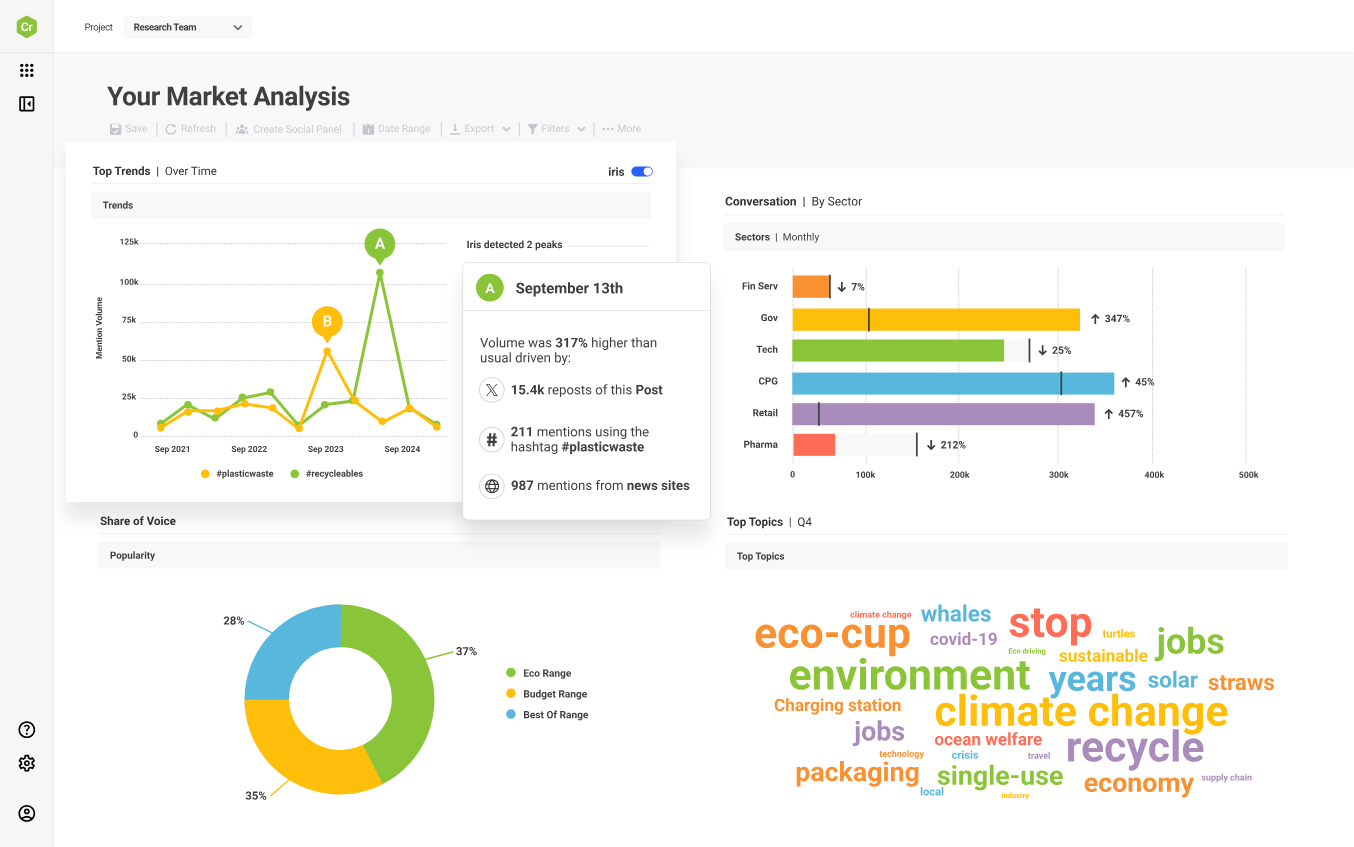
Brandwatch is a social media intelligence and consumer research platform that monitors what people are saying about brands across social networks, forums, news sites, and review platforms. It uses AI-powered sentiment analysis and natural language processing to turn millions of unstructured online conversations into structured insights about brand perception, campaign performance, and audience behavior.
Category: Competitive Intelligence Platform (Social Listening & Sentiment)
Best For: Social media monitoring, brand sentiment analysis, audience engagement tracking, and crisis management across social platforms, forums, and review sites.
Key Features:
- AI-powered social listening across 100+ million online sources.
- Sentiment analysis of brand and competitor mentions in real time.
- Campaign hashtag tracking and competitor campaign performance monitoring.
- Audience demographic and interest profiling.
- Customizable dashboards and automated reporting.
- Historical conversation data going back to 2010 (1.6+ trillion posts).
- Crisis detection and real-time trend alerts.
- Integration with Hootsuite, HubSpot, and other marketing platforms.
- Influencer discovery and management from a 30M+ creator database.
Limitations: Costly for small businesses. Limited website analytics and SEO features. New users have a hard time learning how to use it (2 months), especially when it comes to building advanced queries and customizing dashboards. You may need to check by hand to make sure that sentiment analysis is correct. It will not help with pricing, inventory, or organic search strategy for e-commerce.
Pricing: Enterprise. Custom pricing, contact sales for a quote. Expect premium enterprise-level costs.
G2 Rating: 4.2 / 5
Getting Started: Ask for a demo and set up alerts for your brand name and the names of your top two or three competitors. Make a dashboard that shows how sentiment has changed over the past 90 days. Use Boolean queries to narrow down your search to certain product lines or campaign themes. People always say good things about the onboarding team, so you can count on them.
Prisync: Dedicated E-commerce Price Tracking
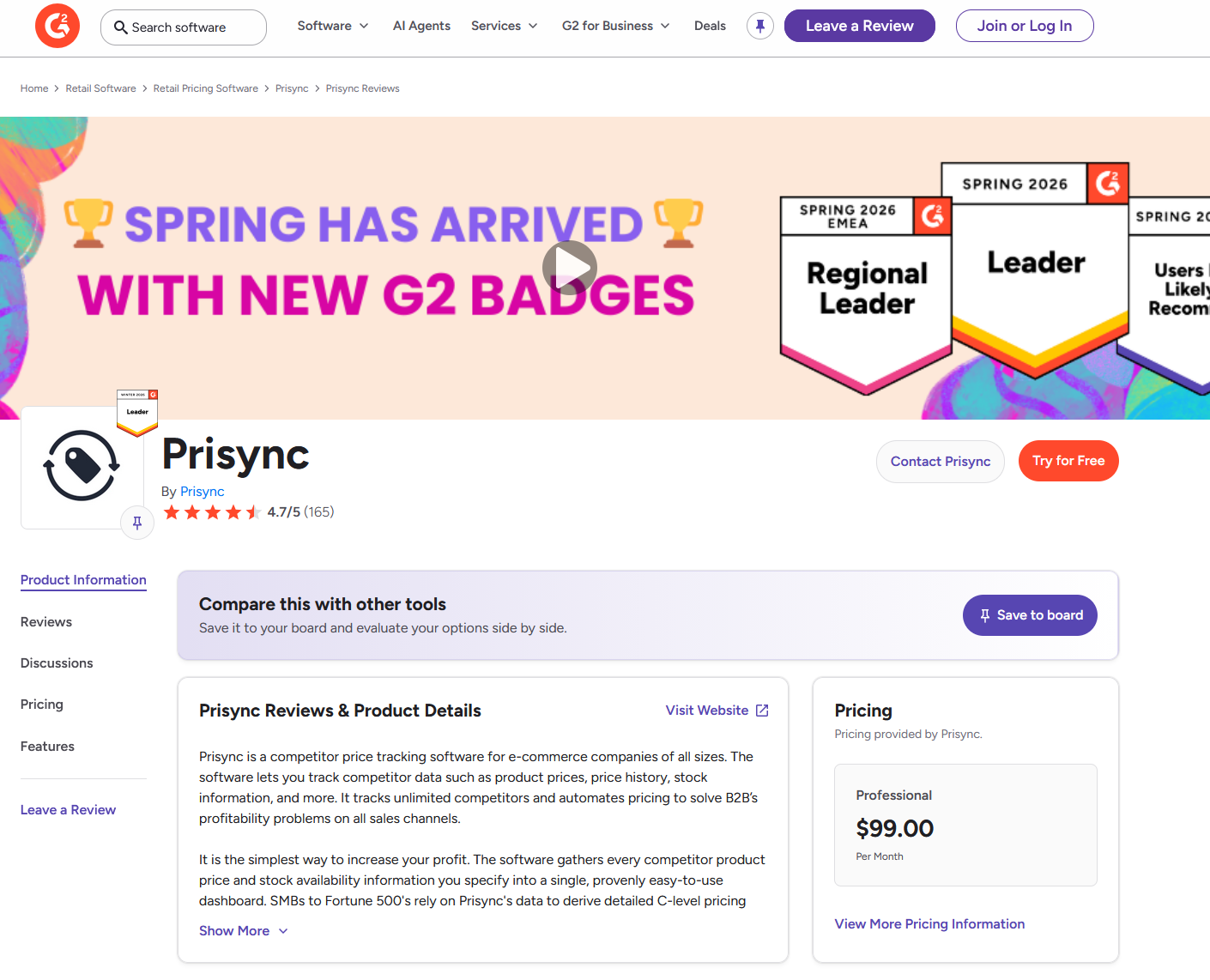
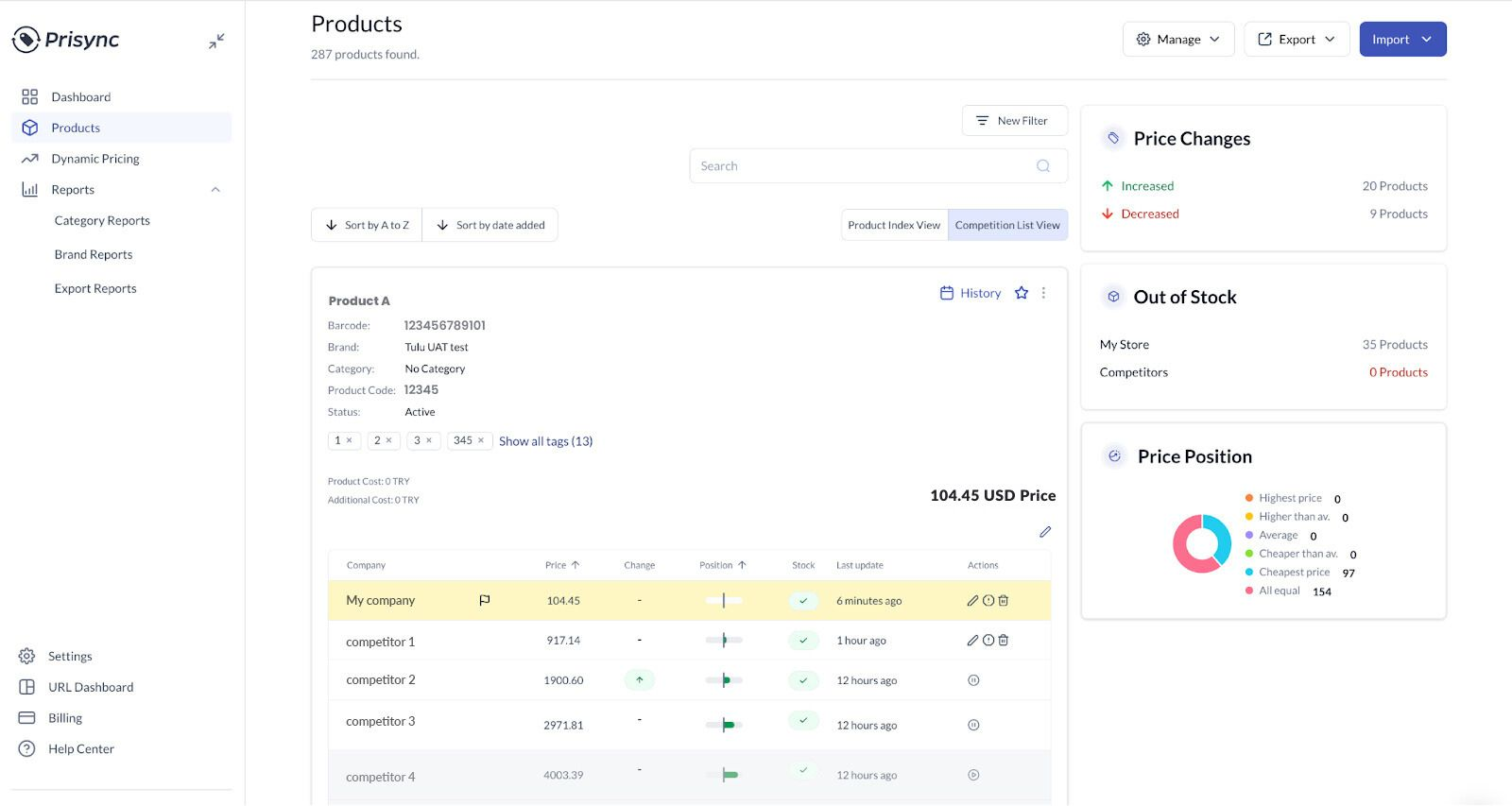
Prisync is a tool made just for e-commerce that tracks competitor prices and changes prices based on what they are doing. You enter the URLs of your products and competitors’ similar products, and Prisync tracks price changes and stock availability for all of them. It then consolidates everything into a single dashboard that makes automated pricing decisions.
Category: Competitive Intelligence Platform (E-Commerce Price Tracking)
Best For: For e-commerce companies that use dynamic pricing strategies, automatically keeping an eye on their competitors’ prices and stock levels.
Key Features:
- Automatic competitor price tracking across unlimited competitors.
- Stock availability monitoring (in-stock/out-of-stock indicators).
- Price history and trend analysis on a centralized dashboard.
- A dynamic repricing engine that adjusts your prices based on competitor movements.
- Category-level and brand-level reporting (index, position, best match).
- Notifications and alerts when competitors change prices.
- Integrations with Shopify, Magento, Google Shopping, and other e-commerce platforms.
- Free onboarding service with dedicated support.
Limitations: Limited use case: this tool is for pricing only. Does not include social intelligence, advertising, public relations, or SEO. Can sometimes have trouble with some competitor URLs, which can cause data to be wrong. If you need multidimensional competitive intelligence, you will quickly outgrow it.
Pricing: Premium. Tiered subscription plans (exact pricing available upon request). Free trial available.
G2 Rating: 4.7 / 5 (159 reviews)
Getting Started: Join the free trial. Put the URLs of your own products next to the product pages of your top competitors. As soon as you sign up, Prisync will start tracking price changes. To see the most important data first, start with the product category that generates the most revenue. People always praise the support team for how quickly they help with setup. Use the free onboarding service.
Apify: Code-First Web Scraping for Developers
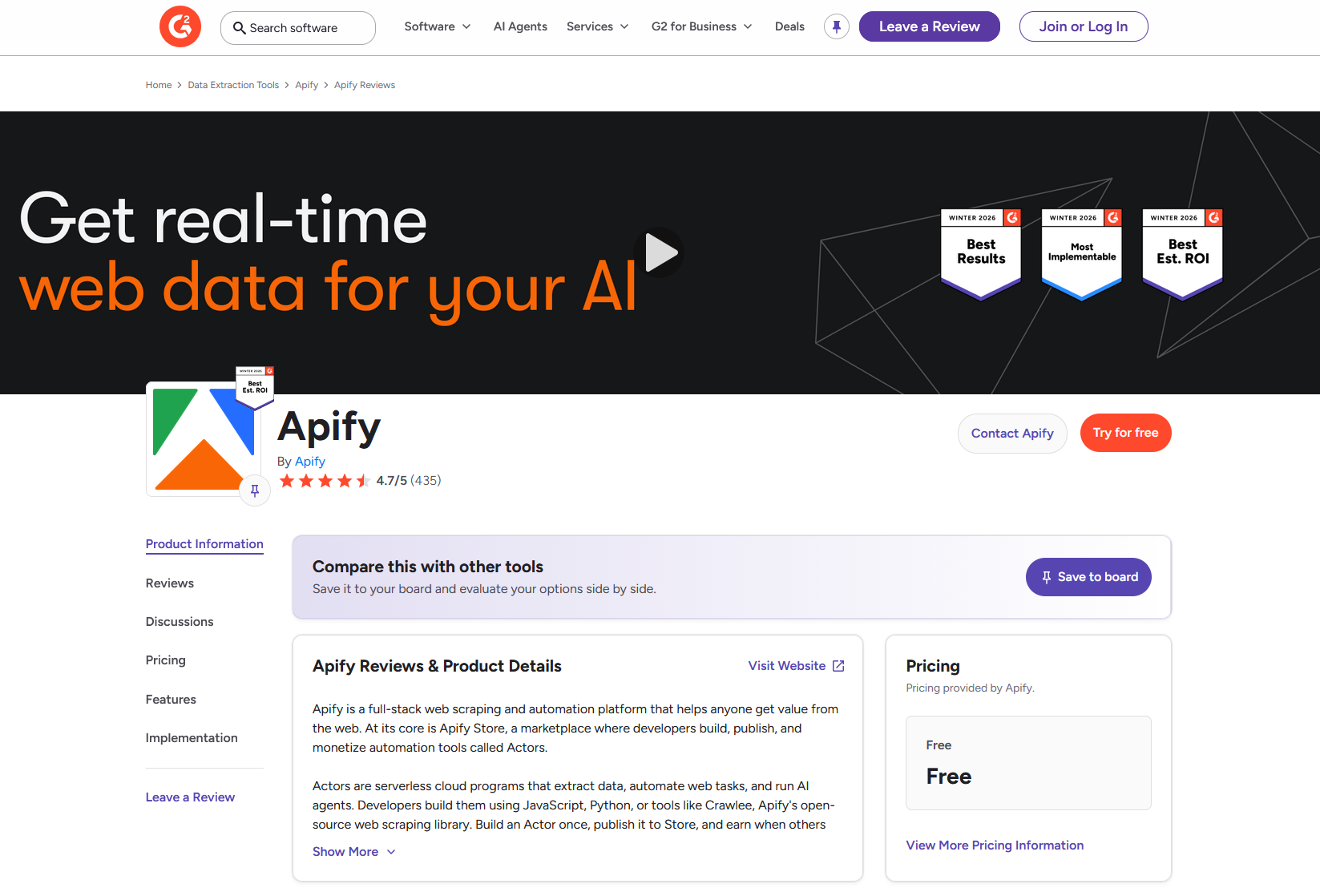
Apify is a cloud-based web scraping and automation platform designed for developers. You can build, deploy, and run custom scrapers (called “Actors”) in JavaScript or Python on this managed infrastructure, or you can choose from a marketplace of more than 16,000 pre-built Actors. You could say that it is like Octoparse for code-first projects. It gives you the most flexibility and power, but you need to know how to use it well.
Category: Web Scraping Tool (Code-First / Developer Platform)
Best For: Developer teams that want to build custom JavaScript or Python scrapers and run them on managed cloud infrastructure with API-first workflows.
Key Features:
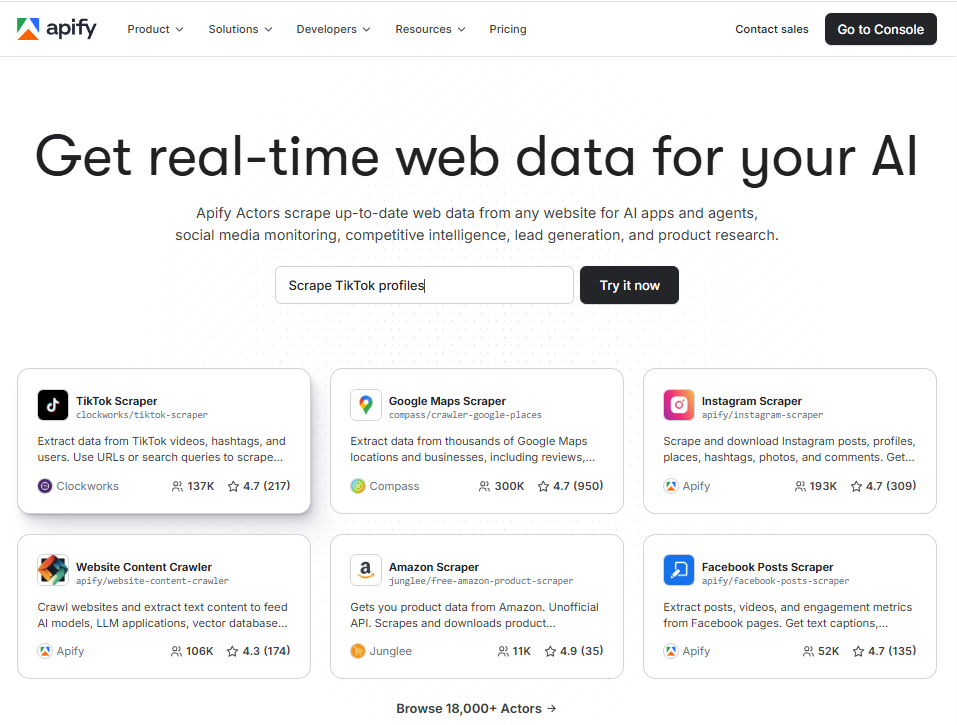
- 16,000+ pre-built scrapers (“Actors”) in the Apify Store for common sites (Google Maps, Amazon, LinkedIn, social platforms, etc.).
- Build custom Actors using JavaScript, Python, or the open-source Crawlee library.
- Fully cloud-native — no desktop download or local resource drain.
- Built-in proxy rotation (residential proxies at $7–$8/GB), CAPTCHA handling, and headless browser orchestration.
- API and SDK for integrating scraped data directly into databases, CRMs, or internal tools.
- MCP server support for connecting scrapers to AI agent workflows (e.g., LangChain, Claude).
- Pay-per-result pricing model for published Actors.
- SOC 2 Type II, GDPR, and CCPA compliant with 99.95% uptime.
Limitations: Developer-friendly platform works best if you know how to code. There is a visual builder, but the code-based workflow is more important. Residential proxy costs can range from $50 to $100 or more per month for big jobs. If you do not know anything about technology, marketing, or pricing, it will be hard for you to use it on your own.
Pricing: Freemium. Free tier includes $5/month in compute credits. Starter at $29/month, Scale at $199/month, Business at $999/month. Usage-based compute at $0.20–$0.30 per compute unit, depending on plan.
G2 Rating: 4.7 / 5 (412 reviews)
Getting Started: Sign up for the free tier and browse the Apify Store for a pre-built Actor that matches your target site (e.g., Google Maps Scraper, Amazon Product Scraper). Run it with default settings to see the sample output. Then, if you need something more specific, you can change the Actor’s parameters or make your own using the Crawlee framework. People like the documentation and SDK for helping new developers get started.
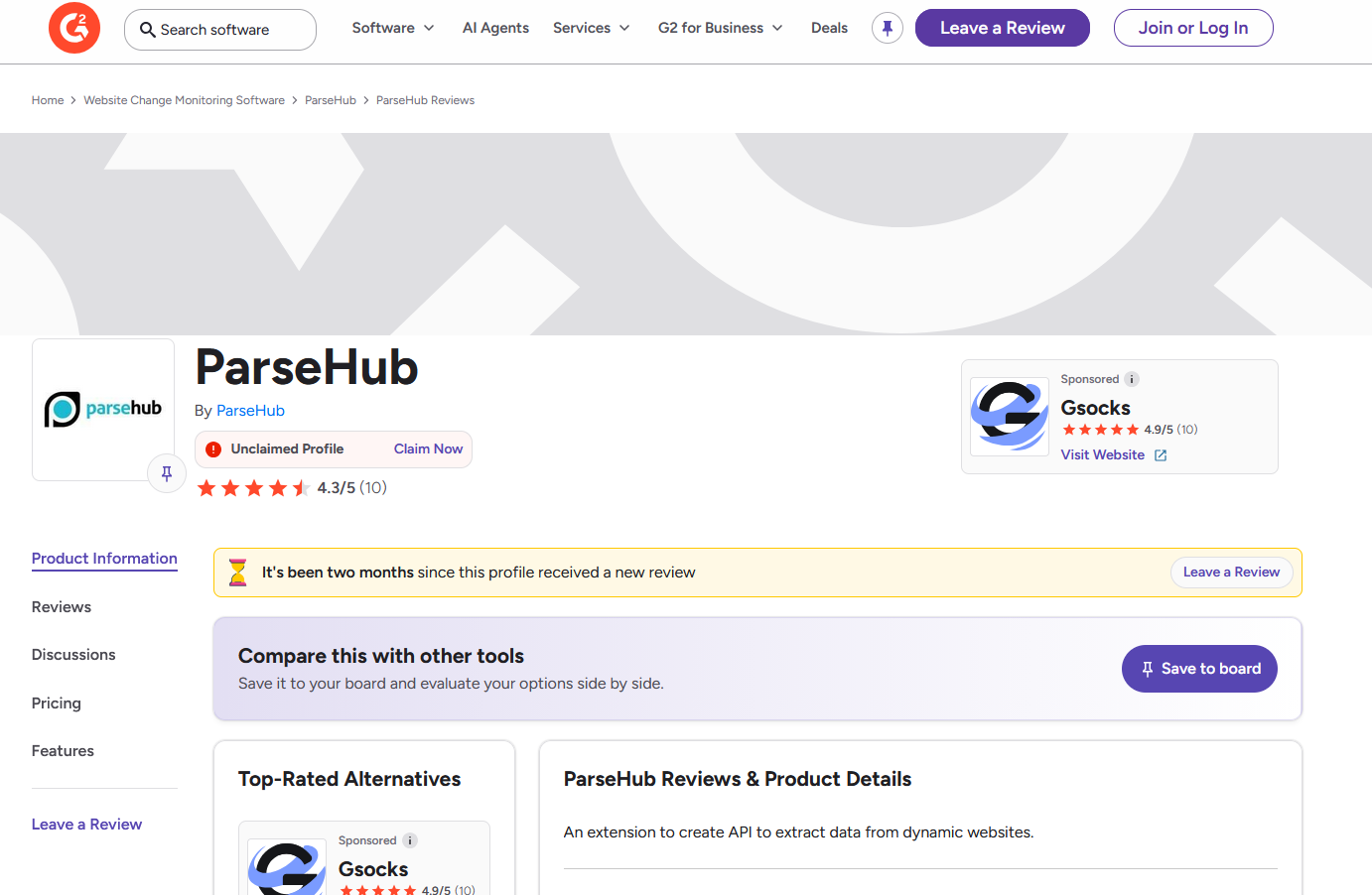
ParseHub: Basic No-Code Desktop Scraper
ParseHub is a web scraping tool that runs on your computer and requires no coding. You can use it to get data from websites by clicking on things in a browser-like interface. It is meant to be a simpler, easier way for people who need to extract basic data from the web without having to learn how to code. However, its simplicity means that it will not work as well on more complicated modern websites.
Category: Web Scraping Tool (No-Code / Desktop)
Best For: Lightweight, basic data extraction for non-technical users who need to scrape simple to moderately complex websites without coding.
Key Features:
- Visual point-and-click interface for selecting data elements on a page.
- Handles basic JavaScript, AJAX, dropdowns, and form navigation.
- Available as a desktop application for Windows, Mac, and Linux.
- Exports to CSV, JSON, and Excel.
- Scheduled data collection (on paid plans).
- Integration with Dropbox and Amazon S3 for data storage.
- Built-in interactive tutorials and documentation for beginners.
- IP rotation is available on paid plans.
Limitations: Not as good for enterprise-level scraping as Octoparse or Apify. Has trouble with sites that are modern, change a lot, use a lot of JavaScript, and have strong anti-bot protections. The desktop app uses a lot of resources; many user reviews say it uses a lot of CPU and RAM, even on powerful computers. Only premium tiers can use cloud extraction and APIs. There are only 10 reviews on G2, so the rating is not very reliable. Finding out why extractions failed can be hard to understand and time-consuming.
Pricing: Freemium. Free plan includes 5 projects and 200 pages per run. The first paid tier (Standard) starts at $189/month, a steep jump. Professional and Enterprise plans are available at higher price points.
G2 Rating: 4.3 / 5
Getting Started: Get the free desktop app and follow the interactive tutorial that comes with it. To get the hang of the point-and-click selection process, try scraping a simple, static website first, like a directory or product listing page. If you run into problems with scaling or reliability, you might want to look into Octoparse or Apify next.
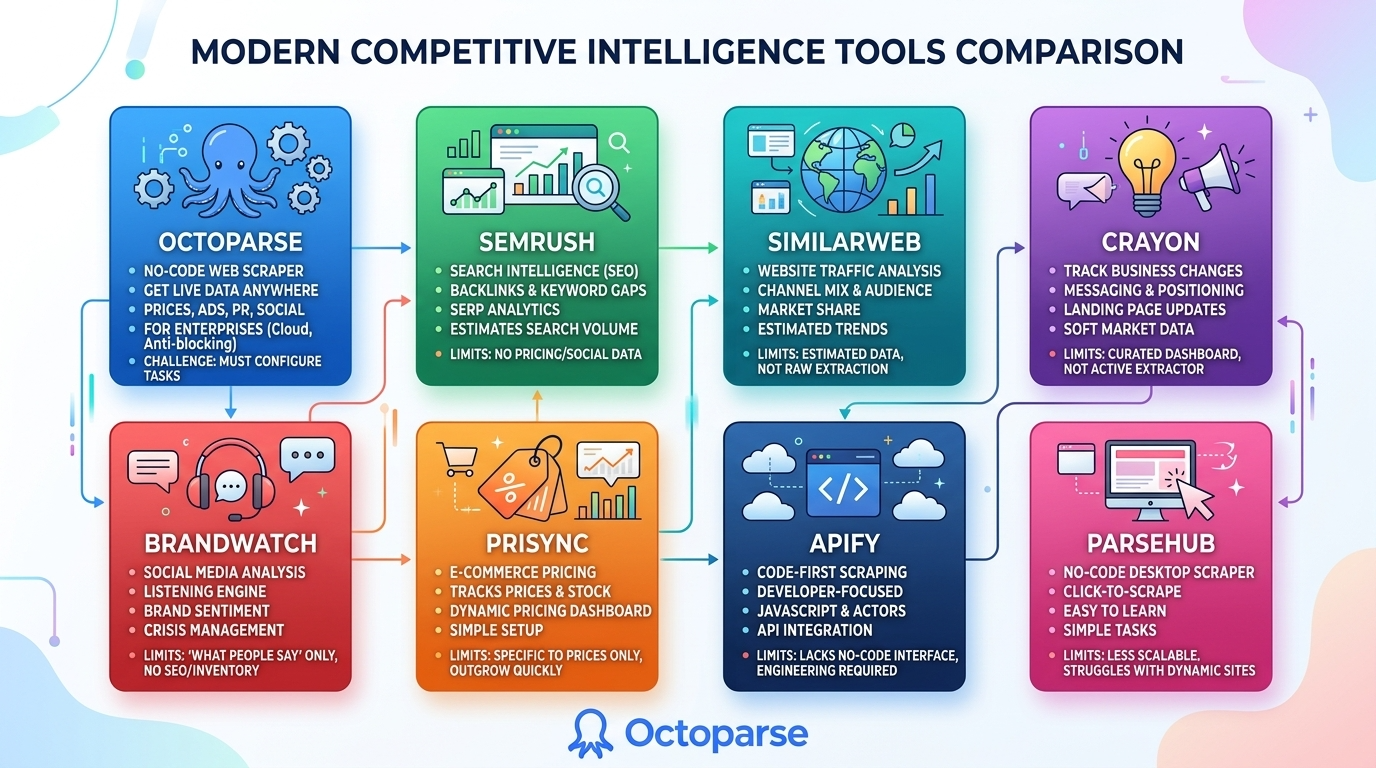
Having reviewed all eight options, a central theme emerges: raw data vs. curated insights. Compared to other analysis tools, Octoparse’s greatest advantage is its ability to scrape data from any website, yielding raw datasets and ensuring flexibility for subsequent use. This stark difference forces a critical choice. Does your team need high-level market trends or detailed, actionable data? Both questions matter. But they require different tools.
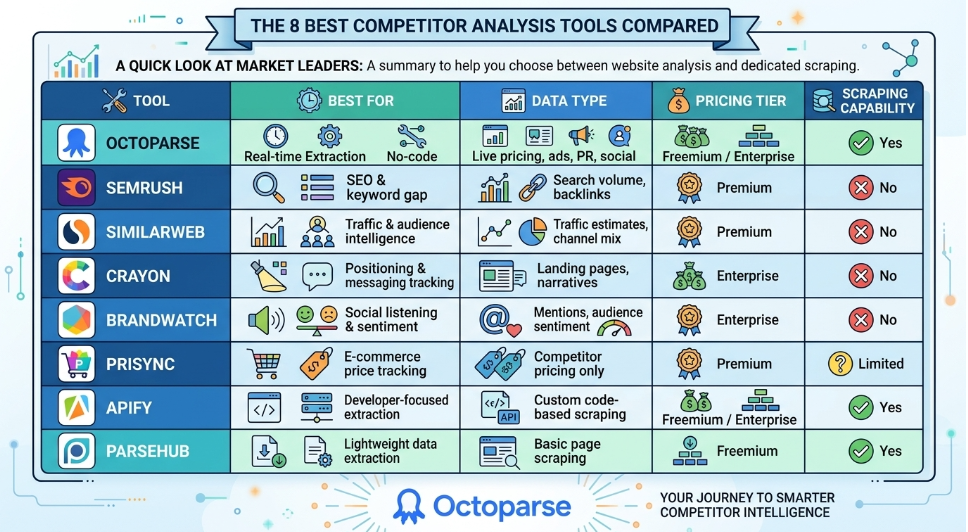
Free vs Paid Competitor Analysis Tools Comparison
| Tool | Best For | Data Type | Pricing Tier | Data Freshness |
| Octoparse | Real-time extraction & no-code scraping | Live pricing, ads, PR, social | Freemium / Enterprise | Real-time / Custom Schedule |
| Semrush | SEO & keyword gap analysis | Search volume, backlinks | Premium | Delayed/Historical |
| Similarweb | Traffic & audience intelligence | Traffic estimates, channel mix | Premium | Estimates/Trend-based |
| Crayon | Positioning & messaging tracking | Landing pages, narratives | Enterprise | Delayed/Event-based |
| Brandwatch | Social listening & brand sentiment | Mentions, audience sentiment | Enterprise | Real-time / Live Monitoring |
| Prisync | E-commerce price tracking | Competitor pricing only | Premium | High Frequency/Daily |
| Apify | Developer-focused extraction | Custom code-based scraping | Freemium / Enterprise | Real-time / Custom Schedule |
| ParseHub | Lightweight data extraction | Basic page scraping | Freemium | Scheduled/Limited Frequency |
Here is a quick look at the market leaders before we get into the details. This table makes it clear what each platform does if you’re looking for a competitor website analyzer or a dedicated scraper.
Which Competitor Analysis Tool Is Right for You?
The answer to the question of which tool to use is simple: do you need curated insights or raw data that you can act on? It is more important to match the tool to your specific operational use case than to look at feature lists.
Here is a simple way to make a decision:
- Use Octoparse (for custom extractions) or Prisync (for plug-and-play tracking) if you need real-time prices on hundreds of SKUs.
- Use Octoparse (to scrape ad libraries and news sites) or Crayon to keep track of ad copy, campaign messages, and PR mentions.
- Use Semrush if you need SEO gap data and search rankings.
- Use Similarweb to see how much traffic you get overall and how it breaks down by channel, track industry tends or monitor competitor’s websites.
- Use Brandwatch if you need to do extensive social listening and understand how people feel about your brand.
- If you know a lot about technology and want to make your own code pipelines, use Apify.
The only tool that lets you extract data from any page is a web scraping tool like Octoparse. This includes niche directories, hyper-specific product variants, and dynamic sites that no SaaS platform covers.
If you are not sure where to start, the safest option is to try active extraction yourself. You can use the free trial of Octoparse to check the price of your biggest competitor right now.
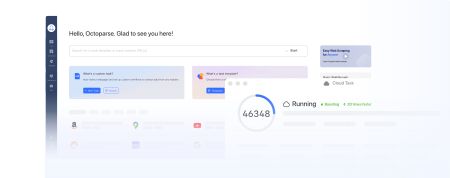
Turn website data into structured Excel, CSV, Google Sheets, and your database directly.
Scrape data easily with auto-detecting functions, no coding skills are required.
Preset scraping templates for hot websites to get data in clicks.
Never get blocked with IP proxies and advanced API.
Cloud service to schedule data scraping at any time you want.
FAQs about Competitive Intelligence Tools
- What is the best competitor intelligence software for pricing?
If you need a lot of raw, real-time pricing data, web scrapers like Octoparse are the best choice because they bypass API limits and pull live rates directly from the page. If you only want a narrower, plug-and-play dashboard for e-commerce URLs, Prisync is a great choice.
- Can I use web scraping tools for competitor research?
Yes, for sure. Web scraping is the most important part of modern competitive research. Scraping lets you pull competitor product catalogs, customer reviews, PR mentions, and localized pricing data directly into a spreadsheet or database in real time, rather than waiting for delayed third-party reports.
- How do I find competitors’ ad campaigns and promotions?
You can use specialized software like Crayon to keep track of changes in the story, or you can use tools like Octoparse to scrape ad repositories like the Meta Ad Library actively. With scraping, you can get the exact ad copy, pictures, and destination URLs that your competitors are using right now.
- Is Octoparse good for competitor monitoring?
Yes. Octoparse is great for keeping an eye on your competitors because it can schedule tasks in the cloud and automatically extract data. You only have to set up a task once, and the software will automatically scrape competitor websites daily or weekly, giving you new information on prices, stock levels, and new campaigns without you having to do anything.
- What’s the difference between competitive intelligence software and web scraping tools?
Competitive intelligence software, such as Crayon or Similarweb, gives you a dashboard with curated, aggregated insights that usually focus on big-picture trends. Web scraping tools like Octoparse get raw, detailed, and current data directly from websites. Scraping gets you the exact information, while SaaS gives you a summary.
- What are the most affordable competitor analysis tools for startups?
The best value stack for startups is Octoparse (Standard at $69/month) paired with Semrush Pro ($139.95/month). Octoparse handles raw data extraction: pricing, ad copy, product listings, while Semrush covers SEO and keyword tracking. That combination delivers both live data and search intelligence for under $210/month, a fraction of what enterprise platforms like Crayon or Brandwatch cost.
- Which competitor intelligence platforms are built for large enterprise teams?
Enterprise teams typically combine several specialized platforms: Crayon for positioning and messaging, Brandwatch for social listening at scale, and Semrush Business for multi-user SEO monitoring. For raw data extraction at volume, Octoparse and Apify both offer enterprise plans with custom pricing and dedicated support. The key at enterprise scale is clean data exports and tight integration with your existing BI tools and CRMs.