
Cloud Web Scraping
Automate web data collection with a cloud web scraper
Octoparse runs the tasks you build on its cloud servers, so large-scale, scheduled collection keeps going with your PC off, with requests spread across rotating cloud IPs instead of your own connection.
Cloud extraction and scheduled runs are available on the Standard Plan and above.
How a cloud task runs
The flow after setup, at a glance
Schedule
Starts daily at 09:00
Cloud extraction
Runs without your PC
Data export
Saved in your chosen format
Run times and results vary with the target site and your task settings.
Cloud-based web scraping, not tied to your PC
Scheduled runs, parallel tasks, IP rotation, and automatic export after each job, all on Octoparse cloud servers.
PC OFF
Your local machine stays free
Cloud jobs don't need Octoparse open on your PC. Even long runs leave your team's machines free.
Included in your plan
24h × 30d
Runs all month, not metered
On the Standard Plan and above, cloud extraction is part of your monthly or annual subscription, not billed by run time or by record.
Cloud server count, concurrency, and task limits vary by plan; some templates are priced separately.
See pricing plans24 hours
Jobs keep running in the cloud
Tasks run in the Octoparse cloud, independent of your PC's power state or office network.
Minute to month
Scheduled to your refresh rate
Set schedules by minute, hour, day, week, or month to track prices, store listings, and more.
Multiple tasks
Parallel runs as you scale
Run a task per target site in parallel, within your plan's run slots and cloud server count.
IP rotation
Cloud IPs rotate per subtask
Runs use Octoparse cloud IPs, not your PC's, rotated per subtask and reassigned each run so your IP isn't throttled by concentrated requests.
From setup to scheduled cloud runs
Four steps: build the task, configure the run, set a schedule, and export the data.
STEP 01
Build your task
Configure the fields and page actions yourself for a custom task, or start from a ready-made template.
Two ways to build a task
- 1
Load the target URL and set clicks, pagination, login, and fields on screen. Handles complex pages.
- 2
Saved tasks can be reused; cloud runs and schedules come next.
Custom task 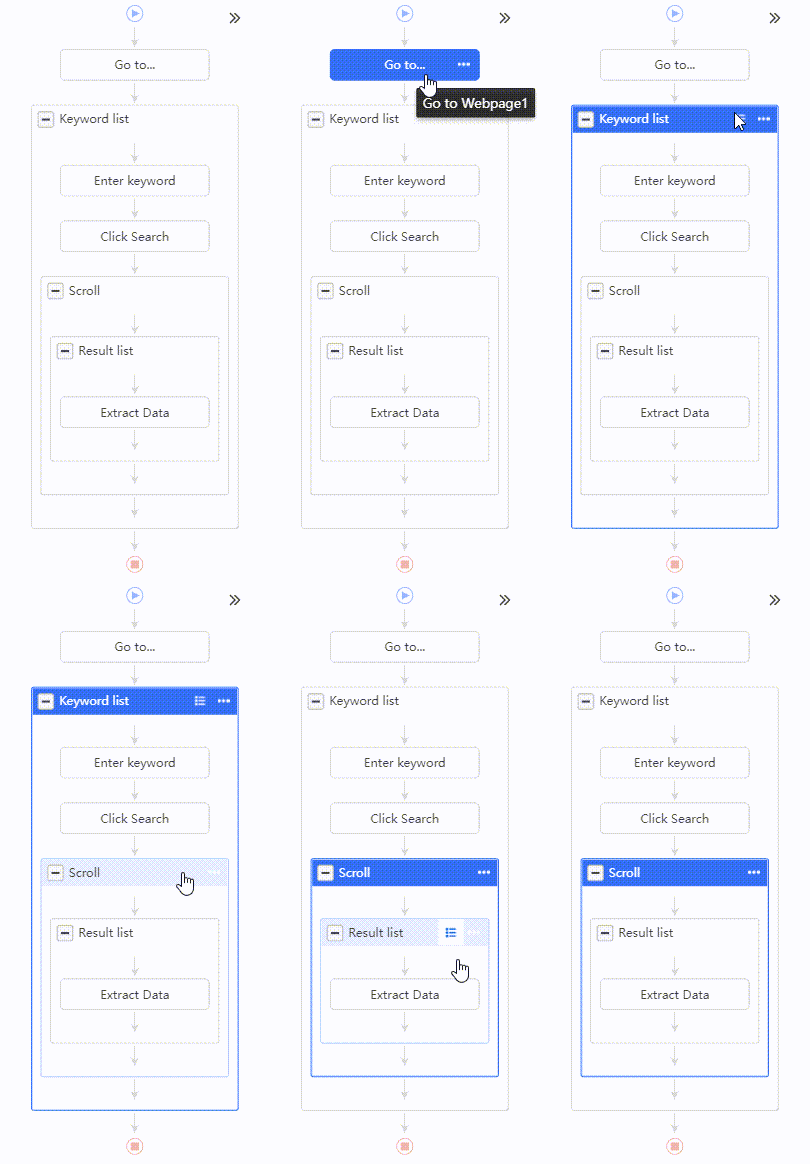
Google Maps store listingsTemplate 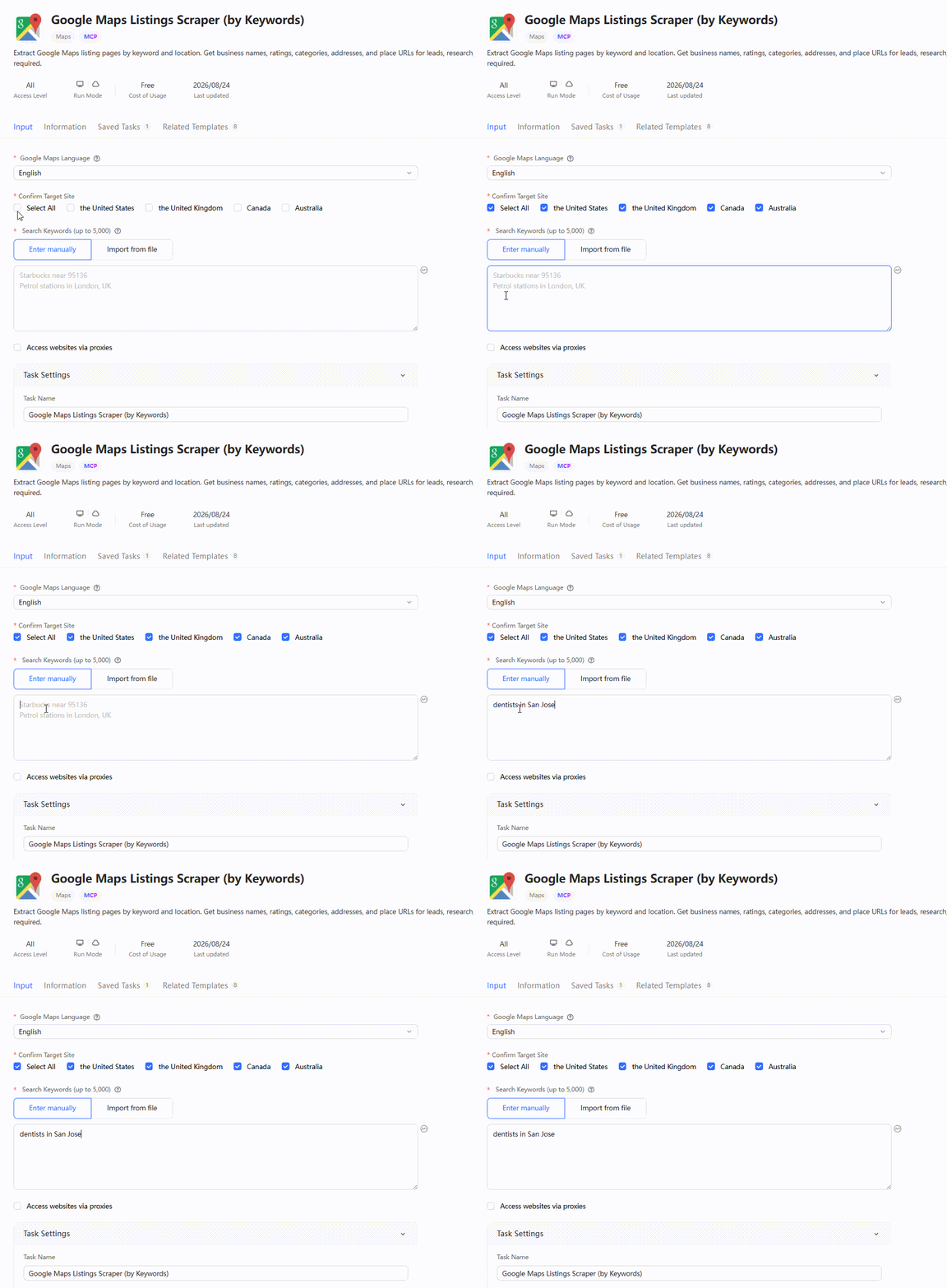
- 1
STEP 02
Configure the run
Set the built-in browser and pick a cloud server group by country or region to match the target site. Turn on incremental extraction to fetch only newly added pages.
- Set the built-in browser and User-Agent
- Choose a cloud server group by country or region
- Split a task for parallel runs, based on your plan
- Incremental mode fetches only newly added pages
Run environment and incremental settings 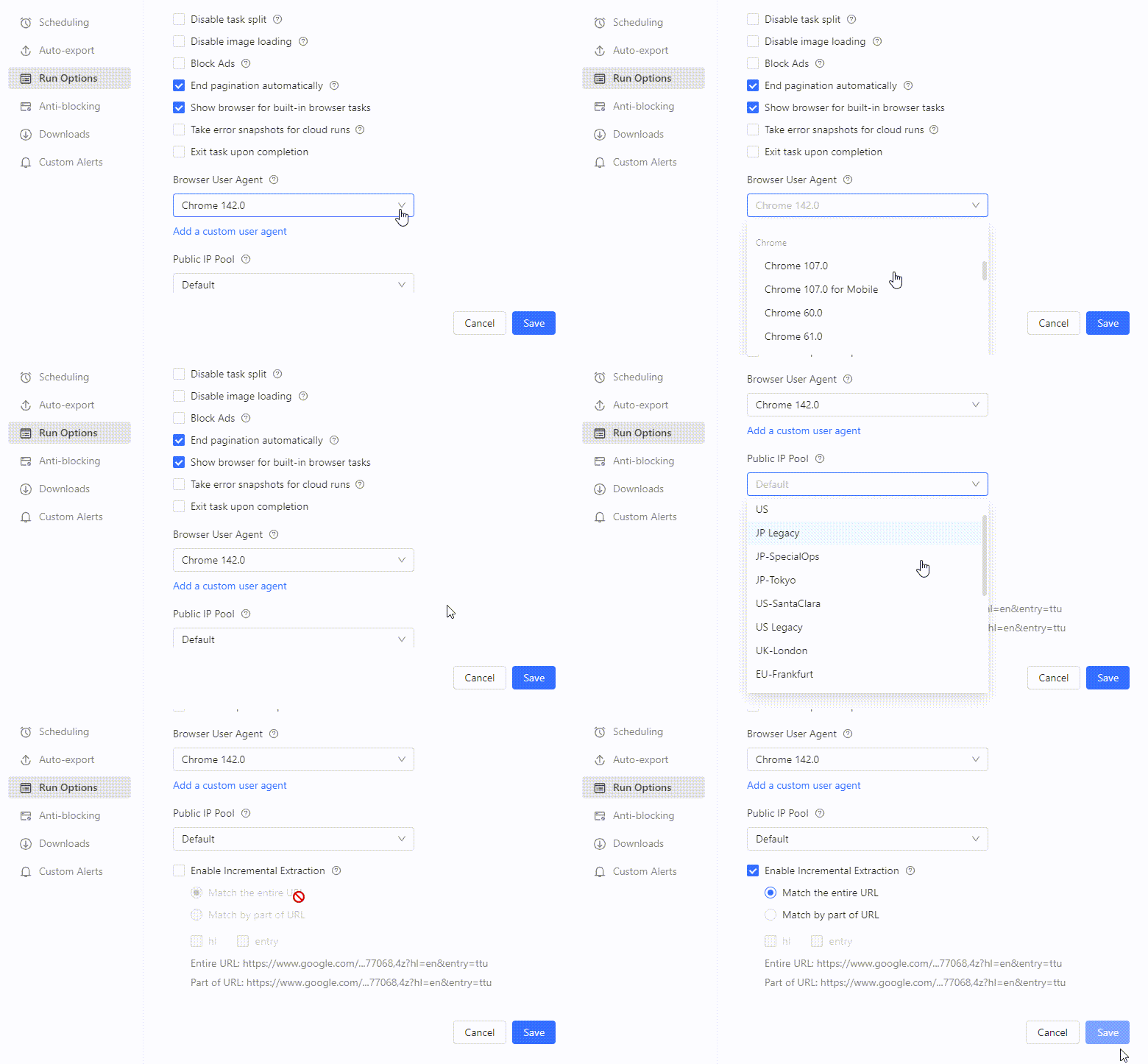
STEP 03
Set a web scraping schedule
Add a schedule from the task's scheduled-runs menu, and it runs automatically in the cloud from then on.
- Set the run frequency and start time
- Run once without a schedule by choosing Cloud Extraction at start; it finishes on Octoparse servers even after you close the app
- Or start runs from the Octoparse CLI, tied to cron, CI/CD, or your own job scheduler
Set the frequency and start time 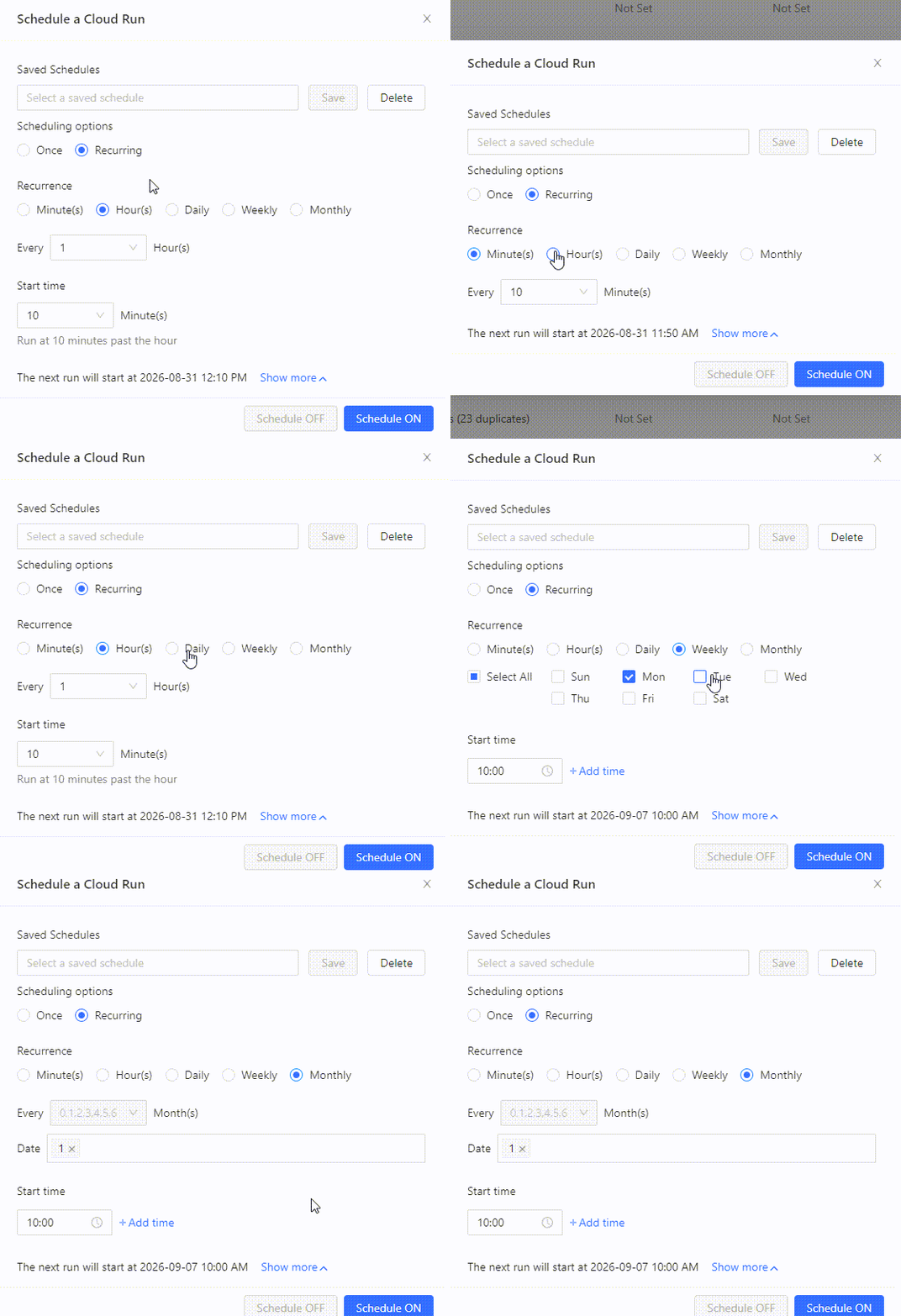
STEP 04
Save and integrate
Export to Excel, CSV, JSON, Google Sheets, databases, or cloud storage such as Google Drive, Dropbox, and Amazon S3. Tie automatic export to your schedule, and data lands as soon as a run finishes.
Destinations and automatic export vary by plan.
Choose the destination and format 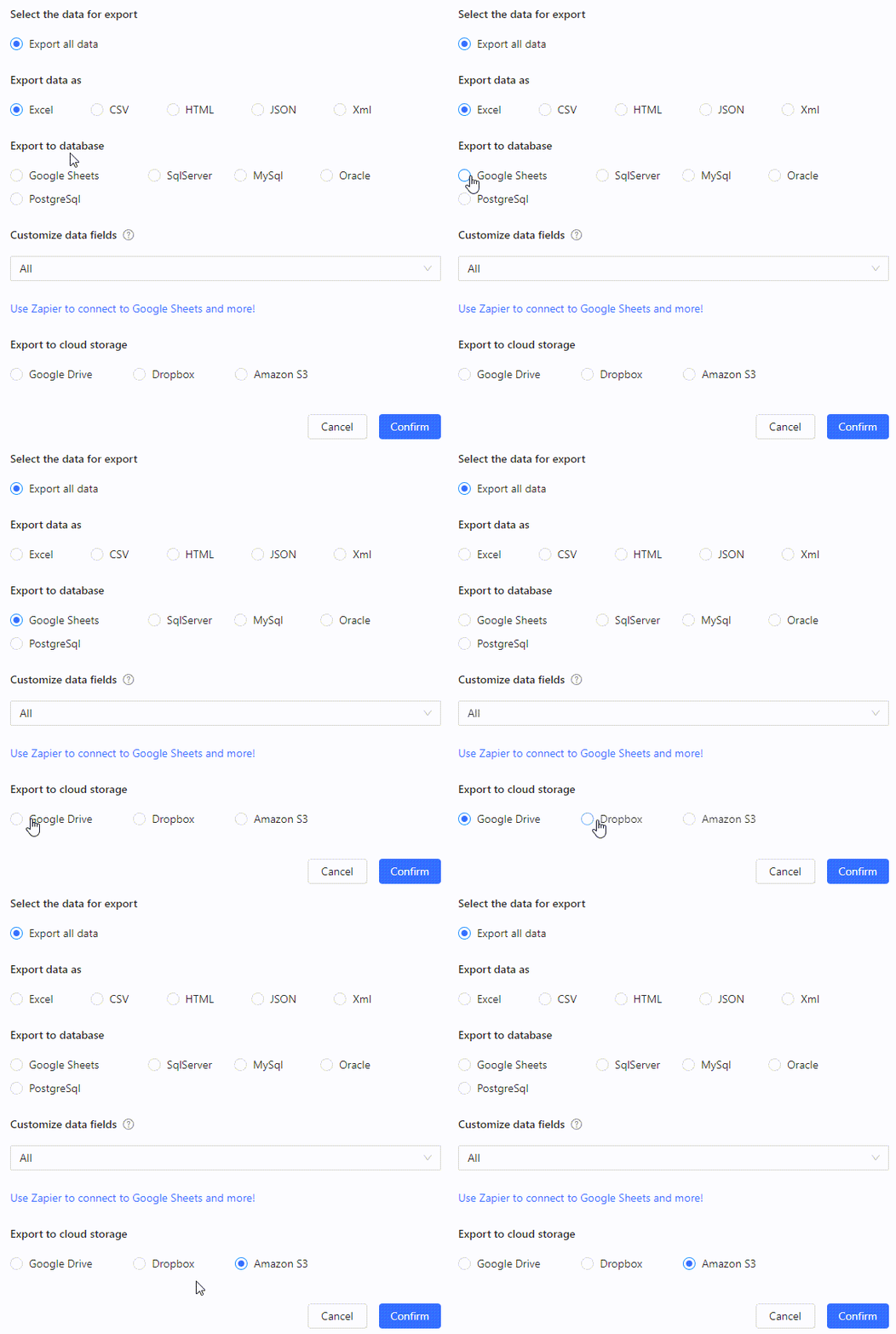
Cloud web scraping vs. local vs. self-hosted Python
The right choice depends on how often you collect, your maintenance time, and how far you need to scale.
| Criterion | Octoparse cloud extraction | Octoparse local extraction | Self-hosted Python (incl. VPS and Flask) |
|---|---|---|---|
| Best for | Recurring monitoring, large-scale and parallel jobs, running without a PC | Trials, small one-off jobs, checking results on the spot | Custom logic or deep integration with internal systems |
| Coding | Not usually needed | Not usually needed | Design, development, and testing required |
| Scheduled runs | Available on supported plans | Depends on the machine being on | You build job management and incident handling |
| Operations and maintenance | Focus on task settings and reviewing results | You check the machine, network, and task | You maintain code, servers, dependencies, and monitoring |
| Scaling up | Multiple tasks within your plan's run slots | Limited by machine performance and uptime | Server capacity planning and run-control design |
If an official API covers the data and refresh rate you need, check its terms first.
For recurring monitoring work
The more often you check the same thing under the same conditions, the more cloud scheduling pays off.
Browse all templatesRecurring collection of store listings
Collect store names, addresses, phone numbers, hours, and categories by region and industry on a schedule.
Use a store listing templateMonitor prices and stock on Amazon and beyond
Regularly collect prices, stock, and reviews from Amazon and other sites to track changes and build history.
See the Amazon scraperTrack new articles, jobs, and listings
Capture the same fields from articles, job posts, and property listings as they are published.
See job templatesBuild up data from multiple sites
Split tasks by target site and refresh frequency to accumulate data for weekly or monthly reporting.
See the Enterprise PlanLarge-scale automated web scraping in the cloud
Split tasks for parallel runs and organize them by target site and refresh frequency. Running in the cloud alone doesn't guarantee results, so plan to review the results and revise tasks as sites change.
Keeping collection running
- Separate tasks by target site and refresh frequency
- Split long tasks into smaller ranges across time slots
- Review record counts, gaps, and run logs regularly
- Fix the cause of failures and timeouts, then re-run
When you scrape the web, review the target site's terms of use, its robots.txt, personal data and copyright considerations, and the request load you generate.
FAQs about cloud web scraping
Automate your recurring web data collection
Build a task, decide your frequency and format, and check which plans include cloud extraction and scheduled runs.