With over 2 billion active users, TikTok is the fifth biggest social network worldwide. It is one of the world’s most valuable datasets, covering consumer behaviour, music trends, and viral content, making it well-suited for a TikTok video scraper. More and more businesses are joining the trends each day to boost their marketing, and you know how they do it?
Missing one trend can leave you behind, and getting valuable video data from TikTok is crucial. Scraping data from TikTok goes beyond simple videos. It includes video URL, comments, video descriptions, and more. Octoparse makes it easy to do just that with many of its templates and a auto-detect feature, which offer quick setup time. As an alternative to the fast, easy solution, I am going to show you how to do this programmatically in Python and explain the challenges compared to Octoparse. With neat tools for TikTok Video Scraping like Octoparse, you will for sure take your business to the next level.
By the end of the article, you will get a good grasp of:
- Why is it essential to scrape TikTok videos for professionals?
- What data can you extract from TikTok videos?
- Three practical ways to use TikTok Video Scraper to your advantage
- Choosing your TikTok video scraper
Benefits of using a TikTok Video Scraper
I missed a few valuable trends on TikTok to grow my audience, and ever since I started scraping TikTok video data, I’ve been able to offer a competitive advantage across several domains, from market research to content creation. Here are the main benefits:
- Spotting Trends: Figure out what sounds, formats, and topics are blowing up right now. By pulling video descriptions and music data, you can catch emerging trends faster than everyone else.
- Competitor Insight: See what your rivals or niche stars are doing well. Track their content, how much engagement they get (likes, comments, shares), and their creator profiles to learn their winning moves.
- Honest Audience Feedback: Scrape comments to really understand how people feel about a product, brand, or topic. This direct feedback is gold for improving products and marketing messages.
- Finding Influencers: Easily identify the right creators by checking their engagement stats and video themes. Scrape names, follower counts, and video metrics to efficiently vet potential partners.
- Constant Data Stream: Forget manual browsing. A scraper can watch thousands of videos across many accounts or hashtags 24/7, giving you fresh, real-time data for making decisions.
- Making Better Content: Look at what makes the best-performing videos tick (length, description keywords, music) to tweak your own content strategy for maximum views and interaction.
- Academic and Social Research: Researchers can use scraped data to study global social dynamics, content consumption patterns, political discourse, and the spread of information on one of the world’s fastest-growing social platforms.
Whether you are a non-technical marketer needing quick data or a developer building an automated pipeline, this guide has the right path for you.
What Data Can You Extract from TikTok Videos?
Although TikTok Video scraper does not get you the video file directly, you get:
- Video URL: With the video URL, you can create a separate script to download the video file if needed, or use it for tracking and analysis.
- TikTok creator name: Identify the account that posted the video.
- Video description: The text accompanying the video often contains relevant keywords and hashtags.
- Comment count: The total number of comments on the video.
- Comment author: The username of the person who posted a comment.
- Comment content: The actual text of the comment.
- Comment likes: The number of likes a specific comment has received.
- Comment time: The timestamp for when the comment was posted.
- Reply author: The username of the person who replied to a comment.
- Reply content: The text of the reply to a comment.
- Video likes/hearts count: The total number of likes/hearts the video has received.
You can see different categories that arise here, but the focus is on the video and any related metadata, such as the creator and comments. You can scrape more data from TikTok, such as user profiles, engagement metrics, comments, search results, and hashtags. For today’s guide, we will focus on the video details and comments.
How to Scrape TikTok Videos (Three Working Methods)
I will show you both no-code and code options in today’s guide to scrape TikTok videos. The majority of users are looking for ease of use, features, and what the tool brings, so I will discuss all that for each method.
Method 1: Octoparse’s Pre-built Templates (Quickest Method)
Octoparse is a no-code web scraping and browser automation platform with pre-made templates for different target websites. TikTok is among the largest social media platforms, and Octoparse offers many templates for scraping TikTok data. This makes it super simple to get the data right away, without any coding or infrastructure to support such a project. Octoparse handles it all.
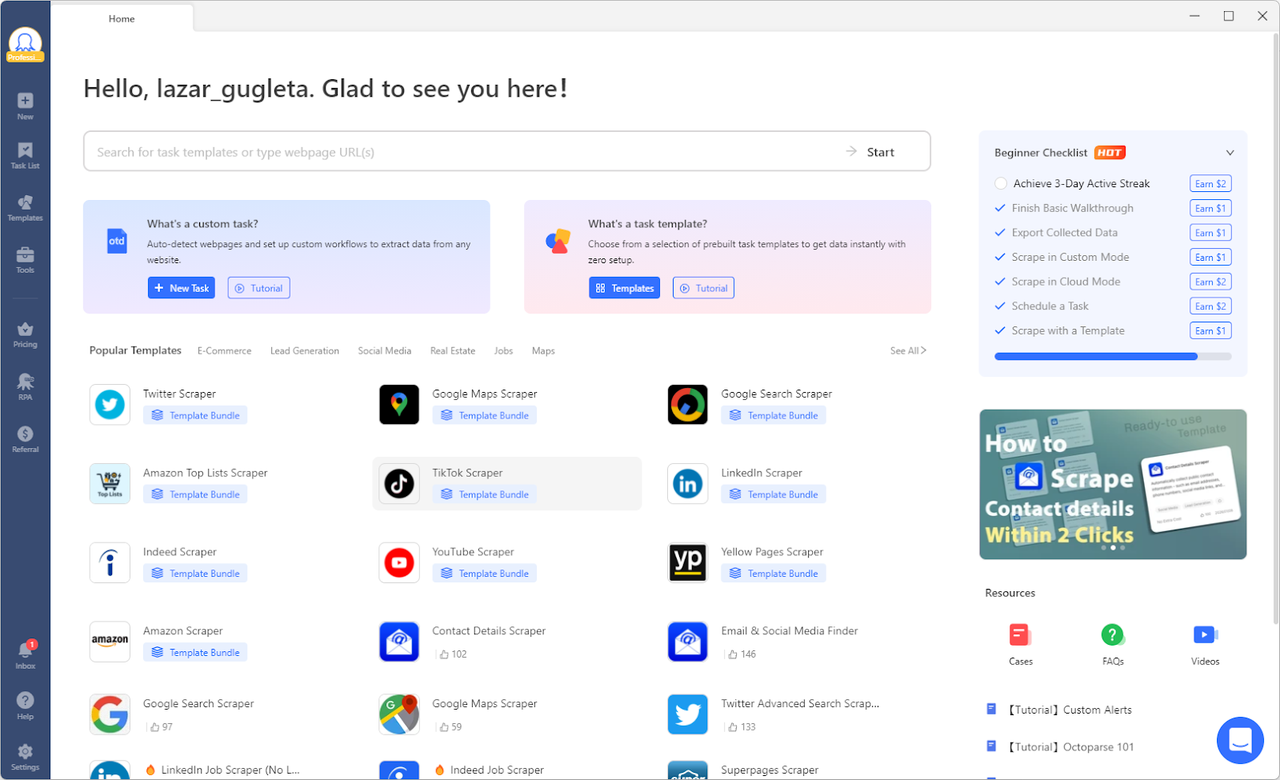
TikTok Video Details & Comments Scraper Template
Today we will take a look at three different Octoparse templates. The first one is “https://www.octoparse.com/template/tiktok-video-comments-scraper”, which provides data on TikTok videos, including comments, video URLs, and like counts.
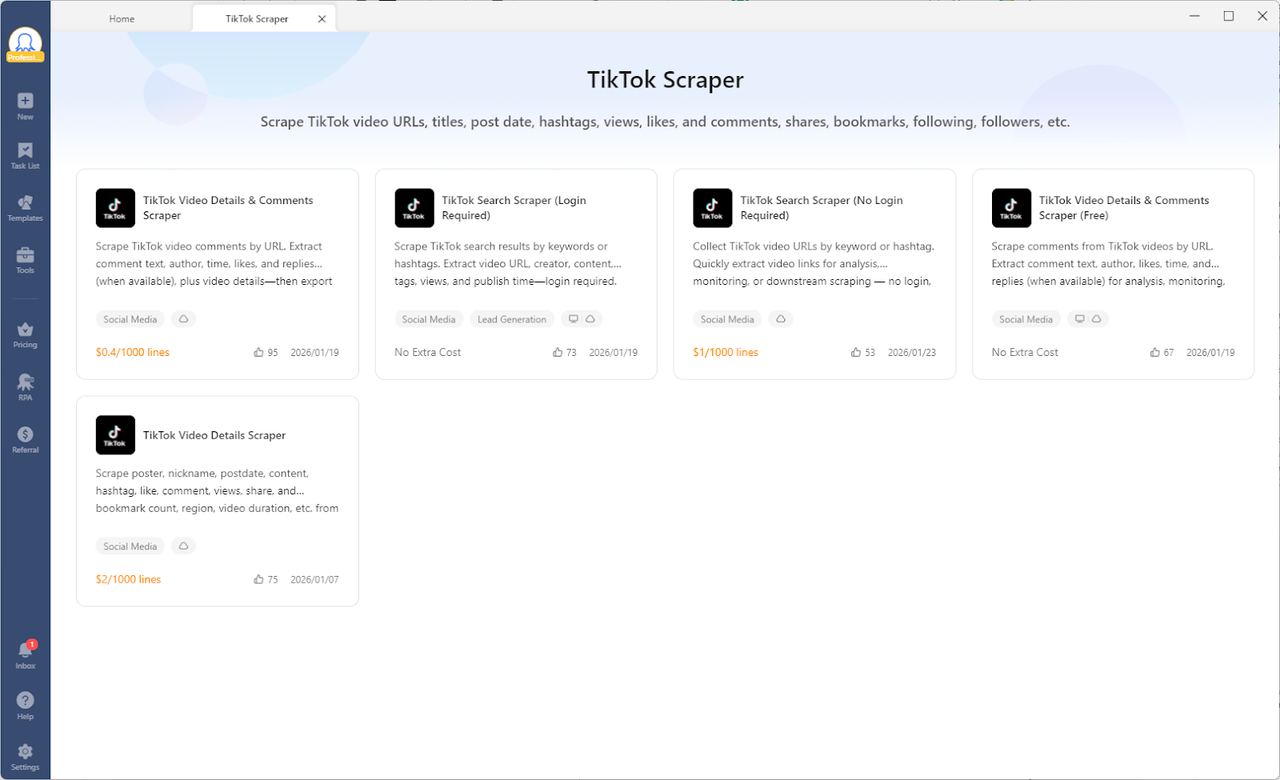
Once we select this template, there is a simple configuration window before we start scraping TikTok video data.
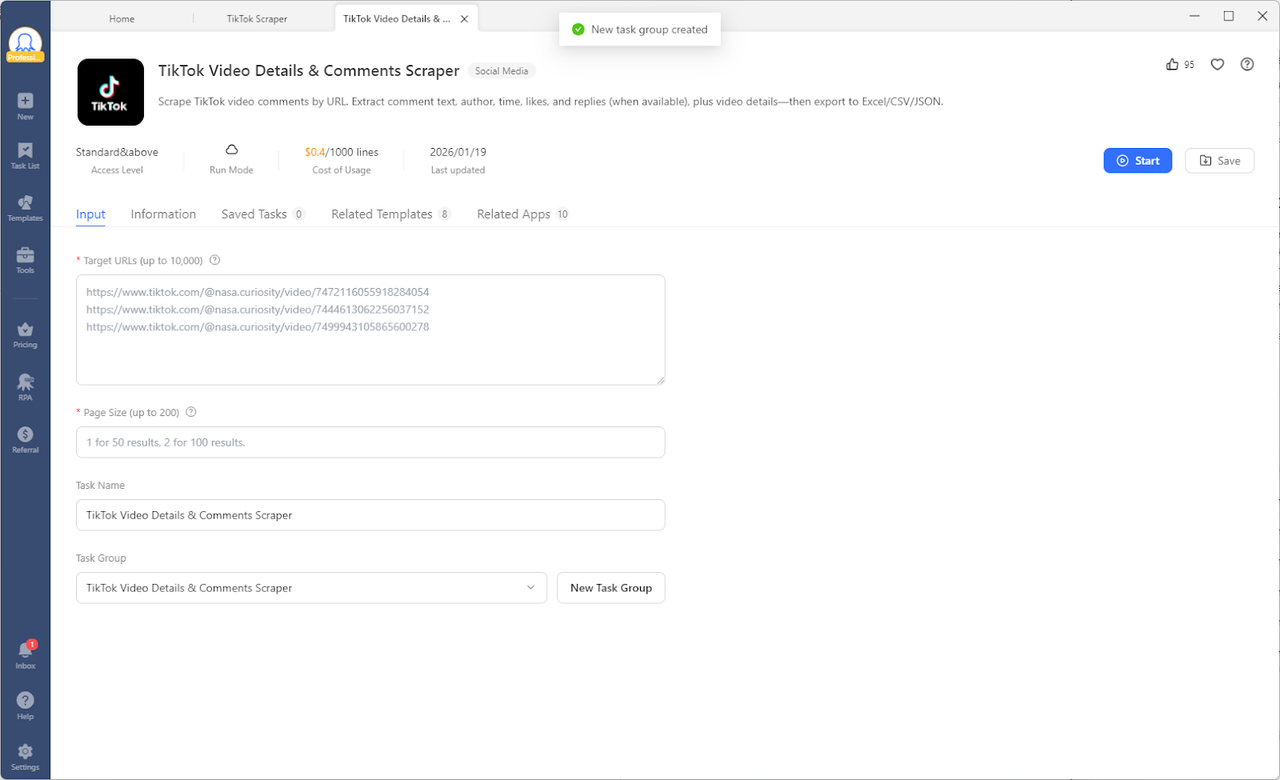
I can scrape multiple videos at once (up to 10,000), which is fantastic because I do not need to create a job for each video. The job is done super quickly, and within a minute, I have my data ready. Data can be exported directly to Excel, CSV, JSON, HTML, and XML.
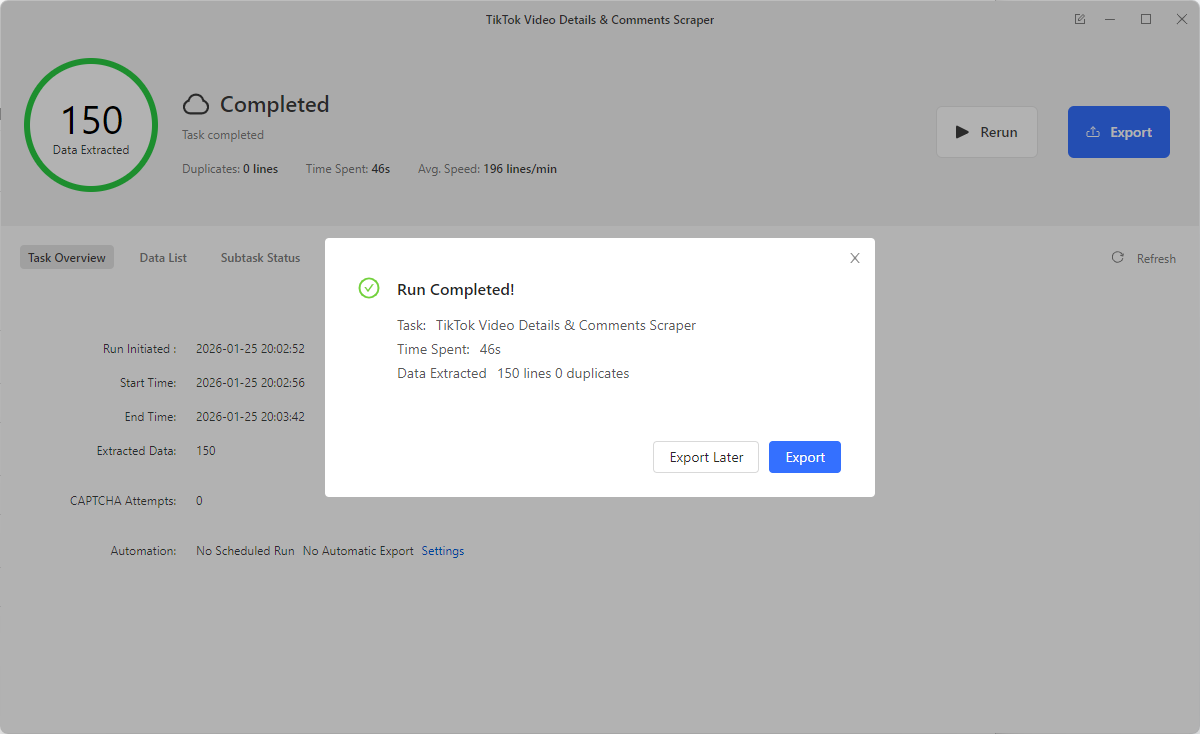
So many data points to analyze for later from only providing three links. Comments can be quite a lot of data, so you define how much you want to collect in each job.
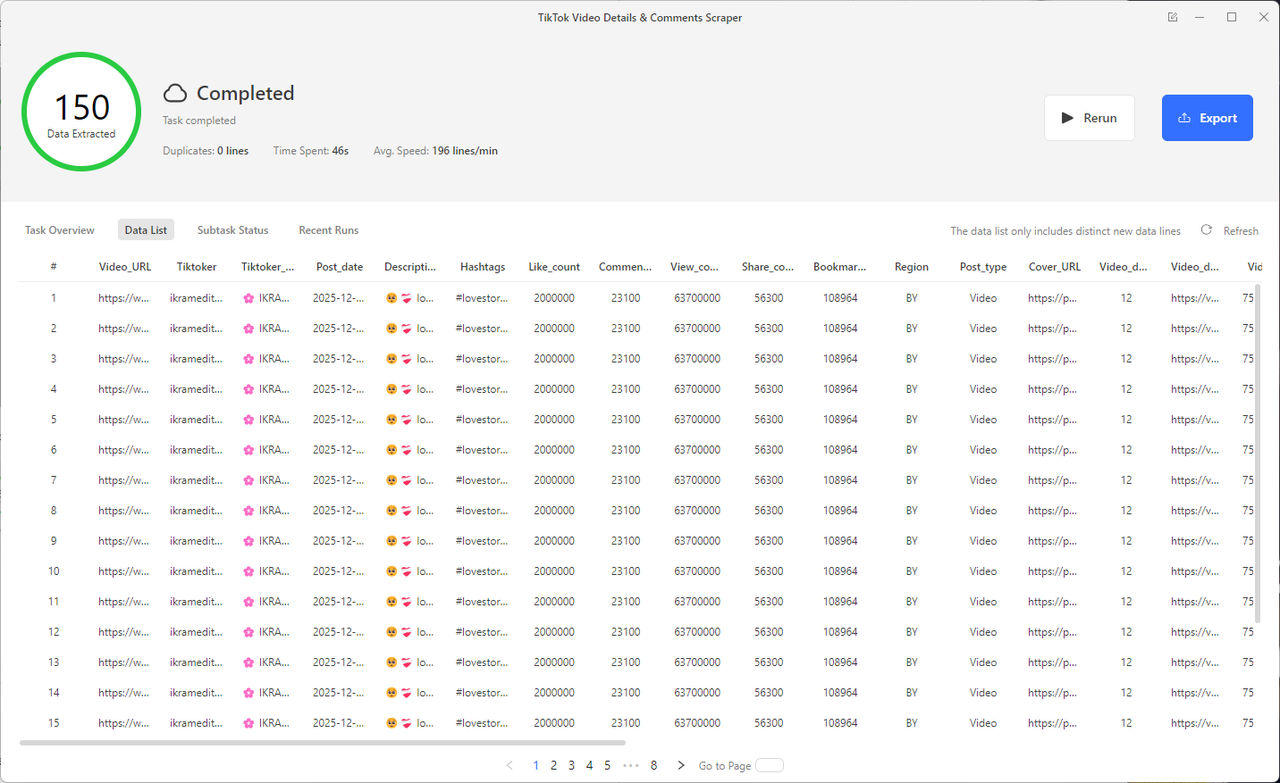
In under 3 minutes, from creating your account to downloading Octoparse, you can already have your data. Isn’t that awesome? This is not where the benefits stop. You got the data you want, but here is how Octoparse made it possible:
- No-Code Required: You don’t need programming knowledge. Simply input keywords and locations, and the scraper will run everything in the cloud or locally.
- Automatic Workflow & Pagination Handling: Octoparse handles navigating search results, loading pages, and extracting data for you.
- Easy Export Formats: Scraped results can be easily exported directly to Excel, CSV, JSON, HTML, and XML for immediate analysis or integration with CRMs and databases.
- Beginner-Friendly UI: Ready to use right out of the box. Just enter your keywords and start the process.
Octoparse is not the only tool for scraping TikTok video data, so let’s compare it with Apify to see the differences. Try the TikTok Video Details & Comments Scraper below to simplifying your data scraping process.
https://www.octoparse.com/template/tiktok-video-comments-scraper
There is a free version of this template, but with limited scraping quantity, also accessible in the Octoparse platform:
https://www.octoparse.com/template/tiktok-comments-scraper
Finally, I want to show the third template:
TikTok Video Details Scraper
The “https://www.octoparse.com/template/tiktok-video-details-scraper” can help you scrape video’s metadata, like the description, the creator’s information, the music used, and all the engagement counts (likes, comments, and shares) broken down by region. If you want to look at content trends, find the best creators, or do a big analysis without having to read every comment, this template is perfect for you.
It works like the “Details & Comments Scraper”, but it gives you less information.
- Efficiency: Scraping takes less time and produces smaller output files when you don’t include all the comments.
- Targeted Data: You only get the high-level numbers and descriptive text you need to spot trends and plan your content.
You can find this template here:
https://www.octoparse.com/template/tiktok-video-details-scraper
Octoparse vs. Apify: TikTok Video Scraper Comparison
Apify is an API platform with templates, such as the TikTok Video Scraper, that scrape data. They call these scrapers “actors”. There are a few key differences compared to Octoparse:
- Execution: Apify is 100% cloud-based. You cannot run scrapers on your local machine; you essentially “rent” their cloud servers. Octoparse allows both local scraping (using your computer’s resources) and cloud scraping.
- Pricing: Apify uses a pay-per-usage model (cost per RAM gigabyte-hour). This is great for tiny one-off jobs, but can become unpredictable for large-scale scraping. For TikTok video scraping, Apify charges $12.5 per 1,000 lines of scraped output, whereas Octoparse charges only $0.4 per 1,000 lines. That’s 30 times more expensive for the same amount of data!
- Data quality and versatility: For TikTok video scraping, Apify is missing a critical component of comments, which is a separate “actor” you would have to pay for additionally.
- Interface: Apify is generally geared more towards developers, with a code-centric UI. Octoparse is designed for visual users.
If you want a predictable monthly cost and a visual interface, start with Octoparse templates. If you are a developer integrating directly into a cloud stack, Apify is a strong alternative.
Well, that template method is super easy. Let’s see what other methods are available compared to this super simple one with premade templates for TikTok video scraping.
Method 2: Custom Scraping Workflows in Octoparse
If templates are locking you into preset configurations, Octoparse also offers an alternative that lets you build a fully customized walkthrough workflow for your scraping task. It works like browser automation, and Octoparse gives you complete control over what it does.
Start with a custom Octoparse task in the Octoparse window:
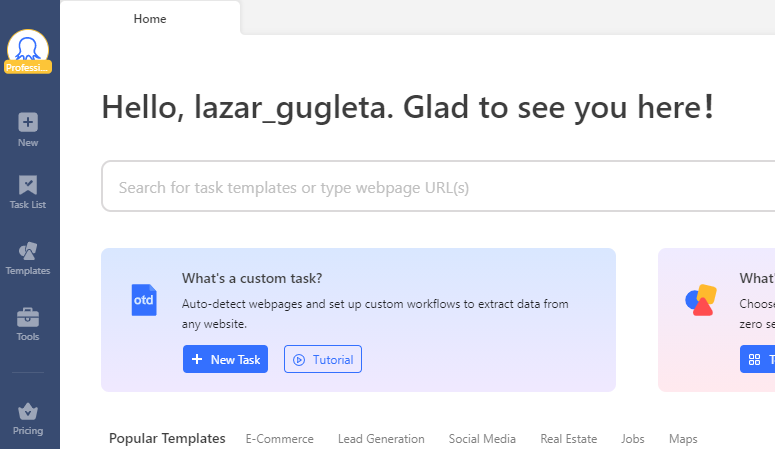
Enter the URLs of TikTok videos you would like to scrape, then save the task.
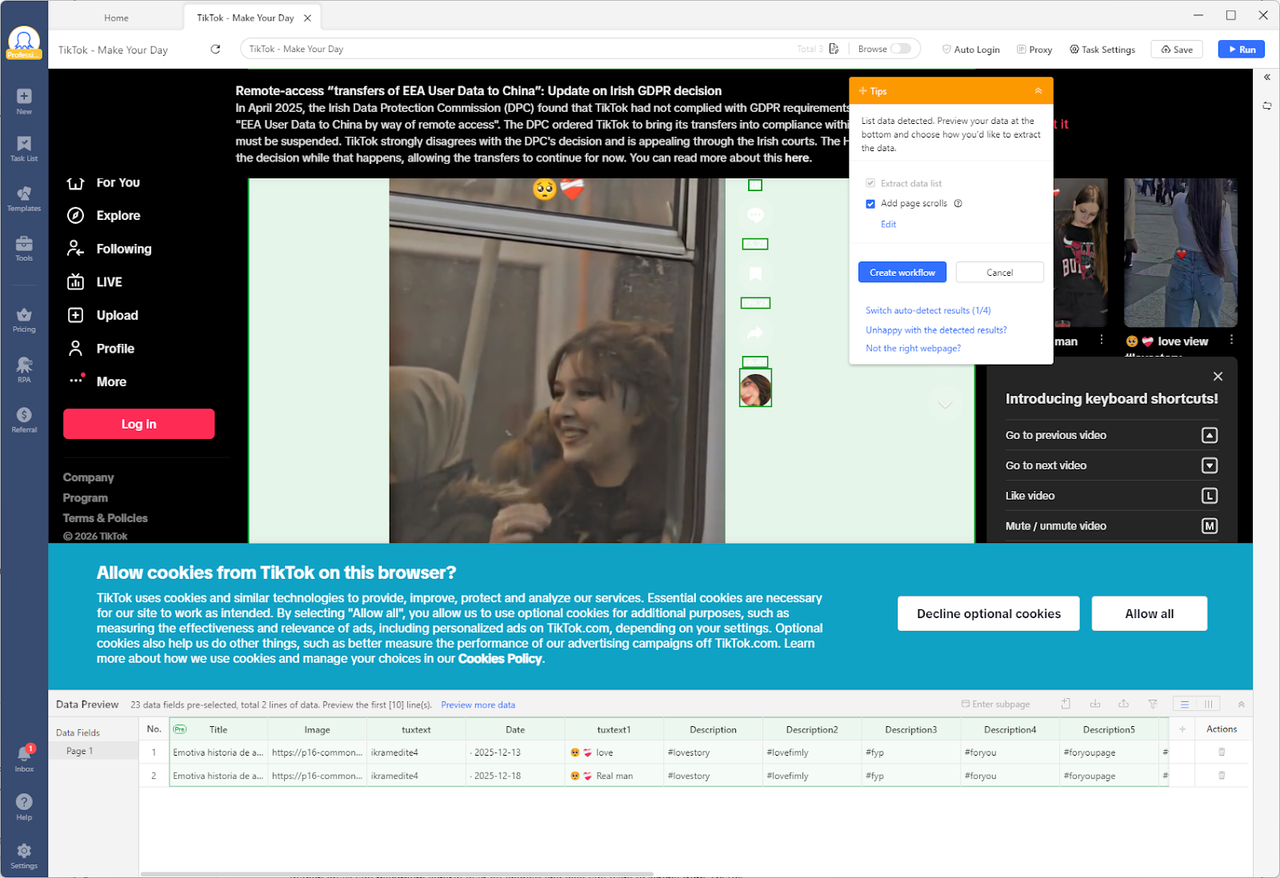
You can try auto-detecting the data (If you are an advanced user, manually creating workflows is also feasible). At the bottom of the page, you get a data preview that instantly shows all automatically detected data from Octoparse. You can take it to the next level by tailoring exactly which data you like and proceeding. You also have the upper hand to rename each data field. To get to the specific data, select it manually from the element on the page you see. For example, you can extract music information along with the other video metadata.
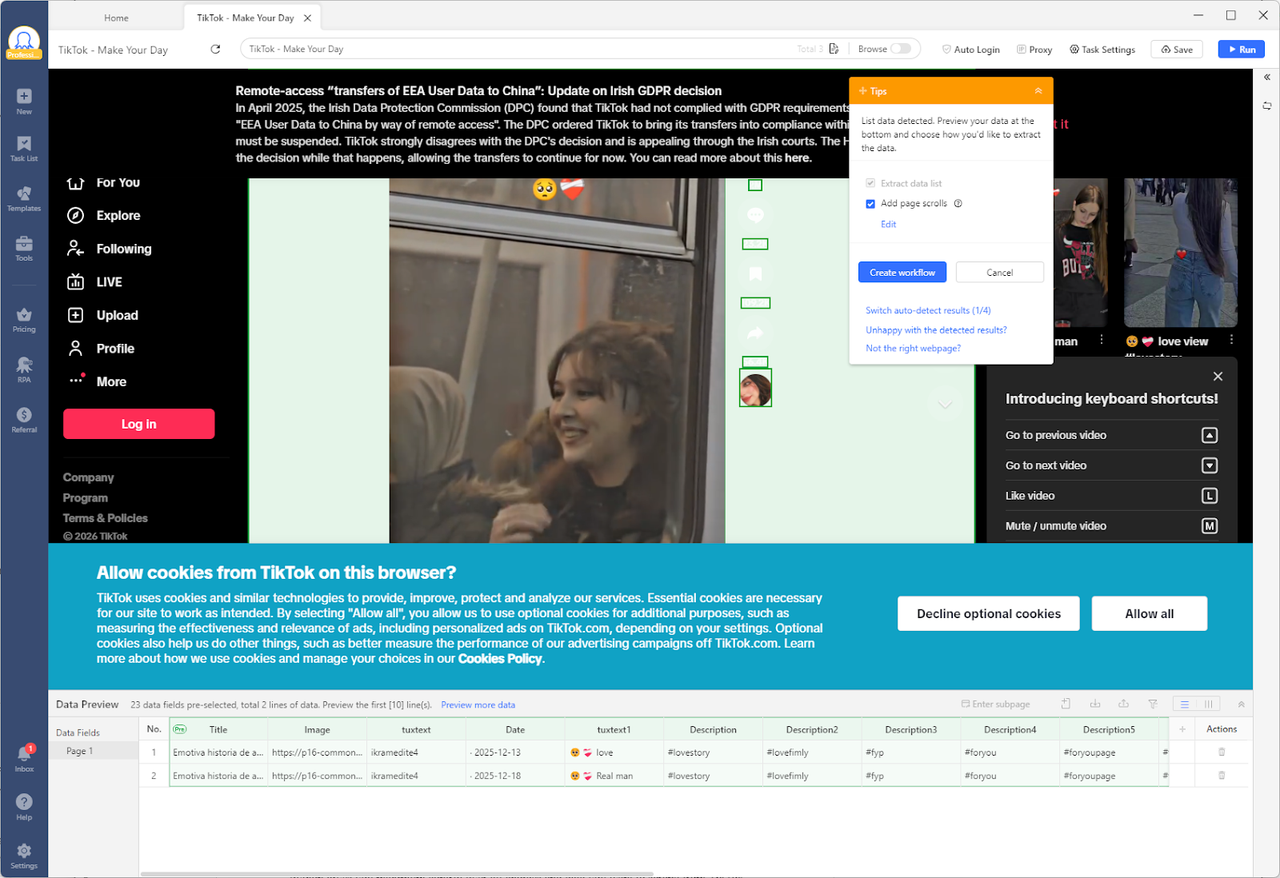
Before running the task, you can set up auto-login at the beginning, handle dynamic loading (Ajax), and then your task is ready to be tested. Save the workflow for the final design check. On the right-hand side, there is a step-by-step workflow that gives you complete control.
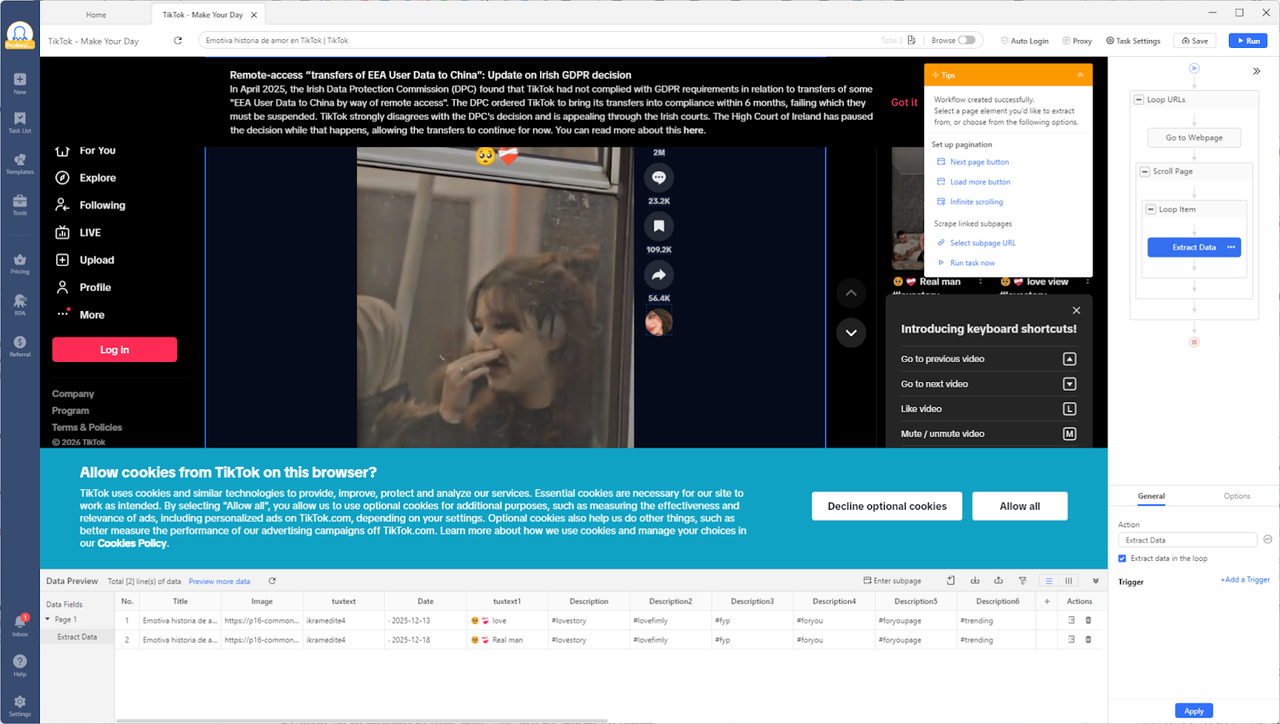
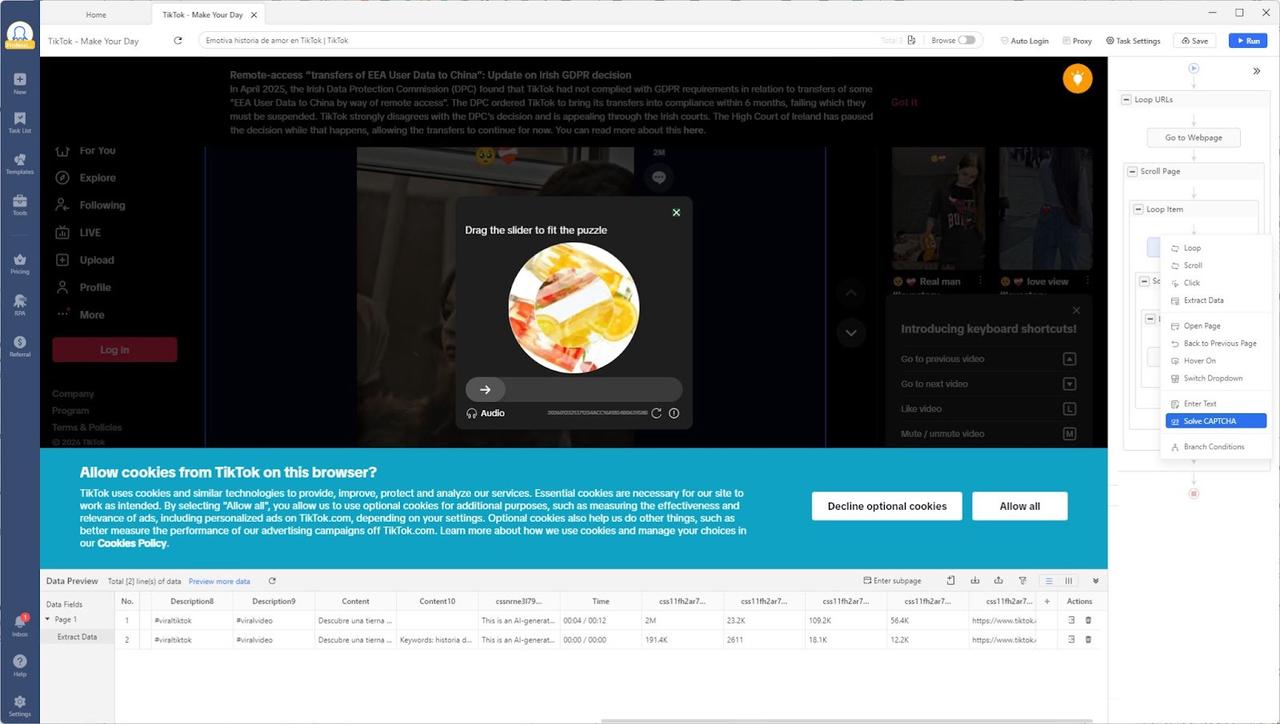
During scraping, a CAPTCHA appears, and a cookie confirmation is required. Octoparse can handle all that for you as well. Add the block Solve CAPTCHA to the workflow and configure it to the type it is. Let Octoparse handle the rest. Once ready, you can export the data.
Method 3: Python Libraries to Build a Custom TikTok Video Scraper
Octoparse removes many challenges along the way of TikTok video scraping, such as anti-bot algorithm evasion, CAPTCHA solving, and rate limiting. When you start building your Python-based TikTok video scraper, you must face these challenges, so this task is not simple. Developers who use this method are usually already well-versed in Python and web scraping.
Python gives you maximum control over all choices and data you want to scrape from TikTok videos. To do just that, I will use Playwright, a library that enables end-to-end testing of web applications. It opens a browser instance and lets you interact with it as you would manually, but through Python code.
First, install Playwright and chromium libraries so we can use them in the script. Chromium is just the underlying browser instances we will use. In your terminal, execute the following commands:
I start by defining the links to the videos I want to scrape, and in the function scrape_tiktok_videos, playwright uses the browser instance to go to the provided link and extract all the video-related data. It scrapes likes, shares, comments, author, and music by using data-e2e selectors (data attribute), which are much more stable than regular classes. In the end, it will output it in JSON format, but you can adapt the script however you like.
We came close to Octoparse’s TikTok Video Scraper, but we faced challenges such as anti-bot evasion and CAPTCHA solving. To expand this code further, read more about the 5 anti-scraping techniques you may encounter. If you are not very tech-savvy but still want to try the coding approach, I have another solution for you in this final method.
Anti-bot Challenges with Python TikTok Scraping
Custom Python TikTok scrapers have a lot of problems with anti-bot protection. Specialized tools usually take care of these problems, but when you code from scratch, you have to do it yourself.
Some of the main problems and ways to fix them are:
- Rate Limiting: Servers block requests that come in too often. Use time.sleep() and change the IP address of the proxy.
- IP bans occur when the scraping patterns that are not human cause the bans. Use high-quality rotating proxy services available for homes and phones to hide your location.
- CAPTCHA and verification: The interactive screens will stop the automation. Add third-party CAPTCHA solvers or Playwright/Selenium with visual recognition, which will make things more complicated.
- Browser Fingerprinting/Header Checks: TikTok checks to see if the request looks like it came from a real browser. Make sure that the user agent, viewport, and standard browser settings are all realistic.
- Dynamic/Obfuscated Selectors: When HTML changes, it breaks regular CSS/XPath. Find stable attributes (like data-e2e) or reliable API endpoints.
To get through these problems, you need to keep up with maintenance. This shows the trade-off between Python’s flexibility and the built-in resilience of commercial scraping platforms.
Speeding up Your Python TikTok Video Scraper Development
One of the advantages of open-source code and GitHub is that you take development and maintenance into your own hands and put them under the control of the repository managers. One such repository, “tiktok-scraper,” is very popular with 5,000 stars on GitHub. They let you scrape TikTok data and even download the videos after the scraping process.
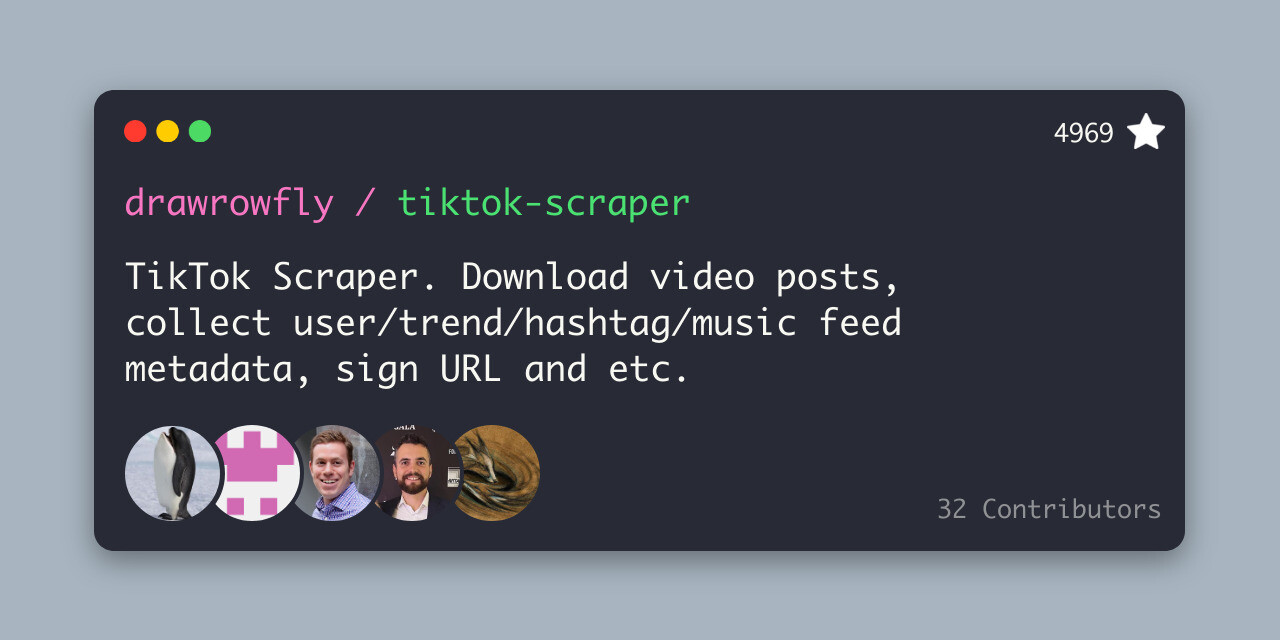
You use it the same way as the pure-Python TikTok video Scraper method, but instead of typing the code yourself, you can execute it directly on your machine. If you are a developer and need features, feel free to contribute as well. That’s always nice!
TikTok Video Scraping Method Comparison
| Factor | Method 1: Templates | Method 2: Custom Workflows | Method 3: Python |
| User Type | Marketers, Researchers | Data Analysts | Developers |
| Setup Time | Minutes | 1-2 Hours | Days |
| Maintenance | Provider handles updates | Minimal | Constant (High effort) |
| Cost | Subscription (Octoparse) | Subscription (Octoparse) | Free tools + Dev Salary + Infrastructure cost |
| Technical Skill | None | Basic Logic | High (Programming) |
Conclusion: Choosing Your TikTok Scraping Solution
Scraping TikTok videos is made easy with many accessible tools at your fingertips. Whether you are a brand manager, market researcher, or influencer, understanding the competition and trends should be your focus. With Octoparse, you do not need any prior technical knowledge, unlike building your own application with Python.
For 90% of users, Octoparse is the way to go, as it delivers reliable data and fast task completion. By putting the burden on someone else, you save time and money every day. For the rest of the users looking for more customized, large-scale solutions who have a technical foundation, they can focus on Python and custom solutions.
FAQs about TikTok Video Scraper
- Can you scrape the comments from a TikTok video?
Yes, absolutely. Scraping comments is the very essence of TikTok data and one of the most popular use cases. Comments contain emotion and information, so they are among the first things analyzed when monitoring user behaviour. However, when scraping TikTok for comments, keep in mind that they are loaded dynamically and cannot be viewed all at once. You need a specialized tool like Octoparse to help you scroll and maintain a stable connection while extracting all the valuable data from TikTok videos.
- Is TikTok scraping allowed?
Yes, scraping publicly available data is allowed, including on TikTok. It is considered legal in many jurisdictions, following the precedent set by the hiQ Labs vs. LinkedIn case in the US. You cannot scrape and republish videos from private accounts without their permission. Always comply with GDPR and CCPA legislation that protects personal data. In general, when scraping data ethically, always keep TikTok’s terms of service in mind and respect the rate limits on their servers. For example, if you scrape for scholarly research or internal analytics, you are generally in a safer situation than if you resell or republish the content.
- How do TikTok video scrapers work technically?
As TikTok is built as a single-page application using the React framework, when you visit a video URL, it sends a full skeleton page, and JavaScript fetches the actual data (video link, comments, and likes) via Ajax requests. This is why simple scrapers struggle here, while effective ones like Octoparse can also use browser automation to launch a web browser instance, let JavaScript execute asynchronous requests, and only scrape the content when it appears.
- How to avoid IP bans and rate limits when scraping videos?
Add natural pauses between requests and use proxy services. If you are scraping 1,000 videos in 10 seconds, you are for sure going to get your IP address banned. Using real browser headers or cookies makes the script appear more human, a technique known as browser fingerprinting. Developing all these advanced anti-bot evasion techniques takes a lot of time and expertise, so you can already do all this today with Octoparse.
- Could you recommend tools that return TikTok video metadata only in JSON format?
If you require JSON format as the output of your TikTok video scraper, these are your options:
- https://www.octoparse.com/template/tiktok-comments-scraper: Exports TikTok video data in JSON directly for easy analysis.
- Apify: Directly exports in JSON format.
- Python-based: Once you fetch the data in the Pandas dataframe, you can export it to your machine in JSON format.