Last updated: November 9, 2026
🎯 Mission Brief: Turn a Manual Export into a Working Workflow
You run a task, download a file, and send it to a spreadsheet. Fine for one request. Painful when the same data needs to reach a dashboard, CRM, alert, or AI assistant every morning.
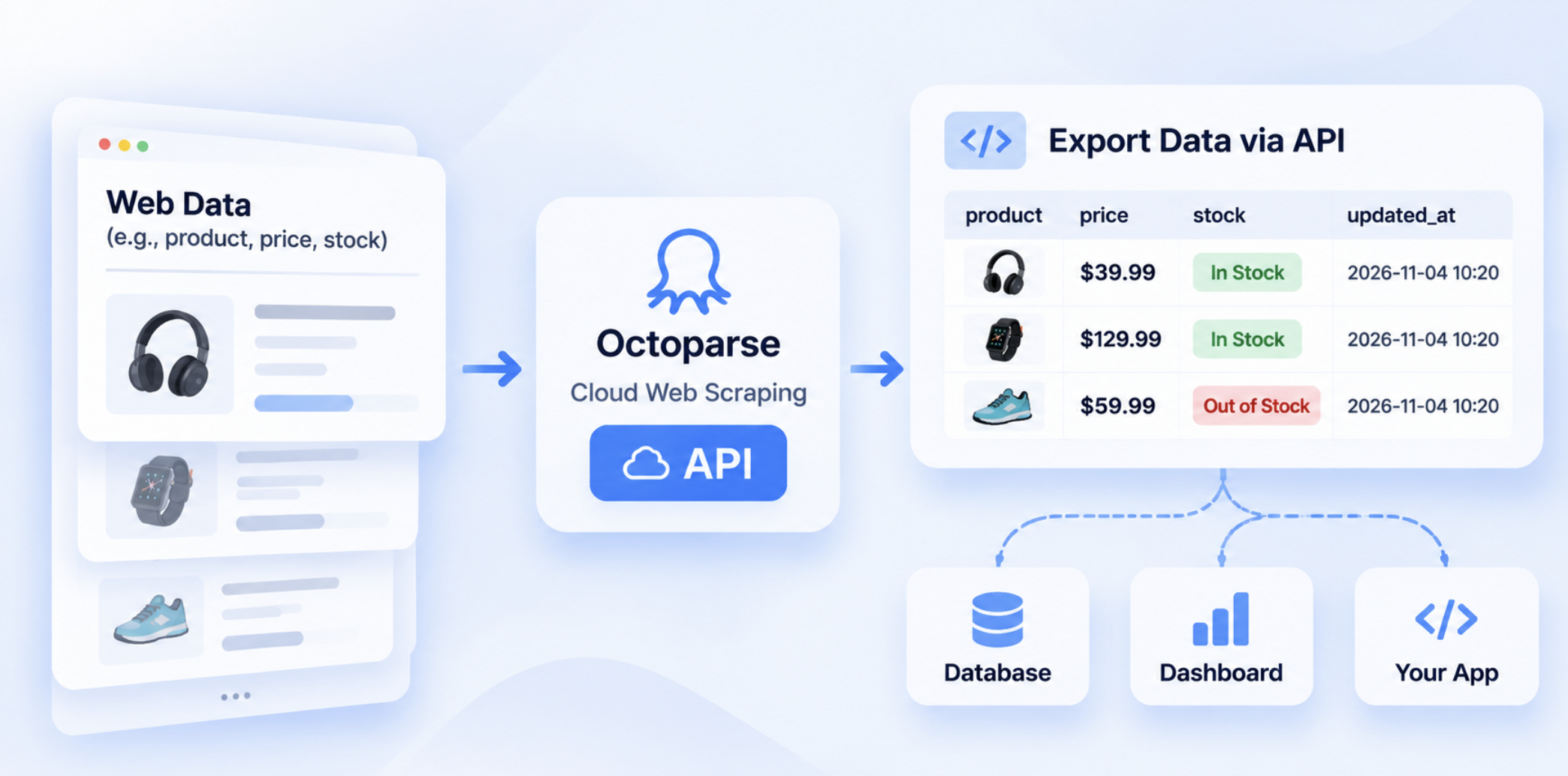
The Octoparse API gives that workflow a way to move on its own. Your code can start a cloud run, check its status, read the records, and pass the result to the next system.
This guide treats the setup like a short game. Pick a route, get your access pass, run a small mission, then add automation when the basics work.
Quick answer
DataHub helps you choose what to run. Open Platform is the access family. Open API is the REST route for application code. AgentTools API helps an AI workflow find and execute a supported template. MCP lets an AI assistant call Octoparse tools. CLI fits scripts and server jobs.
🎮 Start here
Create an Octoparse API key and keep the Octoparse API documentation open in another tab. Then jump to Level 2 if you already know what you want to run.
The terms Open API and OpenAPI often point to the same Octoparse REST route in search results and older pages. This article uses “Open API” for the current product path.
Test note
The MCP protocol and public Data App discovery were smoke-tested on November 8, 2026. A real API key was not available, so this article does not claim a successful authenticated run, status poll, or export.
🗺️ Level 1: Read the Octoparse Product Map
The easiest way to understand the product is to ask two questions. What do I want to run? How does my system want to connect?
| Layer | Your question | Best fit |
|---|---|---|
| DataHub Data Apps | What data workflow should I run? | Finding a published collection workflow |
| Open Platform | Which access family should I use? | Organizing REST, AI, and command-line access |
| Open API | How should my application run and read data? | Backends and scheduled pipelines |
| AgentTools API | How can an AI workflow find a supported template? | Template discovery and execution |
| MCP | How can an assistant call Octoparse? | ChatGPT, Claude, Cursor, and custom agents |
| CLI | How can a server job call Octoparse? | Cron, containers, and CI/CD |
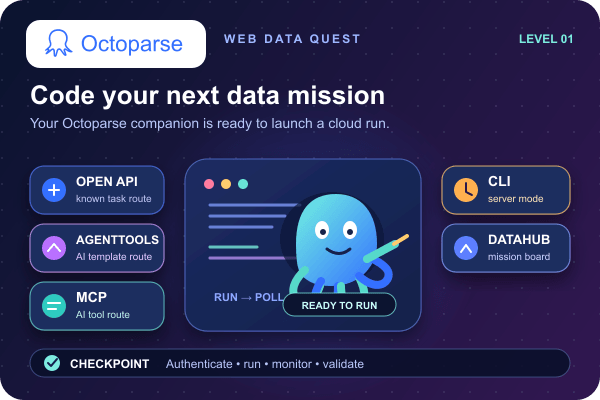
Think of DataHub as the mission board. Open Platform is the gatehouse. The other entries are different routes to the same wider web data workflow.
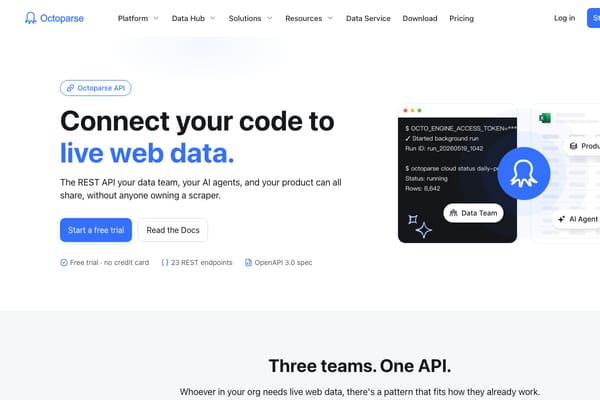
The screenshot is product context from the official Octoparse Open API page. It shows where the API fits in the Octoparse web data platform.
🧭 Level 2: Choose Your Route
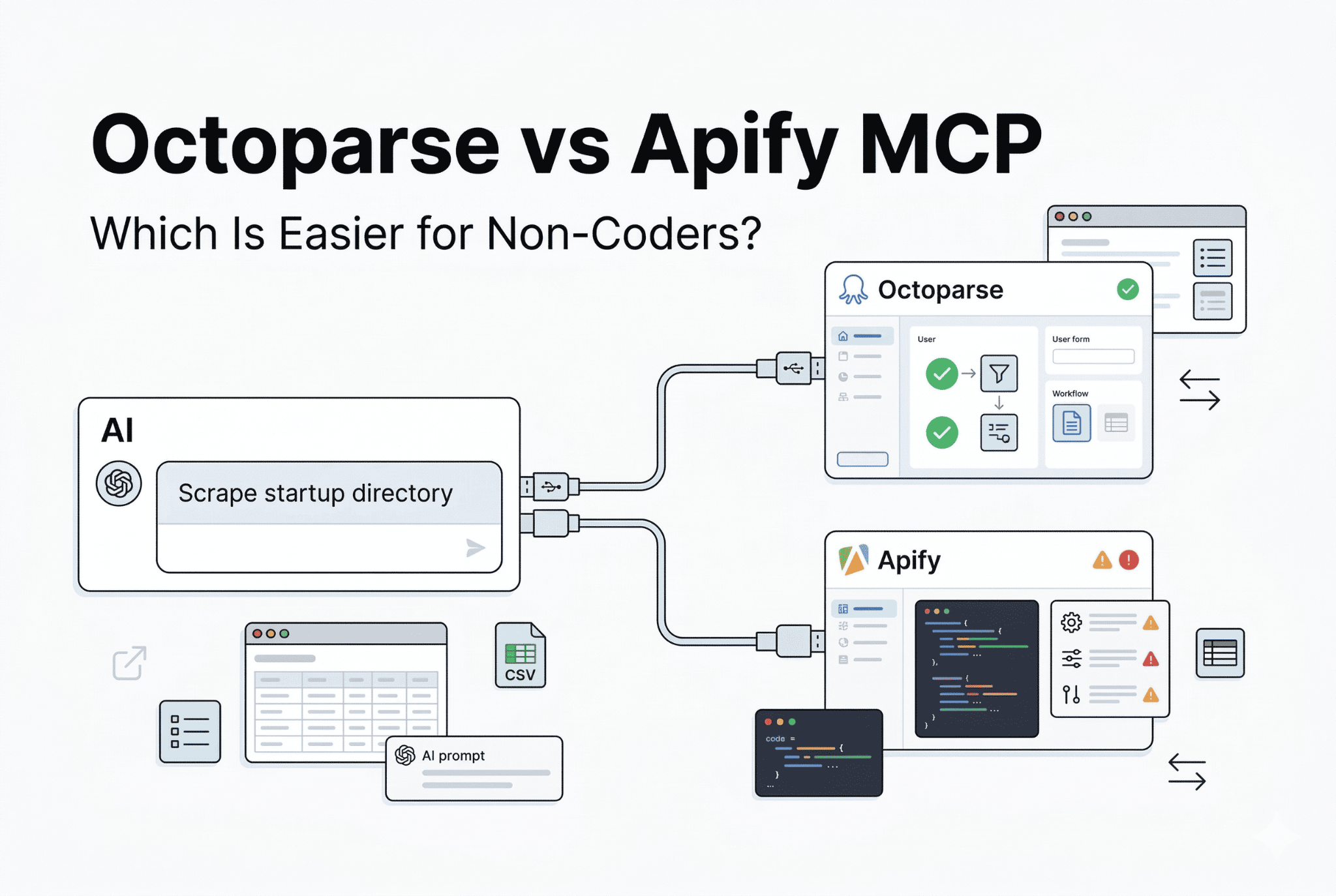
This is the key decision in OpenAPI vs AgentTools API.
| If you start with… | Choose… | You get… |
|---|---|---|
| A known Data App, task, or schedule | Open API | Predictable runs, status checks, and records |
| A business request without a known template | AgentTools API | Search, schema checks, execution, and export |
| A request inside an AI assistant | MCP | Octoparse tools inside the assistant |
| A shell script or server job | CLI | A command-line path for operations |
A simple rule helps.
Open API puts control in your application. AgentTools adds discovery and template validation. MCP handles the conversation layer. CLI fits an existing server workflow. You can use more than one route in the same company.
AgentTools works with supported templates and workflows. The result still depends on the target site, task configuration, input values, and cloud access conditions.
Choose your class
For a daily competitor-price monitor, pick Open API. For “find a workflow that can collect this data,” pick AgentTools API. For “let my assistant find and run it,” combine MCP with the route that executes the task.
🪪 Level 3: Get Your Access Pass
The header changes with the route, so match the credential to the product you are calling.
| Route | Typical authentication |
|---|---|
| Open Platform REST and Data App runs | Authorization: Bearer YOUR_API_KEY |
| AgentTools API | x-api-key and, where required, x-external-user-id |
| MCP | OAuth 2.1 in browser clients, or a Bearer API key in headless clients |
| Legacy examples | A Bearer access token from the older /token flow |
Keep the key in an environment variable or secret manager. Use separate test and production keys. Redact headers from logs. The older token flow is a migration path, so check the OpenAPI migration guide before using it in a new build.
Checkpoint
You should know which header your route expects and where the key will live before you write the rest of the integration.
🚀 Level 4: Run Your First Data App
Start small. Pick one published Data App, send one valid request, wait for the result, and read a small page of records. Use the current API Reference for the exact app name, owner, fields, and response schema.
Your controller only needs to do five things.
- Read the Data App input schema.
- Submit the smallest valid request.
- Save the run ID.
- Poll until the run finishes or fails.
- Validate the rows before sending them downstream.
That is an octoparse api integration in its smallest useful form. Add schedules, retries, alerts, and deduplication after this path works.
🎮 Ready for your first run? Use a non-production key and a small input. Check the status and returned fields before connecting a database or workflow.
🛠️ Level 5: Control Cloud Tasks with Open API
Open API suits teams that already know what to run and want their own application to control the schedule, retries, validation, and destination.
The current octoparse api documentation groups the REST capabilities into Access, Task Groups, Tasks, Cloud, Data, and AgentTools. In practice, a recurring pipeline looks like this.
Configure and test the extraction workflow in Octoparse first. Use Open API to operate it from your application. If you are moving an older task-ID or token integration, follow the migration guide and the live reference together.
🤖 Level 6: Upgrade with AgentTools API
AgentTools starts with a request such as “find a workflow for Amazon product data.” It can search supported templates, inspect an inputSchema, execute the selected workflow, and check the export state.
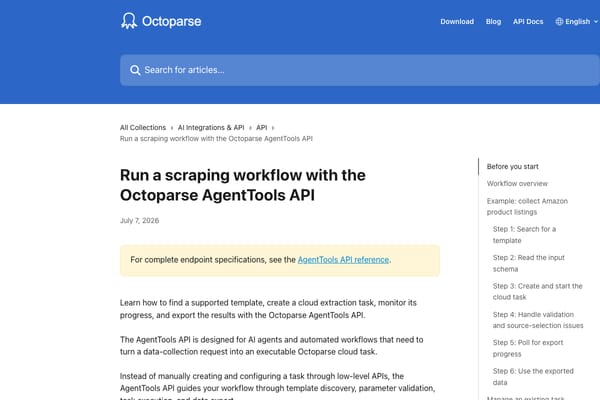
The AgentTools workflow guide documents this sequence.
Search for a template.
Execute the selected template.
An accepted response means the request was accepted. It does not mean the export is ready. Follow the returned retry guidance until the workflow reaches exported, no_data, failed, or invalid.
🔌 Level 7: Equip an AI Companion with MCP
Octoparse MCP puts Octoparse tools inside a compatible assistant or agent. The assistant can discover a Data App, inspect its schema, submit a run, check progress, and read results.
Use the Octoparse MCP guide and the MCP documentation for setup. Copy the endpoint from the current Open Platform access page because hostnames can change as the platform evolves.
The November 8 smoke test confirmed protocol initialization, tool discovery, public app search, and schema retrieval. Protected run, status, and result calls returned an authorization error with the placeholder credential. That boundary is documented in the article so readers can distinguish a reachable MCP service from a completed run.
A practical pattern is to use MCP for interactive questions and Open API for scheduled jobs, retries, observability, and downstream loading.
⌨️ Level 8: Enter Server Mode with CLI
CLI is a good fit when the job already runs in cron, a container, or CI/CD. Pass the output to the next command, keep credentials in the runner’s secret store, and keep the task or Data App ID in configuration.
Confirm the current CLI scope before treating it as a long-term production contract.
🐍 Side Quest: Use Python as Your Controller
This short Python integration with Octoparse API example shows the control pattern. It assumes that template discovery and parameter validation have already happened.
⚔️ Boss Fight: Clear the Common Errors
| What you see | First check |
|---|---|
401 or 403 | Header, key, external user ID, and account permission |
| App or task not found | ID, owner or namespace, and account |
| Run still active | Returned wait guidance and duplicate-run protection |
| Invalid parameters | The template or Data App inputSchema |
| Source selection required | The source option key, rather than only its display label |
no_data | Source access, task setup, login or proxy requirements |
Remember one rule. Accepted is not completed. Save the run ID and wait for a terminal state before telling another system that fresh data is ready.
🏆 Campaign Examples
| Mission | Good starting route | Where the data goes |
|---|---|---|
| Daily price and stock checks | Open API | Margin tools, repricing, and alerts |
| Find a workflow for a research request | AgentTools API | A user-facing research workflow |
| Let an assistant answer with fresh data | MCP plus Open API or AgentTools | Chat responses with traceable runs |
| Feed new leads into a CRM | Open API or CLI | Validated CRM records |
For a full Amazon workflow, see the cloud web scraping API integration guide. This page stays focused on route selection and onboarding.
🛡️ Final Boss: Production Readiness
Before launch, check six things.
- Your plan supports the API capability you selected.
- The task or Data App can run in the cloud.
- Quota, concurrency, pagination, and runtime fit the workload.
- Retries cannot create accidental duplicate runs.
- Required fields are validated before loading data downstream.
- Keys, logs, ownership, and source-change handling are ready.
Check current pricing, product availability, and API details immediately before publication. Avoid hard-coding limits or retirement dates in evergreen copy.
✅ FAQ: Save Points for New Integrators
What is the Octoparse API used for?
It connects Octoparse cloud extraction to applications, data pipelines, AI workflows, and operational automation. A typical integration starts a prepared workflow, checks its status, reads structured records, and sends validated data to another system.
Is Octoparse an API or a web scraping tool?
Octoparse is a web data platform with several access routes. The desktop client helps configure workflows. DataHub helps users find runnable Data Apps. Open API, AgentTools, MCP, and CLI provide different ways to operate or connect to those workflows.
What is the difference between OpenAPI and AgentTools API?
Open API is the predictable REST route for a known task, Data App, or schedule. AgentTools API adds template search, input-schema checks, execution, and export. Pick Open API for recurring control. Pick AgentTools when discovery is part of the request.
Can I use Python with the Octoparse API?
Yes. Python can call the HTTPS endpoints, protect the key in environment variables, poll a run, follow retry guidance, and process the export. The required header depends on the route you choose.
Does Octoparse support MCP?
Yes. Octoparse MCP gives compatible assistants and agents callable tools for Data App discovery and run workflows. Use the current MCP documentation for setup, then keep a controlled backend for scheduled jobs and downstream loading.
Can the API scrape any website automatically?
Results depend on the target site, access conditions, task or template configuration, and cloud support. An accepted request does not guarantee complete data. Validate row counts and key fields before treating an export as business-ready.
🏁 Victory Screen: Start Your First Mission
Choose the route that matches your starting point.
- DataHub helps you find what to run.
- Open API gives your application precise control.
- AgentTools API helps an AI workflow find and execute a supported template.
- MCP gives an assistant Octoparse tools.
- CLI fits server and automation work.
Ready to move from manual downloads to a repeatable workflow?
Create a test API key, open one Data App, and run the smallest valid request.