Short answer: Google Scholar has no official API, and it never has. Google never shipped one, and Scholar itself is aggressively protected against bots. So to pull Scholar data programmatically in 2026 you use a third-party Google Scholar API — from a tool like Octoparse, SerpApi, SearchApi, or ScraperAPI — or your own script. This guide compares the real choices, the fields each returns, and how to collect Scholar data without getting blocked.
Does Google Scholar have an API?
No. Google does not offer an official Google Scholar API, and there is no public developer program for it. Two things drive that. First, data licensing: Scholar indexes content from university repositories, journals, and publishers that each set their own reuse terms, so Google has no clean right to hand that data out through an API. Second, anti-bot protection: Scholar rate-limits hard and throws CAPTCHAs quickly, precisely to stop automated access.
That leaves two practical routes to Scholar data, and the rest of this guide walks through each:
- A third-party Google Scholar API — a hosted service that parses Scholar and returns structured data. Options include Octoparse (which returns Scholar data through an API, a ready-made template, and an MCP server), SerpApi, SearchApi, ScraperAPI, and Scrapingdog.
- Your own scraper — a Python script plus proxies and CAPTCHA handling, which you maintain yourself.
The best Google Scholar APIs and scrapers in 2026
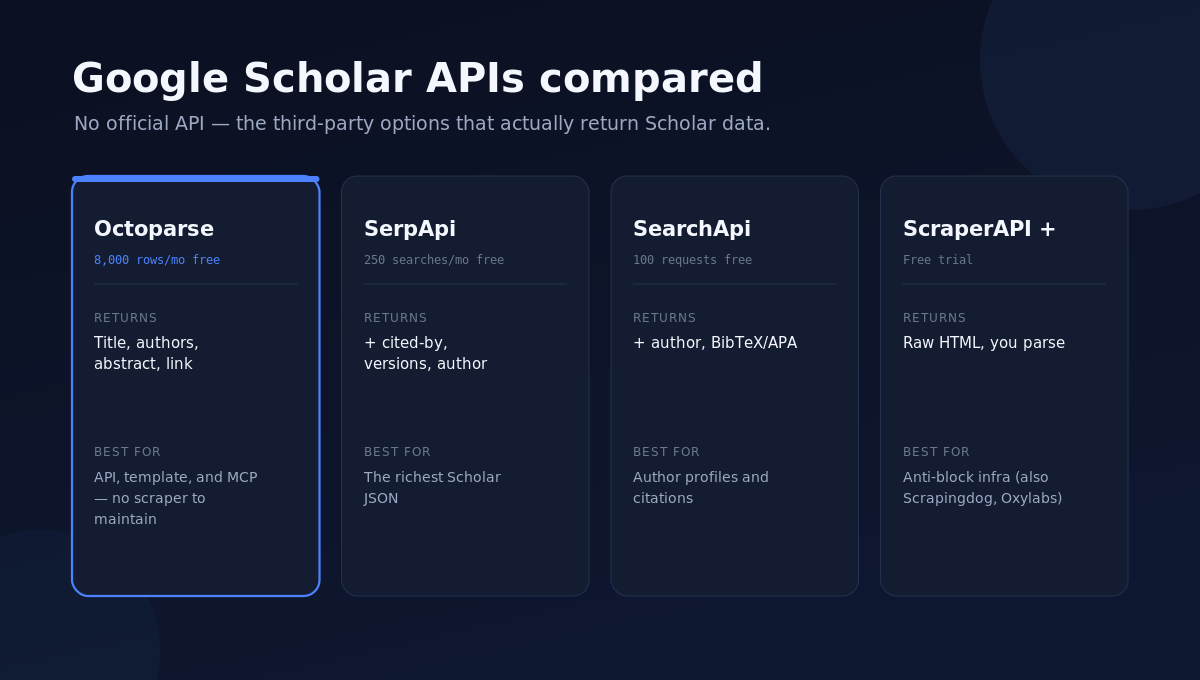
Here are the options worth comparing, what each is best at, and where each free tier lands. Pricing is entry-level monthly, verified from each provider’s own page in August 2026.
Comparison at a glance
| Tool | Type | Free tier | Paid starts at | Best for |
| Octoparse (Google Scholar Scraper) | Data platform: API + template + MCP | 8,000 records/mo free | $0.7 / 1,000 lines | Developers, teams, and AI agents that want structured Scholar rows via API, template, or MCP |
| SerpApi | Google Scholar API | 250 searches/mo | $25/mo (1,000 searches) | Developers who want rich Scholar JSON (cited-by, versions, author, cite) |
| SearchApi | Google Scholar API | 100 free requests | $40/mo (10,000 searches) | Developers who also need author profiles and BibTeX/APA citations |
| ScraperAPI | Managed scraping API | Free trial | ~$49/mo | Coders who want proxies + CAPTCHA handling and will parse the HTML |
| Scrapingdog | Google Scholar API | ~1,000 credits | ~$40/mo | A cheaper hosted Scholar endpoint |
| Oxylabs / Bright Data | SERP scraper API | Trials | Enterprise | High-volume, enterprise pipelines |
One note on the numbers: with the SERP-API options a “search” returns one results page (about 10 papers), so you paginate to go deeper — 1,000 searches is roughly 10,000 results. Octoparse bills per result row instead, so its figures already map one-to-one to papers. Normalized to a per-result basis:
Pricing compared (per result, not per search)
| Tool | Free tier | Paid entry | ≈ cost per 1,000 results |
| Octoparse | ~8,000 result rows/mo | $0.7 / 1,000 lines (usage-based) | ~$0.70 |
| SerpApi | 250 searches/mo (~2,500 results) | $25/mo · 1,000 searches (~10,000 results) | ~$2.50 |
| SearchApi | 100 requests (~1,000 results) | $40/mo · 10,000 searches (~100,000 results) | ~$0.40 |
| ScraperAPI | Free trial | ~$49/mo | Verify |
| Scrapingdog | ~1,000 credits | ~$40/mo | Verify |
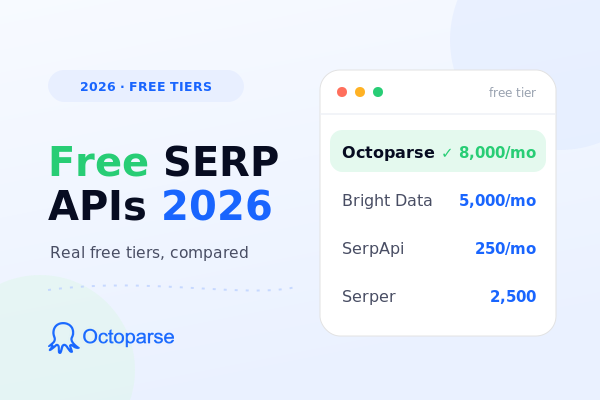
The “≈ cost per 1,000 results” for the SERP APIs assumes ~10 results per search; Octoparse’s per-line price already maps one-to-one to results. So SearchApi is cheapest at high volume, Octoparse sits in the middle with a genuinely free 8,000 rows a month and usage-based pricing beyond that, and SerpApi costs more per result but returns the richest fields.
1. Octoparse — Google Scholar Scraper (API, template, and MCP)
Octoparse is a data platform that returns Google Scholar results through three interfaces from one place: an API, a ready-made template, and an MCP server. Its Google Scholar Scraper (Cloud) template takes your keywords and returns each result’s title, authors, abstract, and link as structured rows — pull them as JSON over the API, export them to Excel, CSV, or Google Sheets, or reach the same data through the MCP server for AI assistants. You can enter up to 10,000 keyword queries per run, it runs in the cloud, and the free tier covers about 8,000 result rows a month through the API and MCP server; beyond that the Google Scholar template runs on usage-based pricing at $0.7 per 1,000 lines — about $0.70 per 1,000 papers, so pulling 10,000 results costs roughly $7. Best for research teams, developers, and AI agents that want Scholar rows without the proxy-and-CAPTCHA maintenance a script requires.
https://www.octoparse.com/template/google-scholar-scraper-cloud
2. SerpApi — Google Scholar API
SerpApi offers a dedicated Google Scholar API that returns clean JSON: each result’s title, authors, publication and year, snippet, a cited-by count, versions, related articles, and a PDF link when one exists. It also has a separate Author API (profiles, affiliation, citation metrics) and a Cite API. The free tier is 250 searches a month — roughly 2,500 results if you page through — and paid plans start at $25/month for 1,000 searches (up to about 10,000 results). Best for developers who want the richest Scholar JSON out of the box.
3. SearchApi — Google Scholar API
SearchApi’s Google Scholar API returns the same core fields (title, authors, publication, cited-by, versions, PDF, snippet) and adds an Author API, a Cite API with BibTeX/APA/MLA export, and even a Case Law API for US court opinions. You get 100 free requests to start (about 1,000 results), then $40/month for 10,000 searches — $4 per 1,000, roughly 100,000 results. Best for teams that also need author profiles and ready-to-use citation formats.
4. ScraperAPI
ScraperAPI is a general managed scraping API — proxies, browser rendering, and CAPTCHA solving — that you point at Scholar and then parse the returned HTML yourself. It suits developers who already have parsing code and mainly want the anti-block infrastructure handled. There is a free trial, with paid plans in the ~$49/month range.
5. Scrapingdog and enterprise options
Scrapingdog offers a hosted Google Scholar endpoint at a lower entry price with a small free credit allowance. For very high volume, Oxylabs and Bright Data cover Scholar through their broader SERP scraper APIs on enterprise terms. These are the “scale it up” choices rather than starting points.
Which Google Scholar API should you choose?
There’s no single winner — it depends on what you need.
If you want author profiles, h-index, or ready-made citations (BibTeX, APA, MLA), SerpApi or SearchApi are the stronger fit; their dedicated Author and Cite endpoints go beyond what a search scrape returns.
If you already have parsing code and just want the anti-block infrastructure, ScraperAPI keeps you closest to raw control.
For very high volume on enterprise terms, Oxylabs and Bright Data scale furthest.
Octoparse is the pick when you want the search-result data — title, authors, abstract, link — pulled through one platform via a no-code template, an API, or MCP, without writing or maintaining a scraper. Its trade-off is that it returns the core result fields rather than dedicated author-profile or citation-export endpoints, so pair it with SerpApi or SearchApi if h-index or formatted citations are the goal.
What data can you get from Google Scholar?
Whichever route you pick, Scholar exposes a consistent set of fields. A typical result record includes:
- Title and link to the paper (often a PDF link too).
- Authors, plus the publication/journal and year.
- A short snippet or abstract.
- Cited-by count and a link to citing papers — the field most researchers actually want.
- Versions of the same paper across repositories.
Beyond search results, several options add author profiles (affiliation, research interests, h-index, citation counts) and citation exports (BibTeX, APA, MLA). Octoparse’s template and API return the core result fields (title, authors, abstract, link); SerpApi and SearchApi add dedicated author and citation endpoints.
How to scrape Google Scholar without getting blocked
Scholar is one of the harder Google surfaces to scrape because it rate-limits and serves CAPTCHAs quickly. If you build your own scraper in Python (with requests/BeautifulSoup or a library like scholarly), the code is the easy part — staying unblocked is the hard part. You will need rotating proxies, realistic request pacing, and a CAPTCHA fallback, and you will maintain all of it as Scholar changes.
That maintenance is why most teams use a hosted option. A Google Scholar API — Octoparse, SerpApi, SearchApi, and others — handles the proxies and CAPTCHAs for you and returns parsed data. With Octoparse you can drive it from a ready-made template or the API instead of writing and maintaining request code. Either way, keep volumes reasonable and respect Scholar’s terms; hammering it is both against the rules and the fastest way to get blocked.
Getting Google Scholar data with Octoparse
Octoparse is a data platform that serves three kinds of users from one place. A researcher or marketer uses the Google Scholar Scraper (Cloud) template: enter your keywords (up to 10,000), run it in the cloud, and export the titles, authors, abstracts, and links to a spreadsheet. A developer calls the same template over the API to feed a database or dashboard on a schedule. An AI agent reaches it through the MCP server, so an assistant like Claude or ChatGPT can pull Scholar results mid-conversation. The free tier covers about 8,000 records a month via the API and MCP server, and the Google Scholar template is billed at $0.7 per 1,000 lines. For a simpler local run, the free Google Scholar Scraper template works too.
https://www.octoparse.com/template/google-scholar-scraper-cloud
https://www.octoparse.com/template/google-scholar-scraper
Is it legal to scrape Google Scholar?
Scraping publicly visible data is broadly permitted in many places, and courts have often sided with scrapers of public information. But the method and the use matter: don’t bypass logins, respect Scholar’s terms and rate limits, and don’t republish copyrighted full-text articles wholesale — Scholar links to publisher content that carries its own copyright. For metadata like titles, authors, and citation counts, prefer a hosted, rate-controlled tool over an unmanaged bot. We cover the recent case law in is SerpApi legal, and the wider set of Google-data routes in our guide to getting Google search data — with paid options compared in best SERP APIs and the news angle in is there a Google News API.
Frequently asked questions
- Does Google Scholar have an API?
No. Google has never released an official Google Scholar API, largely because Scholar indexes licensed content from publishers and repositories and because it is heavily protected against automated access. To get Scholar data you use a third-party Google Scholar API — from a data platform like Octoparse (API, template, and MCP) or a SERP API like SerpApi or SearchApi.
- Is there a free Google Scholar API?
Not an official one. The free routes are the free tiers of third-party services — SerpApi (250 searches a month, about 2,500 result rows), SearchApi (100 free requests, about 1,000 rows), and Octoparse (about 8,000 result rows a month via its API and MCP server; its Google Scholar template then runs on usage-based pricing). Free tiers are fine for testing; steady use moves to a paid plan.
- How do I scrape Google Scholar in Python?
You can use a library like scholarly, or requests plus BeautifulSoup, but you’ll have to add rotating proxies and CAPTCHA handling because Scholar blocks quickly. A simpler path is calling a hosted Google Scholar API that returns JSON — Octoparse’s API returns the same rows to a Python client, and you can prototype the query in its template first.
- Can I get author profiles and citation counts?
Yes. Search results include a cited-by count per paper. For full author profiles — affiliation, h-index, and citation metrics — use an Author API (SerpApi and SearchApi both offer one). SearchApi also exports citations in BibTeX, APA, and MLA.
- How do I avoid getting blocked when scraping Google Scholar?
Use rotating proxies, pace your requests, and have a CAPTCHA fallback — or let a hosted Google Scholar API like Octoparse or SerpApi handle all of that for you. Keep volumes reasonable and follow Scholar’s terms; aggressive scraping gets blocked fast.
Details reflect public documentation and reporting as of 2026. Verify current pricing, free-tier limits, and available fields on each provider’s site before relying on them.