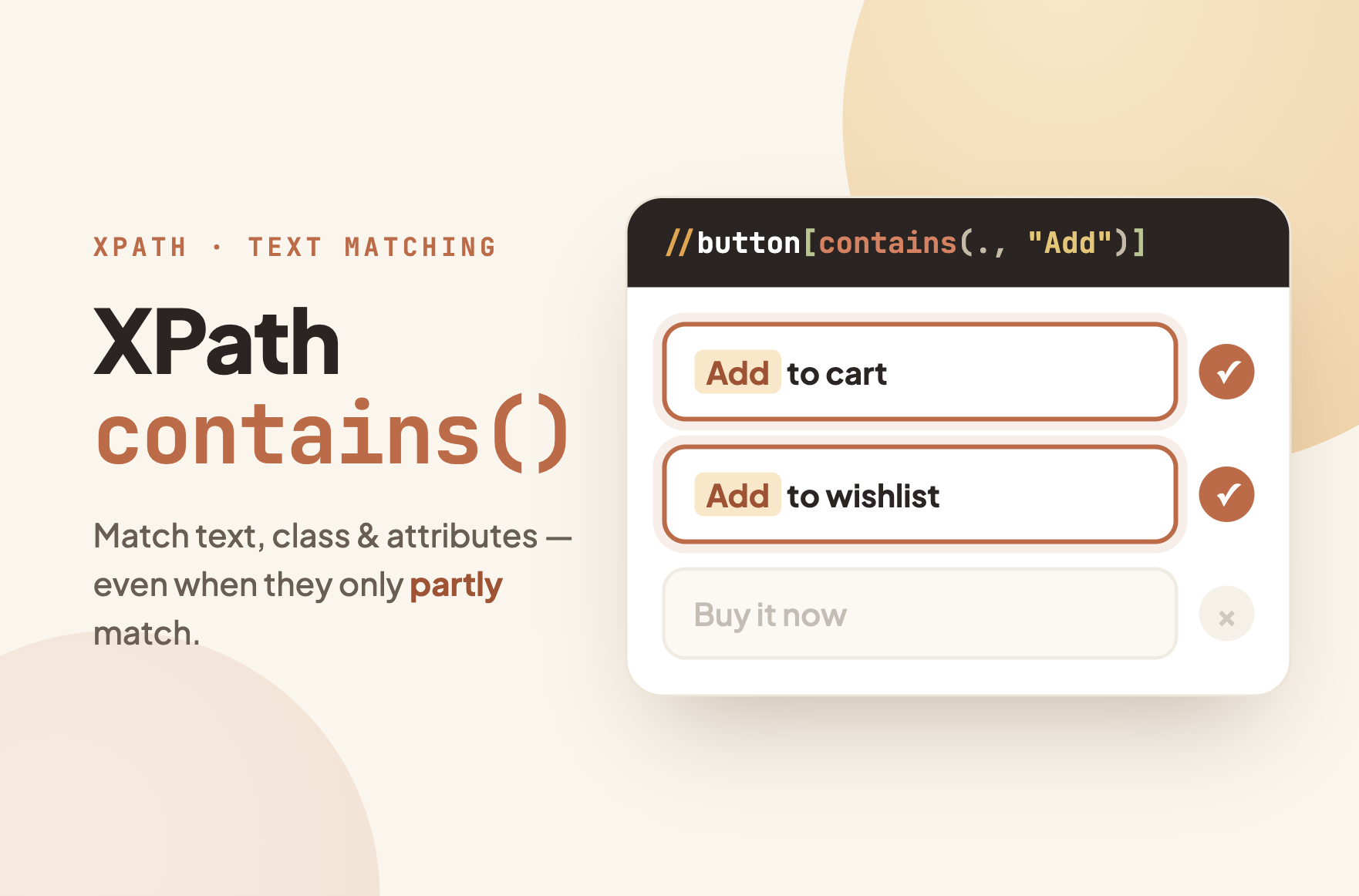
contains() is the XPath function you reach for when an exact match won’t work: a class name with a dynamic suffix, a button label with extra whitespace, a link you can only identify by part of its text. It checks whether one string includes another and returns true or false.
The two expressions people copy most:
This guide covers every variation that comes up in real scraping work, the classic gotchas, and how to use these patterns in a no-code tool. If you’re new to XPath itself, start with our XPath tutorial first.
How XPath contains() Works
contains(haystack, needle) takes two arguments and returns true if the first string includes the second. Inside a predicate (the square brackets), it acts as a filter: only elements where the condition is true get selected.
The first argument is usually one of three things:
| First argument | What it checks | Example |
| text() | The element’s own text nodes | //a[contains(text(), “Download”)] |
| . (a dot) | All text inside the element, including children | //button[contains(., “Add to Cart”)] |
| @attribute | An attribute value | //div[contains(@class, “card”)] |
Matching is case-sensitive and matches anywhere in the string: “Cart” matches “Add to Cart” but “cart” does not.
XPath Contains Text: text() vs. the Dot
This is the gotcha behind half the Stack Overflow questions about contains(). text() only looks at the element’s direct text nodes. If the text you want sits inside a child element, text() misses it.
Consider this HTML:
//button[contains(text(), "Cart")] finds nothing, because the button’s own text node is empty. The words live inside the span. The dot version works, because . evaluates the full string value of the element and everything inside it:
The practical rule: use contains(., "...") as your default for text matching. Only use text() when you specifically need to exclude text from child elements. For an exact match instead of a partial one, drop contains() entirely: //span[text()="In Stock"].
One more trap: pages often pad text with whitespace or line breaks. normalize-space() strips that before comparing:
XPath Contains Class: The Partial Match Everyone Needs
Modern sites assign multiple classes to one element, like class="btn btn-primary btn-lg". An exact match like //button[@class="btn-primary"] fails because the attribute value is the whole string, not one class. contains() is the standard workaround:
This has a known weakness: substring matching is greedy. contains(@class, "card") also matches “card-footer”, “discard”, and “scorecard”. When that ambiguity bites, use the strict token form, which pads the class list with spaces and matches a whole class name:
It is ugly, but it is the only pure XPath 1.0 way to match one exact class among many. Most of the time the simple contains(@class, ...) version is enough; reach for the strict form when your selector starts grabbing strangers.
XPath Contains for Any Attribute
contains() works on every attribute, not just class. The pattern is identical, and it is the standard fix for auto-generated values that share a stable prefix or fragment:
| Goal | Expression |
| Links to a domain | //a[contains(@href, “amazon.com”)] |
| Element with a dynamic ID like item-8f3a | //div[contains(@id, “item-“)] |
| Images from a CDN path | //img[contains(@src, “/products/”)] |
| Inputs by placeholder fragment | //input[contains(@placeholder, “email”)] |
| Any attribute on the element | //div[@*[contains(., “promo”)]] |
If the attribute’s beginning is the stable part, starts-with() is the sharper tool: //div[starts-with(@id, "item-")] will not accidentally match “list-item-old”.
XPath Not Contains: Excluding Elements
Wrapping a condition in not() inverts it. This is how you filter out ads, sponsored rows, or hidden elements while keeping everything else:
The second example shows the usual real-world shape: include by one condition, exclude by another. In list scraping, this pattern is what turns “every row including junk” into “only the rows I want”.
Combining Conditions: and / or
Predicates accept boolean logic directly, so several contains() checks can run in one expression:
Two separate bracket pairs behave like and, which some people find more readable: //div[contains(@class, "review")][contains(., "verified")].
Case-Insensitive contains()
contains() is case-sensitive, and the browser-standard XPath 1.0 has no lowercase function. The workaround is translate(), which maps uppercase letters to lowercase before comparing:
This matches “Next”, “NEXT”, and “next” alike. It is verbose, so use it only when a site genuinely mixes cases. XPath 2.0 has a cleaner lower-case() function, but browsers and most scraping tools evaluate XPath 1.0, so translate() remains the portable answer.
contains() vs. starts-with() vs. Exact Match
Three matching strategies cover every situation. Choosing the right one keeps selectors both accurate and durable:
| Strategy | Expression | Use when |
| Exact | //span[text()=”In Stock”] | The value is fixed and complete |
| Contains | //div[contains(@class, “price”)] | The stable part can appear anywhere |
| Starts with | //div[starts-with(@id, “item-“)] | The stable part is the prefix |
A useful habit: start with the strictest form that works. Exact beats prefix, prefix beats substring. The looser the match, the more likely it catches an element you did not intend.
Why Your contains() Returns Nothing: A Checklist
When a contains() expression that looks right matches zero elements, it is almost always one of these:
- The text is in a child element. Switch
text()to.as covered above. - Case mismatch. “next” will not match “Next”. Fix the string or go case-insensitive.
- Invisible whitespace or line breaks. Wrap with
normalize-space(). - The content is rendered by JavaScript. The element does not exist in the initial HTML. Test with
$x()in DevTools on the loaded page, and make sure your tool renders the page before applying the XPath. - The element is inside a Shadow DOM. Standard XPath cannot pierce shadow roots. See the Shadow DOM section of our selector documentation for how Octoparse’s XPath extension handles this.
Using contains() in Octoparse Without Writing Code
Octoparse generates XPath automatically when you click an element, so most tasks never need a hand-written selector. The contains() patterns above matter in the two situations where auto-generation needs a human nudge.
When the “Next” button has no stable class
Pagination controls are where text matching earns its keep. A “Next” button often carries auto-generated classes that change between visits, but its label stays put. Opening the XPath editor and setting the pagination selector to //a[contains(., "Next")] anchors the loop on the one thing the site is unlikely to change.
If the site does change it anyway, Octoparse’s AI-powered self-repair detects the broken pagination selector and rebuilds it from the new page structure, so the task keeps running instead of stalling at page one.
When a list loop keeps catching ads
The other common edit is excluding junk from a list. If your loop grabs sponsored rows along with organic ones, adding not(contains(@class, "sponsored")) to the loop XPath filters them out at the selection stage, before they ever reach your data. No post-cleaning needed.
For sites you scrape regularly, pre-built templates ship with maintained selectors, so these edits are already done for you. The free plan includes 50,000 rows per month. Sign up and try the XPath editor on a real page; paste any expression from this guide and watch the matched elements highlight.

Turn website data into structured Excel, CSV, Google Sheets, and your database directly.
Scrape data easily with auto-detecting functions, no coding skills are required.
Preset scraping templates for hot websites to get data in clicks.
Never get blocked with IP proxies and advanced API.
Cloud service to schedule data scraping at any time you want.
FAQ
What does contains() do in XPath?
contains(string1, string2) returns true if the first string includes the second. Inside a predicate like //div[contains(@class, "card")], it filters elements to only those where the condition holds. Matching is case-sensitive and matches the substring anywhere in the value.
How do I use XPath contains with text?
Use //element[contains(., "your text")]. The dot checks all text inside the element, including child elements. The common alternative contains(text(), "...") only checks the element’s own direct text and fails when the words sit inside a nested tag.
How do I select an element whose class contains a value?
Use //div[contains(@class, "value")]. Because this is substring matching, “card” also matches “card-footer”. For an exact class among several, use the token-safe form: //div[contains(concat(" ", normalize-space(@class), " "), " card ")].
How do I write “not contains” in XPath?
Wrap the condition in not(): //li[not(contains(@class, "sponsored"))] selects list items whose class does not include “sponsored”. You can combine it with positive conditions using and to include by one rule and exclude by another.
Is XPath contains() case-sensitive?
Yes. In XPath 1.0, which browsers and most scraping tools use, there is no built-in lowercase function. Use translate() to fold case before comparing: contains(translate(., "ABC...XYZ", "abc...xyz"), "next"). XPath 2.0 adds lower-case(), but support is rare in scraping contexts.
What is the difference between contains() and starts-with()?
contains() matches a substring anywhere in the value; starts-with() matches only at the beginning. starts-with(@id, "item-") is stricter and safer for prefixed dynamic IDs, while contains() is the fallback when the stable fragment can appear anywhere.