An Indeed job scraper turns permitted job listings into structured rows for research. Choose a template for predefined fields, Python for custom parsing, or an Indeed API for the specific integration or research dataset it supports.
In its October 6, 2026 research on AI fluency at work, Indeed reported that 74% of surveyed US employers considered effective AI use a fundamental skill, but only 27% had a consistent, documented definition. Comparing the requirements employers actually put in job descriptions can help make that gap concrete. For an authorized collection project, the Indeed Job Scraper template in Octoparse provides structured job fields; check description coverage before using the output for skills analysis.
https://www.octoparse.com/template/indeed-job-scraper-by-keywords
Choose a route for your job-data project
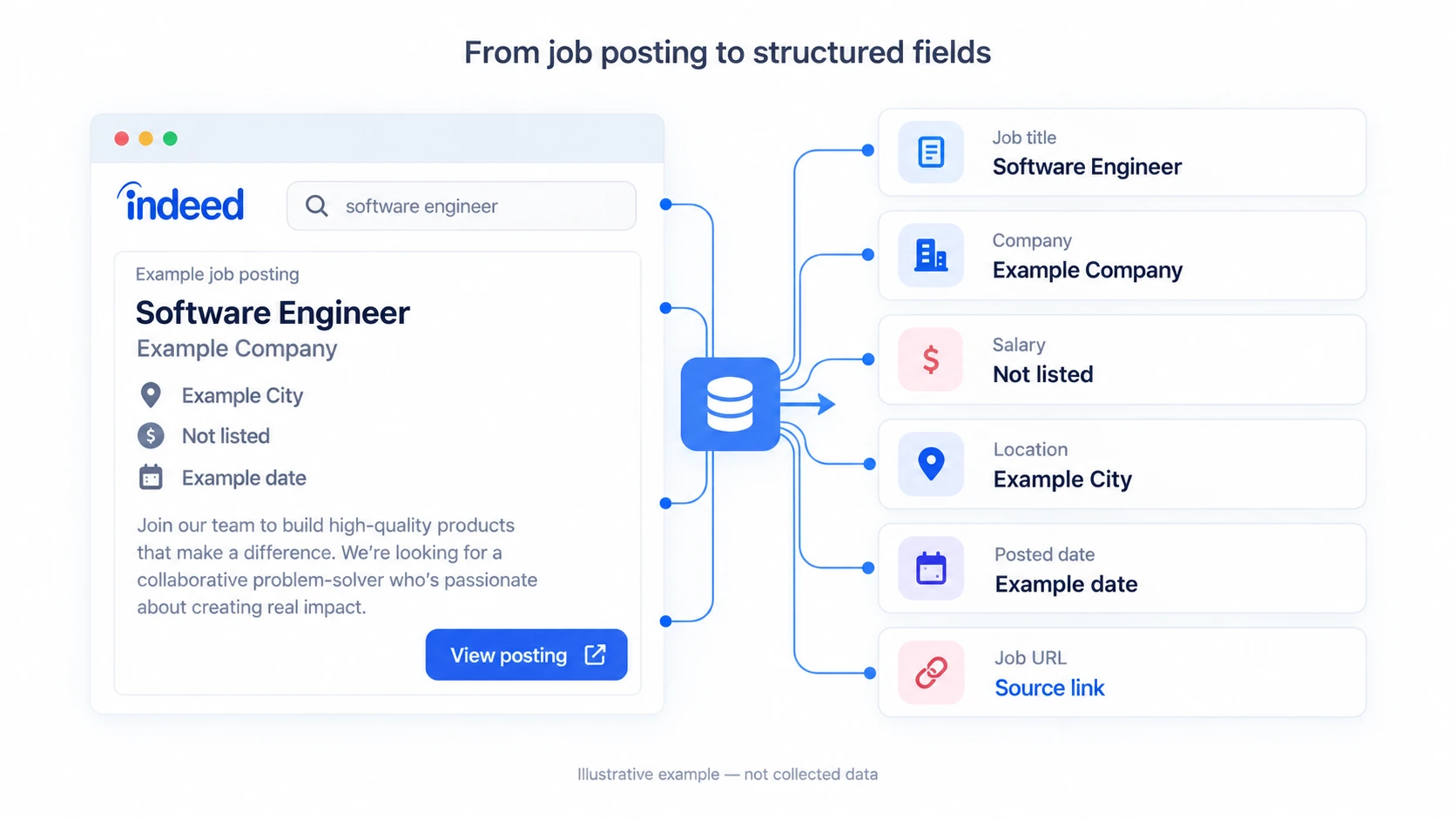
For individual job rows, start with the template if its fields match your needs. Use Python when you need custom processing and can maintain it. For managing your own postings or studying broad labor-market trends, check the relevant Indeed API first.
| Method | Best fit | Output scope | Cost basis |
|---|---|---|---|
| Octoparse template | Repeatable job exports | 20 declared fields | $2 / 1,000 rows + plan access |
| Python workflow | Custom parsing | Fields you implement | Development + infrastructure |
| Indeed APIs | ATS or trend analysis | API-specific data | Access / agreement terms |
The template rate and field count were checked on October 16, 2026. A declared field can still be empty. The free plan’s export allowance does not make this cloud template free; template usage and account-plan charges are separate.
Fields and analysis uses
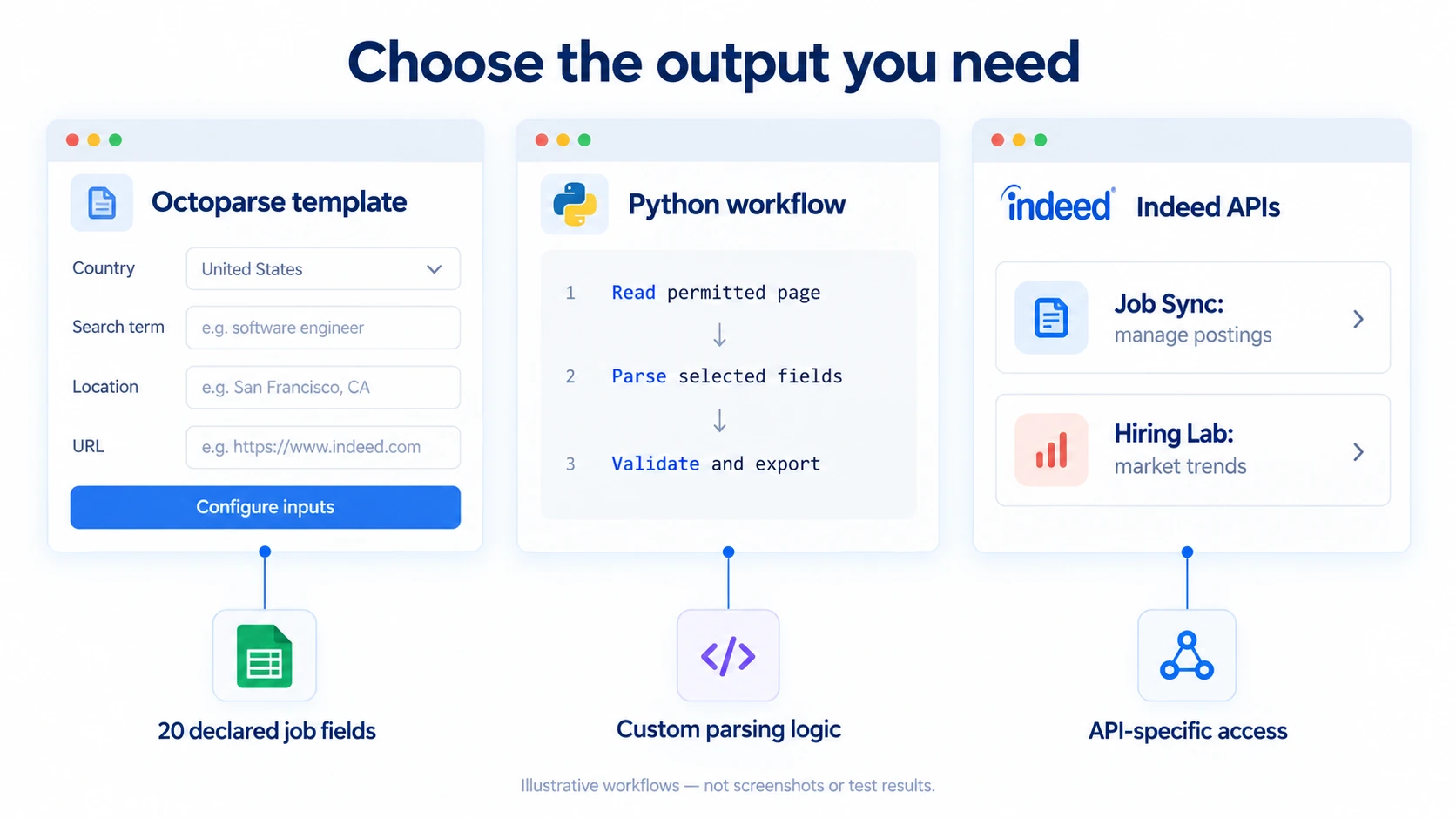
The current template declares 20 output fields. Use identifiers and query context alongside the values you want to analyze, so a spreadsheet remains traceable to its source.
| Use | Declared fields | Validation |
|---|---|---|
| Identify jobs | Job_Title, Job_ID, Job_URL, Job_Type | Deduplicate by Job_ID; inspect missing IDs |
| Compare pay and place | Salary, Location | Normalize currency and pay period; keep blanks |
| Group employers | Company_Name, Company_URL, Company_Rating, Company_Review_Count | Ratings and URLs may be absent |
| Analyze requirements | Full_Description, Apply_Link | Check description coverage before text analysis |
| Track dates | Posted_Date, Valid_Through, isExpired | Check format and snapshot date |
| Trace the query | Site, Search_Term, Search_Location, URL_Input, Total_Result | Search-result counts are not exported-row counts |
Company rating and review count are summary fields, not full review text. Salary estimates on separate salary pages are also a different dataset. For related source selection, see Glassdoor salary and review data and Google Jobs collection workflows.
Set up the Indeed template
Octoparse is a web data platform with ready-made templates and a Desktop editor for custom workflows. This Indeed template runs in the cloud and exposes four input fields, according to its current template schema.
| Input | What to provide |
|---|---|
| Country | Select the relevant country |
| Search Term | Role or skill keywords; the template guidance says up to 20 terms per run |
| Location | City, state, or region; the helper text allows a blank value for all locations |
| URL | Supported Indeed URLs for the URL-based input option |
For the keyword workflow used in our historical test, choose a country, enter a search term, and set a location. Review the current input guidance before combining keyword and URL inputs; this test did not establish their precedence.
https://www.octoparse.com/template/indeed-job-scraper-by-keywords
Sign in, inspect the template’s inputs and current usage rate, configure a small authorized sample, and check the output before scaling. Use the supported export formats to deliver the results to a spreadsheet or downstream system. A successful run does not guarantee that every field is populated.
Historical MCP test: 946 returned rows
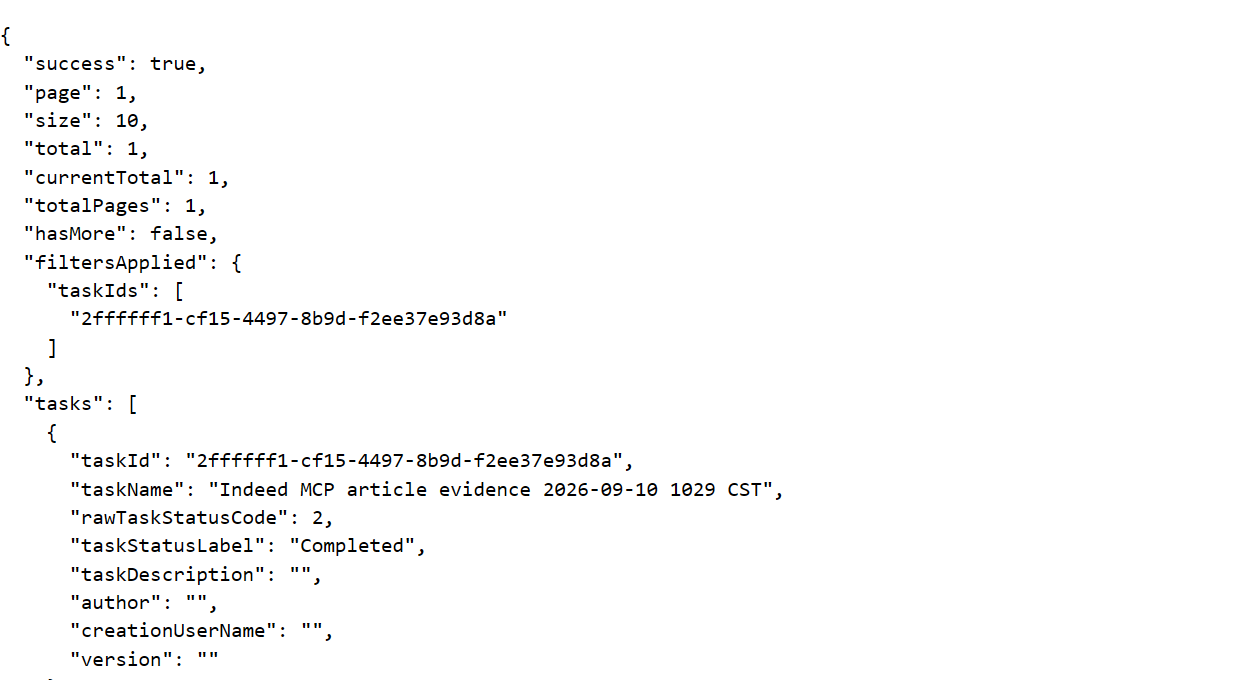
On September 10, 2026, we ran the template through Octoparse MCP with country United States, search term data analyst, and location New York, NY. The task was named Indeed MCP article evidence 2026-09-10 1029 CST. The workflow used template discovery, task execution, status checks, and data export, as described in the Octoparse MCP guide. This was an Octoparse template test, not a test of an Indeed API.
On October 16, 2026, we re-read that existing task and its original batch without starting another run. The task lookup still returned Completed. The screenshot below shows the saved response in a JSON viewer.
The original batch export reported 946 rows. Page 1 was requested with pageSize: 2, producing 473 export pages; that number is export pagination, not the number of Indeed search pages visited. The screenshot below shows the response metadata and the first record.
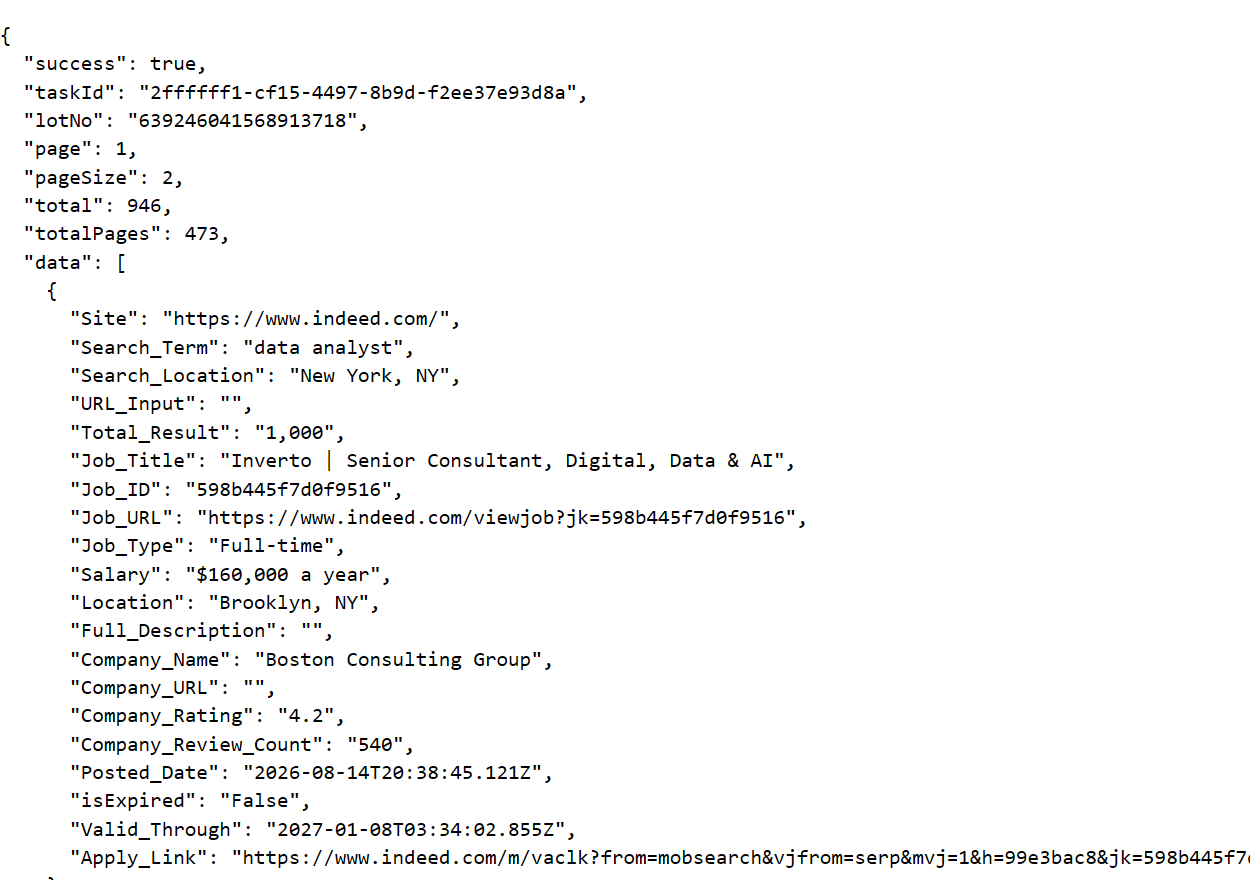
We inspected two records: “Inverto | Senior Consultant, Digital, Data & AI” at Boston Consulting Group and “Programmatic Yield Analyst” at Vaco LLC. Both had location and salary values. The first record had empty Full_Description and Company_URL fields, so it would not support job-description analysis without additional data. Its Total_Result value of 1,000 described search context, not the 946 rows exported.
What this test establishes: completion and readable output from one historical batch. It does not establish 946 unique jobs, full-field completeness across the batch, or a repeatable runtime. Only two rows were inspected, and no trustworthy end-to-end runtime was available.
Repeat runs and cost
An eligible cloud schedule can repeat a configured task. Keep a collection timestamp and compare Job_ID values across runs; repeated collection does not automatically mean every returned row is a new job.
The template’s listed usage rate is $2 per 1,000 rows. Check required account access and any separate plan charges on the current Octoparse pricing page. Annual-billing monthly equivalents should not be read as month-to-month prices. The free plan’s local-run and export allowances do not cover this paid cloud template.
Python parsing for a custom workflow
Python is useful when you need custom field selection or downstream processing. The example below uses Playwright for Python to parse rendered job cards, encode query parameters, handle absent fields, and deduplicate stable job IDs.
Validation scope: we tested the parser against a local HTML fixture, including special characters in queries, missing fields and links, duplicate IDs, and repeated results. We did not execute it against live Indeed. Selectors and the illustrative start=i*10 pagination pattern must be checked against an authorized current page before use. Challenge detection is a basic diagnostic, not a complete classifier.
Install Playwright and its Chromium browser before running a permitted sample: pip install playwright, then python -m playwright install chromium. Treat an HTTP error, access challenge, missing expected cards, or repeated page as a reason to stop and inspect the response. An empty extraction is not evidence that no jobs exist.
Indeed APIs for integrations and research
Indeed’s API catalog covers several different jobs. Choose by dataset and permission scope rather than assuming every Indeed API returns searchable job details.
The Job Sync API supports approved integrations that create, update, expire, and check postings sent to Indeed. It is not a general search-results export endpoint. Follow its partner onboarding and authentication requirements for that integration.
The Hiring Lab API serves aggregate labor-market datasets, including job-posting indices, remote-work patterns, wage growth, and AI-related posting trends. Dataset updates vary between daily and monthly. It is useful for market research, not individual job descriptions or apply links. Indeed reviews API-key requests; the documentation specifies the Indeed-API-Key header.
Octoparse API and MCP access are separate: they operate supported Octoparse tasks and return those tasks’ output. They do not grant Indeed partner access or turn a template run into an official Indeed API call.
Permissions and failure diagnosis
Indeed’s current Site Rules restrict automated access and data mining without express written permission, with conditional crawling provisions tied to robots.txt. Confirm the applicable permission and terms for your project, minimize collected data, and stop if access challenges appear. Public visibility alone does not establish permission.
| Symptom | Check before continuing |
|---|---|
| 403 or challenge page | Stop; confirm access permission and the response |
| No rows | Inspect page state, query and selectors; do not infer zero jobs |
| Missing salary or description | Compare sample records with permitted source pages |
| Repeated jobs | Check pagination and deduplicate by Job_ID |
| Unexpected totals | Separate search count, exported rows and unique jobs |
Turn job rows into reliable analysis
For salary comparisons, normalize currency and pay periods, retain ranges, and report how many records have usable pay data. Missing salaries are not zero. For skills analysis, measure description coverage before counting AI-related terms. For hiring trends, compare consistent queries and snapshots, deduplicate jobs, and distinguish reposts from new openings.
A targeted search sample is not the whole labor market. Use Hiring Lab trend datasets when you need aggregate context, and document source differences when joining multiple job boards.
FAQs about Indeed job scraping
Can I use the Indeed template for free?
The current cloud template lists a usage fee of $2 per 1,000 rows. Free account export allowances do not waive that template charge; check plan access and template pricing before starting.
Can I export jobs to Excel?
Yes, supported Octoparse export options include Excel and CSV. Validate identifiers and missing fields before analyzing the file.
Does the 946-row test mean 946 unique jobs?
No. It is the original batch’s returned-row count. Only two rows were inspected; a unique-job count requires deduplication across the full dataset.
Is there an Indeed API for job details?
Check the API’s documented scope. Job Sync manages partner postings, while Hiring Lab serves aggregate research data. Neither should be presented as a general endpoint for downloading all job-search results.
What should I do if access is blocked?
Stop and confirm permission and the page state. Do not treat changing IPs, delays, or a cloud service as a guarantee of access.
How often should I collect jobs?
Use the least frequent authorized schedule that meets your needs. Keep timestamps and compare stable IDs across runs; a new run can return previously collected jobs.