If you are searching for Firecrawl alternatives, the right choice depends on the job you need to complete. Firecrawl is designed for developer workflows that turn web pages into crawlable, AI-ready data. A different tool may be a better fit when you need structured fields, a visual builder, open-source control, dynamic-site coverage, or managed enterprise delivery.
This guide compares seven alternatives by use case. It does not treat every crawler as interchangeable: an API that returns Markdown, a library you self-host, a no-code web data platform, and a managed data service solve different problems.
Short answer
- Choose Octoparse for no-code, reusable structured-data workflows or managed data delivery.
- Choose Firecrawl, ScrapingBee, or Jina Reader when the primary output is developer-ready page content.
- Choose Crawl4AI when your team wants to own the crawler stack; choose Apify, Bright Data, or Zyte when cloud execution or managed infrastructure matters more.
These are fit recommendations, not performance rankings; validate shortlisted tools on URLs and fields.
Need structured records without building a crawler from scratch? Explore the Octoparse Templates Gallery:
What Is Firecrawl?
Firecrawl is an API-first web data tool for crawling, scraping, searching, and converting web content into formats used by software and AI applications. Its official documentation and product pages emphasize developer access, including API-based extraction and crawl workflows.
Firecrawl's current pricing uses credits. The official pricing page should be checked before purchase because credits, limits, concurrency, and plan details can change.
Source: Firecrawl Pricing
Why Look for Firecrawl Alternatives?
Firecrawl is a strong fit when your team wants a developer-oriented web-to-content pipeline. An alternative may be a better fit when one of these requirements matters more:
- You need product, job, property, or review fields rather than page text.
- Non-developers need to build and maintain extraction workflows.
- You need an open-source stack that your team can host and modify.
- Your workload depends on JavaScript-heavy or protected websites.
- You need managed datasets, delivery, governance, or enterprise support.
- You want to compare cost by records, pages, requests, or completed exports instead of a credit model.
Compare the system matching the workload with least operational risk.
Best Firecrawl Alternatives at a Glance
| Tool | Best for | Main check |
|---|---|---|
| Octoparse | No-code structured data | Fields and target-site fit |
| Apify | Programmable Actors | Actor quality and run cost |
| Bright Data | Managed web data | Contract and delivery model |
| ScrapingBee | Page retrieval API | JS, proxy, and output needs |
| Crawl4AI | Open-source crawling | Engineering ownership |
| Jina AI Reader | Readable page content | Field completeness |
| Zyte | Enterprise scraping | Site tier and commitment |
The table is a starting point, not a universal ranking; validate current documentation and run a representative sample before deciding.
Evidence boundary
This comparison makes three different kinds of statements:
- Documented: a provider's official page describes the capability or billing unit.
- Recommended fit: the capability appears aligned with a stated workload.
- Measured: the same URL set produces a recorded result in the benchmark ledger.
Only the first two categories are complete in this draft. No provider should be called the fastest, cheapest, most accurate, or most reliable until the measured category is populated.
Quick decision
- Need structured records without building the crawler: choose Octoparse.
- Need programmable Actors and cloud runs: evaluate Apify.
- Need managed infrastructure or delivered datasets: evaluate Bright Data or Zyte.
- Need a page-retrieval API: evaluate Firecrawl or ScrapingBee.
- Need self-hosted control: evaluate Crawl4AI.
- Need readable page text for an AI pipeline: evaluate Jina Reader.
Is Octoparse the right choice?
Use this decision rule instead of treating Octoparse as the default winner:
| Requirement | Octoparse fit | Why |
|---|---|---|
| Structured records | Strong | Visual fields, templates, exports |
| No-code ownership | Strong | Desktop authoring and reusable tasks |
| AI-agent retrieval | Conditional | Data Hub MCP can search, run, and read results |
| API pipeline | Conditional | Use the Open API for authenticated automation |
| Managed datasets | Strong | Data Service covers schema, QA, monitoring, and delivery |
| Self-hosted Linux stack | Weak | Desktop support is Windows/macOS; verify deployment needs |
| URL-to-Markdown only | Usually not first choice | Firecrawl or Jina may be simpler |
Octoparse combines Desktop and Cloud workflows, Templates, Open API, Data Hub MCP, and a separate managed Data Service; evaluate these as distinct operating models.
Sources: Octoparse Data Service, Data Hub MCP, Open API, and Desktop system requirements.
Detailed Comparison Data (Checked September 26, 2026)
The following figures are public list prices or documented charging units. Providers meter different units, so they are not a like-for-like benchmark.
| Tool | Price signal | Billing | JS/browser | Output | Hosting |
|---|---|---|---|---|---|
| Firecrawl | 1,000 credits/mo free | Credits | Verify endpoint | Markdown / extract | Managed API |
| Octoparse | Verify current plan | Plan / export | Desktop + templates | Structured fields | Product-dependent |
| Apify | $5 free usage; paid tiers | Compute + usage | Actor-dependent | Dataset / schema | Hosted platform |
| Bright Data | 5K records free; $1.50/1K listed | Delivered records | Full browser | JSON / CSV | Managed service |
| ScrapingBee | 1–75 credits/request | API credits | JS + proxy | HTML / JSON / Markdown | Managed API |
| Crawl4AI | No hosted price listed | Infrastructure cost | Deployment-dependent | LLM extraction | Self-hosted |
| Jina Reader | Token-based | Output tokens | Verify per URL | LLM-friendly text | API |
| Zyte API | $0.13–$16.08/1K listed | Requests + site tier | Browser tiers | Verify endpoint | Managed API |
How to interpret the numbers
Do not compare $1.50 per 1,000 records with 5 credits per rendered request as if they were the same unit. Use the same workload and include browser time, retries, storage, support, and engineering maintenance.
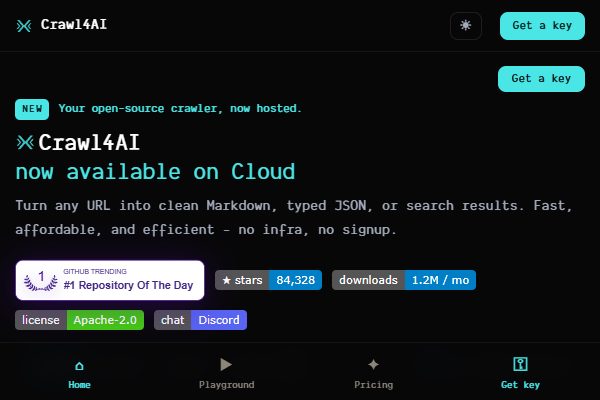
Official Website Screenshots
These screenshots provide product context, not performance evidence. Each asset is 600 × 400 px and under 150 KB.


| Metric | Use |
|---|---|
| Completion rate | Success / attempts |
| Field completeness | Valid fields / expected fields |
| Duplicate rate | Duplicate rows / output rows |
| Effective unit cost | Total cost / valid records |
| Retry burden | Retries / initial requests |
| Time to usable data | Start to validated export |
Recommended benchmark dataset
Before calling one provider “best,” run the same 30-page sample through shortlisted tools:
- 10 static article or documentation pages
- 10 JavaScript-rendered listing pages
- 5 paginated pages
- 5 pages with a target field that must be normalized
Capture status, render mode, output, required fields, rows, duplicates, retries, elapsed time, consumption, and the final file before publishing exact results.
Reproducible sample rules
Freeze a stable public URL list and access date. Keep selectors, prompts, required fields, and acceptance rules unchanged between providers:
- Static content: title, author, date, and canonical URL.
- JavaScript listing: item name, price, rating, and detail URL.
- Pagination: next-page traversal and duplicate handling.
- Normalized field: currency, date, or rating converted to one agreed format.
Suggested fixtures:
- Static and pagination: Books to Scrape and its catalogue pages. The site explicitly identifies itself as a scraping sandbox and exposes 1,000 demo products across 50 pages.
- JavaScript-rendered content: Quotes to Scrape JS. Confirm the rendered quote count in a real browser before recording a result.
- Octoparse-specific workflow: one current public template and one user-built task using the same required fields.
If a provider cannot run one class, record not supported, not a zero score.
Official pricing and capability sources for this matrix
- Firecrawl pricing
- Apify pricing
- Bright Data Web Scraper API pricing
- ScrapingBee API documentation
- ScrapingBee credit system
- Crawl4AI documentation
- Jina Reader API
- Zyte pricing
1. Octoparse: Best for No-Code Structured Data
Octoparse is a strong Firecrawl alternative when the output is a dataset rather than a page summary. Its current product surface includes Templates, Desktop and Cloud workflows, an Open API, Data Hub MCP, and a separate fully managed Data Service. The choice depends on whether the team wants to author tasks, let an agent run an existing data app, call an API, or outsource pipeline operations.
Choose Octoparse when you need to define fields such as title, employer, location, price, rating, or URL; reuse a task; and export records for analysis or downstream operations. The visual workflow is also useful when subject-matter experts need to maintain extraction logic without writing every request and parser by hand.
Octoparse is not a drop-in replacement for every Firecrawl API call. Its Desktop software is supported on Windows and macOS, while Linux and Chromebook users should verify their operating requirements. Validate the target site, required fields, export destination, and expected volume with a small sample first.
Read more: Top AI Web Scrapers
Product sources: Data Hub MCP, Open API, and Managed Data Service.
Need to connect extraction to an application or workflow? Review the Open API first.
2. Apify: Best for Programmable Crawling and Actors
Apify is a practical alternative for teams that want programmable scraping jobs and reusable Actors. Apify's documentation describes Actors as serverless programs that accept structured JSON input, run a task, and optionally produce structured output; Actors can be run through the Console, API, CLI, or schedules.
Source: Apify Actors documentation
Source: Apify run model
The trade-off is operational: actor quality, maintenance, input parameters, proxy configuration, and run economics can vary by actor. Evaluate the specific actor and target domain rather than assuming that the platform's broad catalog guarantees the same result for every site.
3. Bright Data: Best for Managed Infrastructure
Bright Data may fit organizations that need a broader managed web data operation, including Web Scraper API, datasets, Web Unlocker, and related infrastructure. Its product page describes structured data extraction from supported sites and pay-per-result positioning, but the exact product and commercial scope still need to be confirmed for the target workload.
Source: Bright Data Products
Before choosing it, confirm the commercial scope, compliance requirements, delivery format, target-domain coverage, and whether you need a managed dataset rather than a page-extraction API.
4. ScrapingBee: Best for API-Based Page Retrieval
ScrapingBee can fit developers who need an API for retrieving web pages with JavaScript rendering, proxy options, extraction rules, or Markdown output. Its documentation lists render_js, premium and stealth proxy options, CSS-selector extraction rules, and return_page_markdown as request options.
Source: ScrapingBee API documentation
Confirm whether the response format, JavaScript behavior, proxy options, and limits match your parser and target sites. A page retrieval API is not automatically a structured-data platform.
5. Crawl4AI: Best for Open-Source Control
Crawl4AI is relevant to teams that want an open-source, LLM-friendly crawling stack they can inspect, customize, and run in their own environment. Its documentation presents it as an open-source Web Crawler & Scraper and states that it does not require forced API keys or paywalls.
Source: Crawl4AI documentation
The trade-off is ownership. Your team is responsible for deployment, upgrades, observability, retries, browser resources, target-site changes, and production support. Compare total engineering cost, not only software license cost.
See also: Open-Source Web Scrapers
6. Jina AI Reader: Best for Simple Readable Content
Jina AI Reader can be useful when the immediate requirement is to turn a URL into readable content for an AI or research workflow. It is a focused option for content access, not necessarily a replacement for a field-level extraction system.
Use a representative set of pages to check whether the output preserves the facts, tables, pagination, and fields your application needs. If the deliverable is a clean dataset, you may need a second extraction layer.
7. Zyte: Best for Enterprise Scraping Operations
Zyte is worth evaluating when the project needs managed scraping infrastructure, enterprise support, or a more comprehensive operational model. It may be more suitable than a lightweight API when reliability, governance, and support are part of the buying decision.
Confirm the exact product, target-site coverage, service levels, data delivery format, and contract terms. “Enterprise” should be treated as a requirement to verify, not as a substitute for a workload test.
Open-Source and Lower-Cost Firecrawl Alternatives
Open-source projects can reduce licensing constraints, but they do not eliminate cost. Hosting, browser execution, proxy access, monitoring, retries, parser maintenance, and engineering time still matter.
For a lower-cost option, compare the complete unit economics:
- Pages or records completed per run
- Failed requests and retry volume
- Browser or proxy consumption
- Engineering time to maintain selectors or parsers
- Export and storage costs
- Support requirements
Do not compare a free software package with a managed platform using headline price alone.
Firecrawl Alternatives for MCP and AI-Agent Workflows
An AI-agent workflow may need more than a URL-to-Markdown response. Check whether the selected system can support the agent's required action boundary, authentication, structured outputs, retries, and observability.
Use MCP or API tools to retrieve and process data; do not assume that an MCP connector can author or maintain a complete extraction workflow by itself. Test the full chain: discovery, extraction, structured output, error handling, and downstream delivery.
Related guide: MCP Web Scraping
Firecrawl vs Octoparse: Which One Should You Choose?
Choose Firecrawl when your main requirement is a developer-facing web-content pipeline for crawl, scrape, search, or AI application workflows.
Choose Octoparse when your main requirement is repeatable structured web data collection with visual authoring, reusable templates, and a workflow that business teams can operate.
Choose neither without testing if the site is dynamic, protected, login-gated, or unusually sensitive to browser behavior. Run a small sample using the real target domain and the fields your project actually needs.
How to Choose a Firecrawl Alternative
Use this sequence:
- Define the output: readable content, Markdown, JSON, or structured records.
- Define the operator: developer, analyst, content team, or managed service provider.
- Define the site conditions: static, JavaScript-heavy, protected, paginated, or login-gated.
- Define the scale: sample, scheduled runs, or production delivery.
- Run the same representative URLs through two or three candidates.
- Compare completed records, field accuracy, failure handling, time, and total cost.
FAQ
- What is the best Firecrawl alternative?
There is no single winner for every workload. Octoparse is a strong candidate for no-code structured data, Crawl4AI for open-source control, and API-first tools for developer-owned content pipelines. Validate the exact target site before deciding.
- Is there a free Firecrawl alternative?
Some open-source tools and vendor free tiers exist, but limits vary. Check current official terms and compare the total cost of hosting, proxies, browser execution, maintenance, and support.
- What is the best open-source alternative to Firecrawl?
Crawl4AI is a candidate for teams that want to inspect and customize the crawling stack. The right choice depends on your deployment environment, target sites, output format, and maintenance capacity.
- Can a Firecrawl alternative work with MCP?
Potentially, if the product exposes a compatible API or MCP integration. Verify the actual tool schema, authentication, output format, and action boundaries instead of assuming that an advertised integration covers the whole workflow.
- How should I migrate from Firecrawl?
Start with a fixed sample of URLs and fields. Compare output completeness, normalization, errors, latency, and cost. Migrate one workload at a time, then monitor the first scheduled runs.
Conclusion
The best Firecrawl alternative is the one that matches your output and operating model. Use an API-first option for developer-owned content retrieval, an open-source stack when you can own the infrastructure, a no-code web data platform for reusable structured extraction, and a managed provider when service operations are part of the requirement.
For Octoparse, the strongest positioning is structured web data collection through Templates Gallery, Octoparse Desktop authoring, and owned extraction infrastructure, not a claim that every Firecrawl API workflow is interchangeable.
If your team needs a managed dataset rather than a scraping tool, review the separate Data Service.