As of October 1, 2026, Apify has retired its rental Actor pricing model, and every remaining rental Actor is being migrated to pay-per-usage. If your setup leaned on a rental-tier Actor, you now have to rebuild on the new pricing, follow the maintainer to their own service, or move platforms. This guide is for the people choosing to move.
Even if that change does not touch you, the everyday reasons to look around still apply. Compute-unit bills are hard to forecast. The free tier runs out after $5 of usage. And a marketplace of tens of thousands of community Actors means quality swings from excellent to abandoned, sometimes on the same target site.
So we lined up nine alternatives and looked at what actually decides a switch: what it really costs each month, how you get at the data, whether the output is clean, and how well it gets past anti-bot defenses. Here is the honest case for each.
The 9 best Apify alternatives at a glance
| Alternative | Best for | Starting price | Why people pick it |
| Octoparse | SMBs and lean teams with custom, long-tail data needs | $0 free; from $83/mo ($69 annual) | 680+ maintained templates; build by clicking or by describing it in plain English |
| Firecrawl | AI and LLM pipelines | $0 (1,000 credits); from $19/mo | Clean, LLM-ready Markdown at 1 credit per page |
| Bright Data | Enterprise proxy scale | Usage-based | One of the largest proxy networks, strong on hard sites |
| Oxylabs | High success on protected targets | from ~$49/mo | Owned proxy network and high reported success rates |
| ScraperAPI | A proxy and rendering layer | from $49/mo | Bolts onto parsing logic you already have |
| Zyte | Managed enterprise extraction | Usage-based (commitments from $100/mo) | Automatic extraction from the team behind Scrapy |
| ScrapingBee | A simple rendering API | from $49/mo | JavaScript rendering and proxies in a single call |
| Scrapy / Crawlee | Developers who want full control | Free (open-source) | No vendor lock-in, unlimited scale, you own the stack |
| Browse.AI | No-code monitoring workflows | $0 free; from $19/mo | Point-and-click training with built-in change alerts |
Prices verified on each vendor’s pricing page in September 2026. Where a tool bills annually for its headline rate, both figures are shown. Usage-based tools price by request or bandwidth, not a flat plan.
Why teams switch away from Apify
Apify is a strong platform, so this is not a takedown. It holds around 4.7 on G2 and 4.8 on Capterra, and most people who leave do so for one of a few specific reasons, not because the product is bad.
The bill is hard to predict, because Apify charges on two layers. Most Store actors bill per result or per event (a rate like $X per 1,000), and underneath that you pay platform usage: compute units at $0.20 each on the Free and Starter tiers, plus residential proxy at about $8 per GB and storage. Generic or self-built actors skip the per-result fee but bill pure compute-unit usage, which swings with run time and memory. Either way the total is hard to forecast, and it is the most common theme in reviews: in a January 2026 G2 review, web designer Deep G. notes that “the pricing can become expensive when you run scrapers at scale,” with costs climbing on data-heavy sources and frequent crawls.
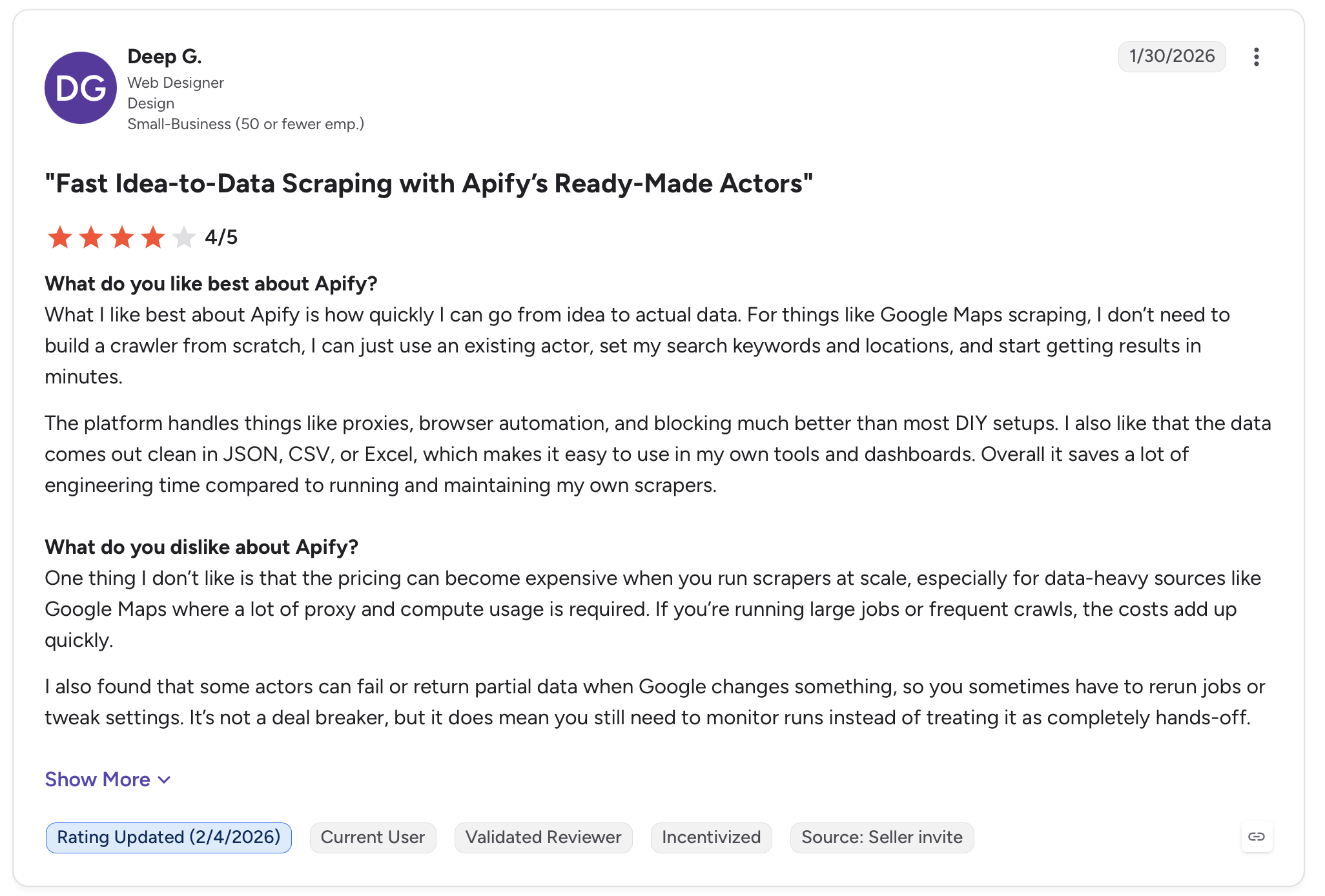
The free tier is thin. You get $5 of monthly credit, it depletes fast on browser-based jobs, and it does not roll over.
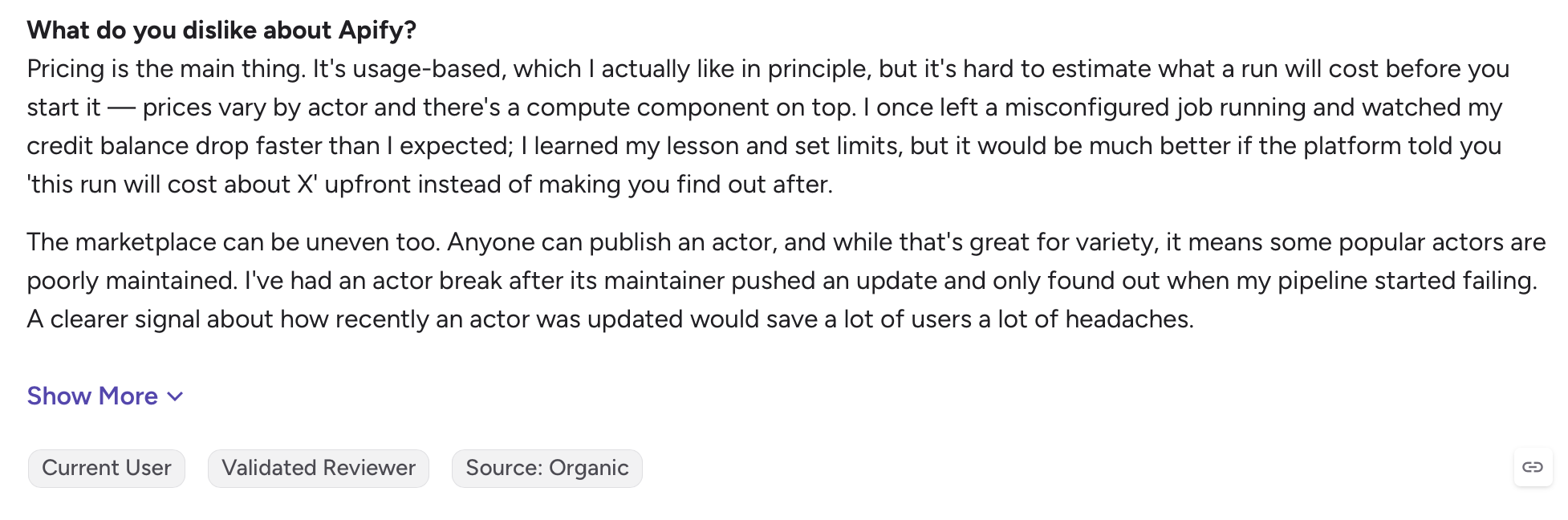
Community Actors vary. The marketplace is the real draw, but many Actors are community-built, so when a target site changes, an unmaintained one can break while you wait on its author. In an August 2026 G2 review, frontend developer Oaida A. says the marketplace is uneven and “some popular actors are poorly maintained,” recalling one that broke after an update and only surfaced when their pipeline started failing.
It leans developer-first. Compute units, proxy configuration, and JSON inputs are second nature to engineers and a wall for everyone else. In a February 2026 G2 review, outbound coordinator Kacper B. says the sheer number of features creates “a steep learning curve for non-technical team members” who just want to pull a simple dataset.
How to choose an Apify alternative
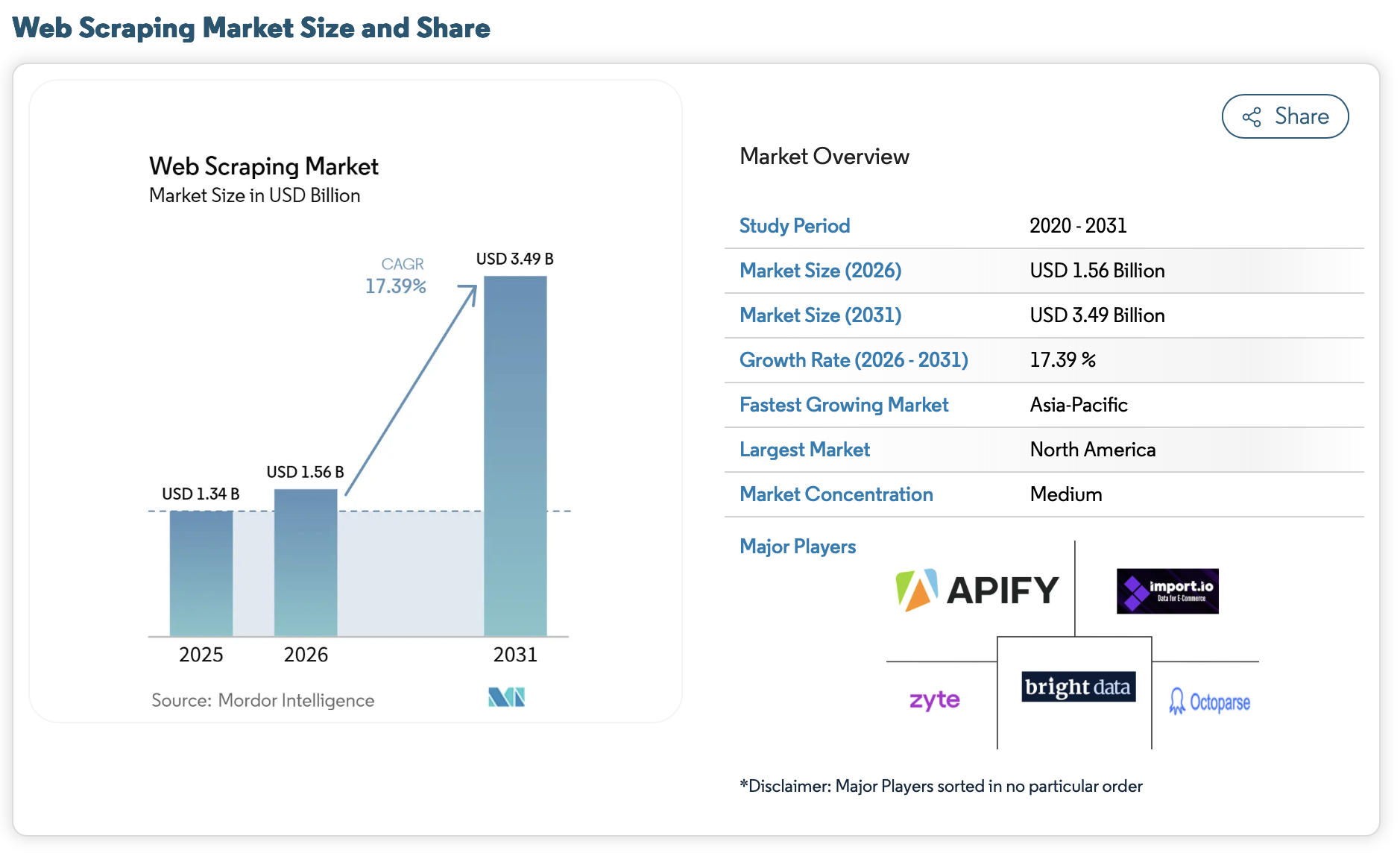
Demand for scraped data is not going anywhere: Mordor Intelligence puts the web scraping market at $1.56 billion in 2026, on track for $3.49 billion by 2031. With that many vendors chasing your budget, judge each one against the same few questions instead of trusting “best of” lists. Can you forecast the cost, or does it move with every run? Will it render JavaScript and get past anti-bot defenses on your targets, which matters more every year now that automated traffic is over 53% of the web? Do you need clean Markdown, structured JSON, or raw HTML? And who on your team will actually use it, a developer or a non-coder? The best fit changes completely depending on those answers, which is why one winner rarely fits everyone.
1. Octoparse
Octoparse is a web data platform that turns websites into clean, structured data, and it works as one system rather than a pile of separate tools. If a scraper for your site already exists, you run it straight from the Templates Gallery, 680+ of them maintained by the Octoparse team. If it does not, you can build one without code in two ways: describe the data you want in plain English and the AI Assistant configures the scraper for you, or click the fields you want on the page and Octoparse Desktop builds it. Either one then runs at scale on Octoparse Cloud, on anti-blocking infrastructure built in-house. When you need to reach it from your own code or an AI agent, the Open Platform handles that: a full API, an MCP server, and a CLI in beta. And when you would rather not build anything at all, you get the data on demand from Data Hub.
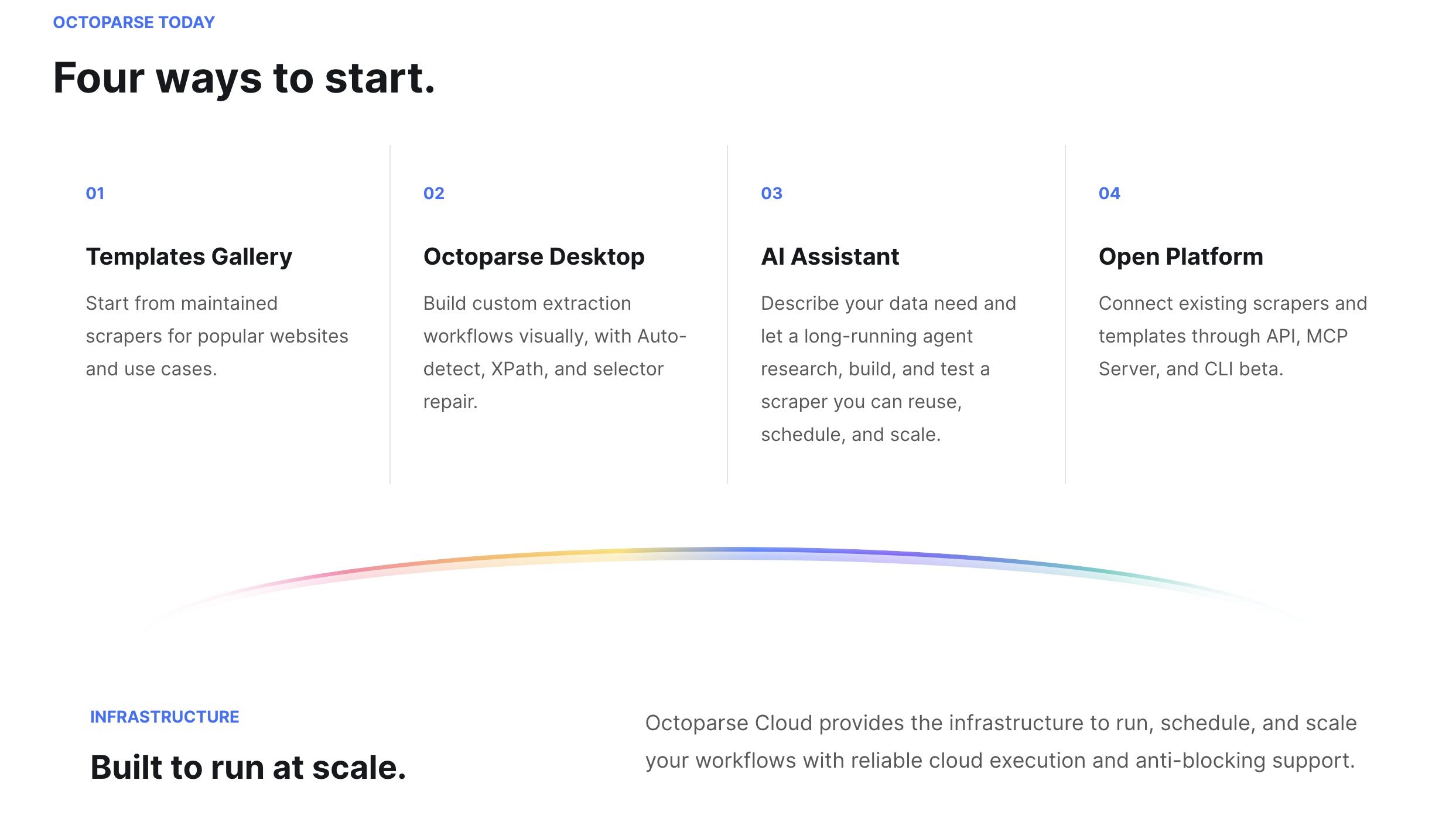
The part that matters when you are leaving Apify is that there is no ceiling. A scraper you build runs from a single test to production volume and answers API and MCP calls, so you never outgrow the no-code path and get forced into a rebuild. Apify is the opposite shape: developer-first, centered on its Actor marketplace and the Crawlee SDK.
Octoparse vs Apify
| What changes | Octoparse | Apify |
| How you get the data | Run a ready-made template, describe it in plain English to the AI Assistant, or click the fields yourself (Octoparse Desktop) | Pick and configure an Actor, or write code with Crawlee |
| What you pay | Flat monthly plans; anti-blocking and most templates included, though some templates are billed per result | Prepaid usage: compute units, proxy bandwidth, storage, plus Actor fees |
| Free tier | 10 tasks, 50,000 rows/mo export, plus 2,000 records/mo of cloud templates via API and MCP | $5 of monthly credit that depletes and does not roll over |
| When a site changes | AI-assisted XPath and automatic selector self-repair in Octoparse Desktop | A community Actor may break; you wait on the author or fix it |
| Anti-bot | In-house scraping browsers, IP rotation, residential proxies, auto-CAPTCHA on the cloud | Handled per Actor or bought separately |
Paid plans start at $83/mo for Standard, or $69/mo billed annually, with Professional at $299/mo ($249 annual).
Where Octoparse pulls ahead on the long tail is the AI Assistant. Plenty of sites have no ready-made scraper anywhere, on any platform, and that is exactly where it helps: you describe the data you want in plain English and it builds a working scraper on the spot, no template needed. What it produces is not a throwaway, either. You can run it again and again, adjust its inputs and parameters as your needs shift, and put it on a schedule. Developers can go a step further with the AI Assistant’s Cloud Agent, which writes the scraper as code and stands it up as a public cloud collector that runs on its own, so you get a custom pipeline without building the infrastructure yourself.
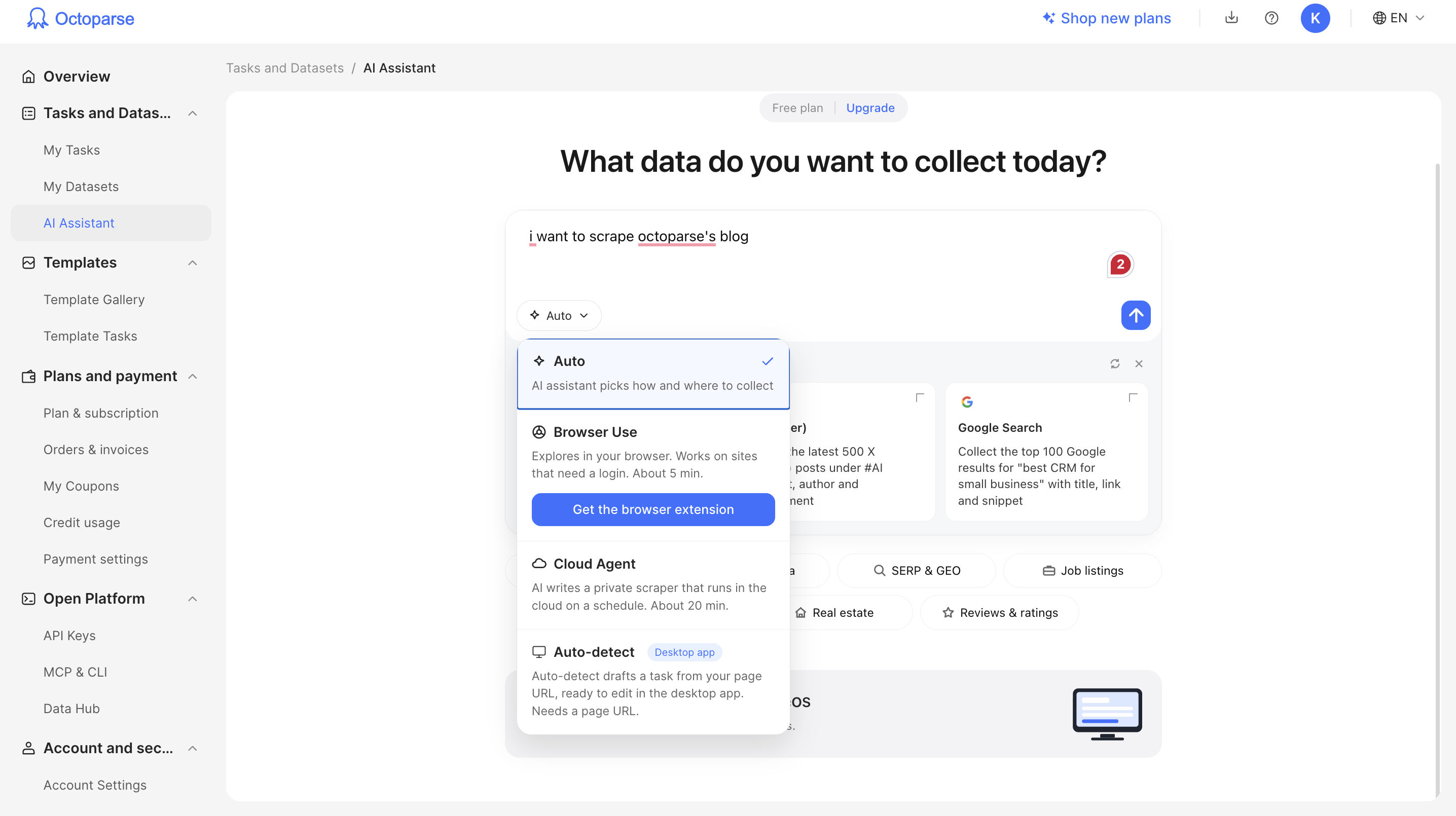
On cost, the gap is concrete. In Octoparse’s own head-to-head runs against leading Apify Store actors, a flat plan comes out far cheaper per 1,000 records:
Cost per 1,000 records: Octoparse vs Apify
| Use case | Octoparse (per 1,000) | Apify (per 1,000) |
| Pinterest search | ~$0.05 | ~$2.90 |
| Amazon search | ~$0.30 | ~$1–$5 |
| Amazon product details (one template, 22 marketplaces) | ~$1 | ~$3–$6 (junglee) |
| Walmart (discovery, details, and reviews) | ~$0.60–$1 | higher, billed per step |
And it is not only price: one template covers all 22 Amazon marketplaces, the Pinterest scraper returns six more fields than the Apify actor and ran about twice as fast in testing, and a 100,000-record Google Maps job came in around $281 against roughly $461. These are Octoparse’s own tests as of September 2026, and Apify Store prices vary by actor and plan, so treat them as directional.
Pros: one platform for non-coders, developers, and AI agents; 680+ maintained templates plus plain-English and point-and-click building; flat pricing that runs far cheaper per 1,000 records than Apify Store actors in testing; reviewers give it 4.7/5 on Capterra (106 reviews), usually for the templates and how fast the builder gets them to data.
Cons: the builder is a desktop app; self-repair is reactive, so a major site redesign can still need a manual pass; a few templates are billed per result.
If you are moving off Apify and want one place that works whether you code or not, this is the safest bet. Non-coders, developers, and agents all draw from the same platform, backed by ten years of extraction engineering. Worth comparing the plans, reading the full Octoparse vs Apify breakdown, or trying the free tier on one of your own sites.
2. Firecrawl
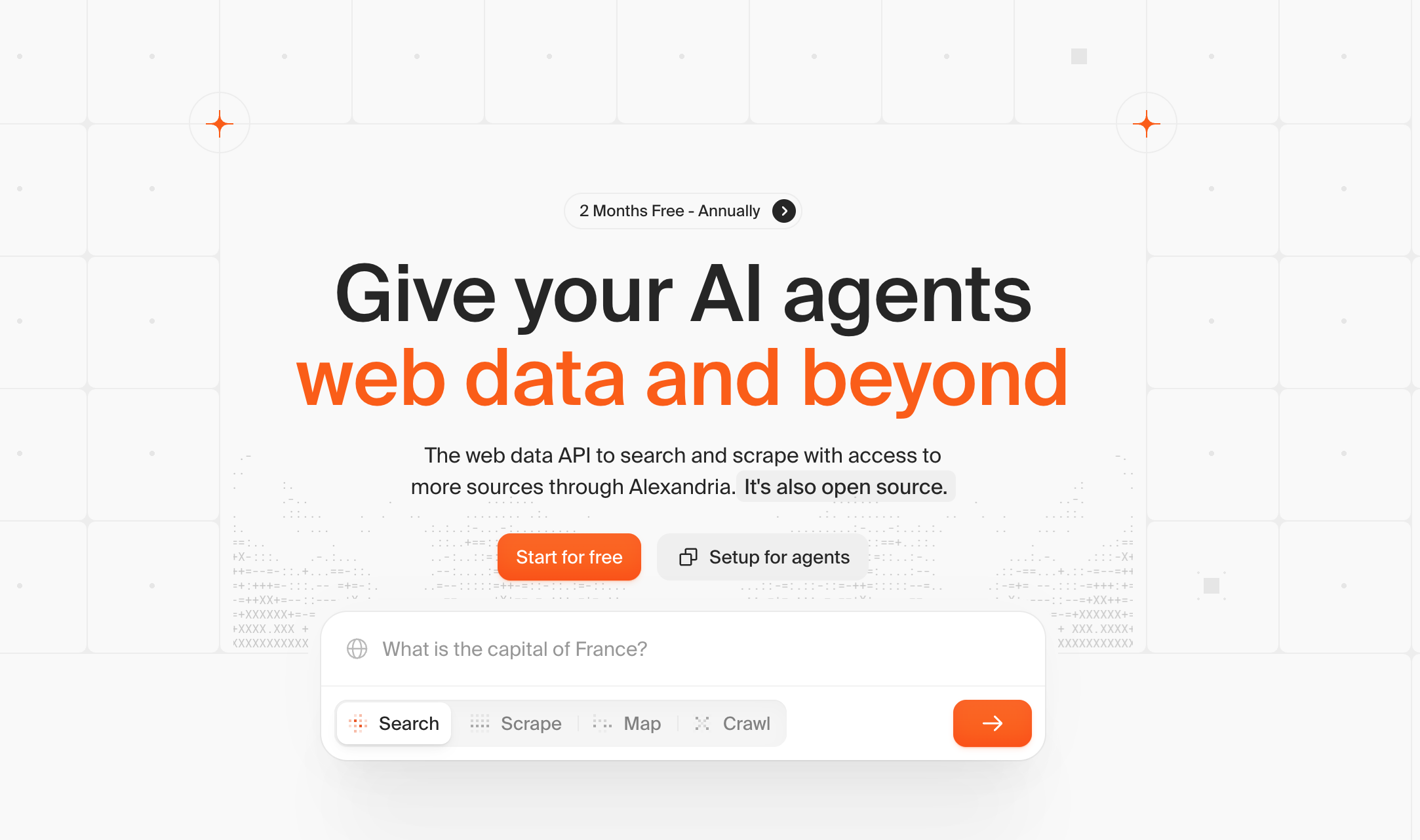
Firecrawl is an open-source engine built for one job: turning pages into clean, LLM-ready Markdown. If you are feeding a RAG pipeline or an agent and Apify’s JSON feels like extra plumbing, this is the closest fit.
Firecrawl vs Apify
| Firecrawl vs Apify | Firecrawl | Apify |
| Primary output | LLM-ready Markdown, structured JSON | HTML, JSON (Markdown via specific Actors) |
| Pricing basis | Per page credited (1 credit/page) | Per-result/event on Store actors + platform usage |
| Who maintains the scraper | Firecrawl, one engine | Community Actor authors |
| Self-host option | Yes, open-source | No |
Beyond the Markdown, Firecrawl leans into AI workflows: its agent endpoint takes a plain-English prompt and works through multi-step pages on its own, so there are no CSS selectors to write and no marketplace to hunt through, and a browser sandbox deals with logins and forms. Because it is open-source (180K+ GitHub stars), you can also just self-host it. Free covers 1,000 credits a month; Hobby is $19/mo ($16 annual) for 5,000, at one credit per page.
The catch is that it is built for developers and AI pipelines, not point-and-click users. If your output feeds an LLM, it is the natural pick.
Pros: LLM-ready Markdown out of the box; plain-English agent endpoint; open-source and self-hostable; the lone G2 reviewer so far (4.5/5) praises the clean dashboard, clear docs, and white-label API.
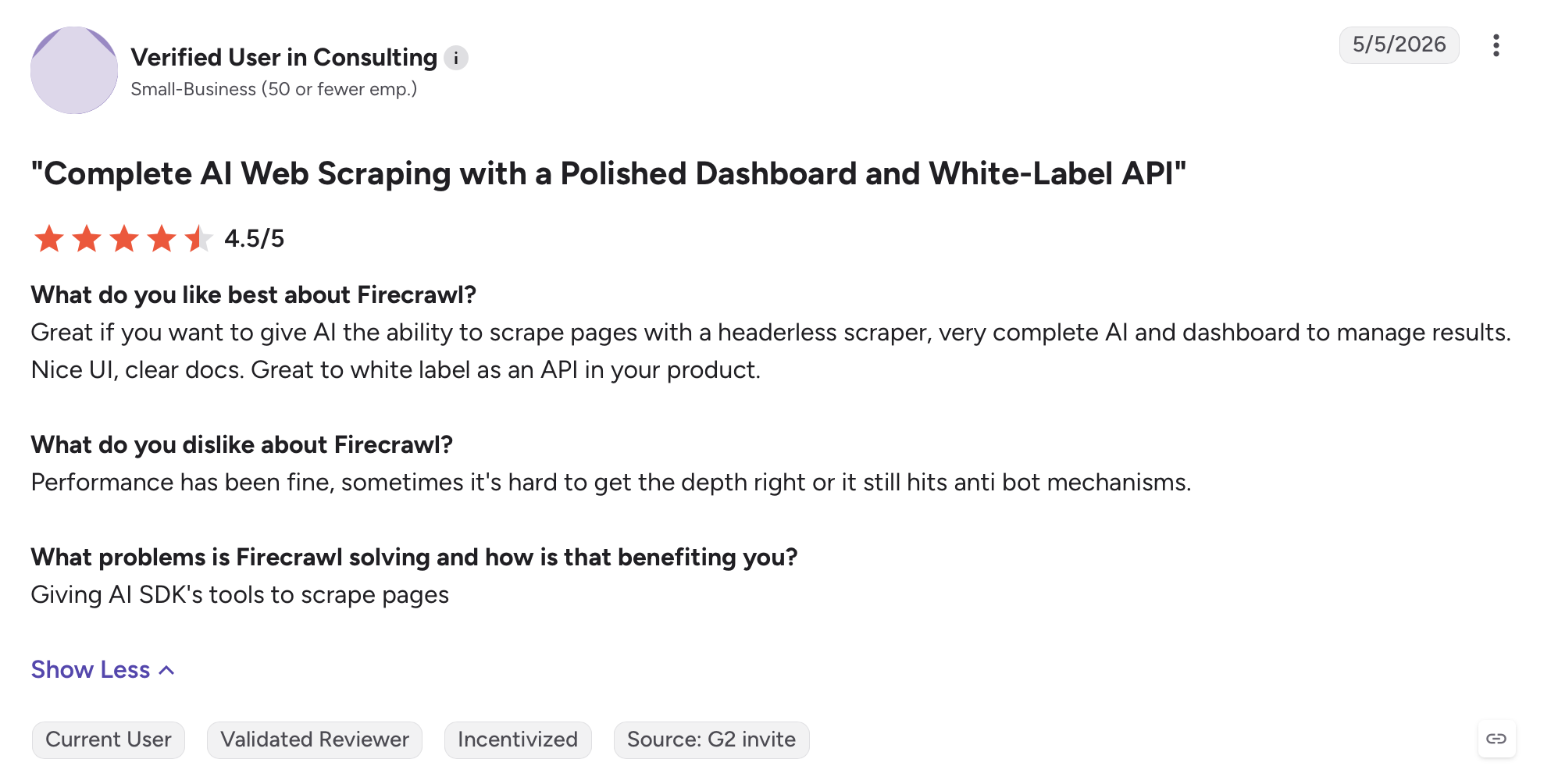
Cons: built for developers and AI, not point-and-click users; that same reviewer notes it can still hit anti-bot walls on some pages.
3. Bright Data
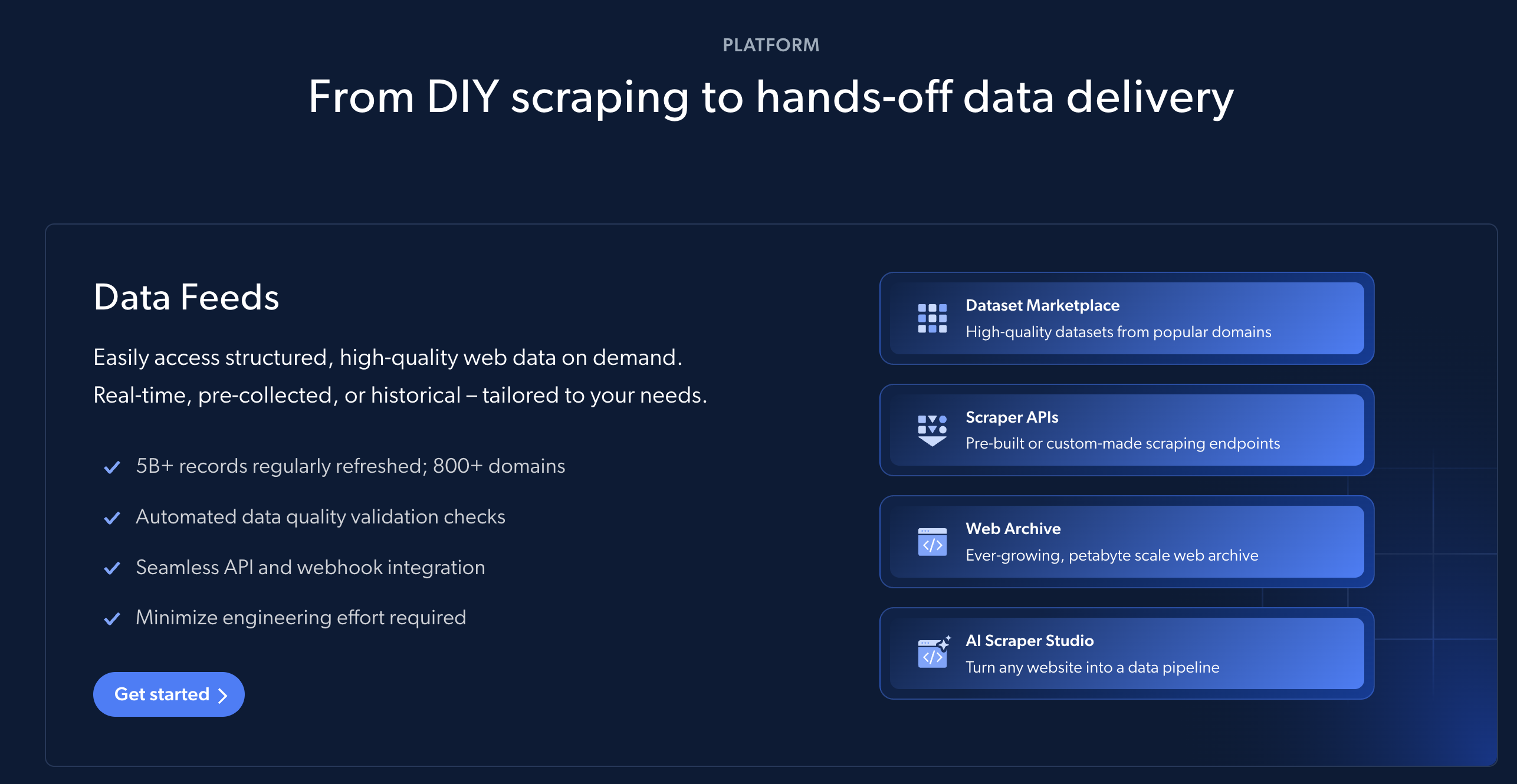
Bright Data is the heavyweight on proxies. If the reason you are leaving Apify is blocked requests on hard targets at scale, this is where the raw network strength is.
Bright Data vs Apify
| Bright Data vs Apify | Bright Data | Apify |
| Proxy network | One of the largest, owned | Proxies via Actors or add-on |
| Best-fit target | Heavily protected sites at scale | General scraping across the Store |
| Pricing | Usage-based, per GB or per 1k records | Per-result/event on Store actors + platform usage |
| Learning curve | Steep, product-by-product | Moderate, Actor-by-Actor |
Bright Data is really a suite: one of the largest owned proxy networks, a Web Scraper API, and a catalog of ready-made datasets, aimed at ad verification, market research, and collection at scale. Pricing is usage-based, from about $1.50 per 1,000 records and roughly $8 per GB residential, with plans near $499/mo, and it holds 4.7 on both G2 (340+ reviews) and Capterra. Reach for it when unblocking at scale is the whole job and price is not the deciding factor.
Pros: one of the largest owned proxy networks; proxies, a scraper API, and datasets under one roof; data-acquisition manager Neil S. (4.5/5) praises the stable network and automatic IP rotation, and engineer Larissa M. (4.5/5) calls it seamless for beating geo-restrictions.
Cons: both reviewers land on the same thing, cost: it climbs fast on high-traffic jobs, some features sit behind pricier tiers, and it runs steep for a small team.
4. Oxylabs
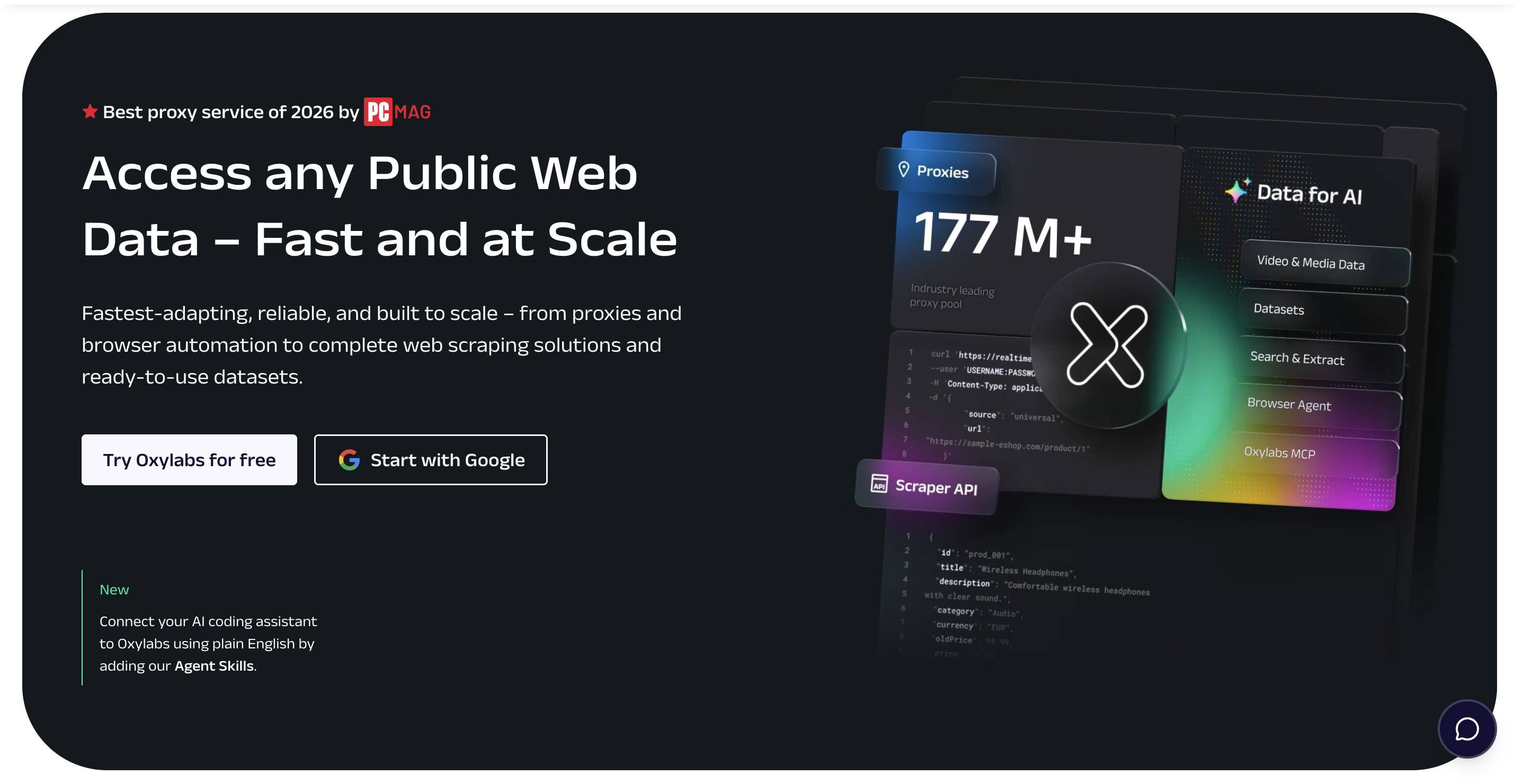
Oxylabs sits in similar territory to Bright Data: enterprise-grade proxies and scraper APIs, with strong success rates on protected targets and hands-on account support.
Oxylabs vs Apify
| Oxylabs vs Apify | Oxylabs | Apify |
| Core strength | Owned IP pool, high success rate | Actor marketplace breadth |
| Support model | Dedicated account managers | Docs, community, Discord |
| Entry price | Web Scraper API from ~$49/mo; residential from ~$99/mo | Low, $0 to start |
| Best-fit user | Larger teams, compliance-sensitive | Solo devs to mid-size teams |
Oxylabs plays in the same enterprise-proxy league: 175M+ owned IPs across 195 countries, high success rates, and rotation built into its Web Scraper API, so you are not stitching proxies together yourself. The Web Scraper API starts around $49/mo and residential higher, and it sits at 4.5/5 across 421 G2 reviews. Good call for larger, compliance-minded teams that need delivery guaranteed, overkill for a weekend project.
Pros: 175M+ owned IPs with high success rates; rotation built into the Web Scraper API; virtual assistant Muhammad S. (4/5) highlights the stable infrastructure, accurate geo-targeting, and support that actually answers.
Cons: the same reviewer flags the most common gripe, that plans run expensive for smaller teams and setup carries a learning curve for non-technical users.
5. ScraperAPI
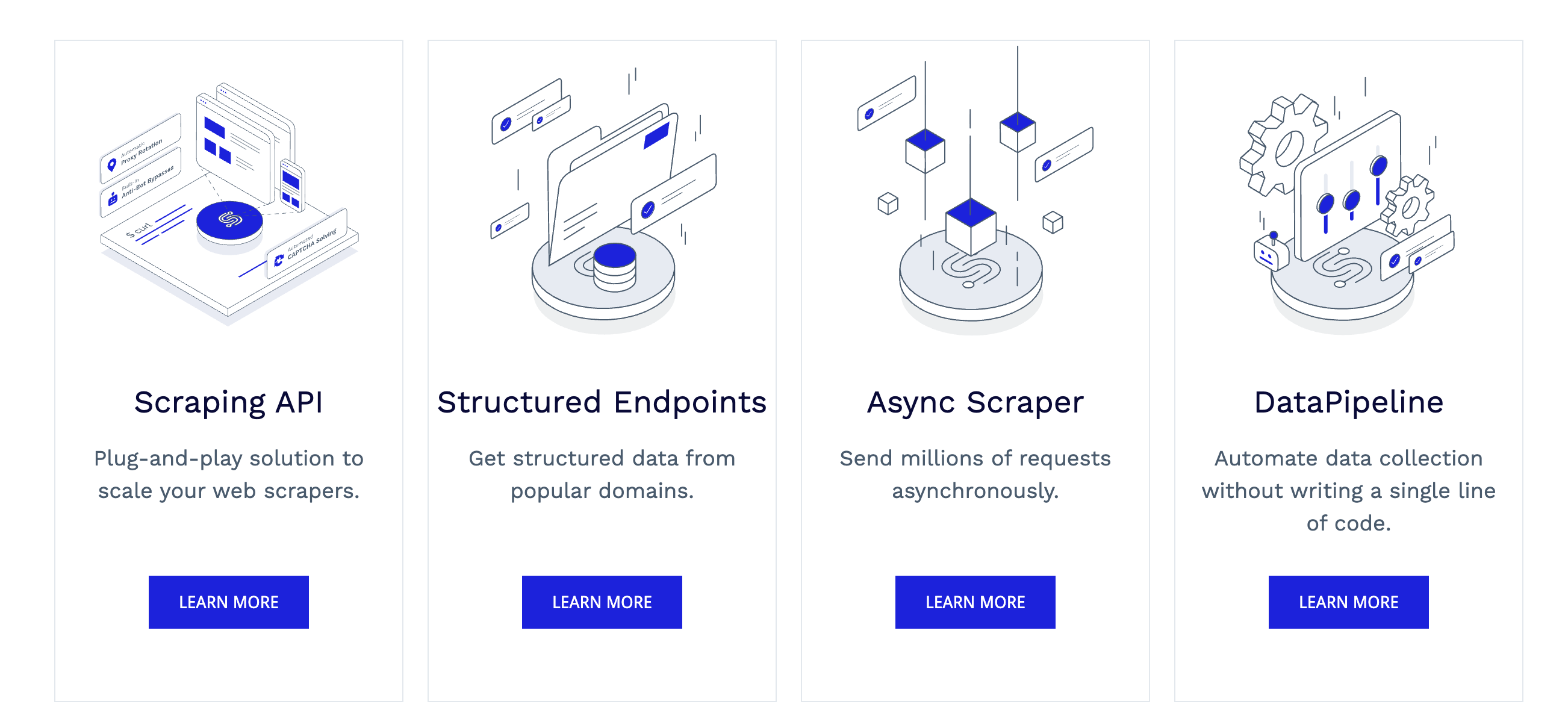
ScraperAPI is not a full platform; it is the proxy-and-rendering layer you bolt onto scraping logic you already own. If you are happy writing your own parsers and only want the blocking problem solved, it is lean and cheap.
ScraperAPI vs Apify
| ScraperAPI vs Apify | ScraperAPI | Apify |
| What it handles | Proxies, rendering, retries | Full platform: build, run, store |
| You still write | Your own parsing logic | Little, if an Actor exists |
| Pricing basis | Per successful request (credits) | Per-result/event on Store actors + platform usage |
| Best-fit user | Developers with existing code | Mixed, code and no-code |
ScraperAPI is not a whole platform. It is the layer that gets you past blocks: you send it a URL, it handles the proxies, IP rotation, and CAPTCHAs, and hands the page back so your own code does the rest. That sounds basic, but it scales. You can fire large batches at once (its async endpoint), put recurring jobs on a schedule (DataPipeline), and for a few big targets like Amazon, Google, and Walmart it returns clean, ready-to-use data instead of raw HTML (Structured Data Endpoints). It plugs into most languages, with SDKs for Python, Node, PHP, Java, Ruby, and Go, and you only pay when a request actually succeeds. Pricing starts at $49/mo ($44 annual) for 100,000 requests, with a free tier and a 7-day trial to test first. Reach for it when the one problem you need solved is simply not getting blocked.
Pros: simple one-endpoint API with SDKs in six languages; async and DataPipeline for scale and scheduling; structured JSON for Amazon, Google, and Walmart; on Capterra (4.6/5, 62 reviews) the praise is mostly how little friction it takes to integrate.
Cons: not a full builder, so outside the structured endpoints the parsing is yours to write; credits add up on JS-heavy pages.
6. Zyte
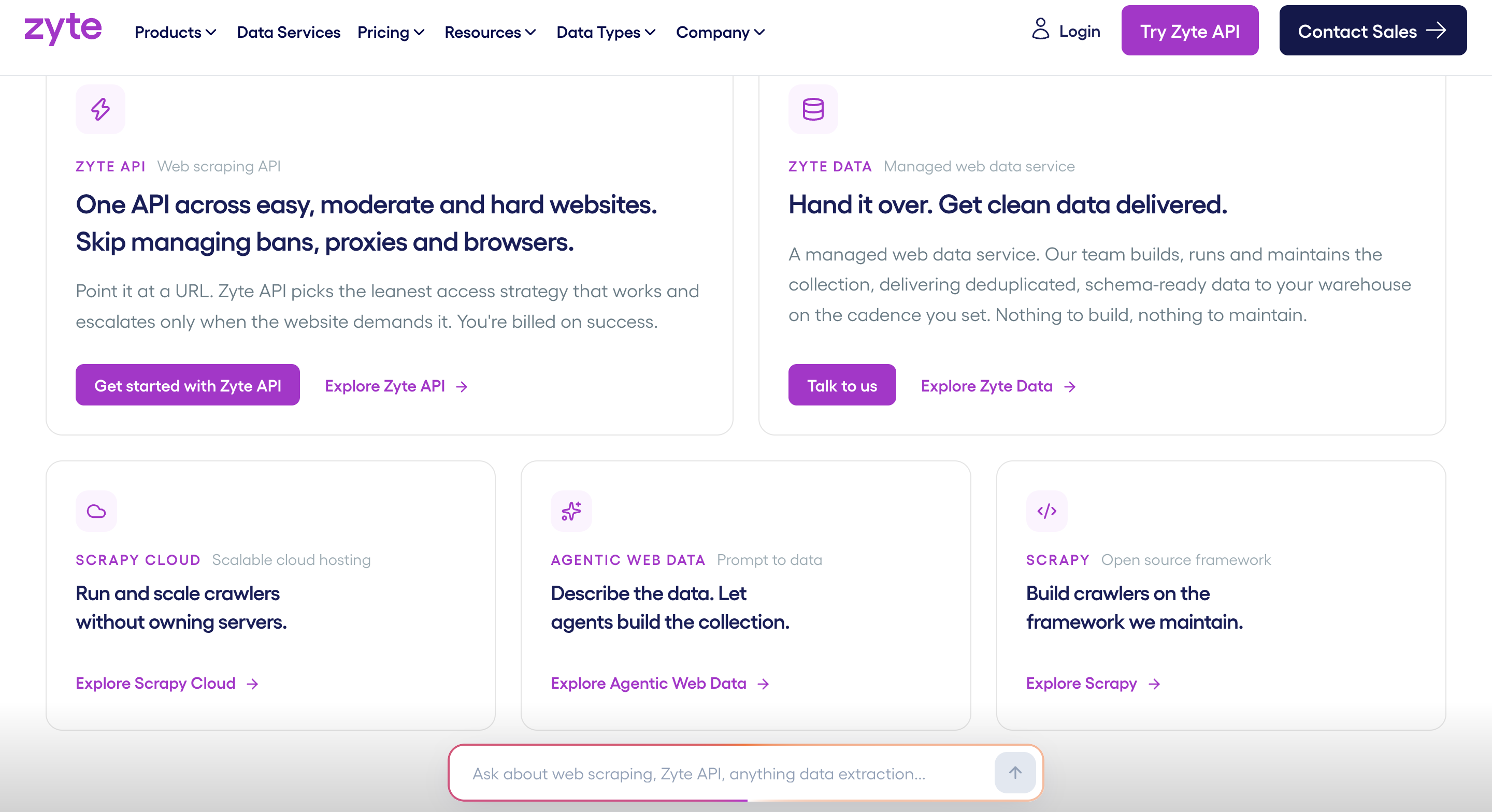
Zyte, from the team behind Scrapy, offers automatic extraction and a managed scraping API aimed at developers who want reliability without babysitting selectors.
Zyte vs Apify
| Zyte vs Apify | Zyte | Apify |
| Extraction | AI automatic extraction | Actor-defined fields |
| Heritage | Built by the Scrapy team | Built around Crawlee + Store |
| Pricing basis | Pay-as-you-go per 1k requests | Per-result/event on Store actors + platform usage |
| Best-fit user | Devs wanting managed reliability | Devs wanting a marketplace |
Zyte comes with a pedigree few can match: it is run by the team that maintains Scrapy, and that shows in the Web Scraper API, which pairs automatic AI extraction with smart proxy management, plus an optional managed service where Zyte’s own people build and deliver the pipeline. Pricing is pay-as-you-go, from about $0.13 per 1,000 HTTP requests up to higher browser-rendered rates, with monthly commitments from around $100. It suits teams that want managed reliability without leaving the Scrapy world.
Pros: automatic AI extraction plus smart proxy management; an optional fully-managed data service; a genuine Scrapy pedigree; on Capterra (4.4/5, 43 reviews) extraction quality earns the praise.
Cons: those same reviews flag pricing and complexity; it assumes you are comfortable in developer territory; no free tier beyond trial credit.
7. ScrapingBee
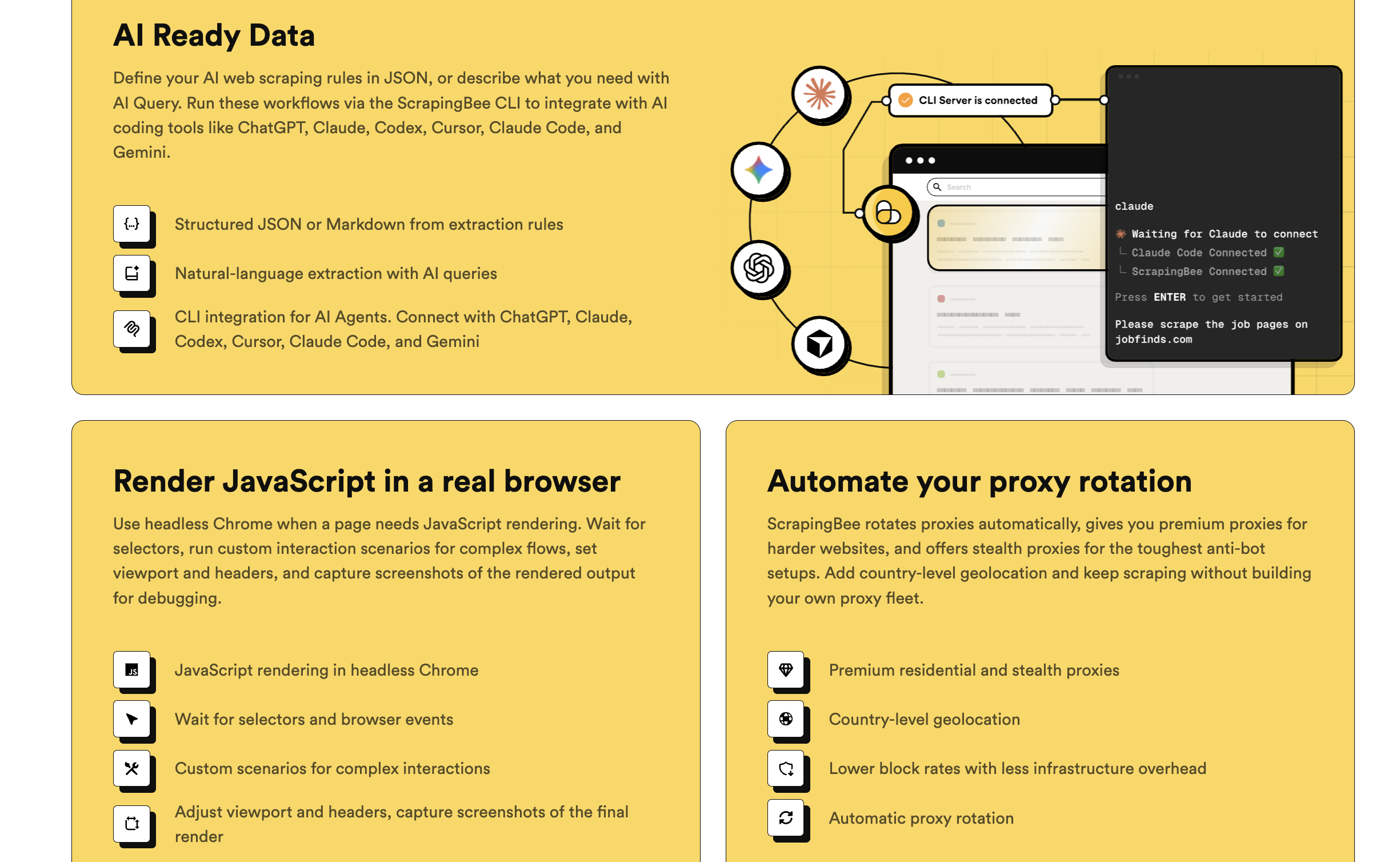
ScrapingBee is the simplest of the API-first options: one call handles JavaScript rendering and proxy rotation, so small teams can skip infrastructure entirely.
ScrapingBee vs Apify
| ScrapingBee vs Apify | ScrapingBee | Apify |
| Setup | One API call, minimal config | Choose and configure an Actor |
| JS rendering + proxies | Bundled in each request | Configured per Actor or add-on |
| Pricing basis | Per API credit | Per-result/event on Store actors + platform usage |
| Best-fit user | Small teams, straightforward sites | Broad range of use cases |
True to the pitch, it all happens in a single call: hand ScrapingBee a URL and it runs the headless browser, renders the JavaScript, rotates the proxy, and returns the page, charging only when a request succeeds. Nothing to install, nothing to wire. Freelance starts at $49/mo after a free trial. Treat it as the fast path for small, straightforward scraping rather than a platform to standardize on.
Pros: rendering and proxies in a single call; pay only for successful requests; nothing to install; that simplicity earns it 4.9/5 on Capterra (137 reviews), among the highest in the category.
Cons: no standing free tier beyond a trial; very large or highly bespoke jobs will outgrow it.
8. Scrapy / Crawlee
If you want zero vendor lock-in, the open-source route is Scrapy (Python) or Crawlee (the framework that underpins Apify itself). You get full control and no platform fees, in exchange for running everything yourself.
Open-source vs Apify
| Open-source vs Apify | Scrapy / Crawlee | Apify |
| License and cost | Free, open-source | Prepaid usage on the platform |
| Control | Total, you own the stack | Bounded by the platform |
| You provide | Hosting, proxies, scheduling | Managed by Apify |
| Note | Crawlee is Apify’s own SDK | Runs Crawlee as a managed service |
There is no review page to quote here, and that is rather the point: Scrapy is code you run, not a product you buy. Its asynchronous engine handles thousands of concurrent requests and ships with the parts developers expect, middleware for cookies and user-agent rotation, item pipelines for cleaning data, and native XPath and CSS selectors. Worth it when control matters more than convenience and you have the engineers to spend.
Pros: free and open-source with no platform fees; asynchronous engine for large-scale crawls; total control and no lock-in; its ~59K GitHub stars make it the de facto Python scraping framework.
Cons: Python skills required; you host, schedule, and add JavaScript rendering (via Playwright or Splash) and anti-bot yourself; no vendor support.
9. Browse.AI
Browse.AI is the no-code option focused on monitoring: point-and-click to train a robot, then get alerts when the data on a page changes. Different job from Apify, but often the real need behind “I just want to watch this page.”
Browse.AI vs Apify
| Browse.AI vs Apify | Browse.AI | Apify |
| Setup | Point-and-click training, no code | Configure an Actor |
| Signature feature | Change monitoring and alerts | General extraction |
| Entry price | $0 free; Personal from $19/mo | $0 to start, $5 credit |
| Best-fit task | Watching pages over time | One-off and bulk scraping |
Browse.AI barely overlaps with Apify, and that is usually the point. You train a robot by clicking through a page in a Chrome extension, it deals with pagination and infinite scroll for you, and 150+ templates cover the usual sites. Where it earns its keep is monitoring: aim it at competitor prices or job listings, pick an hourly, daily, or weekly check, and it emails you when something moves, pushing results to Google Sheets, a webhook, or its API. If the real job is watching pages rather than bulk-scraping them, little else is this painless.
Pros: point-and-click robot training; built-in change monitoring with alerts; handles pagination and infinite scroll; that no-code ease and the alerts drive a 4.6/5 on Capterra (63 reviews).
Cons: credit use climbs on premium sites; complex multi-step extractions belong elsewhere.
When Apify is still the right choice
Apify earns its place, and switching is not always the answer. If a well-maintained Actor already exists for your exact target and runs cheaply, rebuilding it elsewhere is wasted effort. If your team lives in code and wants Crawlee as a managed service, Apify is a natural home. And if your volumes are low and spiky, pay-as-you-go can be cheaper than any monthly plan. It is also a trusted, established platform, rated around 4.8 on Capterra. The case for leaving gets strong when bills become unpredictable, when you rely on Actors you do not control, or when non-coders on your team need to run scrapes themselves. If that sounds like your situation, Octoparse is the most direct place to land, since it covers ready-made templates, no-code and API building, and AI agents on one flat-priced platform.
How to migrate off Apify in 4 steps
- List what you actually run. Write down the Actors in active use, how often they run, and what each costs per month. With rental Actor pricing now retired, flag anything that was on a rental tier first, since it has moved to pay-per-usage.
- Match each one to a capability, not a logo. A ready-made template, a proxy layer, an LLM-output engine, or a monitoring robot. Some Actors map to one tool, some to another.
- Compare on cost per 1,000 records. Use the framing above so you are comparing real totals, not sticker prices.
- Move your highest-volume jobs first. They carry the most cost and risk, so the savings and the reliability gain show up immediately. Migrate the long tail after.
If a single flat-priced platform covering all of those routes is what you are after, try Octoparse on its free tier and migrate your highest-volume job first.
Frequently asked questions
- Why is Apify so expensive?
Apify bills on two layers instead of a flat rate. Most Store actors charge per result or per event (often quoted as $X per 1,000), and beneath that you pay platform usage: compute units at $0.20 each on entry tiers, residential proxy at about $8 per GB, and storage. Generic or self-built actors bill pure compute-unit usage, the least predictable part since it swings with run time and memory. Browser-heavy jobs and protected sites add up fastest, so costs tend to climb with scale. Flat-plan tools like Octoparse trade that variability for a fixed monthly price you can forecast.
- Is Apify free? Is there a free Apify alternative?
Apify has a free tier of $5 in monthly usage credit, which depletes quickly and does not roll over. If you need a genuinely usable free plan, Octoparse offers 10 tasks with 50,000 rows per month of export plus 2,000 records per month of cloud template runs via API and MCP, and Scrapy is free and open-source if you can host it yourself.
- What is the best Apify alternative for AI agents?
For agent workflows, look for a native MCP server. Octoparse exposes one so agents like Claude, ChatGPT, or Cursor can search templates and run extractions from a prompt, and Firecrawl is strong when the agent needs clean Markdown from arbitrary URLs.
- What is the best no-code Apify alternative?
Octoparse is the fullest no-code option: run a ready-made template, describe the data in plain English and let the AI Assistant build the scraper, or click the fields yourself. Browse.AI is a good no-code pick if your real need is monitoring a page for changes.
- What is the cheapest Apify alternative?
For zero software cost, Scrapy or Crawlee win, if you can cover hosting and proxies. For predictable spend without self-hosting, a flat monthly plan like Octoparse (from $69/mo annual) is usually cheaper than usage-based billing on any recurring job.
- Is Apify safe and legit?
Yes. Apify is an established platform used by many teams, and scraping publicly available data is broadly accepted where it respects site terms, rate limits, and data-protection rules. The reasons to switch are usually about cost and control, not trust, and if those are what is pushing you, a flat-priced platform like Octoparse is the most direct swap.