Yes, AliExpress has an official API, and its integration requirements keep evolving. In its October 8, 2026 API upgrade notice, AliExpress detailed delivery-address field changes for Local POP and Local Direct order integrations, with full rollout scheduled for October 22. If you connect seller systems to AliExpress, changes like these belong on your integration checklist.
For product research, the starting point is the data you need: product names, prices, ratings and store details. Octoparse’s AliExpress Scraper template collects these listing fields from keyword-based search results when you have permission to collect them. Below, we compare the access routes and show what a real template run returned, so you can choose a workflow that fits your project.
https://www.octoparse.com/template/aliexpress-scraper
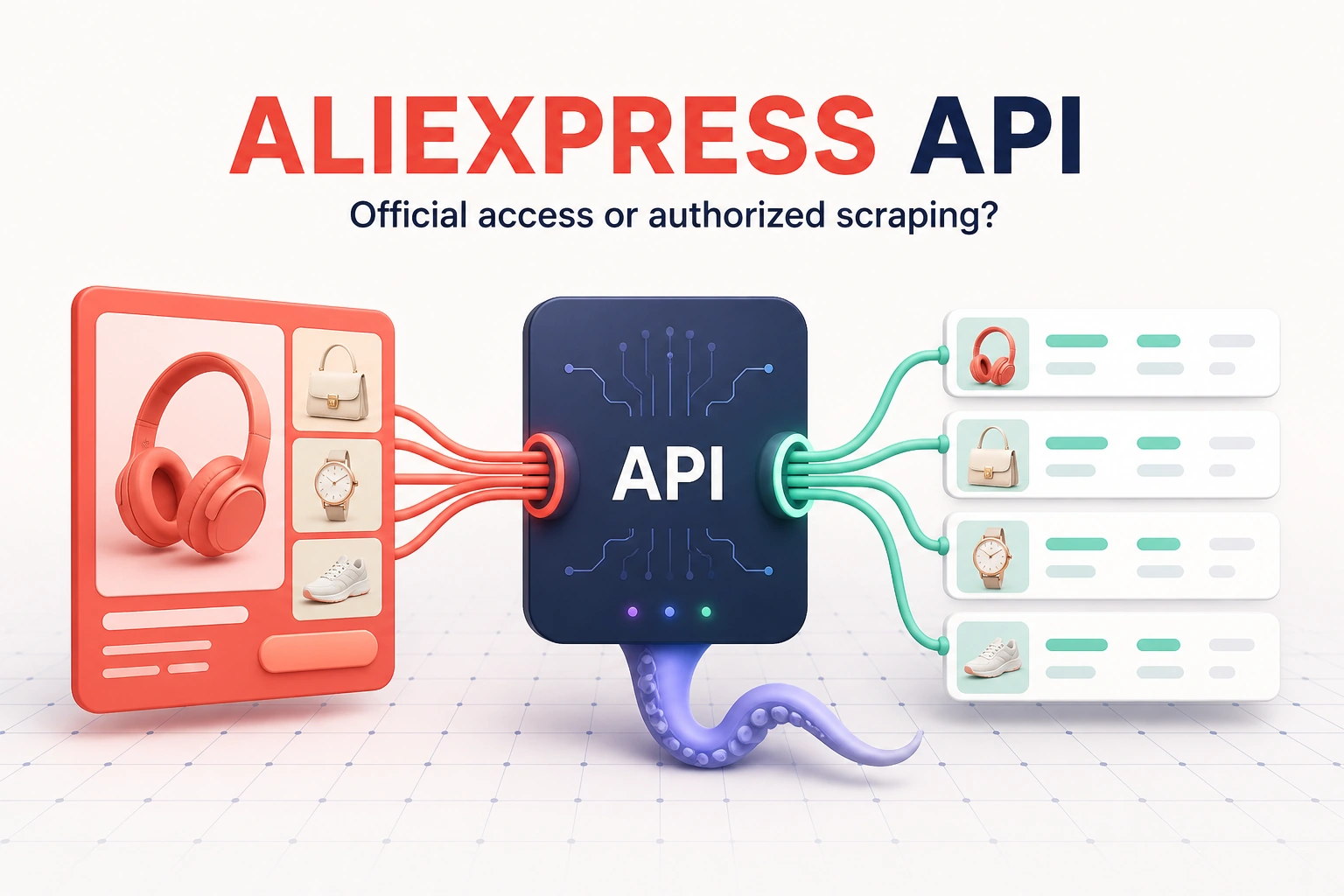
AliExpress data access options compared
Choose a route by the operation you need to perform and the data you are entitled to use. A third-party service marketed as an “AliExpress API” may be a scraper API or wrapper rather than the official Open Platform.
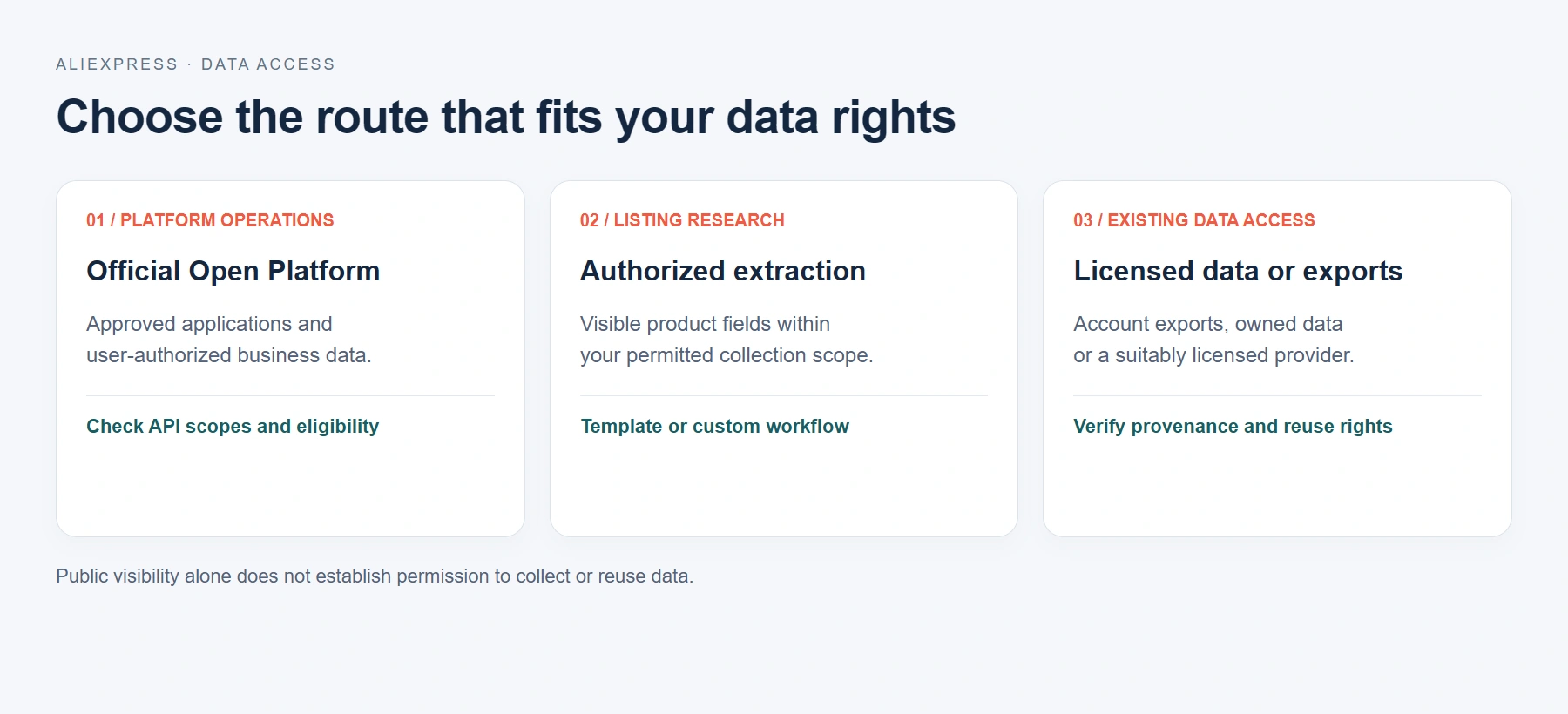
| Route | Best fit | Access requirement | Main limitation |
|---|---|---|---|
| Official Open Platform | Supported seller, application or user-authorized operations | Application credentials and applicable API scopes | Your account may not qualify for every endpoint |
| Authorized extraction | Visible listing fields for product and price research | Permission covering the source pages and intended use | Fields and layouts can change; validate returned rows |
| Licensed data or account exports | Research using an existing dataset or your own account data | An export entitlement or suitable data license | Coverage, freshness and reuse depend on the source |
For a repeatable keyword search, a preset template reduces setup work. If the permitted pages or fields fall outside the template, a custom workflow needs its own selectors, pagination and quality checks. Map product identifiers, currencies and timestamps before combining datasets.
The AliExpress Terms of Use version effective September 26, 2026 prohibits systematic retrieval to build a collection or database without written permission. It also sets out a conditional DSA research exception. Public visibility alone is not collection permission; establish the applicable basis and scope before running a project.
Official API credentials and access requirements
The AliExpress API Use Agreement distinguishes Basic APIs, which do not require a separate application for that API category, from Value-Added APIs, which require approval. Both categories can include free and paid functions. Developers still need the appropriate application credentials and must follow applicable data-use rules.
An App Key identifies the application; its App Secret is a private credential. Neither proves that every endpoint or user-data scope is available. Check the API catalog and documentation visible to your account before designing requests.
- Business role: confirm whether the application is acting as a seller, service provider, affiliate or another supported developer type.
- Required operation: identify the endpoint and whether the account can use it. Do not infer order or customer access from product-data access.
- Authorization: verify any user consent and granted scopes.
- Operating rules: check signing requirements, rate limits, fees and retention requirements in the current endpoint documentation.
This article does not include a tested official AliExpress endpoint call or measured API quota. The execution evidence below comes from Octoparse’s Web Console. API availability and approval must be verified separately for your application.
Collecting product search results with Octoparse
Octoparse is a web data platform. Its AliExpress Scraper template collects keyword-based search results through a configured cloud workflow. Start with the template for its declared fields; use Octoparse Desktop to author a custom workflow when your permitted collection needs a different page pattern.
https://www.octoparse.com/template/aliexpress-scraper
The template contract checked on October 15, 2026 declares four inputs:
- Keyword is required and accepts up to 10,000 entries per run.
- Currency is optional and controls the requested price display context.
- Shipping is optional and helps align results with a destination context.
- Language is optional and changes the requested language context where supported.
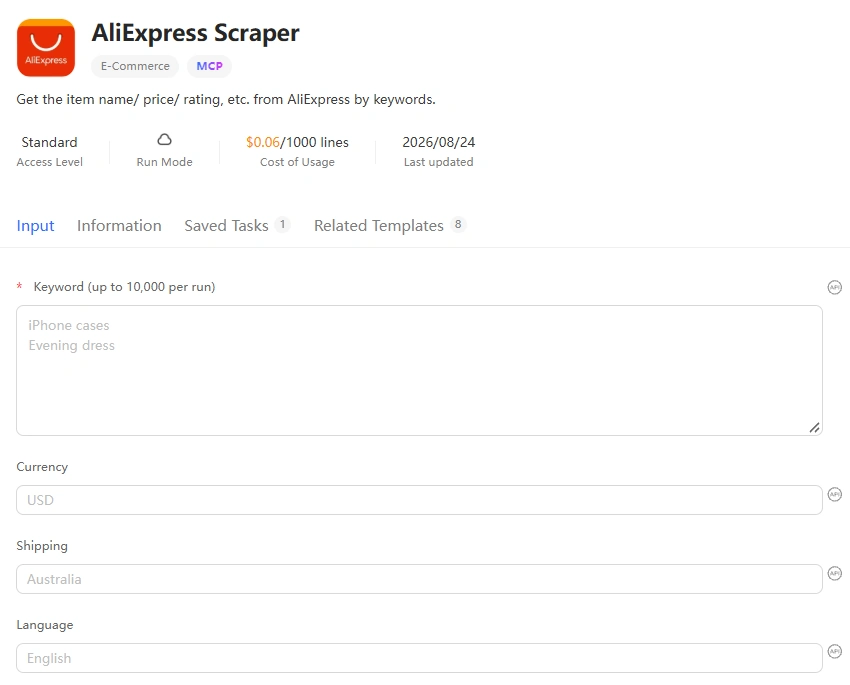
Start with one focused keyword:
- Confirm written permission and define a narrow business purpose.
- Open the template and select Try it!
- Enter one focused keyword first. Add currency, shipping, and language only when they are part of the approved test.
- Start the supported cloud run and wait for it to complete.
- Review the first records before adding more keywords. Check product identity, currency, locale, missing fields, duplicates, and timestamps.
- Export the approved dataset only after the sample passes QA.
Web Console test results: September 3, 2026
On September 3, 2026, we ran the Web Console template with wireless mouse and left optional inputs blank. We manually stopped the task after 2 minutes 39 seconds. The console showed 1,219 data lines and a Stopped status. That is a console row count, not a verified count of unique products or a completed-run benchmark.
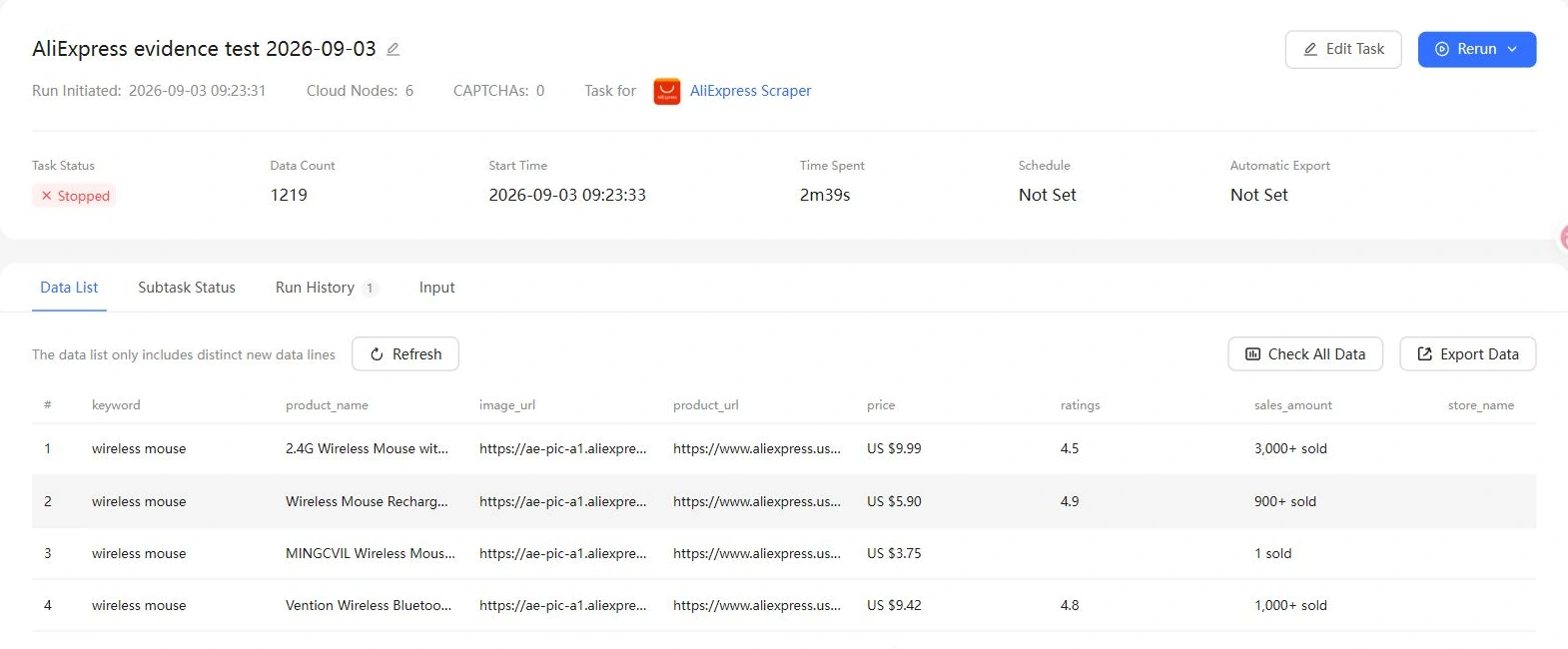
In the first 10 rows inspected, keyword, product_name, image_url, product_url and price were populated. Ratings and sales indicators were intermittent; visible store fields were blank. The full dataset was not exported or audited, so these observations do not establish completeness across all 1,219 rows. This was a Web Console run, not an official API or MCP execution test.
https://www.octoparse.com/template/aliexpress-scraper
AliExpress template output fields and quality checks
Declared AliExpress search-result fields
| Field | Meaning | QA check |
keyword | The originating template input | Keep it for row-level traceability |
product_name | Displayed product title | Check truncation and product alignment |
image_url | Displayed product image URL | Verify it belongs to the same record |
product_url | Product detail URL | Remove tracking parameters only if permitted |
price | Displayed price text | Parse amount and currency separately |
ratings | Displayed rating value | Keep null when the listing has no rating |
sales_amount | Displayed sales indicator | Preserve the original text before normalization |
store_name | Displayed merchant name | Check whether naming varies by locale |
store_url | Merchant page URL | Validate the domain and record relationship |
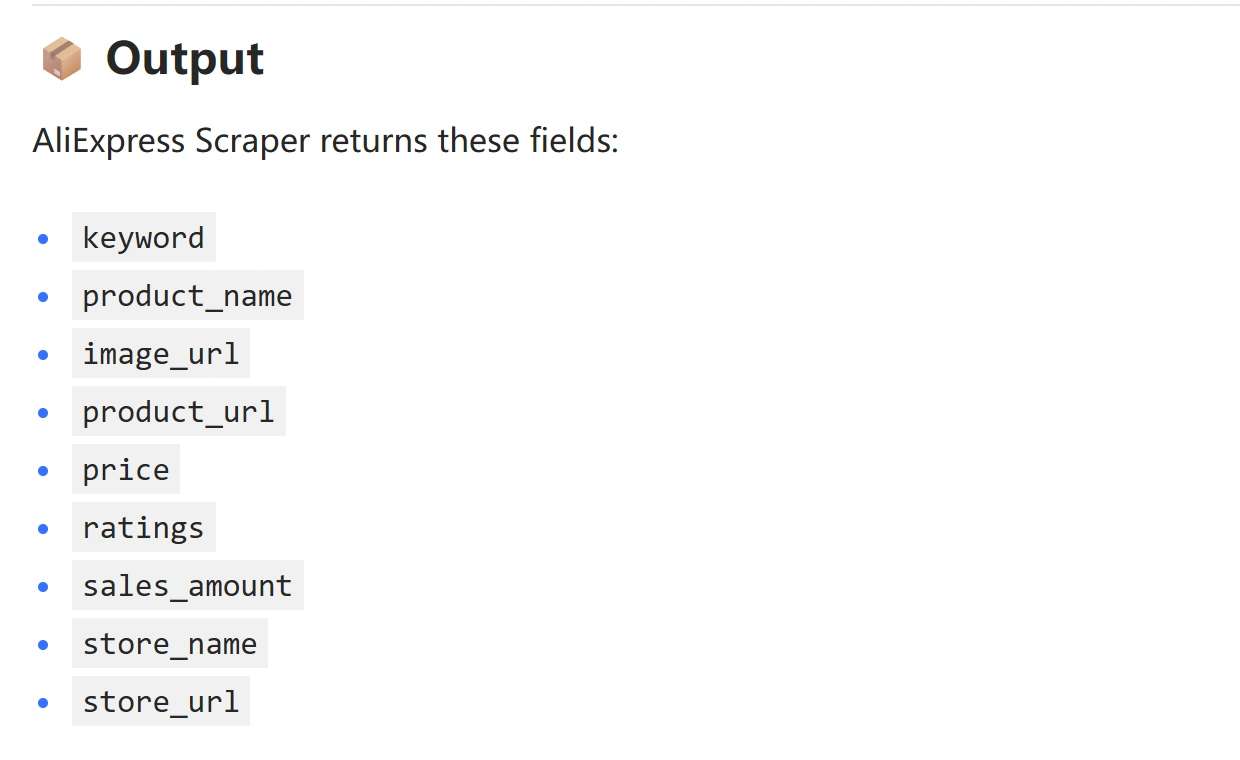
The nine declared output fields were confirmed against the template contract on October 15, 2026. A declared field may still be empty in an actual result; the September 3 sample above illustrates why field-level checks matter.
Send template results to AI with MCP
The AliExpress template is cloud-capable and discoverable through Octoparse MCP. The official MCP documentation provides OAuth 2.1 and API-key authentication options. An authenticated client can discover supported templates, run cloud tasks and retrieve results. This workflow executes an existing template; it does not create or edit a reusable scraper.
The following is an illustrative request, not the prompt used for the Web Console test:
For this template, keyword uses an array of strings in the API/MCP input contract, even for one keyword. The optional fields are currency, shipping and language. Inspect the current schema before execution, monitor task status, then retrieve and validate results. Authentication to Octoparse does not establish rights to the source data.
Validation checklist for production data
Run the following checks before any scheduled job or downstream model consumes the data:
- Authorization: Store the permission record, covered URLs, allowed fields, frequency, purpose, retention, and expiration date.
- Schema: Require stable column names and data types. Keep raw source text beside normalized values.
- Completeness: Measure populated values by field on a representative sample. Do not hide nulls.
- Identity: Confirm each title, price, image, store, and URL belongs to the same product row.
- Locale: Record shipping destination, language, currency, and collection time because they can change visible results.
- Duplicates: Choose a stable product or URL key and document how variants are handled.
- Freshness: Add a collection timestamp and distinguish source update time from scraper run time.
- Failure behavior: Stop on login requirements, access-control challenges, permission ambiguity, or material schema drift.
For monitoring, compare snapshots rather than overwriting the last file. This preserves an audit trail and makes price or availability changes explainable.
Common failure modes
The API key exists, but the endpoint is unavailable
An App Key identifies an application. It does not automatically approve every Value-Added API or user-data scope. Check the application’s current permissions, region, business type, user authorization, and endpoint policy.
The API returns data, but it is the wrong route
A third-party scraper API can return AliExpress-shaped data without being the official AliExpress Open Platform. Document the provider, source pages, license, update process, and failure model. Do not describe the service as official unless AliExpress says it is.
Template fields are empty
A field can be absent because the current search result does not display it, the locale differs, the page layout changed, or the task did not complete as expected. Review raw rows and source context before adding a fallback selector or normalizing nulls.
Prices do not match the browser
Check currency, shipping destination, language, promotions, product variants, taxes, and collection time. Store the displayed price text and context before converting it to a numeric value.
A large run starts before the sample is validated
Stop the job, inspect a one-keyword sample, fix the schema, and rerun the small test. Input capacity is not a quality guarantee.
FAQs about AliExpress API
Is the AliExpress API public?
AliExpress has an official Open Platform, but access is not anonymous or universal. Developers use an approved application and credentials, and some APIs or data scopes require additional application, business eligibility, or user authorization.
How do I get an AliExpress API key?
Register through the current AliExpress developer process, describe the application and business scenario, complete the required verification or compliance steps, and create or obtain an approved application. AliExpress refers to the credentials as an App Key and App Secret. Do not use another developer’s credentials.
Is the AliExpress API free?
The API agreement says both Basic and Value-Added APIs can include free and paid APIs. Check the live API documentation and account terms for the specific function because pricing and eligibility can change.
Can the API return every AliExpress product?
Do not assume so. Available functions and data depend on the current API catalog, application permissions, account role, region, and any required user authorization.
What is an AliExpress scraper API?
It usually refers to a third-party service that extracts AliExpress webpage data and exposes the result through an API. That is different from the official AliExpress Open Platform. Verify permission, provenance, fields, freshness, limits, and licensing before use.
Can I use Octoparse instead of the AliExpress API?
Use Octoparse only for data you are authorized to collect. The preset template can reduce workflow-building effort for keyword-based search results, but it does not replace the official API for approved platform operations and does not grant scraping permission.
Does the Octoparse AliExpress Scraper support MCP?
Yes. The template contract checked on October 15, 2026 identifies AliExpress Scraper as cloud-capable, and it is discoverable through Octoparse MCP. Execution depends on valid inputs and available account resources. The historical test in this article used the Web Console.
Choose the access route before the integration
AliExpress has an API ecosystem, but the useful question is whether your account, application, and approved purpose can access the specific function and data you need. Start with the official Open Platform for supported operations. Use the Octoparse AliExpress Scraper template only for written-authorized visible-page collection, and validate one keyword before scaling.
For a broader no-code walkthrough, read the existing guide to scraping AliExpress product data with Octoparse. For supplier and wholesale data on AliExpress’s sister marketplace, see how to scrape Alibaba product data.