The Best Alternative to Thunderbit
Thunderbit's two-click AI scraper is great for a quick grab from a single page. But the moment you need reliable scaling, a Chrome extension hits a wall. Octoparse is the best full-platform alternative — cloud extraction, proxies, a desktop app and connections to your AI agents.
 Cloud extraction and scheduled tasks that run without your browser open Reliable pagination , infinite scroll across hundreds of pages Predictable task-based pricing A genuinely free plan, plus 600+ online web templates A full desktop app with API, MCP and CLI Supports 6 languages , covering popular global websites
Why Octoparse Is the Best Alternative
Every place Thunderbit runs out of road, Octoparse keeps going. Here is how the platform answers Thunderbit's biggest limitations.
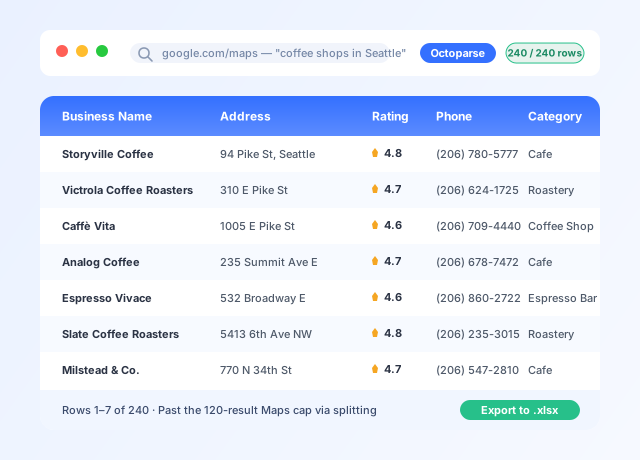
When we say reliable, we mean it
 Thunderbit's limitThunderbit often stops somewhere between page 10 and page 25, leaving data incomplete and credits spent. On infinite-scroll sites like Google Maps, scrapers often get stuck on individual place detail pages.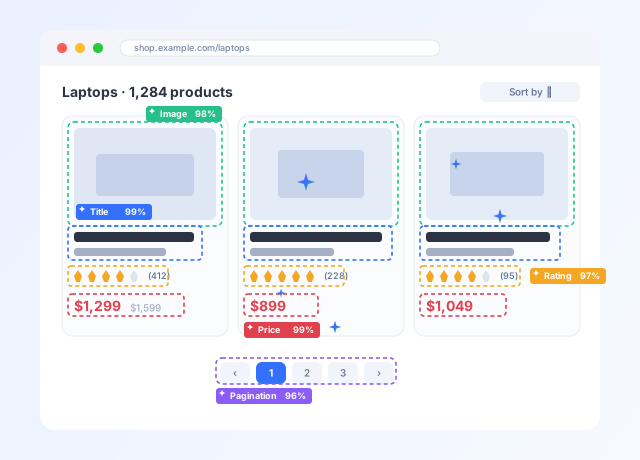
Mature Auto-detect
Thunderbit's limitThunderbit's auto-detect is not always useful — most detected fields are simply pre-configured from templates. Sometimes infinite-scroll pages are mistaken for paginated pages.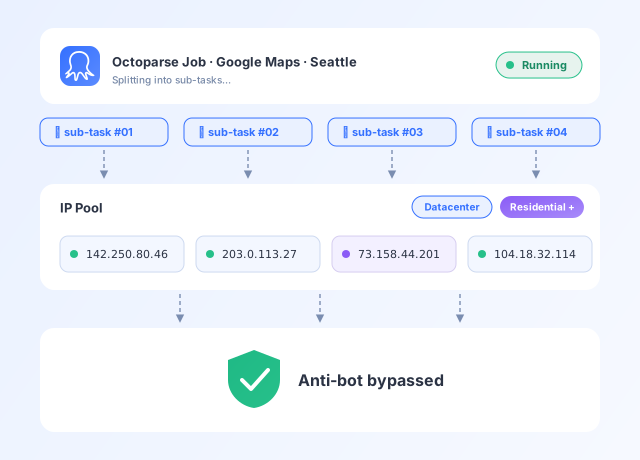
Built-in proxies and IP rotation
Thunderbit's limitThunderbit has no proxy infrastructure — once the target site blocks your IP, there is no built-in workaround.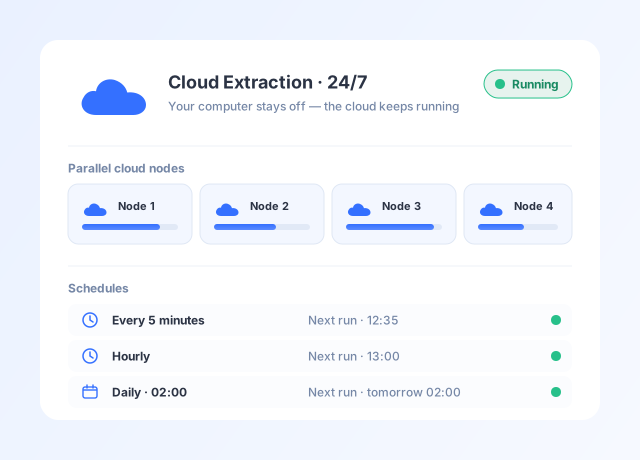
Cloud extraction and scheduling
Thunderbit's limitThunderbit does have cloud scraping and scheduling, but both are limited — schedules only run on fixed daily, weekly or monthly intervals, every cloud run keeps spending credits, and with no parallel acceleration or breakpoint restart, large or long-running jobs stay slow and break-prone.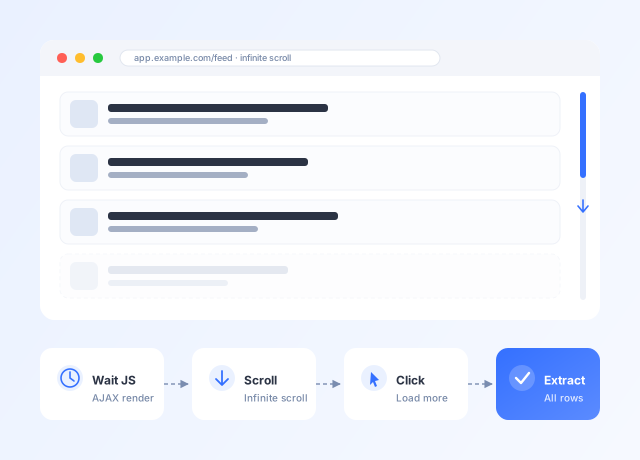
Handles any dynamic page
Thunderbit's limitThunderbit relies on what its AI can see in the moment, or on pre-configured data fields, and freezes or misses data on infinite-scroll pages.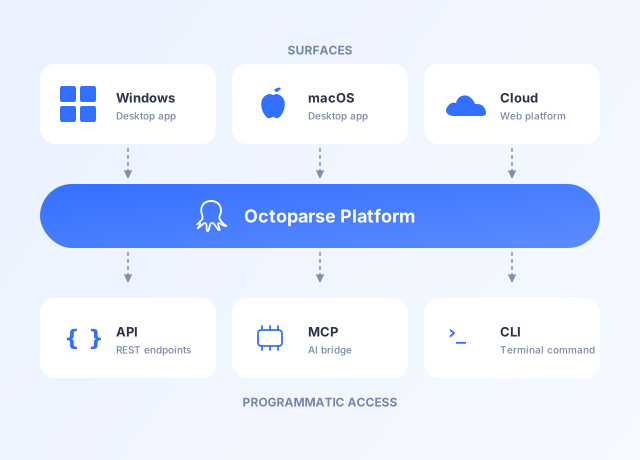
A full platform, not a browser add-on
Thunderbit's limitThunderbit works only in Chrome and Edge — no desktop app, no MCP, no place in an automated pipeline.Feature-by-Feature: Octoparse vs. Thunderbit


Pricing Comparison: What You Actually Pay
Two very different pricing models — and on any real scraping job, the cost-to-data gap between Octoparse and Thunderbit shows up almost immediately.
Octoparse
- Priced per task and concurrent cloud process
- A task scraping 50 rows costs the same as one scraping 50,000
- Standard includes 2 free credits and Pro includes 8 (1 credit = $1) for premium templates, proxies and CAPTCHA solving — or skip them and build the task yourself for free
Thunderbit
- Every row costs a credit — detail / subpage rows cost 2× each
- Each data enrichment query costs 30 credits
- Infinite scroll stays locked until at least the Starter plan ($15/mo)
- Even the $38/mo Pro plan includes just 3,000 credits — one detail-page job can spend them all
Scraping 1,000 Google Maps listings — with detail-page data
Who Should Use Which?
Choose Octoparse instead if…
- You scrape regularly — daily, weekly or on a schedule
- You need reliable pagination across 50+ pages
- You need cloud execution that runs without your browser open
- You need IP rotation to avoid blocks on anti-bot sites
- You work with a team that needs shared access
- You need database exports or API integration
- Predictable costs matter — no per-row credit anxiety
- You are scraping at real scale, or building AI workflows with MCP and LLMs
Thunderbit is a good fit if…
- You need occasional, small-scale scrapes (under 10 pages)
- You want the fastest possible setup with zero learning curve
- You scrape PDFs or images — OCR is a genuine differentiator
- You want in-scrape AI transformations like summarizing or translating
- Your budget is under $20/month and your volume is low
Frequently Asked Questions
Ready to get started with Octoparse?
Go beyond browser extensions with a full-featured scraping platform. Cloud extraction, scheduled automation, and enterprise scalability — all with a no-code interface.
Comparisons Library
Find out more benefits of using Octoparse compared with the alternatives.