Most creators find trending sounds when it’s already too late: the sound has 500,000 videos and the algorithm has moved on.
The window that actually matters is the 48-72 hours before a sound hits Phase 2 growth. Catch it there, and the algorithm pushes your video on momentum. Miss it, and you’re just adding to the noise.
I tested 10+ methods to find sounds in that window consistently without spending hours scrolling. Three of them actually work. Here’s exactly how.
Quick Answer
| Method | Speed | Best For | Free? |
| Octoparse template | Fastest | Batch data / teams | Free tier available |
| TikTok Creative Center | Medium | Trend validation | Yes |
| Reverse engineering viral videos | Slow | Niche deep-dives | Yes |
The fastest way to find trending TikTok sounds before they peak is to scrape recent video data and look for sounds appearing across multiple unrelated videos within a short time window. That’s the clearest signal of early-stage growth.
The key window is 48–72 hours before a sound hits peak growth. Use Octoparse to catch it there. Use Creative Center to confirm it.
The Real Problem With Finding Trending Sounds & How I Evaluated
Before sharing with you the best workflows to find trending sounds on TikTok, let’s quickly learn about the real problem most people face.
You know, TikTok has close to 2 billion active users, and millions of videos are uploaded every single day.
Based on the datasets I pulled in this guide and how sound usage evolves over time, you can think of TikTok trending sounds as moving through three practical phases:
- Early adoption
- Rapid viral growth
- Saturation
But the worst part is that most creators find the trending sound only in phase 3, which is not worth making a TikTok video.
However, your goal is to detect sounds during phase 1 or phase 2, when the sound is growing, creators are experimenting, and the competition is still low.
So, to find the most effective workflows, I tested each method based on a few practical criteria:
- Speed: how long it takes to find usable trending sounds (minutes vs hours)
- Data volume: how many videos or sounds you can analyze per run
- Early detection ability: whether the method surfaces sounds in Phase 1 or only after they start saturating
- Signal clarity: how easy it is to identify repeating sounds and growth patterns from the data
- Manual effort required: whether the method is automated or requires opening and analyzing videos one by one
- Consistency: whether the method produces similar results across different niches and regions
These criteria helped me filter out methods that look useful on the surface but don’t actually help you find trends early.
Why Trending Sounds Matter (And When You Can’t Use Them)
How does TikTok’s algorithm prioritize videos with trending audio?
TikTok’s algorithm groups videos using the same sound into shared distribution pools and runs small-batch tests. If early videos in that pool generate strong watch time and engagement, the algorithm expands reach to broader audiences, carrying newer videos using the same sound along with it.
That’s why using a sound in its early growth phase gives you a clear distribution advantage compared to using it after it’s already saturated.
Why can’t you always use trending sounds on TikTok?
If you’re using a TikTok business account, you won’t always have access to the same sounds.
That’s because many trending tracks are copyrighted music that’s only cleared for personal use, not commercial or branded content.
TikTok solves this by giving business accounts access to a separate Commercial Music Library, which includes sounds approved for ads, branded videos, and product content.
In practice, that means:
- you may not see viral songs that personal creators are using
- some trending audios will be unavailable for your account type
- you need to filter or choose sounds marked as “approved for business use”
So while trending sounds can boost your reach, your strategy needs to match your account type.
With that said, here are the methods that actually work:
3 Ways to Discover viral TikTok Audio Tracks Before They Peak (Tested)
Method 1: Find Trending TikTok Sounds Using Octoparse
Octoparse is one of the most popular no-code web scraping tools that lets you extract data from websites without writing code.
And after testing, I believe this is one of the best and easiest ways to find trending sounds in no time.
Here’s how:
Step 1: Use the TikTok Search Scraper template
First, visit the Octoparse website and download their desktop app.
Then open the app, go to the Templates section, and search for the “TikTok Search Scraper” template.
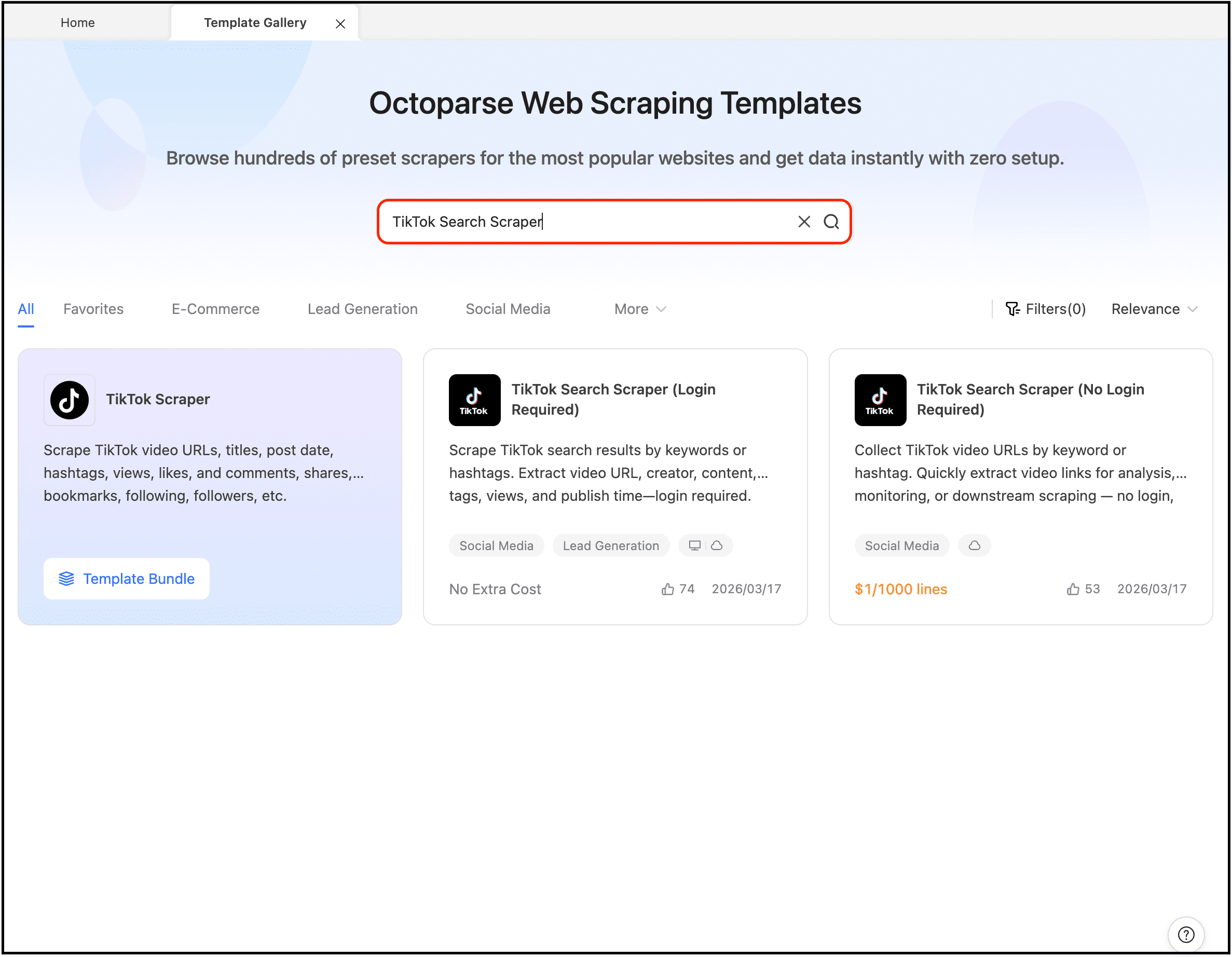
Select the template “TikTok Search Scraper (No Login Required)”. Yes, this template works even if you don’t have a TikTok account, because it scrapes the public search results page.
Or you can click the template card below to try it.
https://www.octoparse.com/template/tiktok-video-url-scraper
Step 2: Add the info to scrape trending sounds
Add the keywords you want to focus on and click the “Start” button.
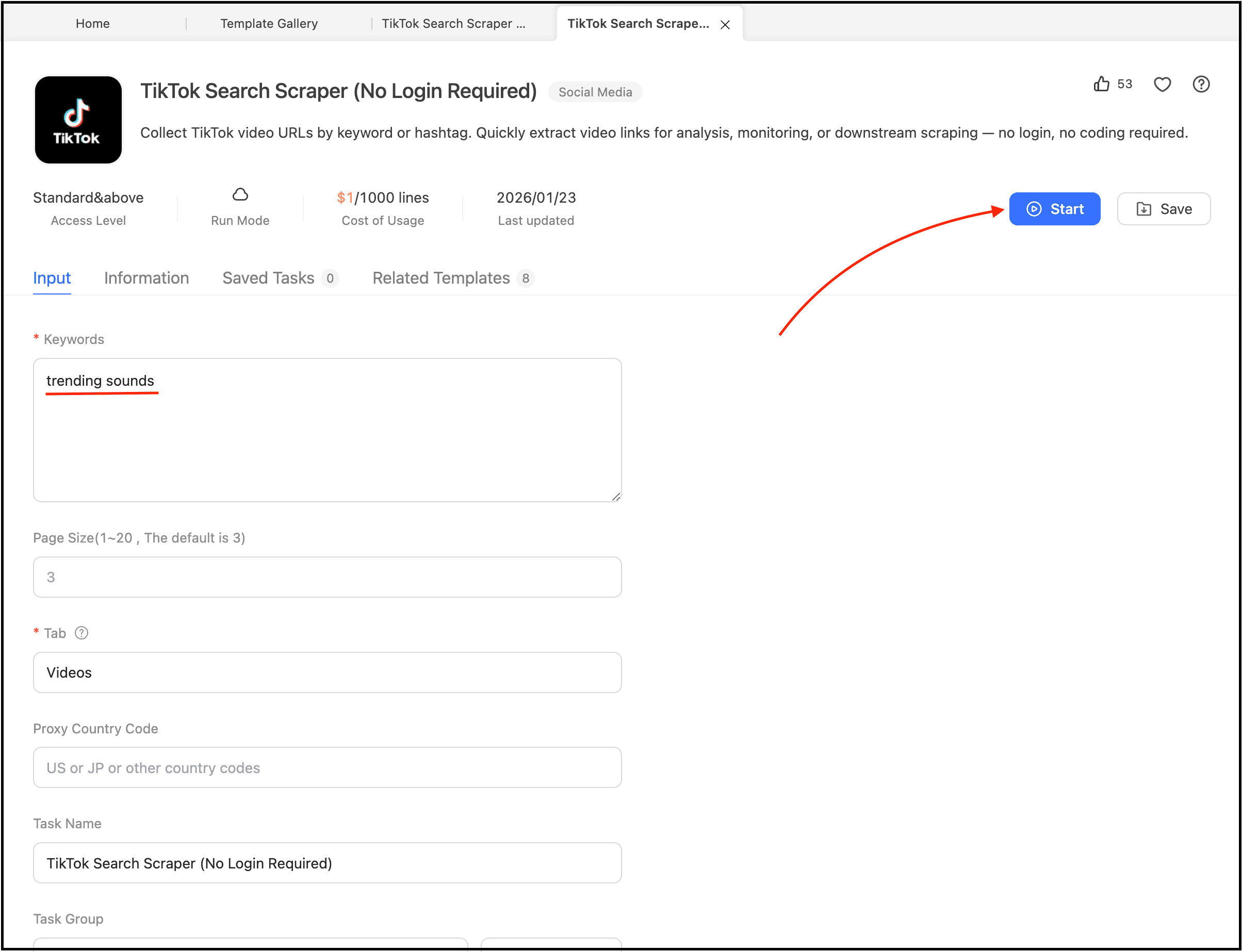
Select the ‘Videos’ tab for sound discovery. If you also want to find creators in your niche who are using trending sounds, switch to the ‘Users’ tab in the same template. From there, our guide on finding TikTok influencers who fit your brand covers vetting and contacting them.
You can also create a new TikTok scraping task, search for trending sounds, copy the URL into Octoparse, and scrape the data.
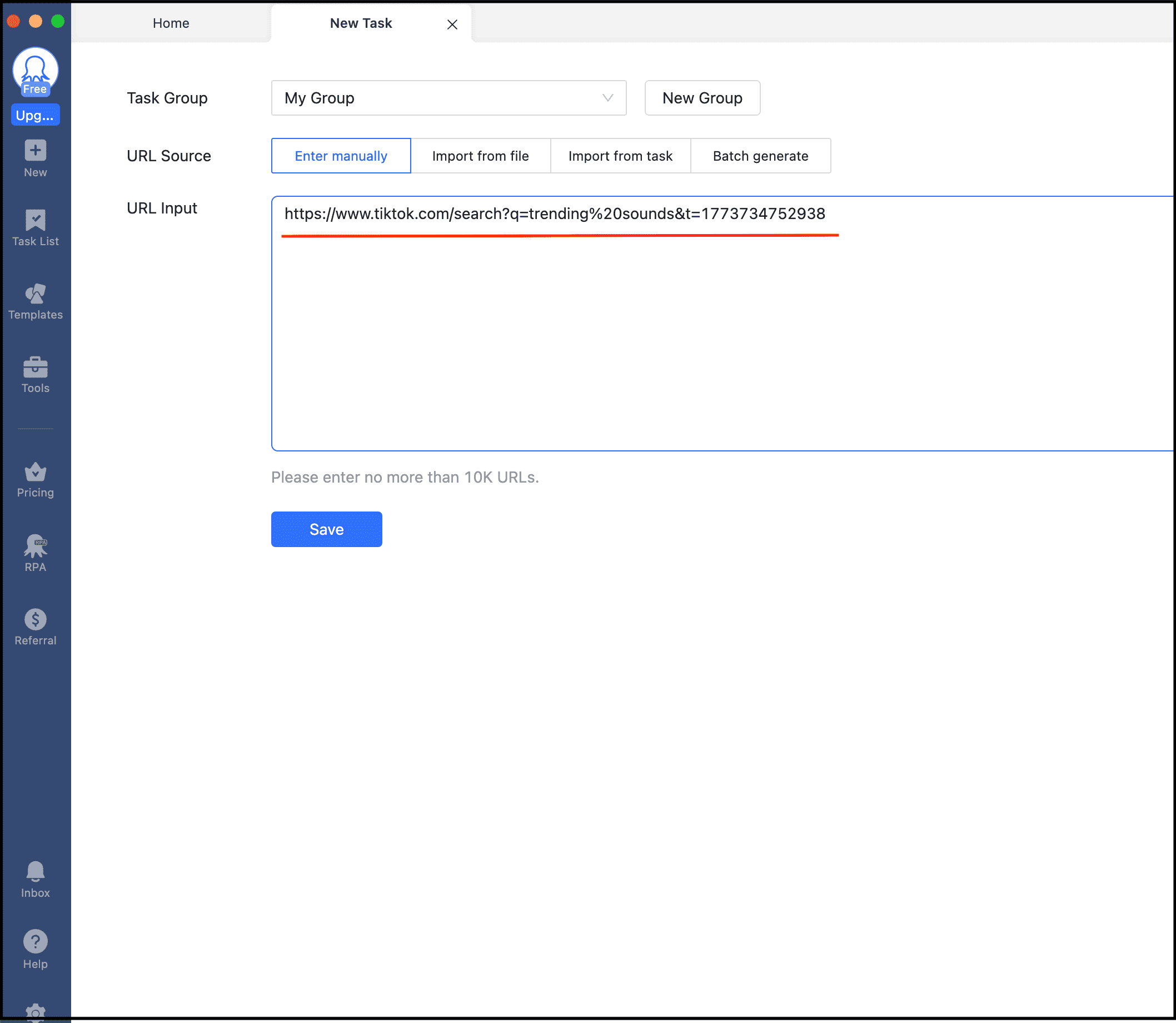
Step 3: Analyze the music fields in the output
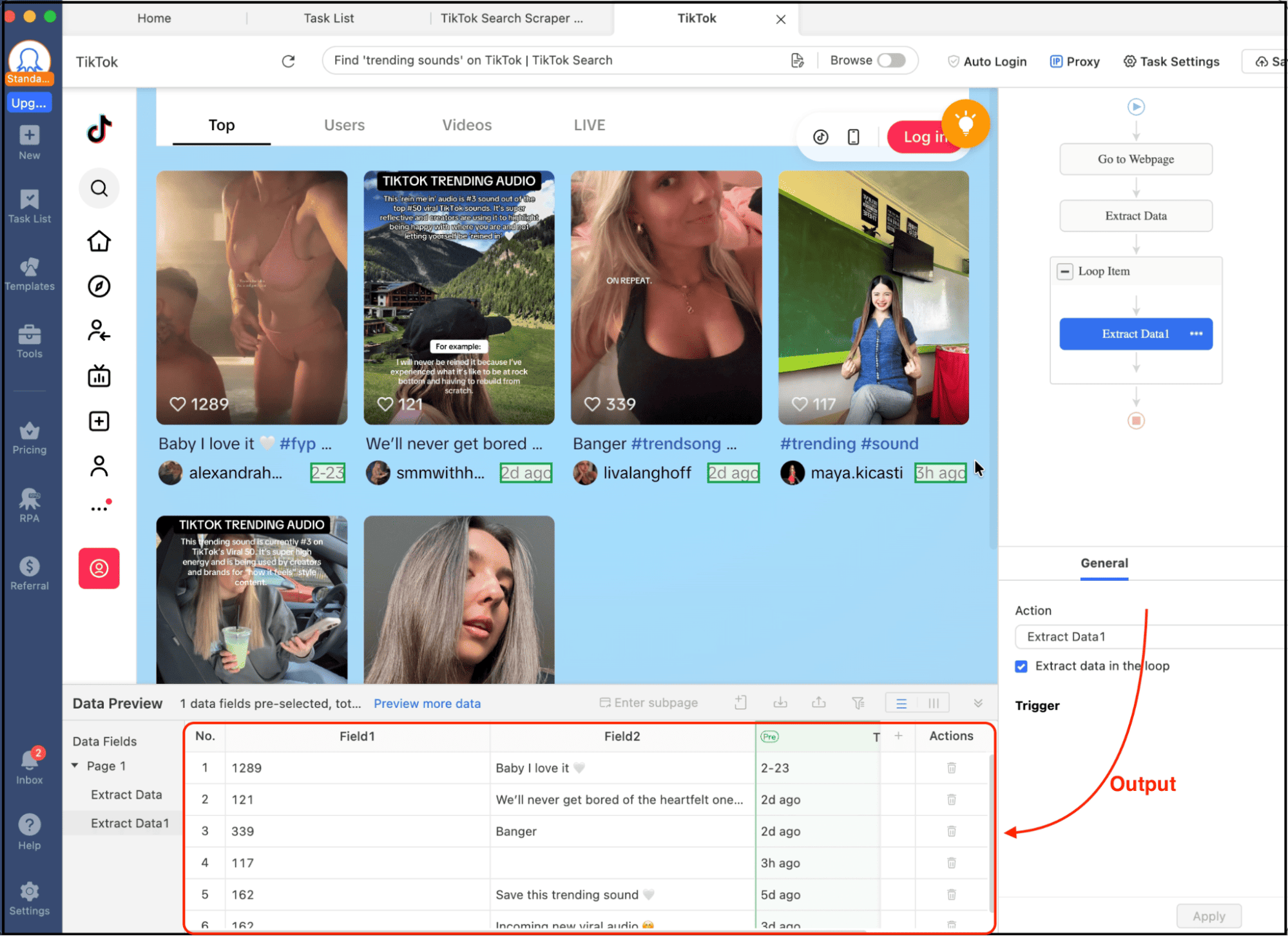
Once the output is ready, focus on these fields:
- music_name
- music_author
- music_url
Look for sounds that appear across multiple unrelated videos posted recently.
📑My test results:
I ran the TikTok Search Scraper template with the keyword “trending sounds” set to 10 pages (approx. 200–250 videos).
The task returned structured metadata for each video, including music_name, music_author, music_url, video views and publish time.
This gave me a dataset of ~230 videos in around 6–8 minutes.
From this dataset, I was able to identify 3–5 sounds that appeared repeatedly across unrelated videos posted within the last 24–48 hours, which is a strong signal of early trend formation.
💡One important tip: using the full TikTok search URL instead of just the keyword produced more consistent results across regions.
Method 2: Use TikTok Creative Center (The Official Way)
Now, the second method is to use TikTok’s Creative Center, where you can find trending sounds for free.
Unlike the TikTok app, which shows you trends after they’ve already spread, Creative Center gives structured analytics like trend curves and regional data.
Step 1: Open TikTok Creative Center
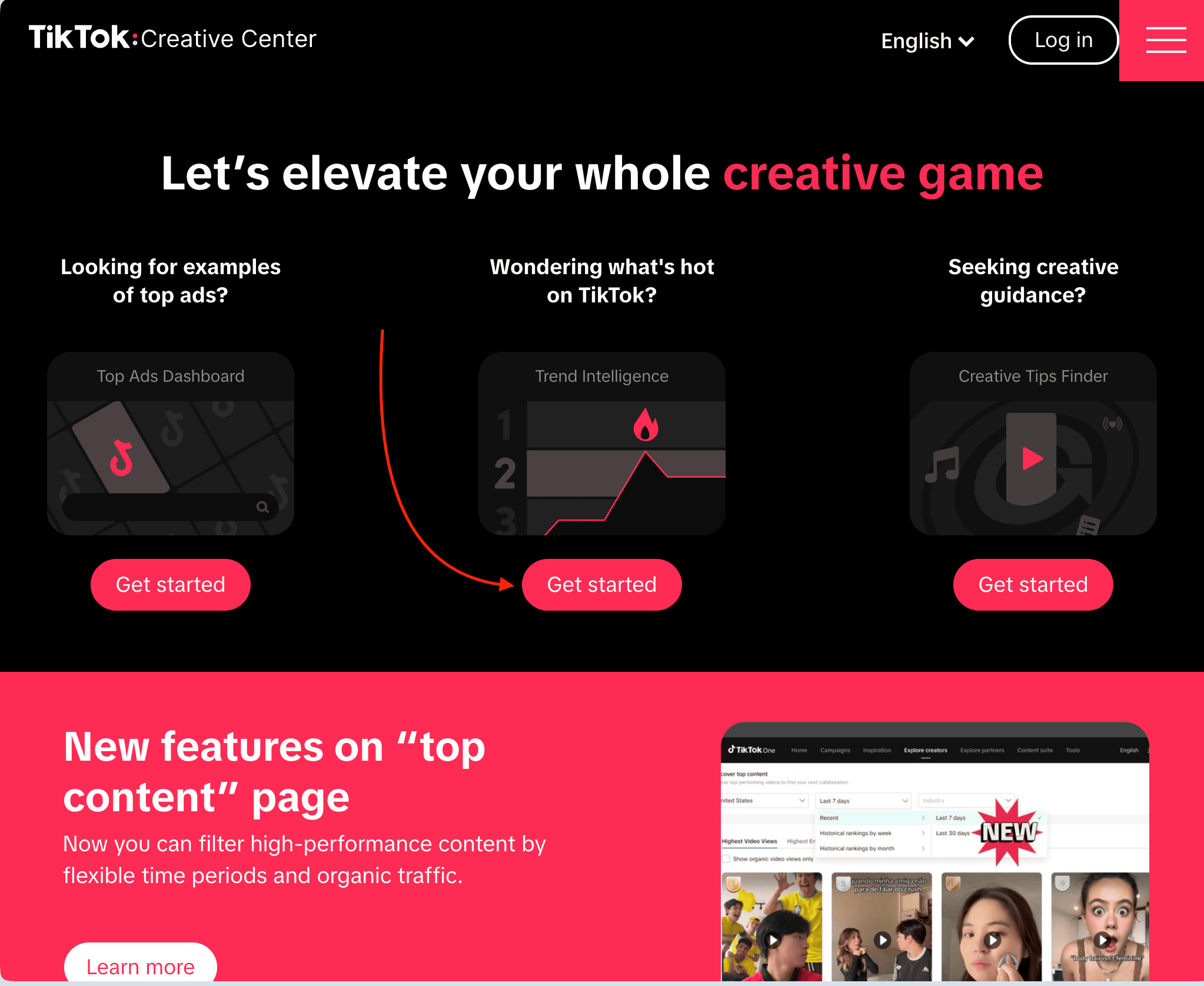
First you need to visit the TikTok Creative Center page and go to the Trending section.
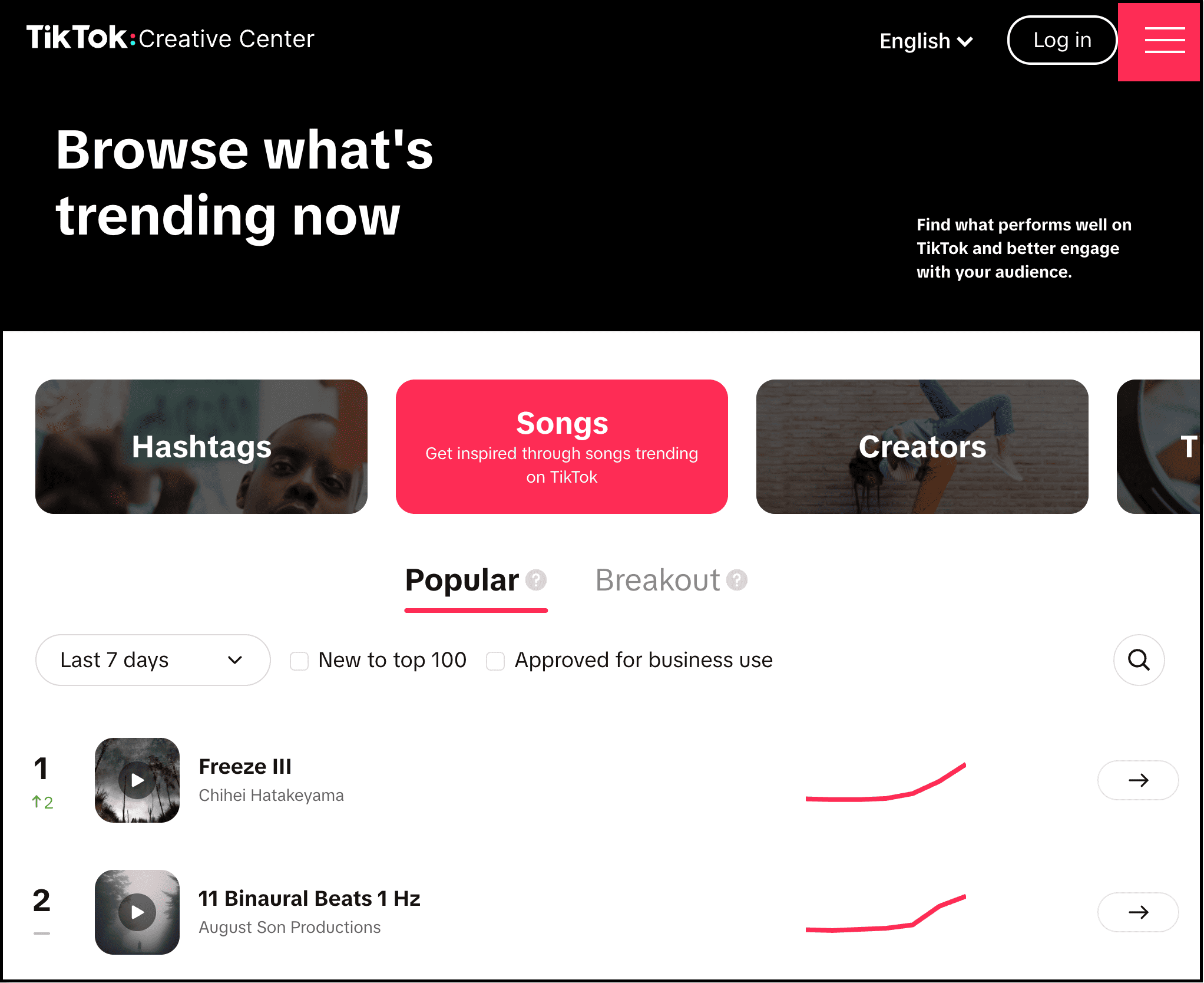
Then select Songs.
Step 2: Filter by region and time
Now, simply clicking on top songs and checking their analytics won’t give you the right insights.
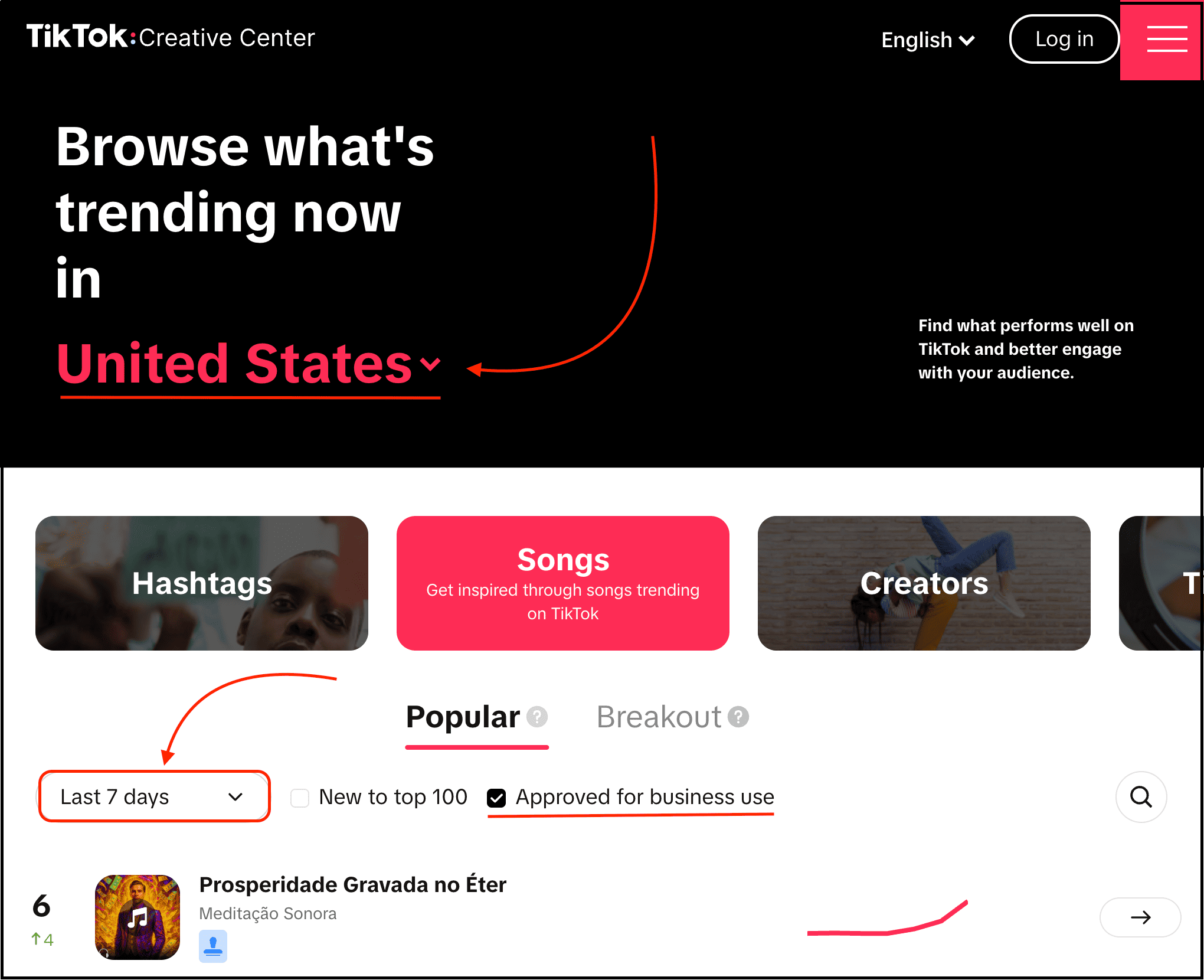
You actually need to select your target region and apply the filters for “Approved for business use” along with sounds trending in the last 7 days.
This way, you’re not just browsing random popular tracks, but actually finding TikTok sounds that are currently trending in a specific region you want to target.
Some precise examples you can try out:
If you’re in the fitness niche, search for keywords like leg day, home workout, or gym motivation, and then switch to the Top tab. If you’re in the beauty niche, try searches like makeup tutorials, skincare routine, or get ready with me. And don’t just look for one viral video. Instead, focus on sounds that keep showing up across multiple creators in your niche over the past few days.
Note: If you’re running a business account or creating content for brands, you need to always turn on the ‘Approved for business use’ filter in Creative Center so you only see sounds that are safe to use commercially. This filter ensures you only see sounds that are legally safe for brand and commercial content.
Step 3: Analyze the trend curve for each sound
After applying the filters, you can analyze each TikTok sound with interest over time, related videos, audience insights, regional popularity, and more.
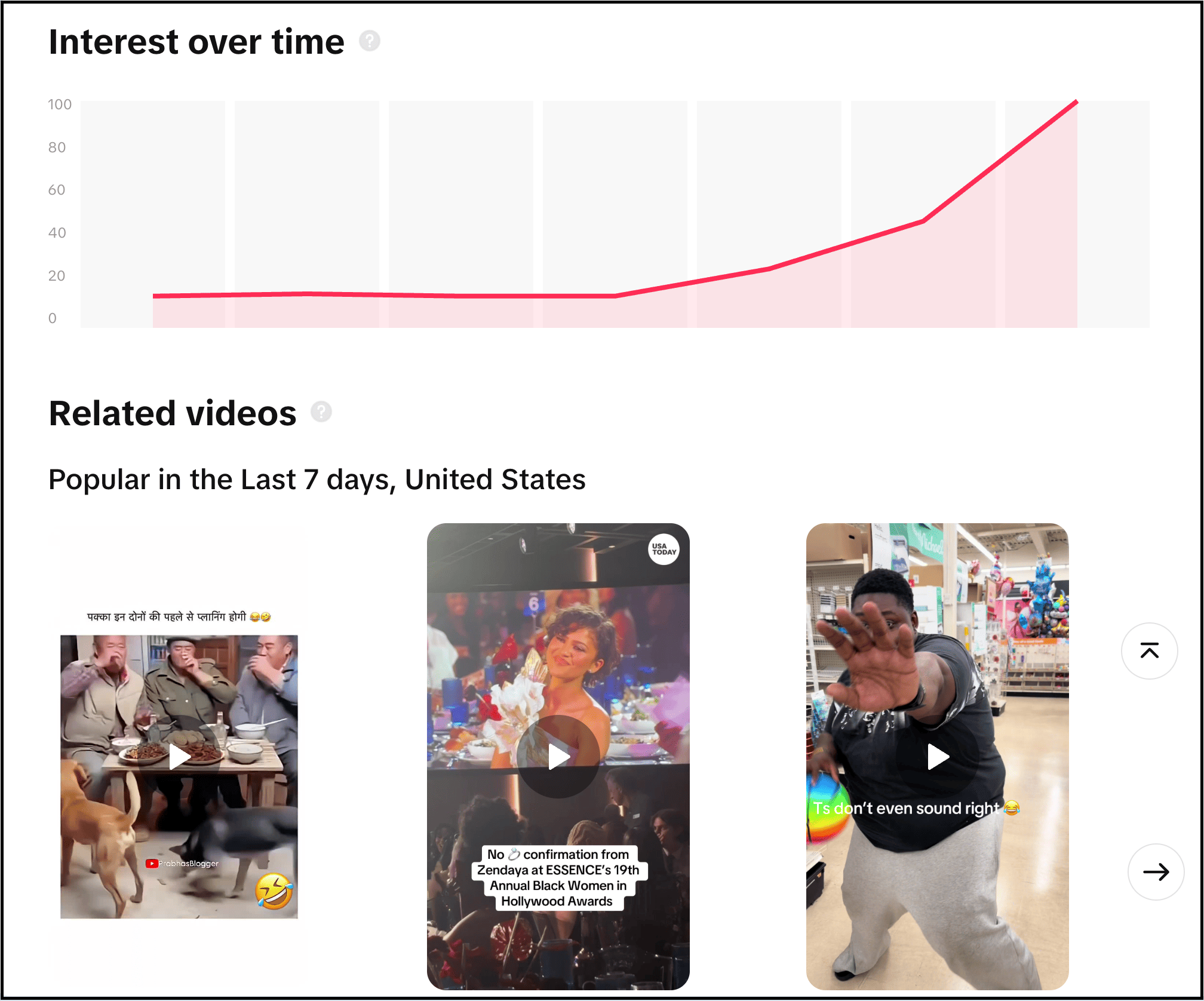
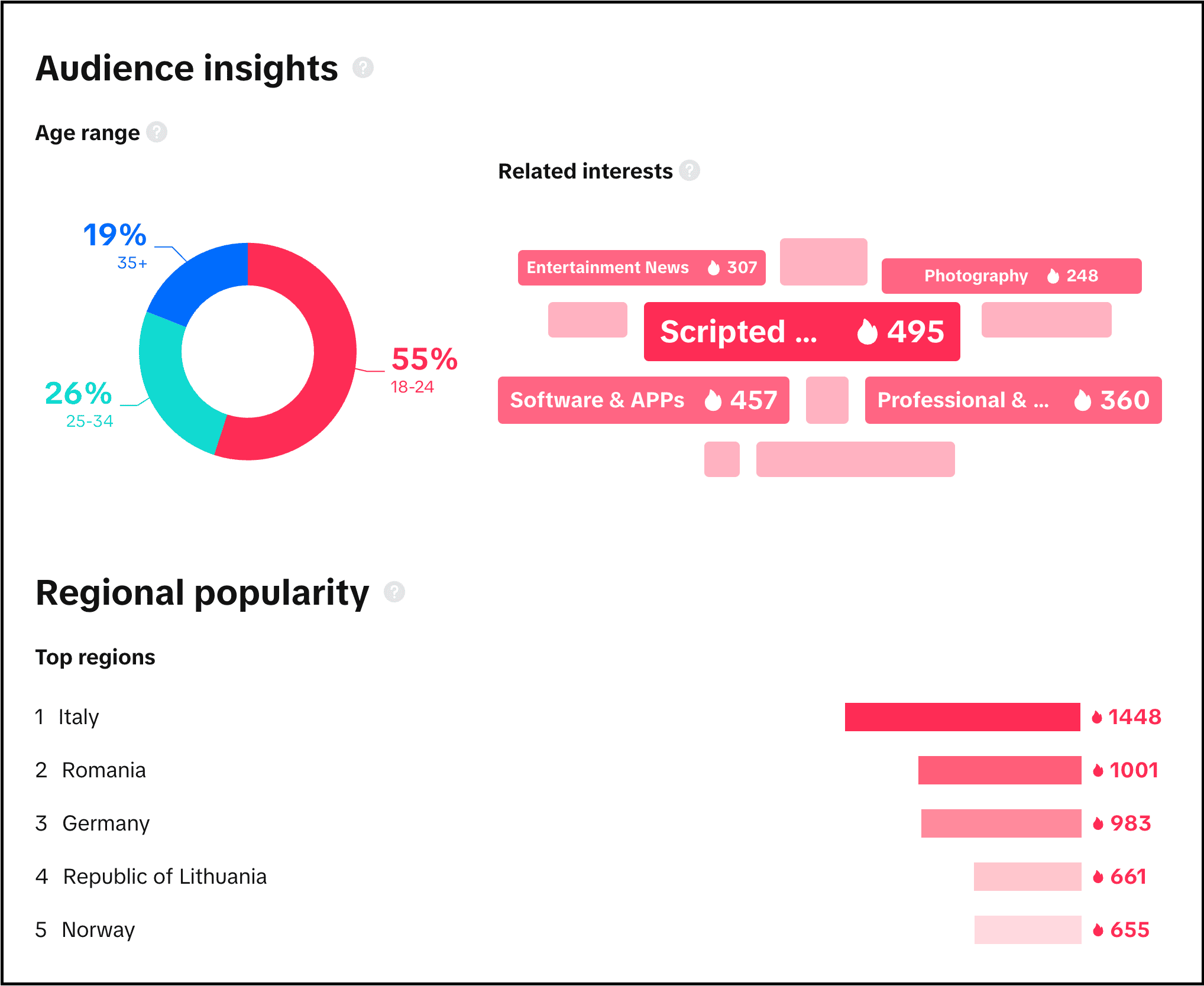
📑My test results:
I filtered TikTok Creative Center by:
- Region: United States
- Time range: Last 7 days
- Category: Songs (approved for business use)
I reviewed the top 25 sounds manually, and out of those:
- 18 sounds had already exceeded 50K+ video usage (late-stage trends)
- 5 sounds showed mid-stage growth
- Only 2–3 sounds had relatively low usage but rising trend curves
Time taken: ~12–15 minutes for full analysis.
This confirms that Creative Center is better for validating trends, but most of them have already peaked (feel saturated) by the time you discover them.
So this is one of its limitations.
Method 3: Reverse Engineer Viral Videos
This is the method most creators actually don’t know about since it is not heavily discussed, and it’s a bit time-consuming, but it gets the work done.
Here’s the process:
Step 1: Search your niche
If you are a TikTok creator, you may be working in a specific niche like productivity tips, gym motivation, AI tools, study hacks, and so on.
So search for that specific niche, and then switch to the “Top” section.
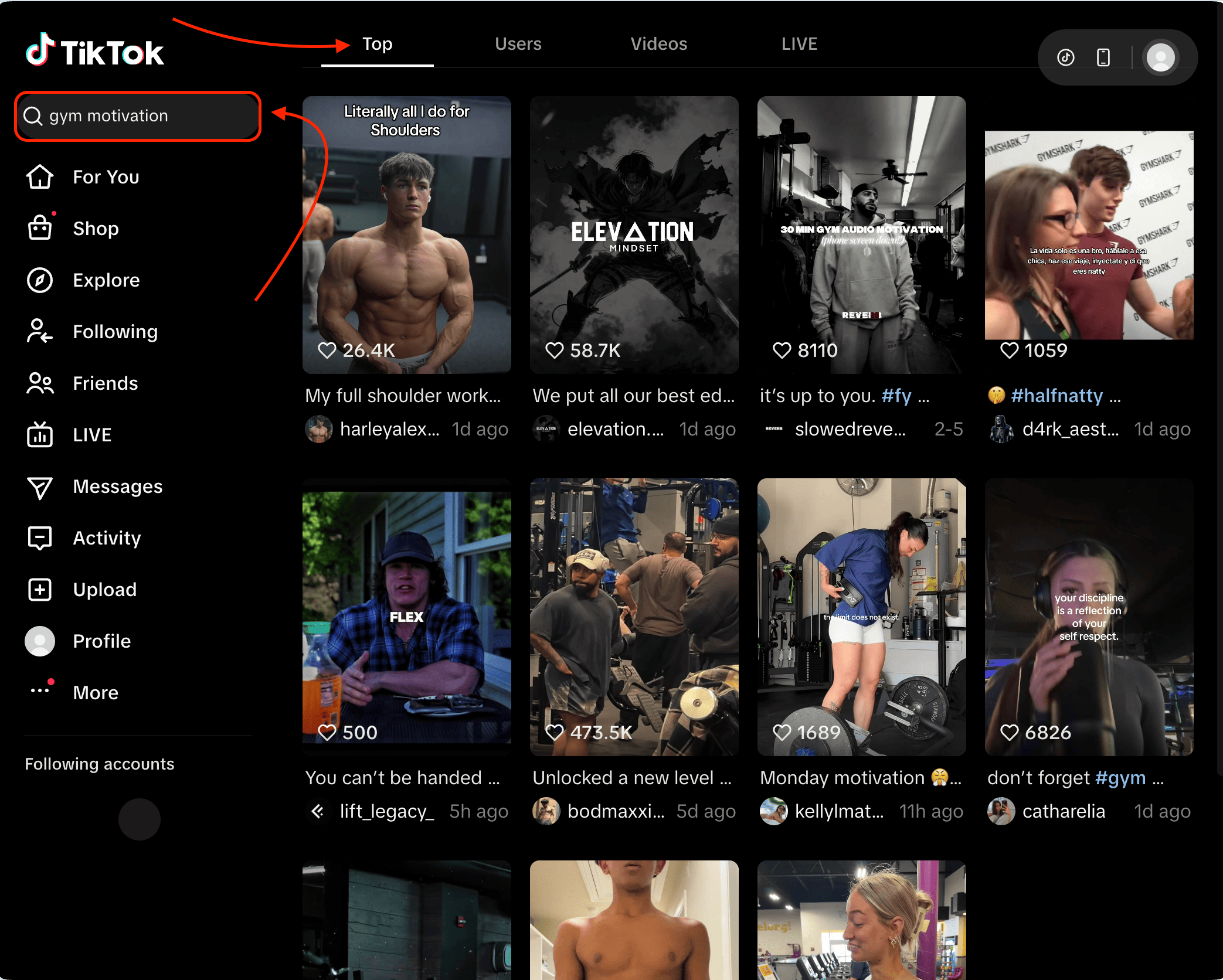
You see, here we are seeing videos that are getting insane views and are recently uploaded.
Step 2: Identify repeated sounds
Now start opening the top 20 to 30 videos from that to identify the trending TikTok sounds that they are using.
In this process, you will often notice the same sound appearing across multiple viral videos.
When that happens, open the sound page.
Step 3: Analyze a couple of videos and check the growth velocity
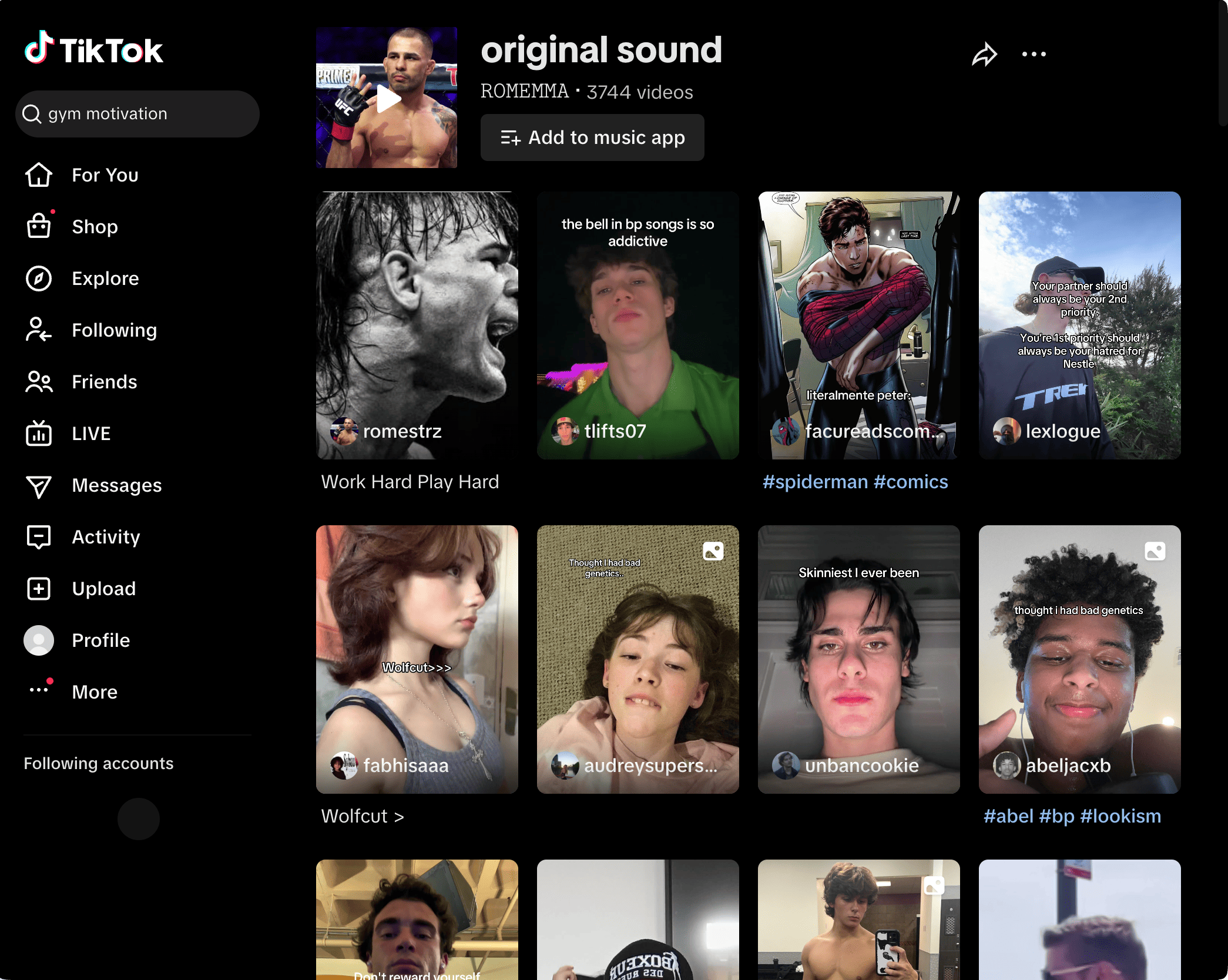
Now look at the number of videos using the sound, how recently those videos were posted, and the views each video is getting.
If you can see multiple videos that are recently uploaded and getting strong engagement, then you have found a trending TikTok sound.
📑My test results:
I searched for “AI tools” in TikTok and analyzed the Top tab. And I opened the top 25 videos posted within the last 3–5 days.
From this sample:
- 4 sounds appeared in at least 3 different viral videos
- 2 sounds were used in videos with 50K–100K views within 24 hours
Time taken: ~20–25 minutes.
This method produced fewer sounds than scraping, but this process can get the work done.
To scale this process, use Octoparse’s TikTok Profile Scraper. Input the URLs of the top creators you identified, and it returns all their recent videos with music_name, music_author, and music_url fields. So you can spot repeated sounds across multiple creators without opening each video manually. You can try this template by clicking the card below.
https://www.octoparse.com/template/tiktok-profile-scraper
What You Can Actually Do With Trending Sound Data
In this post, we have talked about the real problem most TikTok creators face while finding trending sounds, and then about some of the best methods to find TikTok trending sounds.
There are definitely other methods out there, like using third-party platforms such as Exolyt, but they’re not particularly effective. In most cases, they surface sounds that are already trending, whereas what you really need are early-stage trends. On top of that, many of their useful features are locked behind a paywall, meaning you have to pay just to access trending TikTok sounds.
So I suggest you select one of the methods from this post, whatever you like, and start tracking trending sounds.
What next? Well, you can use that data to:
- predict viral TikTok trends early to create your next video
- build a content calendar around upcoming sounds
- analyze which sounds perform best in your niche
- identify patterns in viral videos
- build AI tools that recommend sounds for creators
Some marketing teams are already doing this at scale.
Recent marketing case studies on TikTok trend adoption show that brands systematically monitor viral sounds and plug into them early to drive product discovery and sales, instead of relying on random posting.
I even know a number of marketing teams that are using tools like Octoparse to find trending sounds early and create content with creators before everyone else jumps in.
And that’s exactly the advantage you have even as a creator.
Want a deeper dive? Check out these articles:
FAQs about TikTok Trending Sounds Finding
1. How do you know if a TikTok sound is actually trending early and not already saturated?
From the datasets I analyzed, early-stage trending sounds usually show a few clear signals:
- low video count (often under 500 videos)
- multiple new videos using the sound within a short time window
- strong engagement on those early videos (views, likes, shares)
- usage across different creators, not just one account
If you notice these signals together, you are likely in Phase 1 or early Phase 2, and that is the best time to use that sound.
2. Should you rely only on TikTok Creative Center for trending sounds?
No, you should use TikTok Creative Center only to validate trends, but please don’t use it for early discovery. Since by the time a sound appears there, it has already gained traction across the platform.
3. What is the fastest method to consistently find trending sounds without wasting hours?
If your goal is speed and consistency without wasting your time, then simply go with Octoparse. Since it lets you extract hundreds of recent TikTok videos that are trending, which you can easily analyze to find trending sounds.
And if you don’t want to log into TikTok, tools like Octoparse can still scrape public search and trending pages so you can spot sounds without using the app directly.
4. How many trending sounds should you track at once?
If you are a TikTok creator, tracking around 5 to 10 trending sounds at a time is more than enough to create your next few videos without getting overwhelmed.
To make this more effective, create a simple spreadsheet and track:
- sound name
- discovery date
- number of videos using the sound at discovery
- number of videos after 7 days
This helps you understand which sounds are actually growing and which ones are already saturated, so you can focus only on high-potential trends.
5. Can you predict TikTok trends before they go viral?
Not with certainty but early-stage trending sounds share clear signals.
In most cases, they have:
- low video count (often under 500)
- consistent daily uploads using the sound
- strong engagement on those early videos
From my observation, the window between the first signal and peak saturation is usually around 48 to 72 hours.
That’s enough time to identify the trend, create content, and publish before it gets crowded, if you’re actively monitoring.
6. How to save and organize trending sounds?
Once you find trending sounds, don’t rely on memory.
Create a simple tracking sheet with:
- sound name
- link to the sound
- discovery date
- number of videos at discovery
- notes (niche, type of content, performance)
This helps you track which sounds actually grow and build your own dataset of patterns over time.