Looking for a web crawler that runs directly from your browser with no installation required? This guide highlights the top seven online web crawlers for 2026, divided into two categories: instant browser-based crawlers for quick, on-the-spot data extraction, and professional cloud platforms designed for recurring crawls, scheduling, and large-scale team audits. Each tool has been reviewed based on up-to-date pricing, genuine G2 and Capterra ratings, and hands-on testing.
Quick Answer: 7 Best Online Web Crawlers Compared
| # | Tool | Type | Best For | Free Tier | Starting Price |
| 1 | Octoparse | Cloud + templates | No-code data extraction at scale | Free forever (10 tasks) | $69/mo |
| 2 | Chat4Data | Chrome extension | AI-prompted scraping in 2 minutes | 100 free credits | $1 / 100 credits |
| 3 | Web Scraper.io | Chrome extension + Cloud | Visual point-and-click scraping | Free extension | $50/mo (Cloud) |
| 4 | Apify | Cloud platform | Developers and pre-built Actors | $5/mo credits | $29/mo |
| 5 | Sitebulb Cloud | Cloud SEO crawler | Technical SEO audits with team access | Free trial (Desktop) | ~$245/mo |
| 6 | Ahrefs | Cloud SEO platform | Backlink and SEO research | Webmaster Tools free | $129/mo |
| 7 | Lumar (formerly DeepCrawl) | Cloud SEO crawler | Enterprise site audits | Demo only | Custom quote |
Note: While some popular crawlers like Screaming Frog SEO Spider, Sitebulb Desktop, and HTTrack require installation, we’ve mentioned them where applicable. However, this guide focuses on tools that can be used entirely within your browser.
What Is an Online Web Crawler?
A web crawler (or web spider) is automated software that navigates web pages by following links from a list of seed URLs, collecting data along the way. An online web crawler operates entirely in the cloud or browser, allowing you to control it through a dashboard, no app installation or local machine required.
Web crawlers online generally fall into two categories:
- Data Extraction Crawlers: These pull structured data (such as prices, listings, reviews, and contact info) from target websites for business purposes.
- SEO Crawlers: These simulate search engine bots to audit websites for technical issues, broken links, indexability, and on-page SEO.
According to Cloudflare’s 2024 Radar report, automated bots, including legitimate web crawlers and scrapers, account for about half of all internet traffic. Choosing the right tool for your needs, and ensuring it’s fully browser-based, saves time and avoids unnecessary license fees.
Online vs. Desktop Crawlers: How to Choose
Before the picks, here’s the trade-off that matters most:
| Factor | Online (Cloud / Browser) | Desktop App |
| Setup | Sign up, run in 5 minutes | Download, install, configure |
| Crawling power | Plan limits, not your hardware | Capped by your laptop’s RAM |
| Always-on scheduling | ✅ Native | Requires keeping your machine on |
| Team collaboration | ✅ Shared dashboards | Manual file sharing |
| Cost | Monthly subscription | Often one annual license |
| Offline crawling | ❌ Needs internet | ✅ Works offline |
| Best for | Recurring jobs, large sites, teams | One-off audits, small sites |
If you crawl sites larger than 50,000 URLs, run scheduled scrapes, or share results across a team, an online crawler is almost always the right answer. If you’d rather work offline or prefer a one-time license over a subscription, see our roundup of the top 20 web crawling tools for desktop and hybrid options.
Methodology: How We Chose Website Crawler Tools Online
We evaluated 22 web crawlers and selected the top seven based on the following criteria:
- Browser or Cloud-Based: Tools must run entirely in the browser or cloud, with no desktop installation required for the core functionality.
- Active Updates (2025–2026): We reviewed release notes and changelogs to ensure ongoing development.
- Transparent Pricing: Tools with clear pricing structures or a straightforward custom-quote process for enterprise-level services.
- Anti-Blocking Features: Documented support for proxies, IP rotation, and JavaScript rendering.
- Verified User Ratings: A minimum of 4.0/5.0 on G2, Capterra, or the Chrome Web Store.
- Hands-On Testing: We conducted a sample crawl of each consumer-facing tool, scraping a public e-commerce page (~1,200 product listings) and measuring completion time and data quality.
One key observation from years of using Octoparse shaped how we wrote this guide: Online crawler users typically fall into two groups. One-off users sign up, grab a single dataset, and never return. Recurring workflow users, on the other hand, build a scraper once and continue running it for months or even years. The second group tends to derive far more value from any tool on this list, and the real difference often isn’t the software; it’s whether the user planned a recurring use case before evaluating. We placed heavy emphasis on “fits ongoing workflows” in our picks, as that’s where the true value lies.
Part 1: Instant Browser-Based Crawlers
These tools are built for “I need data in the next 10 minutes” jobs. Paste a URL or describe what you want, and you get a CSV. No installation, minimal setup.
#1 Octoparse: Best Online Web Crawler for Most Users
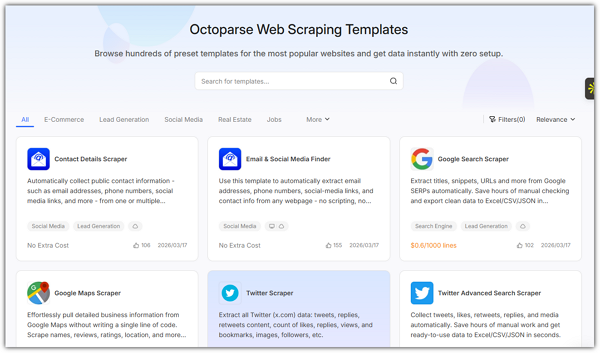
Octoparse is a no-code web crawler with both a cloud product and 500+ ready-to-run scraping templates covering Amazon, LinkedIn, Google Maps, Yelp, Twitter, Indeed, Yellow Pages, and other major sites. Templates run directly in your browser: enter a URL or keyword, click Run, and the crawl executes on Octoparse’s cloud servers. An optional desktop app is available for users who want a local task builder.
Key features
- Cloud extraction with up to 20 concurrent tasks (Professional plan)
- AI-powered auto-detection of structured data fields
- Built-in anti-blocking: IP rotation, residential proxies, automatic CAPTCHA solving
- Scheduled crawls (hourly, daily, weekly, custom cron)
- JavaScript rendering for dynamic and infinite-scroll pages
- Export to CSV, Excel, JSON, Google Sheets, Dropbox, S3, or any tool via API
Pricing: Free forever plan with 10 tasks and 50,000 rows/month.
Verified ratings: 4.8 / 5 on G2 (52 reviews) · 4.4 / 5 on Capterra (106 reviews)
Honest Limitations:
- Sites with heavy anti-bot protection may require residential proxy add-ons (around $3/GB).
- Pricing details can vary across different pages; confirm rates at checkout.
- Some complex workflows may still be better suited for desktop tools rather than cloud-only interfaces.
Best For: Non-coders needing recurring data extraction (price tracking, lead generation, market research), especially those who need a scraper for Amazon, Google Maps, or LinkedIn up and running within minutes using templates.
#2 Chat4Data: Best AI-Prompted Online Crawler
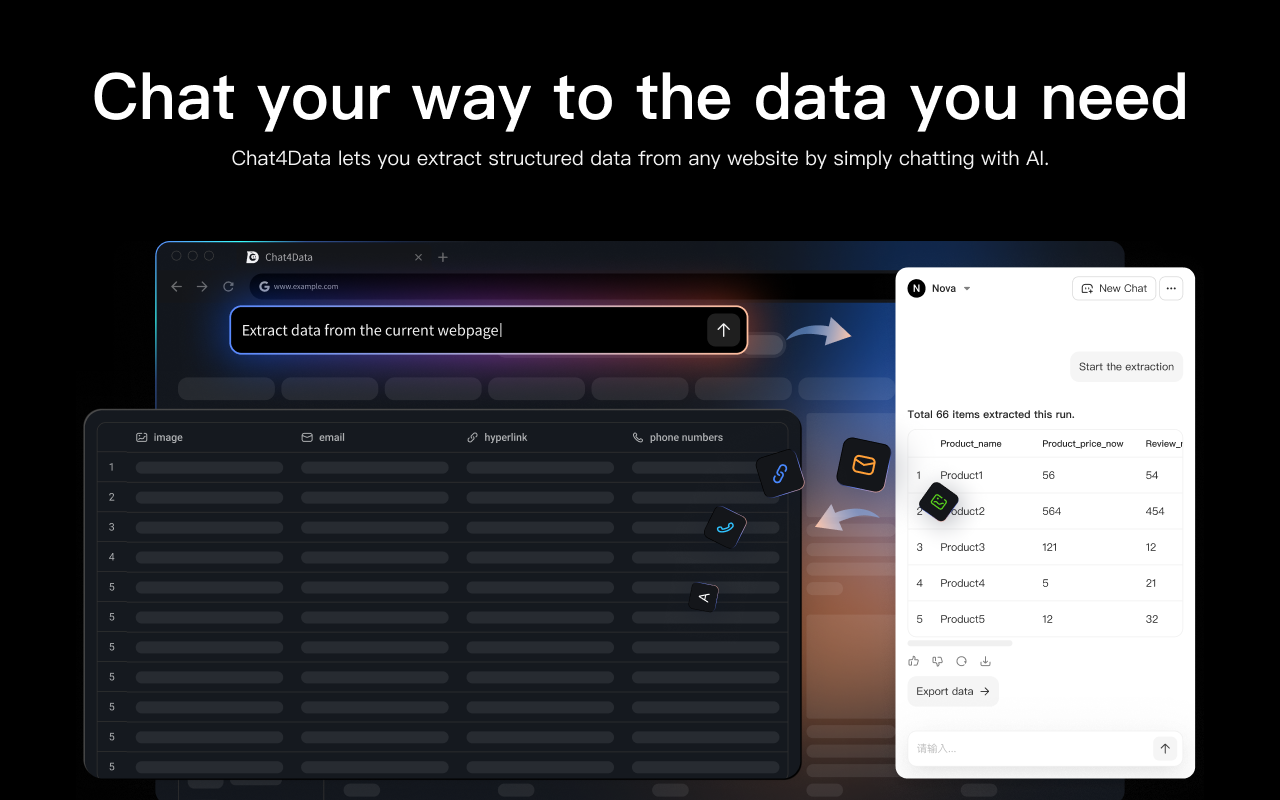
Chat4Data is an AI-powered Chrome extension that scrapes web data using natural language prompts. Simply open a page, type “extract product names, prices, and ratings from this page,” and the AI takes care of the rest—automatically detecting fields, handling pagination, and exporting data to CSV. Everything runs locally in your browser, ensuring your data stays on your machine. It was voted #1 Product of the Day and #2 Product of the Week on Product Hunt.
Key Features:
- Plain-English Prompts: Skip selectors, XPath, or complex scraping rules.
- Auto-Pagination: Handles “Next” buttons, “Load More,” and infinite scrolling.
- Multi-Data Extraction: Collects text, images, links, emails, and phone numbers.
- Execution Plan Preview: Review every navigation step before using credits.
- Saved Task Reuse: Configure once and re-run without re-analyzing.
- Privacy-First: No data is routed through Chat4Data servers, keeping everything local.
Pricing: Free with 100 starter credits (~2-3 site scrapes). After that, $1 per 100 credits on a pay-as-you-go basis.
User rating: 4.6 / 5 on Chrome Web Store (Featured extension)
Honest Limitations:
- The browser tab must remain open during extraction (no background runs).
- No option to start from a list of URLs yet (this is on the roadmap).
- Best suited for single-page or list-based scrapes; for more complex, multi-level workflows, Octoparse may be a better choice.
Best For: Anyone looking to scrape a webpage in under 2 minutes without needing to learn a tool. It’s ideal for researchers gathering references, marketers compiling competitor lists, or analysts collecting one-off datasets from sites without a public API.
#3 Web Scraper.io: Best Free Chrome-Based Crawler
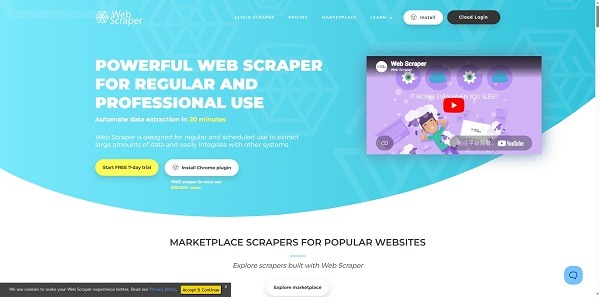
Web Scraper.io is a popular Chrome extension with over 300,000 users, complemented by Web Scraper Cloud for scheduled runs. The free extension uses a sitemap-based approach: simply click elements on a page to define what to extract, then run the scrape locally in your browser, no coding or servers required.
Key Features:
- Point-and-Click Sitemap Builder: Visual workflow design for easy extraction setup.
- Multi-Level Navigation: Supports scraping through categories, products, and details.
- JavaScript Rendering: Handles dynamic pages with ease.
- Export Options: CSV, XLSX, or JSON export directly from the extension.
- Web Scraper Cloud: Adds scheduling, parallel jobs, API access, and storage integrations.
Pricing: The browser extension is free and unlimited. Web Scraper Cloud starts at $50/mo (5,000 page credits, scheduled jobs), with Professional at $100/mo (20,000 credits, parallel jobs) and a custom Scale tier for unlimited URL credits.
User rating: 3.9 / 5 on Chrome Web Store (most popular web scraping extension by install count)
Honest Limitations:
- The sitemap configuration has a learning curve and isn’t as instant as Chat4Data.
- The free extension only works while your browser is open.
- Has a lower Chrome rating compared to Chat4Data, mainly due to bot detection issues on protected sites.
Best For: Developers and analysts looking for a free, transparent, browser-only tool with full control over selectors, and who don’t mind spending 30 minutes learning the sitemap model in exchange for unlimited free runs.
#4 Apify: Best Online Crawler for Developers
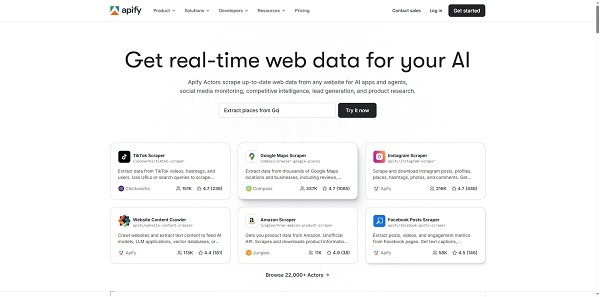
Apify is a comprehensive cloud platform for web scraping and automation, with everything running on Apify’s infrastructure, including storage, scheduling, proxies, and compute. A standout feature is the Apify Store, which offers over 26,000 pre-built “Actors” (cloud programs) for scraping major sites like Google Maps, Amazon, Instagram, LinkedIn, TikTok, and more.
Key Features:
- 26,000+ Pre-Built Actors: Available in the Apify Store for scraping popular websites.
- AI Integration: Native MCP server integration allows AI agents like Claude to run Actors directly.
- Custom Actor Development: Create custom Actors in JavaScript or Python using the open-source Crawlee library.
- Website Content Crawler: Optimized for AI/RAG pipelines with clean Markdown output.
- Advanced Features: Proxy management, JavaScript rendering, and headless browser support included.
- Compliance: SOC 2 Type II, GDPR, and CCPA compliant.
Pricing: Free tier with $5 in monthly platform credits. Paid plans run from Starter at $29/mo to Business at $999/mo, with Enterprise pricing available on request.
User ratings: 4.7 / 5 on G2 (415+ reviews) · 4.8 / 5 on Capterra (435 reviews)
Honest Limitations:
- Compute-Unit Billing: Monthly costs can be unpredictable for heavy scraping jobs.
- Free $5 Credit: It runs out quickly on JavaScript-heavy sites.
- Steeper Onboarding: Requires more technical know-how than no-code tools, making it better suited for developers.
Best For: Developers building data pipelines, AI/LLM training datasets, or custom integrations. Also ideal for anyone scraping platforms like TikTok, Instagram, or niche e-commerce sites, where a pre-built Actor likely already exists.
Part 2: Cloud Platforms for SEO and Site Auditing
These are professional cloud-based crawlers built for ongoing SEO work: site audits, backlink research, technical health monitoring. They run entirely in your browser and support team workspaces.
#5 Sitebulb Cloud: Best Online Crawler for Technical SEO
Sitebulb is one of the few true browser-based SEO crawlers. Sitebulb Cloud operates on a custom subdomain (yourcompany.sitebulb.cloud), allowing your team to launch crawls, share audits, and review issues from any device. Each Cloud plan also includes a Sitebulb Pro desktop license, offering both formats in one subscription.
Key Features:
- 300+ Technical SEO Checks: Includes prioritized “Hints” for better optimization.
- Scalable Crawling: Crawl up to 10 million URLs per audit on enterprise plans.
- JavaScript Rendering: No extra cost for rendering (uses the latest Chrome).
- Audit Comparison & Historical Tracking: Compare audits over time and track changes.
- Looker Studio Integration: Create custom dashboards for in-depth reporting.
Pricing: Sitebulb Cloud starts at £195/mo (~$245) for teams that need browser-based access.
User rating: 4.8 / 5 on Capterra (24+ reviews)
Honest Limitations:
- Higher Price Floor: The Cloud version is noticeably more expensive than the Desktop Pro.
- No Keyword or Backlink Data: Focuses solely on technical audits, not a full SEO suite.
- Smaller Indexes: Compared to tools like Ahrefs or Semrush, it has fewer indexed pages.
Best For: SEO consultants and agencies conducting technical audits for clients, especially teams that need both a desktop tool and a shared cloud workspace under a single license.
#6 Ahrefs — Best Online Crawler for SEO and Backlinks
Ahrefs runs one of the largest active web crawlers in the SEO industry. AhrefsBot continuously indexes the web and powers a backlink database with over 35 trillion external backlinks. The platform is fully browser-based, accessible at ahrefs.com.
Key Features:
- Site Explorer: In-depth backlink analysis and competitor research.
- Site Audit: Crawls your website to identify 170+ technical SEO issues.
- Keywords Explorer: Provides traffic potential, keyword difficulty (KD), and SERP data.
- Brand Radar: Tracks your brand’s presence in AI-driven search results (e.g., ChatGPT, Perplexity, Google AI Overviews).
- Free Webmaster Tools: Available for verified domain owners to track SEO performance.
Pricing: Five tiers ranging from Starter at $29/mo to Enterprise at $1,499/mo. Most working SEOs land on Lite ($129/mo) or Standard ($249/mo).
User ratings: 4.5 / 5 on G2 (581+ reviews) · 4.5 / 5 on Capterra (580+ reviews) · 4.6 / 5 on TrustRadius
Honest Limitations:
- Price Increase in 2024: Pricing rose significantly (Lite: $99 → $129, Standard: $179 → $249), with tighter credit limits on lower tiers.
- Content Explorer: Available only with the Standard plan or higher.
- API Access: Requires a separate subscription starting at $500/month.
Best For: SEOs and content marketers focused on backlink building, keyword research, and competitor intelligence. Also ideal for teams that need both technical site audits and competitive data in one platform.
#7 Lumar (formerly DeepCrawl) — Best Online Crawler for Enterprise
Important: DeepCrawl rebranded to Lumar in 2022. Same company, same platform.
Lumar is a cloud-based website intelligence platform designed for enterprise SEO teams. It supports large-scale crawling, recurring audits, and is focused on technical SEO, GEO/AEO (AI search) monitoring, and accessibility checks.
Key Features:
- Enterprise-Scale Crawling: Crawl millions of pages per audit.
- SOC 2 Type 2 Certified: Ensures high security and compliance.
- GEO/AEO Modules: Optimizes AI-driven search results.
- Lumar Protect: Validates staging environments before deployment.
- Trusted by Big Brands: Used by Adobe, eBay, Microsoft, and other Fortune 500 companies.
Pricing : Custom quote only. Lumar no longer publishes tier pricing. Industry sources suggest an entry point around $300/month, though final pricing is negotiated based on URL volume.
User ratings: 4.4 / 5 on G2 · 4.4 / 5 on Capterra (14+ reviews)
Honest Limitations:
- No Public Pricing: Lack of transparent pricing makes it harder for smaller teams to evaluate.
- Overkill for Smaller Sites: Best suited for sites with over 100,000 pages.
- No Competitor Backlink Data: Lumar is a dedicated crawler, not a full SEO suite.
Best For: Enterprise SEO teams managing large sites with millions of pages (e-commerce catalogs, news publishers, Fortune 500 brands) where most crawlers would time out. Also ideal for agencies that need crawl, accessibility, and AI-search monitoring in a single platform.
What About Screaming Frog? Screaming Frog SEO Spider is one of the most recognized SEO crawlers in the industry, and rightfully so. However, it is a desktop application, not an online tool. The free version allows crawling up to 500 URLs, while the paid license costs $279/year (verified April 2026).
If you need an installed crawler with deep customization and no recurring subscription, Screaming Frog is an excellent choice. But if “online” is a must, such as browser-based access, team sharing, and no installation, then Sitebulb Cloud, Ahrefs, or Lumar are better alternatives.
Use Cases: Which Online Crawler for Which Job?
| If you need to… | Best pick |
| Pull product prices from Amazon every morning | Octoparse (Amazon template) |
| Scrape a one-off webpage in under 2 minutes | Chat4Data |
| Build a Google Maps lead list of 10,000 restaurants | Apify (Google Maps Scraper Actor) |
| Run a free, unlimited browser-based scraper | Web Scraper.io extension |
| Audit a 200-page client site for technical SEO issues | Sitebulb Cloud or Ahrefs Site Audit |
| Track competitor backlinks weekly | Ahrefs Site Explorer |
| Monitor a 5-million-page enterprise site | Lumar |
| Feed an LLM with website content for RAG | Apify Website Content Crawler |
| Run a one-off audit under 500 URLs (free) | Web Scraper.io or Octoparse free plan |
Is It Legal to Use an Online Web Crawler?
In most jurisdictions, crawling publicly accessible web pages is legal, but there are several important conditions to keep in mind:
- Respect robots.txt: Crawling pages explicitly disallowed in the robots.txt file may violate computer misuse laws in some countries.
- Personal Data Regulations: Laws like GDPR (EU), CCPA (California), and others restrict scraping personal information without a legal basis.
- Terms of Service: Websites may restrict scraping in their Terms of Service. While violating these terms may not always be illegal, it can lead to account bans or civil suits.
- Avoid Overloading Servers: Aggressive crawling that disrupts a site’s operation can be considered denial-of-service abuse.
This is general information, not legal advice. If you’re scraping at scale or collecting personal data, it’s advisable to consult a lawyer in your jurisdiction.
Frequently Asked Questions
What is the difference between a web crawler and a web scraper?
A web crawler systematically discovers and visits web pages by following links. Its job is navigation. A web scraper, on the other hand, extracts specific data from those pages. Its job is extraction. Most modern tools, including all seven on this list, do both: they crawl to find pages and then scrape the relevant fields. The distinction is important when choosing tools focused on link discovery (SEO crawlers) versus structured data extraction (data crawlers).
Can I crawl a website online for free?
Yes, several tools on this list offer free tiers:
- Octoparse: 10 tasks and 50,000 rows of monthly export for free
- Web Scraper.io: Unlimited crawls via the Chrome extension
- Chat4Data: 100 starter credits
- Apify: Includes $5 in monthly compute credits
- Ahrefs Webmaster Tools: Free for verified domain owners For one-off jobs, these free tiers work without requiring an upgrade. For more free options, check out our guide to 9 free web crawlers for beginners.
Do online web crawlers handle JavaScript-rendered websites?
Yes, all seven tools listed above support JavaScript rendering, though the quality may vary.
- Octoparse, Apify, and Sitebulb use real headless browsers (Chrome/Chromium) to fully render pages, including SPAs, infinite scroll, and dynamic content.
- Web Scraper.io and Chat4Data render JS in your actual browser.
- Ahrefs renders JS for its Site Audit. If your target site is heavily built with React, Vue, or Angular, test with each tool’s free tier first to see how well it renders your site.
How do online crawlers avoid getting blocked?
Most cloud-based crawlers use a combination of IP rotation, residential proxies, user-agent rotation, request throttling, and CAPTCHA solving services. Tools like Octoparse and Apify include these features in their paid plans. Browser-based extensions like Chat4Data and Web Scraper.io rely on your local browser session, which can bypass basic bot detection but may struggle with aggressive systems like Cloudflare or DataDome. For heavily protected sites, you may still need residential proxy add-ons.
Online vs. desktop web crawler: which should I choose?
Choose an online crawler if you need scheduled recurring crawls, team collaboration, large-site capacity, or zero-install access from any device. Choose a desktop crawler if you’re a solo SEO handling one-off audits under 500,000 URLs, prefer a one-time annual license over monthly billing, or need to crawl sites behind a VPN or internal network. For a deeper comparison, check our overview of the top 20 web crawling tools.
What is the best free online web crawler?
- For non-coders: Octoparse offers the most generous free plan, with 10 tasks and 50,000 rows monthly, plus full template access.
- For developers: Apify ($5/mo credits) and Web Scraper.io (unlimited free via the Chrome extension) are strong options.
- For one-off page scrapes: Chat4Data’s 100 starter credits cover 2-3 sites without any cost.
Final Thoughts
The “best” online web crawler depends on your specific needs. For non-technical data extraction, Octoparse offers the most comprehensive solution, while Chat4Data is the fastest choice for one-off tasks. For developer-driven pipelines and AI training data, Apify stands out. Sitebulb Cloud and Ahrefs excel for SEO professionals handling technical audits, while Lumar is the go-to for enterprise-scale crawls.
A practical starting point: Choose your category (data extraction or SEO), try the free tier of the top option, run a real test on your target site, and only commit to a paid plan once the free crawl produces clean data. This quick 10-minute test will reveal more incompatibilities than any feature comparison ever could.
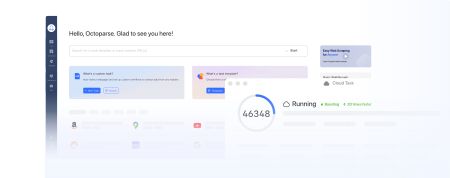
Turn website data into structured Excel, CSV, Google Sheets, and your database directly.
Scrape data easily with auto-detecting functions, no coding skills are required.
Preset scraping templates for hot websites to get data in clicks.
Never get blocked with IP proxies and advanced API.
Cloud service to schedule data scraping at any time you want.