The best price monitoring tools in 2026 fall into two categories: all-in-one pricing platforms like Prisync, Omnia, and Repricer that handle collection, dashboards, and automated repricing as a closed system, and flexible data collection tools like Octoparse and Import.io that focus on extracting raw price data from any website and feeding it into your existing stack. Knowing which category fits your business, before comparing features, is the single biggest decision in this space, and the reason most “wrong tool” frustration happens.
In this guide, we’ve tested and compared 10 leading price monitoring tools across both categories, from free options for small businesses to enterprise-grade platforms. Whether you need automated price alerts, MAP compliance monitoring, custom scraping for niche sites, or a managed data feed, you’ll find the right fit here. We’ve also included a decision framework, real-world results from a B2B retailer running Octoparse across a 50-company portfolio, and honest notes on what each tool does, and doesn’t, cover.
Do you know?
The global price monitoring software market reached $1.7 billion in 2024 and is projected to hit $5.09 billion by 2033, growing at 13% annually. With 2.77 billion people shopping online globally and 50% of consumers prioritizing competitive pricing, effective price monitoring has become critical for business survival.
What Is Price Monitoring
Price monitoring, also called price intelligence or competitive price monitoring, is the process of tracking and analyzing prices of products or services in the market. It involves systematically monitoring and collecting pricing data from various sources, such as competitors’ websites, online marketplaces, and retail stores, to gain insights into pricing trends, changes, and strategies.
Price monitoring covers more than just price – modern tools also track stock availability, promotional discounts, bundle pricing, shipping costs, and Minimum Advertised Price (MAP) violations. Understanding the difference between price monitoring (collecting raw data) and price intelligence (turning that data into actionable strategy) is key to choosing the right tool.
Why Is Price Monitoring Important for Maximizing Profits
Competitive Analysis
Track competitor pricing to understand market positioning and adjust your strategies based on data. Gartner reports that data-driven pricing decisions outperform intuition-based ones by 35%.
Dynamic Pricing
A solid price monitoring tool can help you respond to market changes within minutes instead of days. Amazon adjusts prices 2.5 million times daily—your business needs similar agility to compete.
What Insights Does Price Monitoring Provide
Price monitoring provides valuable data on consumer behavior, market trends, demand fluctuations, etc. A better understanding of the market can lead to increased revenue and undoubtedly customer satisfaction.
MAP Compliance for Brand Manufacturers
Minimum Advertised Price (MAP) policies protect brand value by preventing authorized retailers from advertising products below a set price floor. Without automated MAP monitoring tools, manufacturers can lose thousands of dollars daily in brand equity before discovering violations. Tools like Minderest and Omnia Dynamic Pricing specialize in this use case.
Two Approaches to Price Monitoring: All-in-One Platforms vs Flexible Data Collection Tools
Price monitoring tools fall into two distinct product categories. Knowing which one matches your business is the single biggest decision in choosing a tool and where most teams get stuck before they even compare features.
All-in-one pricing platforms (Prisync, Price2Spy, Omnia, Repricer, Minderest, Skuuudle) bundle the entire workflow into one product: data collection, dashboards, alerts, and in some cases automated repricing back to your storefront. You sign up, connect your store, the platform’s matching engine finds your competitors, and you’re looking at a dashboard within hours. The trade-off: you’re locked into the platform’s site coverage, its SKU matching engine, and its per-SKU pricing tier.
Flexible data collection tools,such as Octoparse, Chat4Data, and Import.io, focus on one job: extracting clean price data from any public website. They leave dashboards, alerts, and repricing logic to the tools you already use, like Looker, Power BI, your ERP, or a custom script. Setup may take longer, but coverage is wider, and data ownership stays with you.
Here’s the side-by-side:
| Dimension | All-in-One Pricing Platforms | Flexible Data Collection Tools |
|---|---|---|
| What you get | End-to-end pipeline in one product: collection → dashboard → alerts → repricing | Just the data collection layer — bring your own dashboard, BI, or repricing logic |
| Site coverage | Limited to sites and SKUs the platform’s matching engine recognizes | Any public website, any field, any layout |
| Pricing model | Per-SKU or per-product tier — you pay per item, even if you only need a few fields | Per-task or flat plan — no marginal cost per added SKU once configured |
| Setup speed | Faster to first dashboard (preset matching, ready-made views) | Slower first run; faster long-term once your custom workflows are built |
| Data ownership | Platform-hosted, exports often capped by plan tier | Raw data lands in your CSV / database / warehouse — you own it |
| Best for | Standard e-commerce SKUs on supported platforms; teams without engineering | Non-standard products, custom variants, tiered pricing, niche sites, existing BI / ERP stacks |
How to decide quickly: If your products are standard SKUs sold on platforms that all-in-one tools already track, such as Shopify, Magento, Amazon, or other mainstream marketplaces, and you don’t have an engineer to set up custom data flows, start with a platform like Prisync or Omnia. If you sell non-standard products, have tiered or variant-heavy pricing, need to monitor sites that the platforms don’t cover, or already have a BI stack you want to feed, a flexible data collection tool like Octoparse will fit better. The rest of this article lists tools from both categories, starting with collection tools (Octoparse first because of the free plan) and then dedicated platforms.
How to Choose the Right Price Monitoring Tool
With dozens of tools available, here are the 7 criteria that matter most when selecting a price monitoring solution for your business:
1. Workflow scope: all-in-one platform or data collection only?
Decide first whether you need a tool that runs the full pipeline (collection → dashboard → alerts → automated repricing) or just the collection layer. Most price-monitoring frustration comes from buying a full-pipeline tool when the catalog needs flexibility, or buying a collection tool when the team has no one to wire up the dashboard. Match the form factor first; compare features within that category second.
2. Websites monitored
Does it cover the specific marketplaces or retailer sites you need (Amazon, Walmart, Shopify stores, custom sites, B2B portals)? All-in-one platforms come with predefined site coverage; collection tools can scrape anything publicly visible.
3. Update frequency
How often does the tool refresh data — every few minutes, hourly, or once a day? Critical for high-velocity categories like electronics. For Octoparse and other collection tools, you control the schedule (hourly to monthly), so this is a question of how often you want the runs to fire, not a hard product limit.
4. Pricing and scalability
Free plans for startups; per-SKU pricing for enterprises tracking 10,000+ products. Watch for tools that look cheap at the entry tier but balloon as SKUs grow — this is where per-SKU pricing tiers can bite.
5. Alert system
Email, Slack, or webhook alerts when a competitor drops below your threshold. Make sure the notification channels match how your team already works.
6. Integration capabilities
API access, ERP / PIM connections, or direct export to Excel / Google Sheets / your data warehouse. If you have an existing BI stack, this matters more than the tool’s built-in dashboard.
7. No-code vs technical setup
No-code tools (Octoparse, Prisync) work for marketing and ops teams without engineering. Tools like Import.io require developer resources. Be honest about what your team can support long-term.
Quick Comparison: 10 Best Price Monitoring Tools (2026)
| Tool | Best For | Starting Price | Free Trial | No-Code | Update Freq. |
|---|---|---|---|---|---|
| Octoparse | Custom scraping + monitoring on any site | Free / $75/mo | 14 days | ✓ | Flexible scheduling |
| Chat4Data | Ad-hoc price checks via natural language | Free [VERIFY] | — | ✓ | On-demand |
| Prisync | E-commerce competitor tracking + repricing | $99/mo | 14 days | ✓ | 2–3x daily |
| Price2Spy | Brands needing custom reports + MAP | $78.95/mo | 14 days | ✓ | Up to 8x daily |
| Omnia Dynamic Pricing | Omnichannel pricing automation | Custom | Yes | ✓ | Real-time |
| Repricer | Amazon & eBay Buy Box | $69/mo | 14 days | ✓ | Real-time |
| Minderest | MAP compliance & brand monitoring | Custom | N/A | ✓ | Daily |
| Skuuudle | SKU-level product matching | $89/mo | On request | ✓ | Daily |
| Mozenda | Enterprise 10K+ SKUs | $250/mo | 30 days | ✗ | Scheduled |
| Import.io | Managed enterprise data feeds | $299–$9,999/mo | N/A | ✗ | Daily |
How Web Scraping Helps Price Monitoring(Beyond E-Commerce)
For teams in the “flexible data collection” category, web scraping is the underlying mechanism. Several factors make it particularly well-suited to price monitoring:
- Works across any website, not just marketplaces. Most dedicated price monitoring platforms are built for e-commerce SKUs on supported retail sites. Web scraping can handle competitor websites, niche marketplaces, B2B portals, government tender sites, and SaaS pricing pages, anything publicly visible, with or without an API.
- The same scraper serves multiple business needs. A scraper built for price monitoring can also feed lead generation, market research, and risk monitoring workflows. One tool can deliver multiple business outcomes, which is especially valuable for teams without the budget for separate platforms.
- Anti-blocking is the baseline, not a premium add-on. Cloud-based scrapers like Octoparse automatically rotate IPs, handle CAPTCHAs, and manage proxies. This addresses the number one pain point for price monitoring at scale, getting blocked by target websites. These capabilities are reliability requirements rather than differentiators.
If you’re new to this, you can start with a free web scraper to see how scraping can benefit your business.
10 Price Monitoring Tools to Track Price Easily
1. Octoparse
✅Best for: Businesses that need custom price monitoring without coding, especially those tracking niche websites, custom variants, or multiple platforms in parallel, and teams that want to own their data and feed it into existing BI / ERP / repricing stacks.
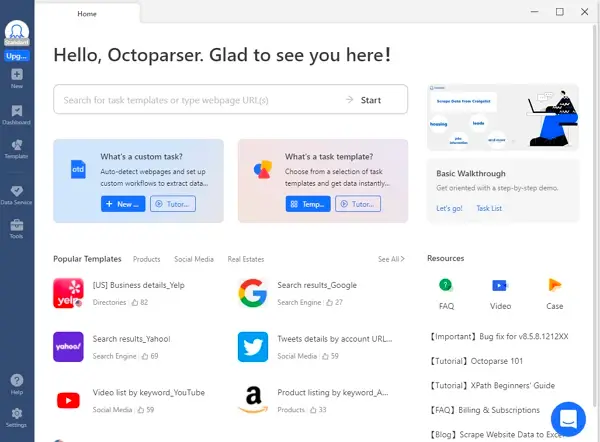
Octoparse is a no-code web scraping platform for Windows, Mac, and browser, purpose-built to be the data collection layer of your price monitoring workflow. You point it at a competitor URL and click the fields you want, such as price, stock status, discount, shipping cost, or MAP indicator, then schedule the run hourly, daily, weekly, or at any custom interval.
Unlike most dedicated price monitoring SaaS tools that start at $69 to $99 per month, Octoparse offers a permanently free plan for individual users monitoring up to 10 tasks. It is the most flexible free entry point for startups and small businesses testing price monitoring before scaling up, and the only tool on this list that lets you monitor truly arbitrary websites without per-SKU pricing.
A European B2B holding company managing approximately 50 companies replaced gut-feel pricing with automated weekly competitor price scraping using Octoparse. Sales teams now use data-backed formulas, for example taking the median price of three competitors and applying a multiplier, instead of relying on anecdotal market estimates. Based on their experience across the portfolio, moving to data-driven pricing typically yields a 2 to 4 percent improvement in profit margins.
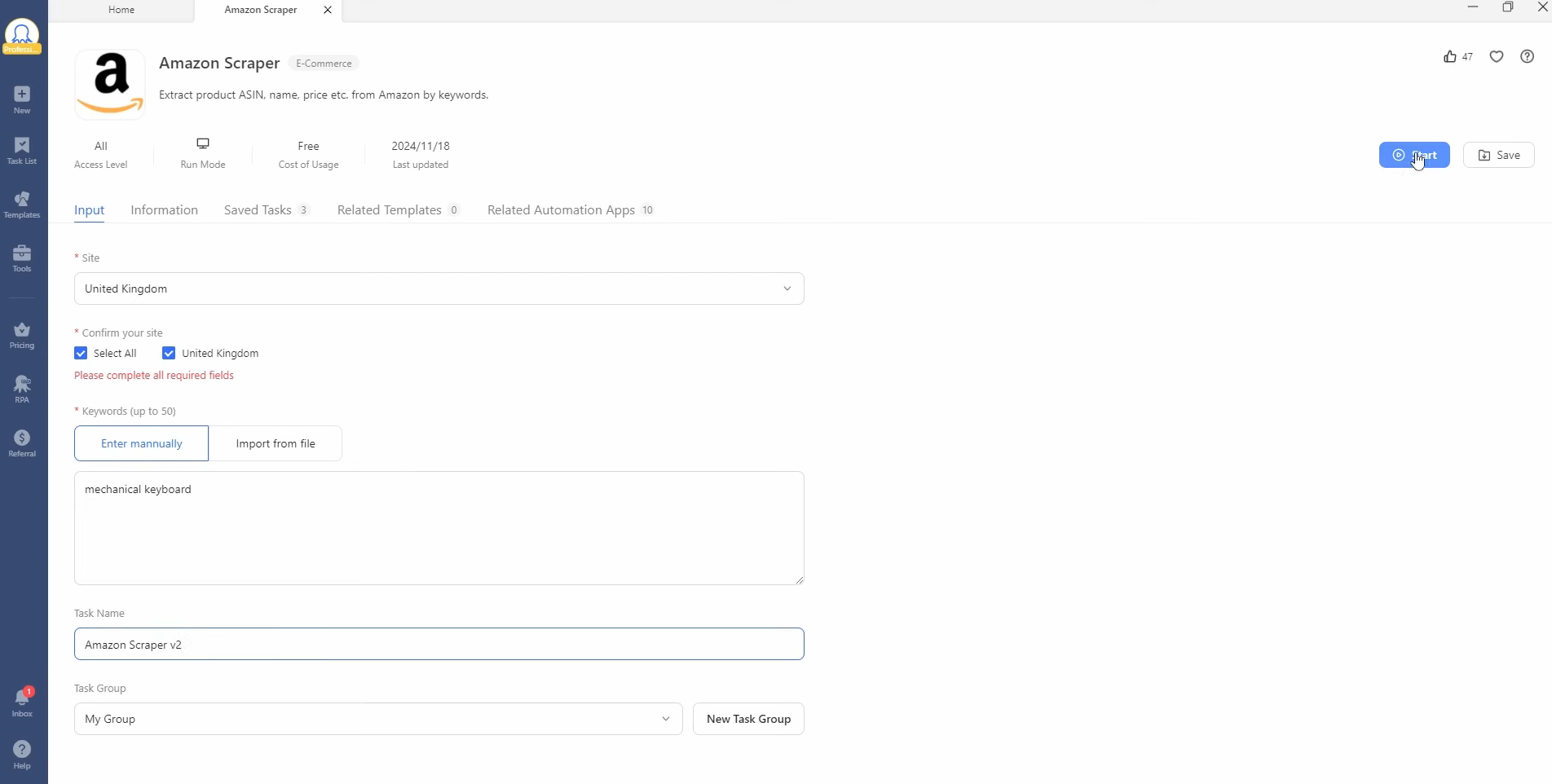
Here’s how a basic Amazon price-scraping run works:
- Step 1: Pick a template (Amazon Scraper, eBay Scraper, etc.) or build a custom one
https://www.octoparse.com/template/amazon-product-scraper-by-keywords
- Step 2: Enter keywords or paste URLs (up to 50 keywords per Amazon run)
- Step 3: Hit Start and choose local run or cloud run
Here is how I used it:
I clicked on the Amazon Scraper on Octoparse’s main page. Then I searched a random product, mechanic keyboard:
Then I get a window showing the process of price scraping.
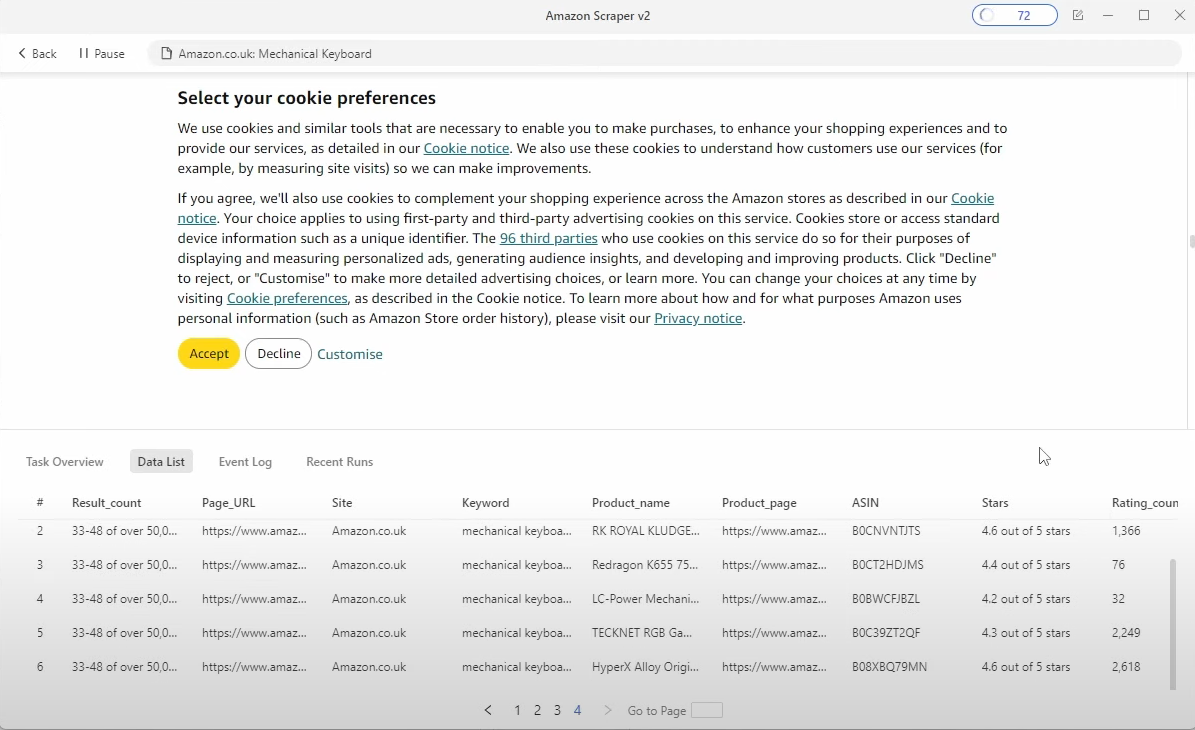
It took less than 2 minutes for me to have a 4 page pricing data report of the product I want to price monitor:
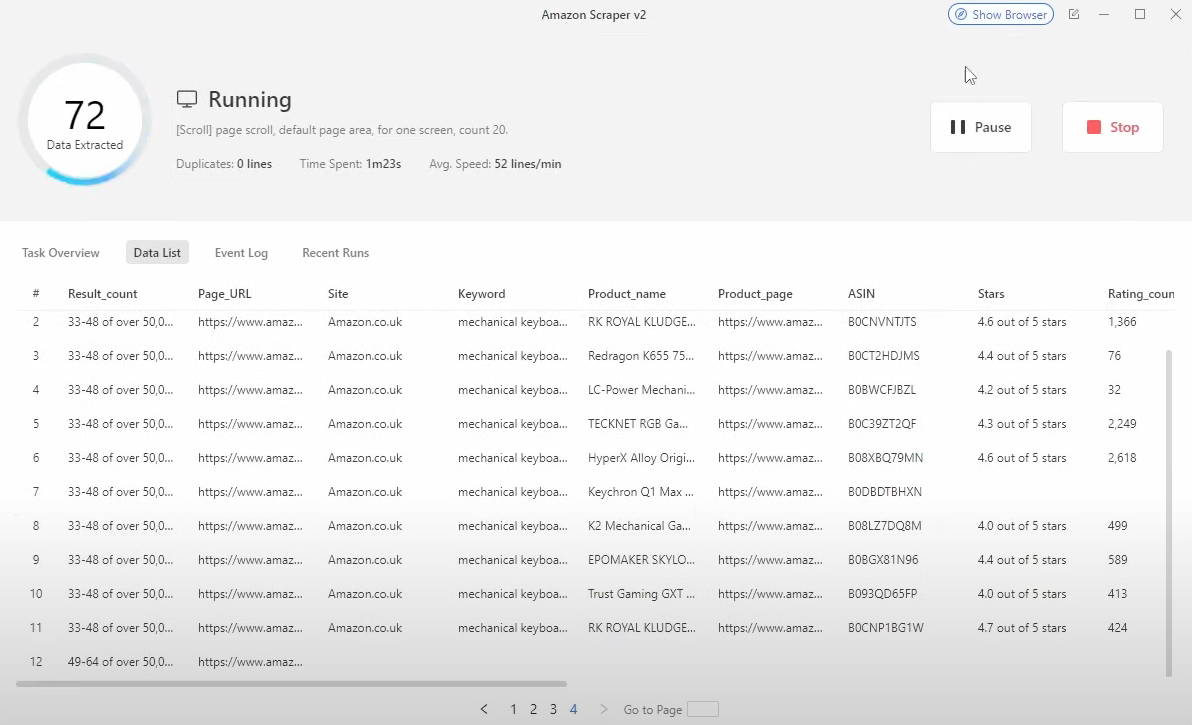
You can schedule scraping to run hourly, daily, weekly, or on a custom cron schedule to make Octoparse an ideal automated price monitoring system. The cloud runner keeps scraping 24/7 even when your computer is off.
Price Monitoring Strengths
- No-code, schedulable scraping works for any site, including competitor pages, niche marketplaces, B2B portals, and even SaaS pricing pages, not limited to e-commerce.
- Anti-blocking infrastructure is included on all plans. IP rotation, proxy support, and CAPTCHA handling come standard. These are baseline requirements for reliable scraping at scale, not paid add-ons.
- Manual URL specification ensures precision by design. You pick exactly which competitor URLs to track, so there is no algorithmic mismatch. This is especially important for catalogs with many similar variants, such as sizes, colors, regional editions, or bundles, tiered pricing, or category-specific edge cases that can confuse auto-matching engines on closed platforms.
What Octoparse Does (and Doesn’t) Cover
Octoparse handles the data collection layer end-to-end:
- Collects competitor prices, stock status, promo discounts, MAP violations, and shipping costs from any public site.
- Runs on a customizable schedule, from hourly to monthly. It is not marketed as “real-time” because e-commerce prices do not change every second, and “real-time” usually implies proxy costs you do not need.
- Delivers data to CSV, Excel, JSON, or your database via webhook as soon as each run completes.
- Handles dynamic pages, pagination, login walls, and anti-bot protection out of the box.
Octoparse does not include:
- A built-in pricing dashboard or BI visualization layer. You can export to Looker, Tableau, Power BI, or any tool you already use.
- An automated repricing engine that pushes new prices back to your storefront. Tools like Prisync, Repricer, and Omnia provide this functionality.
- Pre-built SKU matching across competitor sites. You specify which URLs to track, which gives precision but requires a few minutes to select the URLs.
Why this matters for your decision: If you want a single product that runs the entire pricing workflow end-to-end, consider Prisync or Omnia. If you want to own your data and feed it into your existing BI, ERP, or custom repricing logic, or if your catalog has variants that other platforms mismanage, Octoparse is built for that.
Limitations (honest):
- Initial setup takes longer than plug-and-play SaaS. The first custom scraper typically takes 20 to 30 minutes, although pre-built templates speed this up for major marketplaces.
- No built-in repricing engine. You can pair Octoparse with a repricing app, or use Prisync or Omnia if you want collection and automated repricing in one tool.
Type: Client/Webpage | Price: Free plan / $75–$249/month | Free Trial: 14-day free trial
2. Mozenda
✅Best for: Enterprise teams that need to monitor 10,000+ SKUs across JavaScript-heavy websites.
Mozenda stands out as a powerful web scraping tool, especially for businesses managing large-scale price monitoring.
It’s designed for enterprise clients who need to track pricing across tens of thousands of SKUs. For AI-driven solutions, Mozenda’s ability to scrape complex JavaScript-heavy websites means that it works well with modern, dynamic web pages, something that most scrapers might struggle with.
Type: Client | Price: from $250 per month | Free Trial: Free 30-Day Trial
How I Used Mozenda
I’ve personally used Mozenda in a price monitoring project for a large retail client. We had to track thousands of products across competitor websites, and Mozenda’s ability to handle heavy JavaScript made the process seamless. The platform’s interface is intuitive, and the free trial allowed us to test its capabilities before committing. We were able to set up automated workflows, which saved us hours of manual monitoring.
If you are looking for a reliable, scalable solution for enterprise-level price monitoring, Mozenda is a solid recommendation.
3. Import.io
✅Best for: Large enterprises needing fully managed data feeds at scale with API integration.
Import.io is a powerful web scraping tool that can also extract data from any site.
What I found most enjoyable about it is its multiple functions.
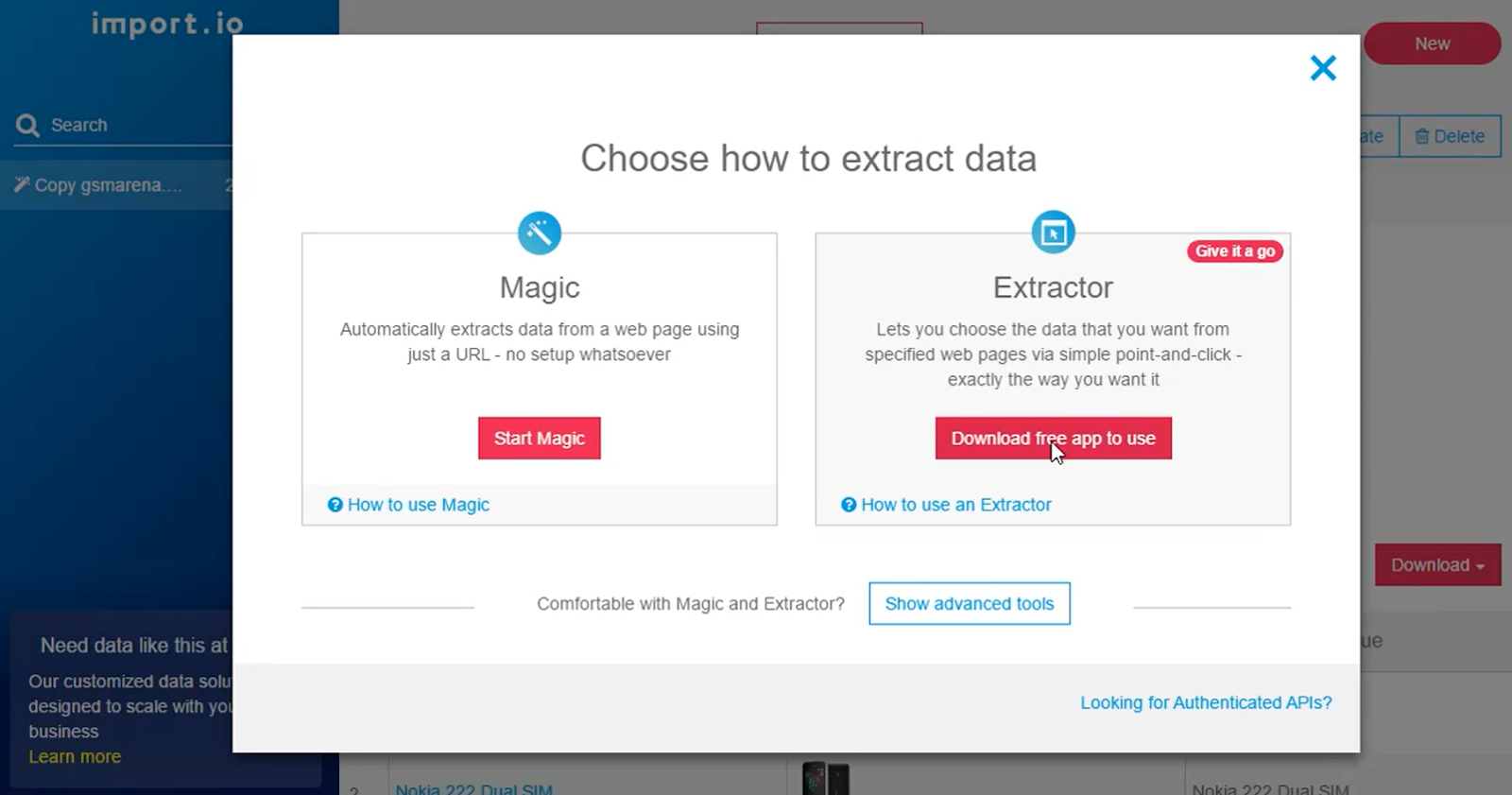
Note: Import.io has shifted focus to enterprise-managed data services. Personal self-service scraping is no longer its primary offering – it’s now best suited for companies that want a fully outsourced data pipeline rather than a DIY scraping tool.
Type: Client | Price: Customized($299~$9999) | Free Trial: N/A
How I’ve Used Import.io
I’ve personally used Import.io for scraping large amounts of product data for a retail client. We were able to set up a system that scraped prices, descriptions, and images from multiple competitor websites on a daily basis. The API integration made it easy to connect the data directly to our internal systems for further analysis. Although the pricing can be a barrier for small businesses, the power and scalability of Import.io make it a valuable tool for larger projects.
When to Consider Import.io
Import.io is a great choice for companies or teams working on high-volume data extraction tasks who need flexibility and scalability. While the lack of personal downloading and high costs might limit its appeal for small businesses or casual users, it’s an excellent solution for businesses that need reliable, large-scale web scraping capabilities.
4.Chat4Data
✅ Best for: Marketers, sellers, and analysts who need quick ad-hoc competitor price checks without setting up a recurring scraper.
Chat4Data is a Chrome extension that scrapes any public webpage based on a plain-English description. You type what you want, for example “get product name, brand, price, and stock status from the top 50 results on this Amazon search page,” review the execution plan, hit Start, and the AI agent handles navigation, pagination, field detection, and export.
What sets it apart for price work:
- Plain-English interface, two steps to data. Describe the task, confirm the plan, and get an Excel or CSV. No selectors, templates, or point-and-click setup are needed.
- Whole-page extraction in one task. On a product page, that means title, price, specifications, reviews, and stock status are pulled together, not from three separate scrapers stitched into a spreadsheet later.
- Accurate, not just fast. The agent plans steps before acting, validates pulled fields, and self-corrects when something looks off. The result is cleaner data and fewer moments when a column is filled with HTML junk.
- Local-first privacy. The tool runs in your browser and your data stays on your machine.
Limitations: Chat4Data is not designed for industrial-scale, always-on monitoring. It works better as a quick-check or research tool than as a 24/7 system. For recurring, schedule-driven monitoring at scale, Octoparse is the better choice.
Type: Chrome extension
Price: Free [VERIFY at chat4data.ai/pricing before publishing]
Best fit: ad-hoc competitor research, one-off competitive snapshots, low-friction first scraper for non-technical teams
5. Prisync
✅Best for: E-commerce retailers and brands tracking 100–10,000+ competitor products with automated repricing.
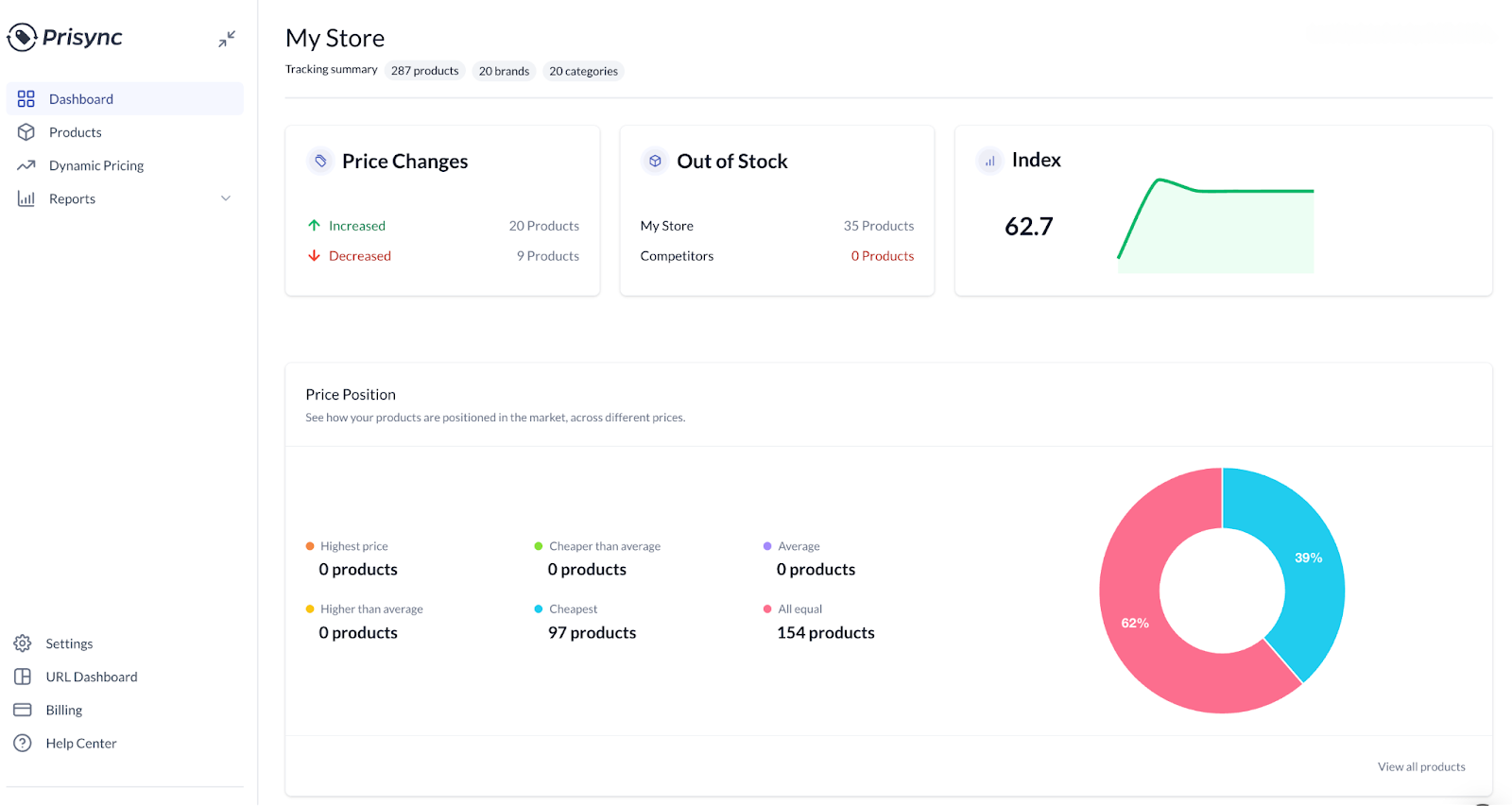
Prisync is currently the #1 ranking dedicated price monitoring SaaS tool in Google, and this is a testament to its strong feature set and customer satisfaction. It’s purpose-built for e-commerce, unlike general-purpose scrapers. It provides clients with a price-tracking system for people to monitor competitor prices.
What I found after using it:
Prisync continues to impress with highly accurate and up-to-date pricing data across multiple competitor platforms. Its automation features have been praised for drastically cutting manual work—price updates and alerts run seamlessly in the background.
Note: Prisync is purpose-built for standard e-commerce SKUs on supported platforms (Shopify, Magento, BigCommerce). If your catalog has non-standard variants, tiered B2B pricing, or sites Prisync doesn’t natively support, the per-SKU pricing model can get expensive and the auto-matching engine can struggle with similar product variants. For those cases, pair Prisync with a flexible scraper like Octoparse, or use Octoparse alone if you don’t need automated repricing.
Prisync includes features like:
- Pricing intelligence
- Pricing analytics
- Advanced repricing
- Product matching
- Email Notification
Fee: From $99 per month | Free trial: 14-day Free trial
Pros & Cons
√ Omnidirectional services from helping define product assortment to settle pricing strategies.
√ Real-time price tracking and updating.
√ Email alter.
× Some aspects of customization require fairly technical skills.
6. Omnia Dynamic Pricing
✅Best for: Omnichannel retailers needing end-to-end dynamic pricing automation with complex pricing rules.
Category: all-in-one platform with built-in repricing engine.
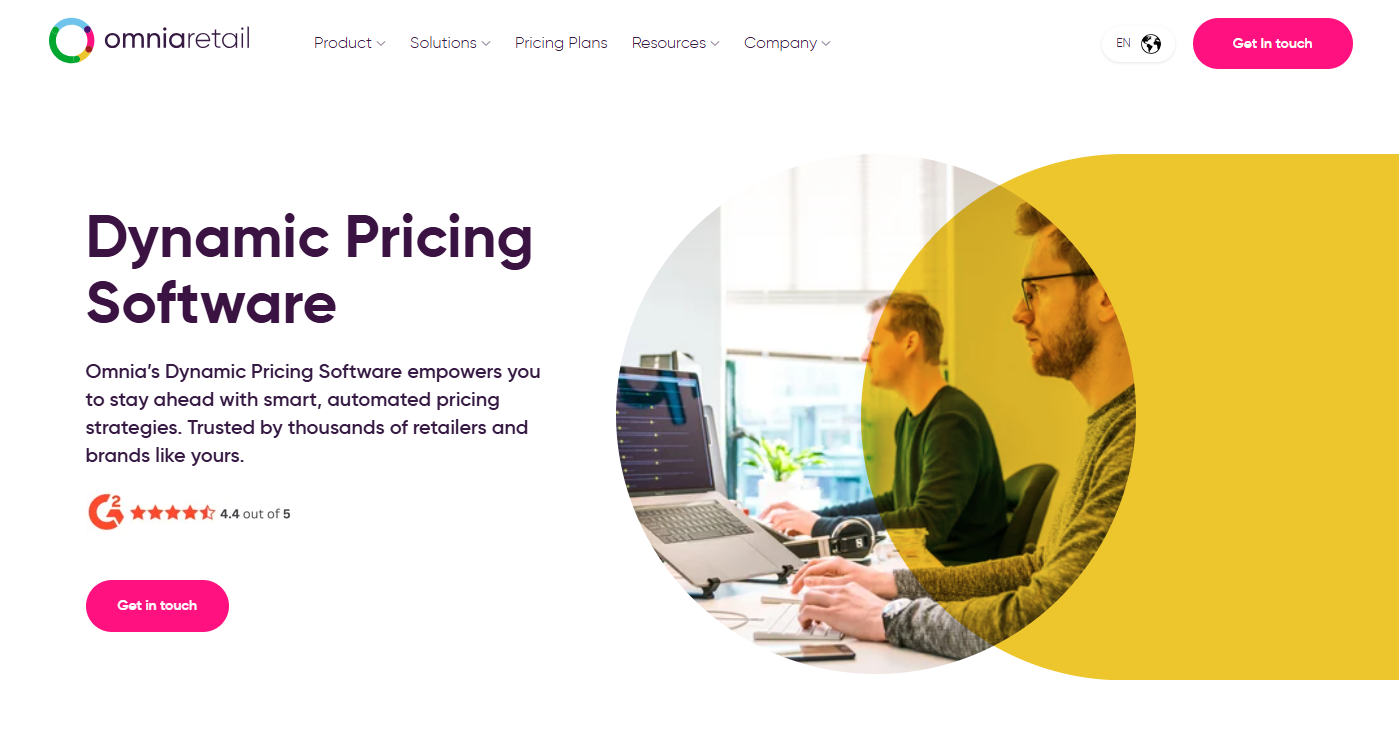
Omnia provides a full suite of automation tools to help with taking control of product assortment, building pricing and marketing strategies. It goes beyond monitoring: it’s a full dynamic pricing platform that automates price adjustments based on custom rules, elasticity models, and competitive data. If you need both monitoring AND automated repricing at scale, Omnia is the most comprehensive end-to-end solution on this list.
Fee: Customized | Free trial: Get Free trial after contact sales
√ Flexible to set up a monitoring model in the software.
√ Easy to use as it explains how the software algorithm works and recommend a proper
√ Comprehensive training system
× Too expensive for a small-size company
× Only provide online support in business hours
Features:
- Customized pricing rules
- Price elasticity calculations
- End-to-end automation
- Total transparency
7. Price2Spy
✅Best for: Brands and retailers who need detailed pricing analytics, custom reports, and mobile access.
Category: all-in-one platform, strong on reporting and MAP compliance.
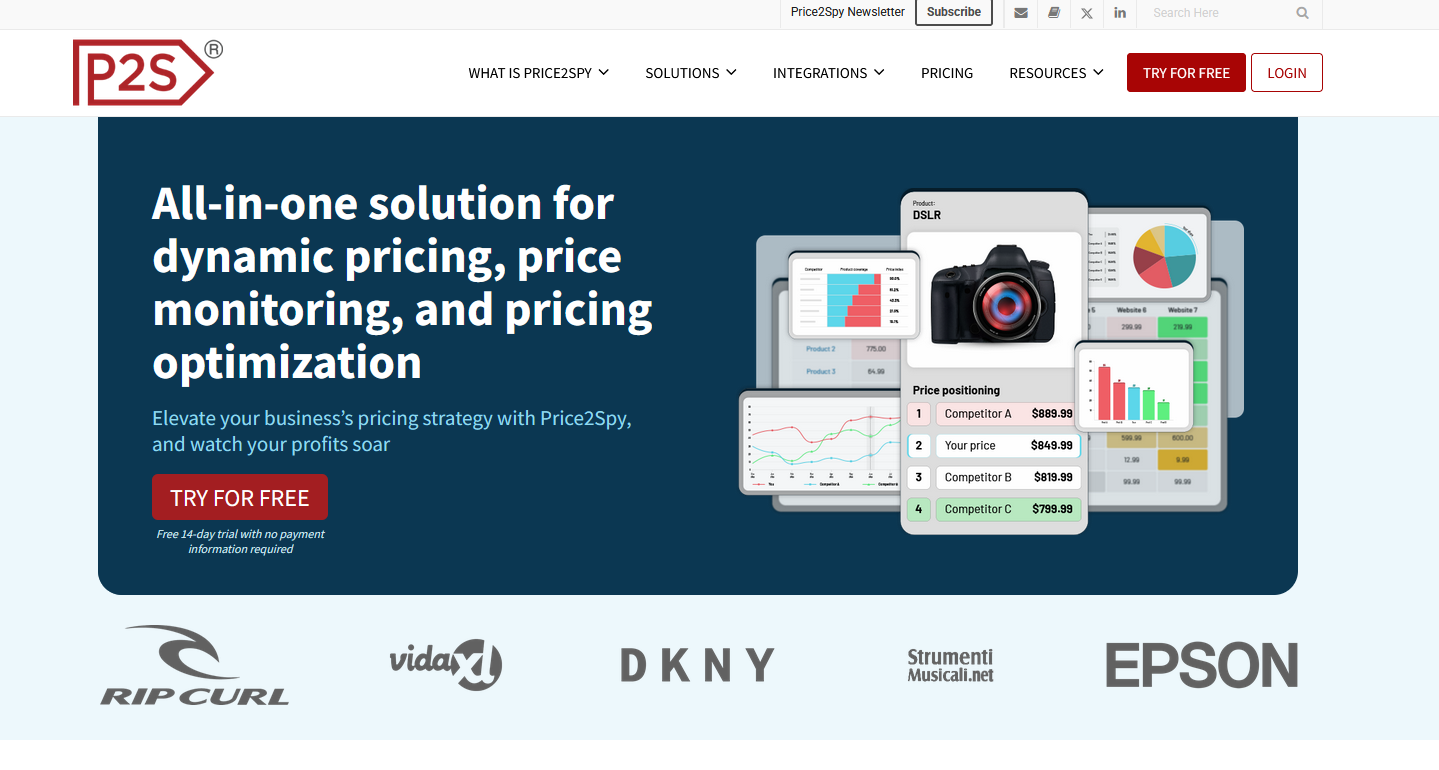
Price2Spy is a comprehensive price monitoring tool that serves brands and retailers.
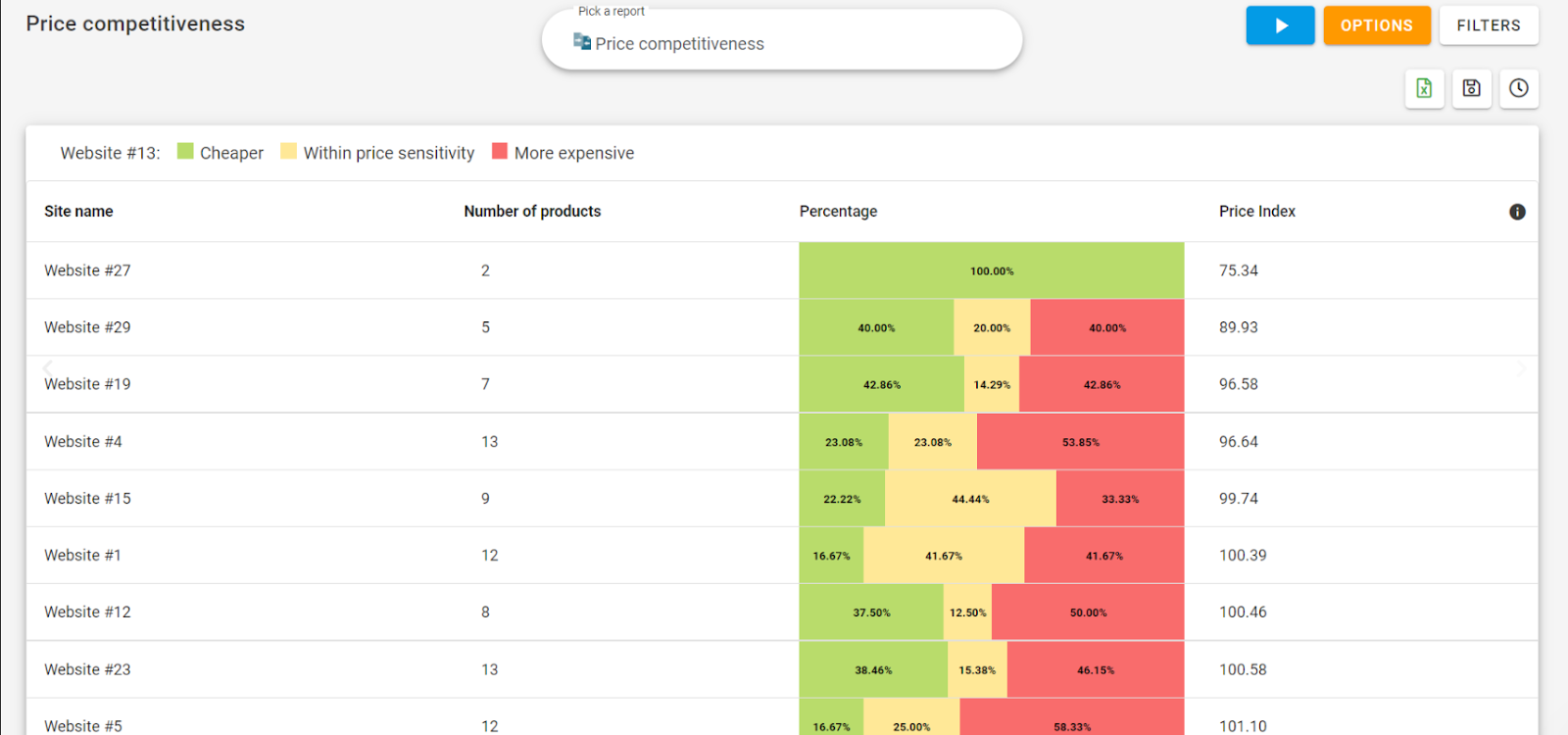
What impress me about Price2Spy is its robust reporting mechanisms and ability to create custom reports. It offered me the most meaningful insights of the price data I collected:
Fee: From $78.95 per month | Free trial: 14 days
√ The app is available on both iOS and Android devices. Also has web-app version.
√ Widely cover most product assortment and provide in-time suggestions.
× The price information is not updated in time. Doesn’t update price information in a timely manner (Synchronization issue)
× The dashboard isn’t quite friendly for beginners
Features:
- Pricing intelligence
- Pricing analytics
- Advanced repricing
- Product matching
- Data extraction
- eCommerce integration
- Price2Spy API
8. Skuuudle
✅Best for: Mid-market retailers needing highly accurate SKU-level product matching and daily pricing insights.
Category: all-in-one platform with human-verified SKU matching.
Skuuudle is an intelligent monitor platform, a clever little platform that compares your prices automatically with that of competitors’. Through a close understanding of prices in a certain marketplace, Skuuudle helps to generate price and product insights on a daily basis.
Fee: From $89 per month | Free trial: Get Free trial after contact sales
√ End-to-end visualization pricing monitoring platform.
√ Get data on time with perfect accuracy
√ Provide monthly report
× Only provide online support in business hours
Features:
- Data collection
- Product matching
- Quality control
- Easy-to-use Analytics
- Cloud-based
- First-class support
9. Repricer
✅Best for: Amazon and eBay sellers focused on real-time repricing and Buy Box optimization across international marketplaces.
Category: all-in-one platform purpose-built for Amazon Buy Box optimization.
Repricer focuses on Amazon and eBay repricing with real-time competitor price tracking built in. If winning the Amazon Buy Box is your primary goal, Repricer’s algorithmic strategies are purpose-built for that outcome, supporting 18 international Amazon marketplaces.
Fee: From $69 per month | Free trial: 14-day free trial
√ Supports 18 international Amazon marketplaces
√ Buy box strategy optimization on Amazon
√ User-friendly navigation
× Limited to Amazon/eBay sellers only
× Occasional price sync delays
Feature:
- Repricing
- Competitor analysis (Amazon sellers only)
- Flexible rules set up
- Safe & secure
10. Minderest
✅Best for: Manufacturers and brands that need MAP monitoring, assortment intelligence, and both online/in-store price tracking.
Category: all-in-one platform, strong on MAP / brand monitoring + omnichannel.
Minderest is a pioneering company in the price and assortment intelligence sector for both retailers and manufacturers. Its In-Store mobile app is a standout feature for omnichannel businesses.
For brand manufacturers, Minderest’s MAP monitoring capabilities are particularly valuable: it automatically flags retailers violating your minimum advertised price policy across thousands of SKUs in near real-time.
Fee: Customized | Free trial: N/A
√ Not only provide monitoring service for retailing, but also for brand.
√ Mobile APP is supported.
√ API extraction is available
√ Client support: via telephone, in-application chat interface or email.
× Limitation to capture prices for sellers requiring an account
× Information is slowly updated sometimes.
Feature:
- In-Store mobile APP
- Brand relative monitoring services
Free Price Monitoring Tools: What’s Available in 2026
Not every business needs a paid subscription from day one. Here are the best free price monitoring options available in 2026:
- Octoparse Free Plan: 10 scraping tasks, cloud run credits, and access to 500+ pre-built templates—including Amazon, eBay, and Etsy price scrapers. The best free option for businesses that need custom data beyond standard marketplaces.
- Keepa: Free browser extension and API for Amazon price history tracking. Shows price charts going back years for any Amazon product. Ideal for Amazon sellers and deal hunters tracking personal or competitor ASINs.
- CamelCamelCamel: Free Amazon price history checker covering the US, UK, Canada, and other Amazon markets. Set up price drop alerts for any ASIN. Best for consumers and small Amazon sellers.
- Google Sheets + IMPORTFEED: DIY solution for tech-savvy users: use IMPORTFEED or third-party add-ons to pull price data into Google Sheets. No cost but requires manual setup and maintenance.
A note on MAP monitoring: If you’re a brand manufacturer tracking Minimum Advertised Price compliance, tools like Minderest and Omnia Dynamic Pricing have built-in MAP detection. Octoparse can also handle custom MAP workflows by scraping authorized reseller pages on a scheduled basis.
3 Price Monitoring Pitfalls to Avoid and How to Fix Them
Whatever tool you pick, three failure modes appear repeatedly. Each one has a specific fix tied to a tool feature in this list.
- Getting blocked by target websites
E-commerce sites use bot detection that ramps up the more you visit them. A scraper that worked yesterday may start returning empty results today.- Fix: Use a tool with IP rotation, proxy management, and CAPTCHA handling built in, such as Octoparse or Mozenda. Do not rely on a basic scraper that requires you to configure these yourself. This is also why all-in-one platforms often charge extra for sites with stronger protection.
- SKU mismatches you do not notice
Auto-matching engines on closed platforms can pair your “Brand X 32-inch monitor model A2024” with a competitor’s “Brand X 32-inch monitor model A2023” without flagging the year difference. You may make pricing decisions based on the wrong comparison for weeks.- Fix: For variant-heavy catalogs, either review and approve every match manually inside your platform or use a tool where you specify the competitor URLs yourself, such as Octoparse or Chat4Data. No algorithmic mismatch occurs if you picked the URL.
- Check frequency mismatched to your category
Electronics prices can shift hourly, while B2B industrial parts may not change for months. Paying for real-time monitoring for slow-moving SKUs wastes money on proxy infrastructure. Paying for daily monitoring for fast-moving SKUs means you may lose sales while waiting for the next sweep.- Fix: Set frequency per category, not per tool. Tools with customizable schedules, such as Octoparse, Prisync hourly tier, or Repricer real-time for Amazon, let you tier this. Tools with flat frequency force you into one speed across the catalog.
Final Thoughts
The right price monitoring tool comes down to two questions: what category do you need (all-in-one platform vs flexible data collection), and what does your catalog look like (standard SKUs on supported platforms vs custom / variant-heavy)?
For most teams, the decision splits cleanly:
- Standard e-commerce SKUs on Shopify, Magento, or mainstream marketplaces, no engineering team: Start with Prisync, Omnia, or Repricer (for Amazon).
- Custom variants, niche sites, tiered B2B pricing, or you want to own your data: Start with Octoparse — the free plan covers 10 monitoring tasks indefinitely, so you can validate the workflow before paying.
- Brand manufacturers needing MAP compliance evidence: Price2Spy or Minderest.
- Quick one-off competitive snapshots, no recurring schedule: Chat4Data.
If you’d rather not run a monitoring tool yourself, Octoparse Data Service builds and runs the scrapers for you and delivers data to your team. Talk to an Octoparse data expert to scope your specific monitoring needs.
FAQs
1. What is the best price monitoring tool in 2026?
For e-commerce businesses that need custom monitoring, Octoparse’s free plan plus cloud scraping offers the most flexibility. For pure dedicated price tracking SaaS, Prisync (from $99/month) and Price2Spy (from $78.95/month) are the top-rated options based on G2 and Capterra reviews. Amazon sellers specifically should consider Repricer for real-time Buy Box optimization.
2. What is the difference between price monitoring and price tracking?
Price tracking typically refers to following a single product’s price over time (like CamelCamelCamel for Amazon items). Price monitoring is broader—it means systematically watching competitor pricing across hundreds or thousands of products to inform your pricing strategy.
3. Are there free price monitoring tools?
Yes. Octoparse offers a free plan for up to 10 scraping tasks. For Amazon specifically, Keepa and CamelCamelCamel are completely free. For general website price monitoring, a free web scraper with scheduled runs is the most flexible option.
4. Is web scraping legal for price monitoring?
Web scraping publicly available pricing data is generally legal in most jurisdictions, as confirmed by the hiQ Labs v. LinkedIn ruling (US) which affirmed public data can be scraped. However, always review a website’s Terms of Service and avoid scraping behind login walls or breaching CFAA. For enterprise use, consult legal counsel.
5. Should I use manual or automated price monitoring?
Manual monitoring works for startups tracking fewer than 50 products, but becomes unsustainable at scale—it’s time-intensive and prone to human error. Automated tools start at $0 (Octoparse free plan) and can monitor unlimited products with real-time alerts, making them the right choice for any growing business.
6. Should I choose an all-in-one pricing platform or a data collection tool?
All-in-one platforms, such as Prisync, Omnia, and Repricer, provide a faster path to a working dashboard but lock you into their site coverage, SKU matching engine, and per-SKU pricing tiers. They are best suited for catalogs with standard SKUs on supported platforms.
Data collection tools, such as Octoparse, Chat4Data, and Import.io, require more setup but can cover any site and any field, while allowing you to own your data. They are ideal for catalogs with non-standard products, custom variants, or when you want to feed an existing BI or repricing stack.
Sources:
Price Monitoring Software Market Size, Growth Report, 2033
Gartner Predicts 65% of B2B Sales Organizations Will Transition from Intuition-Based to Data-Driven Decision Making by 2026
51 ECommerce Statistics In 2025 (Global And U.S. Data) | SellersCommerce
The 2024 Consumer Behavior Trends : 40 Stats for Retail Success