
Why use it
- Setup is a message. You don’t need to learn a workflow builder or set up fields, pagination, and clicks step by step. Describe the data, and AI Assistant sets up the task.
- You don’t have to pick the tool. AI Assistant checks for a ready-made template first, then recommends the route that fits your request and the site.
- You get a scraper you can reuse, not a one-time result. The task is saved to your account. Run it again whenever you need fresh data, or put it on a schedule with Cloud Agent. AI is only used to build it: each run follows the same rules, so you get the same fields every time, and runs don’t use AI.
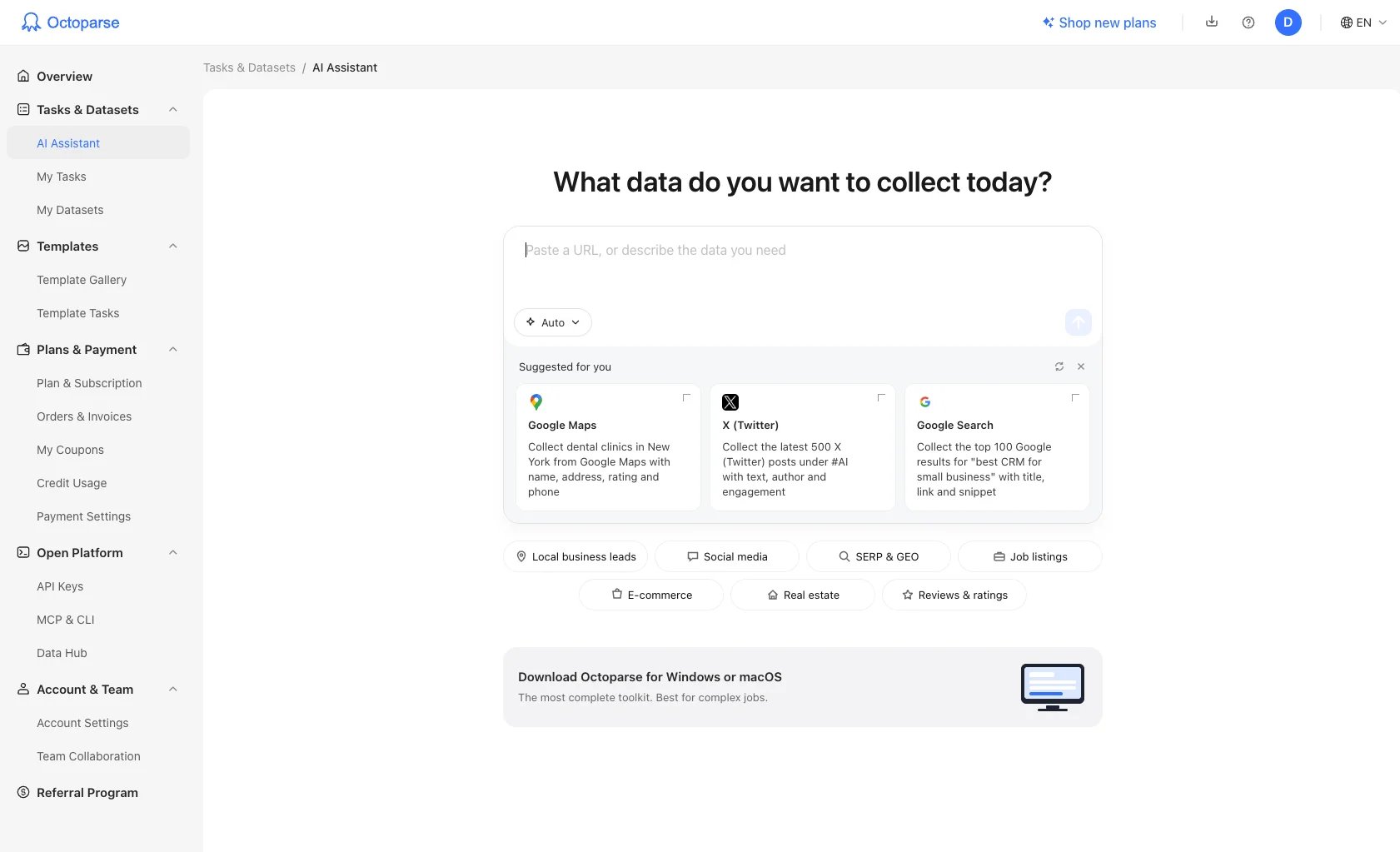
Where to find it
- On the Octoparse homepage: type your request into the chat box at the top of octoparse.com. It opens the same conversation in AI Assistant.
- In your user center: select Tasks & Datasets > AI Assistant in the sidebar, or go straight to octoparse.com/console/task/agentic.
Things to try
Copy one of these, change it to your own site and fields, and send it:- Collect dental clinics in New York from Google Maps with name, address, rating, and phone.
- Every Monday, collect the price, stock status, and seller of these Amazon.com products: [product URLs]
- I’m signed in to our supplier portal. Collect the order list at [URL] with order number, date, status, and total.
Ways to get your data
By default, AI Assistant recommends a route for you. To choose one yourself, use the mode selector when you start a new chat. See How AI Assistant works.
AI Assistant, Desktop, or Open Platform?
Plans and pricing
You can build and run tasks with AI Assistant on any plan, Free included. New accounts get a free allowance for building tasks; after that, building is paid from credits. On Free and Basic, the data you collect counts toward a monthly row limit, and Cloud Agent runs are started by hand. Scheduled runs and unlimited rows start on Standard. See Credits and plans.Good to know
- Browser Use and Cloud Agent are in Beta.
- AI Assistant can make mistakes. Check the fields and a sample of the data before you rely on a task.
Next steps
Quick start
Go from your first request to a saved task.
How AI Assistant works
How it reads your request and picks a route.
Example requests
Requests to copy for leads, prices, reviews, jobs, and more.